Page 240 of 388
5-22
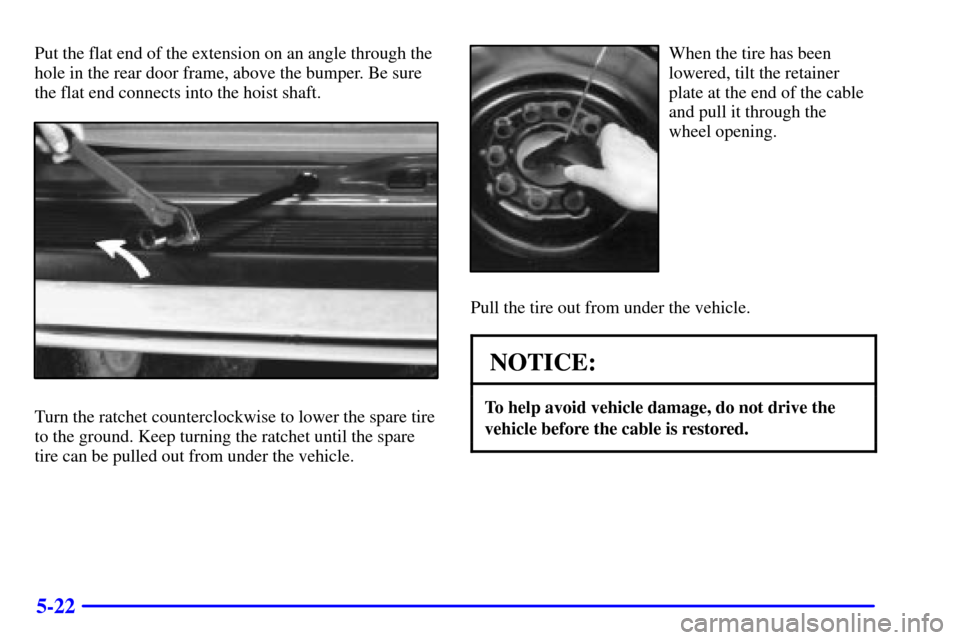
Put the flat end of the extension on an angle through the
hole in the rear door frame, above the bumper. Be sure
the flat end connects into the hoist shaft.
Turn the ratchet counterclockwise to lower the spare tire
to the ground. Keep turning the ratchet until the spare
tire can be pulled out from under the vehicle.
When the tire has been
lowered, tilt the retainer
plate at the end of the cable
and pull it through the
wheel opening.
Pull the tire out from under the vehicle.
NOTICE:
To help avoid vehicle damage, do not drive the
vehicle before the cable is restored.
Page 243 of 388
5-25
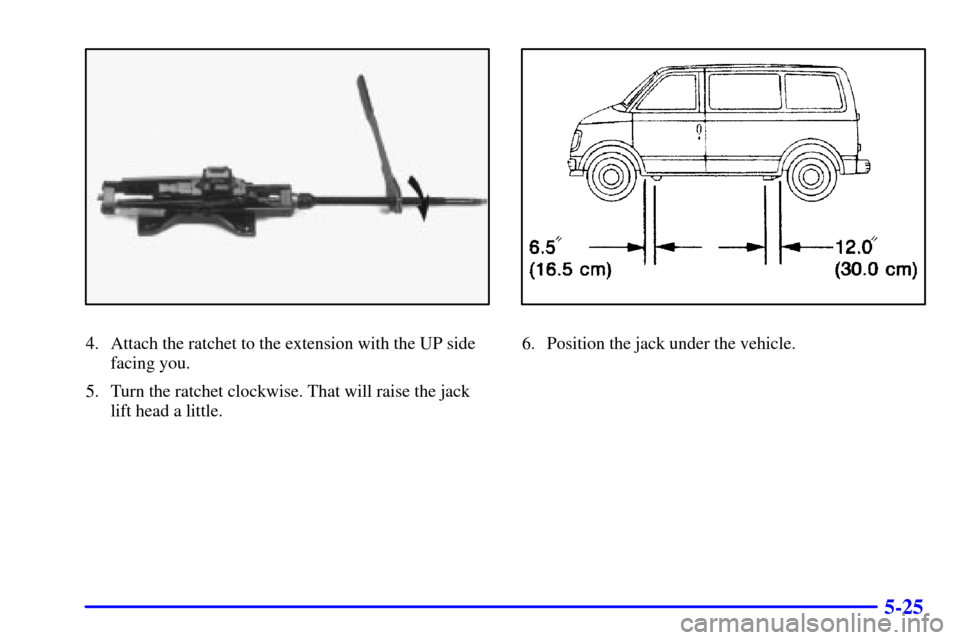
4. Attach the ratchet to the extension with the UP side
facing you.
5. Turn the ratchet clockwise. That will raise the jack
lift head a little.6. Position the jack under the vehicle.
Page 245 of 388
5-27
CAUTION:
Getting under a vehicle when it is jacked up is
dangerous. If the vehicle slips off the jack, you
could be badly injured or killed. Never get under
a vehicle when it is supported only by a jack.
CAUTION:
Raising your vehicle with the jack improperly
positioned can damage the vehicle and even make
the vehicle fall. To help avoid personal injury and
vehicle damage, be sure to fit the jack lift head
into the proper location before raising
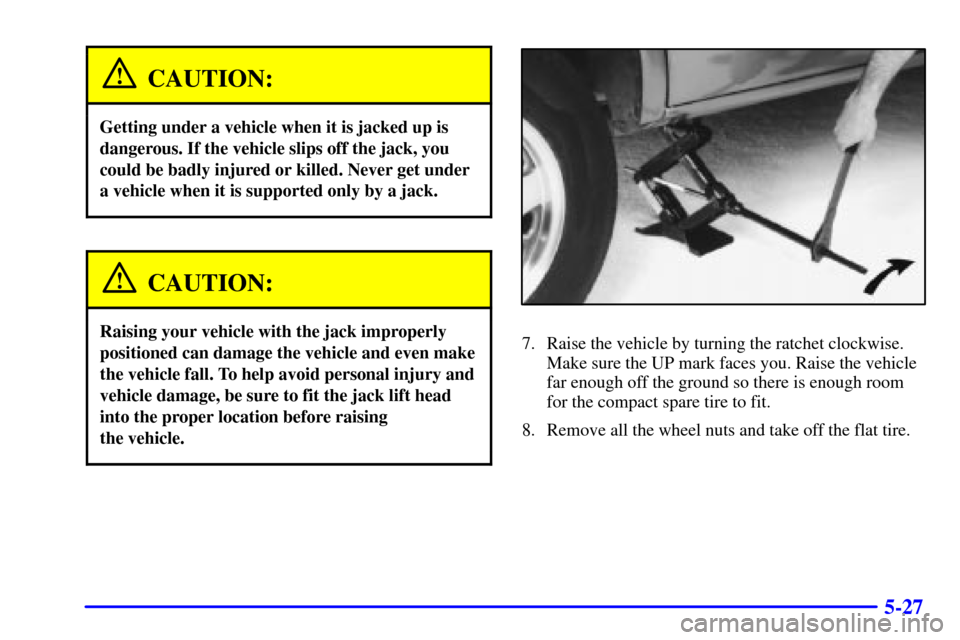
the vehicle.7. Raise the vehicle by turning the ratchet clockwise.
Make sure the UP mark faces you. Raise the vehicle
far enough off the ground so there is enough room
for the compact spare tire to fit.
8. Remove all the wheel nuts and take off the flat tire.
Page 247 of 388
5-29
12. Lower the vehicle by turning the ratchet
counterclockwise. Lower the jack completely.
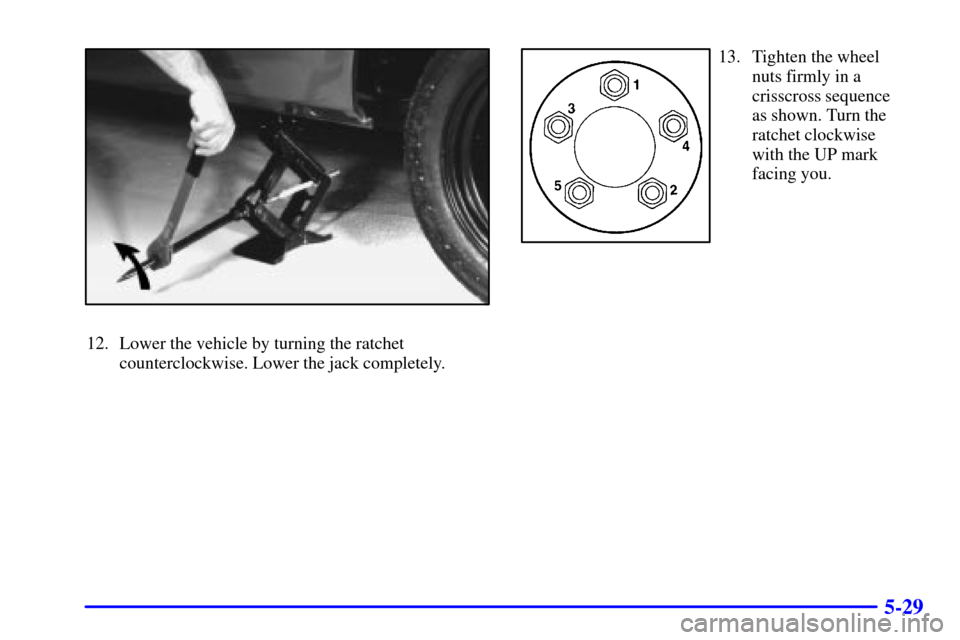
13. Tighten the wheel
nuts firmly in a
crisscross sequence
as shown. Turn the
ratchet clockwise
with the UP mark
facing you.
Page 258 of 388
6-6
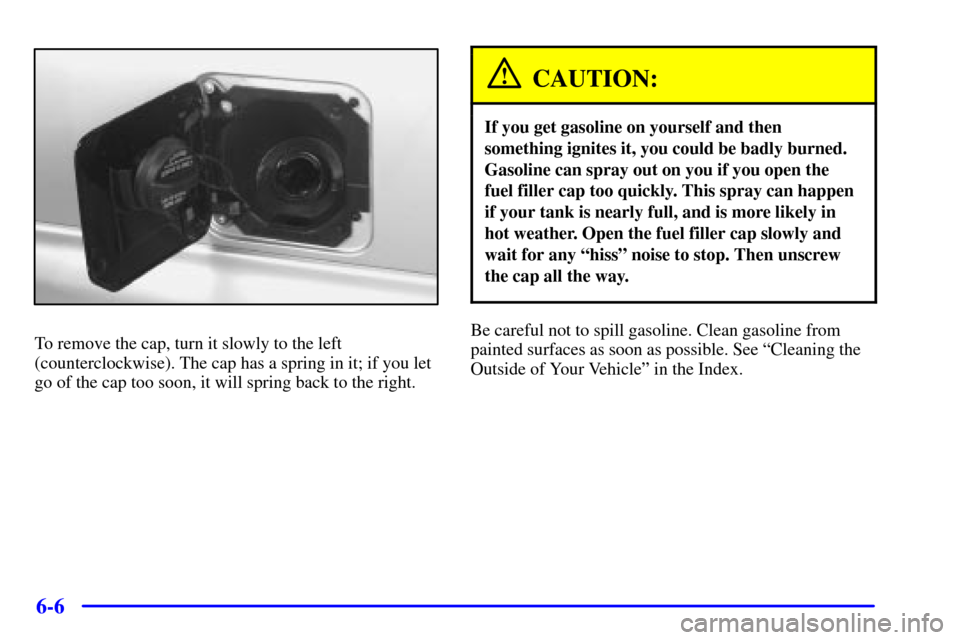
To remove the cap, turn it slowly to the left
(counterclockwise). The cap has a spring in it; if you let
go of the cap too soon, it will spring back to the right.
CAUTION:
If you get gasoline on yourself and then
something ignites it, you could be badly burned.
Gasoline can spray out on you if you open the
fuel filler cap too quickly. This spray can happen
if your tank is nearly full, and is more likely in
hot weather. Open the fuel filler cap slowly and
wait for any ªhissº noise to stop. Then unscrew
the cap all the way.
Be careful not to spill gasoline. Clean gasoline from
painted surfaces as soon as possible. See ªCleaning the
Outside of Your Vehicleº in the Index.
Page 259 of 388
6-7
When you put the cap back on, turn it to the right
(clockwise) until you hear a clicking sound. Make sure
you fully install the cap. The diagnostic system can
determine if the fuel cap has been left off or improperly
installed. This would allow fuel to evaporate into the
atmosphere. See ªMalfunction Indicator Lampº in
the Index.
NOTICE:
If you need a new cap, be sure to get the right
type. Your dealer can get one for you. If you get
the wrong type, it may not fit properly. This may
cause your malfunction indicator lamp to light
and your fuel tank and emissions system may be
damaged. See ªMalfunction Indicator Lampº in
the Index.
Filling a Portable Fuel Container
CAUTION:
Never fill a portable fuel container while it is in
your vehicle. Static electricity discharge from the
container can ignite the gasoline vapor. You can
be badly burned and your vehicle damaged if this
occurs. To help avoid injury to you and others:
�Dispense gasoline only into
approved containers.
�Do not fill a container while it is inside a
vehicle, in a vehicle's trunk, pickup bed or
on any surface other than the ground.
�Bring the fill nozzle in contact with the
inside of the fill opening before operating
the nozzle. Contact should be maintained
until the filling is complete.
�Don't smoke while pumping gasoline.
Page 292 of 388
6-40
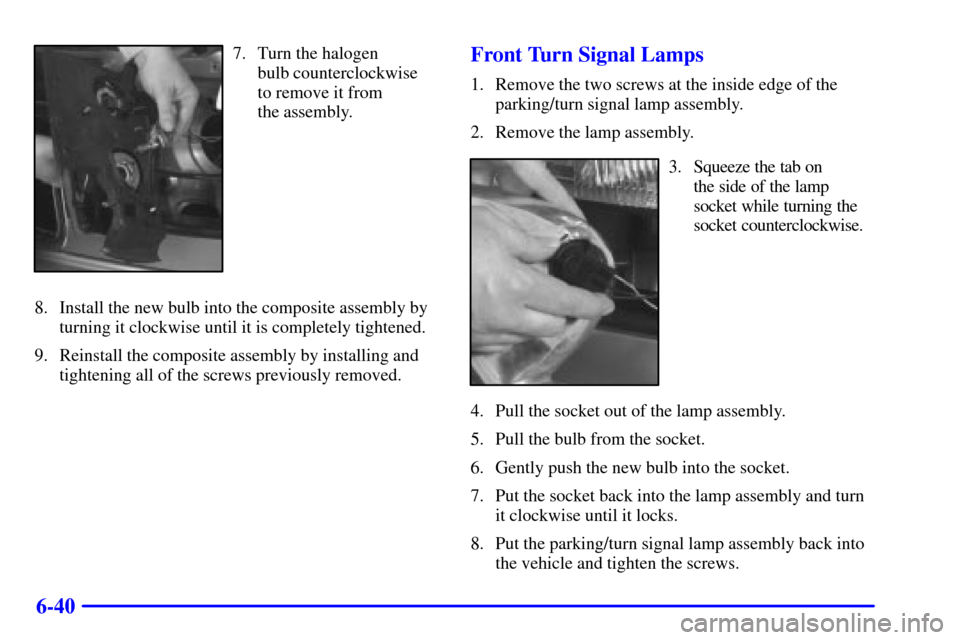
7. Turn the halogen
bulb counterclockwise
to remove it from
the assembly.
8. Install the new bulb into the composite assembly by
turning it clockwise until it is completely tightened.
9. Reinstall the composite assembly by installing and
tightening all of the screws previously removed.Front Turn Signal Lamps
1. Remove the two screws at the inside edge of the
parking/turn signal lamp assembly.
2. Remove the lamp assembly.
3. Squeeze the tab on
the side of the lamp
socket while turning the
socket counterclockwise.
4. Pull the socket out of the lamp assembly.
5. Pull the bulb from the socket.
6. Gently push the new bulb into the socket.
7. Put the socket back into the lamp assembly and turn
it clockwise until it locks.
8. Put the parking/turn signal lamp assembly back into
the vehicle and tighten the screws.
Page 294 of 388
6-42
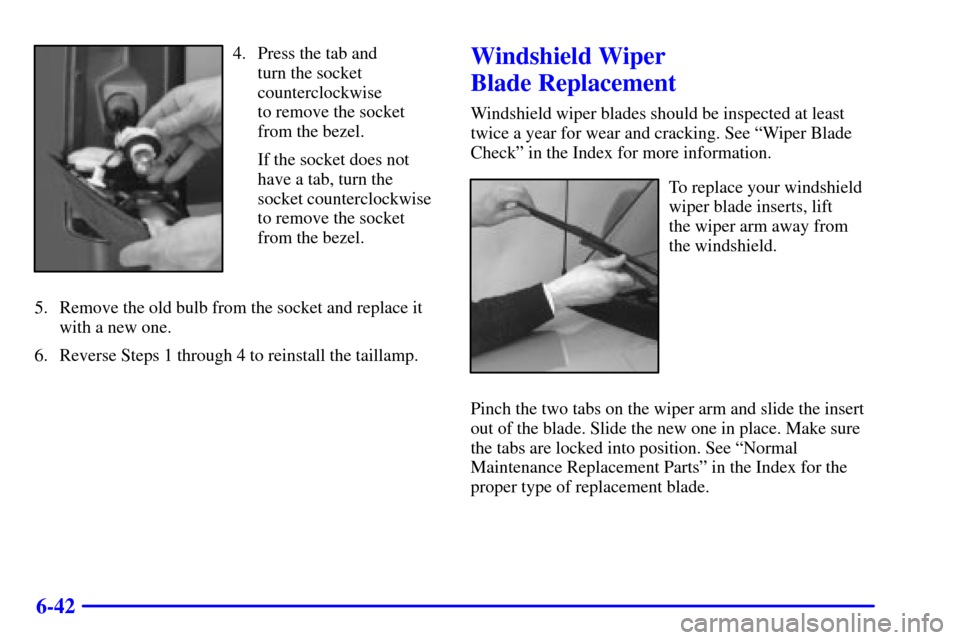
4. Press the tab and
turn the socket
counterclockwise
to remove the socket
from the bezel.
If the socket does not
have a tab, turn the
socket counterclockwise
to remove the socket
from the bezel.
5. Remove the old bulb from the socket and replace it
with a new one.
6. Reverse Steps 1 through 4 to reinstall the taillamp.Windshield Wiper
Blade Replacement
Windshield wiper blades should be inspected at least
twice a year for wear and cracking. See ªWiper Blade
Checkº in the Index for more information.
To replace your windshield
wiper blade inserts, lift
the wiper arm away from
the windshield.
Pinch the two tabs on the wiper arm and slide the insert
out of the blade. Slide the new one in place. Make sure
the tabs are locked into position. See ªNormal
Maintenance Replacement Partsº in the Index for the
proper type of replacement blade.
Page:
< prev 1-8 9-16 17-24