Page 98 of 371
2-31
Parking Brake
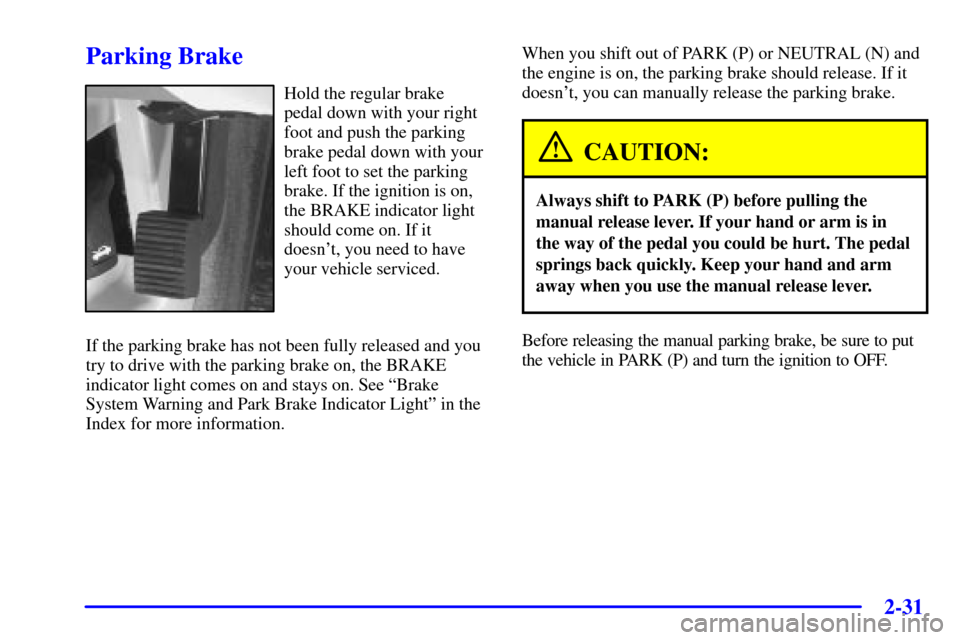
Hold the regular brake
pedal down with your right
foot and push the parking
brake pedal down with your
left foot to set the parking
brake. If the ignition is on,
the BRAKE indicator light
should come on. If it
doesn't, you need to have
your vehicle serviced.
If the parking brake has not been fully released and you
try to drive with the parking brake on, the BRAKE
indicator light comes on and stays on. See ªBrake
System Warning and Park Brake Indicator Lightº in the
Index for more information.When you shift out of PARK (P) or NEUTRAL (N) and
the engine is on, the parking brake should release. If it
doesn't, you can manually release the parking brake.
CAUTION:
Always shift to PARK (P) before pulling the
manual release lever. If your hand or arm is in
the way of the pedal you could be hurt. The pedal
springs back quickly. Keep your hand and arm
away when you use the manual release lever.
Before releasing the manual parking brake, be sure to put
the vehicle in PARK (P) and turn the ignition to OFF.
Page 99 of 371
2-32
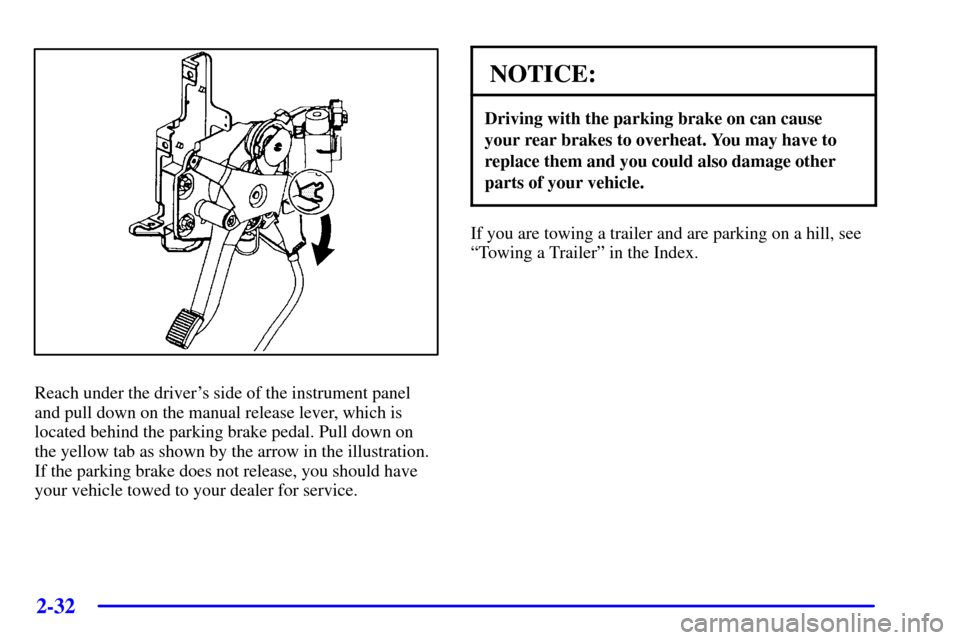
Reach under the driver's side of the instrument panel
and pull down on the manual release lever, which is
located behind the parking brake pedal. Pull down on
the yellow tab as shown by the arrow in the illustration.
If the parking brake does not release, you should have
your vehicle towed to your dealer for service.
NOTICE:
Driving with the parking brake on can cause
your rear brakes to overheat. You may have to
replace them and you could also damage other
parts of your vehicle.
If you are towing a trailer and are parking on a hill, see
ªTowing a Trailerº in the Index.
Page 128 of 371
2-61
Cellular Telephone (Option)
With this option, your vehicle is equipped with a
portable cellular telephone system. The system has
steering wheel telephone controls and information
output through the Driver Information Center (DIC).
Voice activation with remote record and hands
-free
operation are standard features. For more information,
see the ªCellular Phone System Supplement.º A user's
guide is provided with the telephone.
OnStar� System (If Equipped)
OnStar is a vehicle communications system that
offers a variety of services and provides a hands
-free
communication link between you and the OnStar Center.
A service subscription agreement and fee are required in
order to receive OnStar service. Services are available
24 hours a day, 7 days a week. For more information,
call 1
-888-ONSTAR-7 (1-888-667-8277).
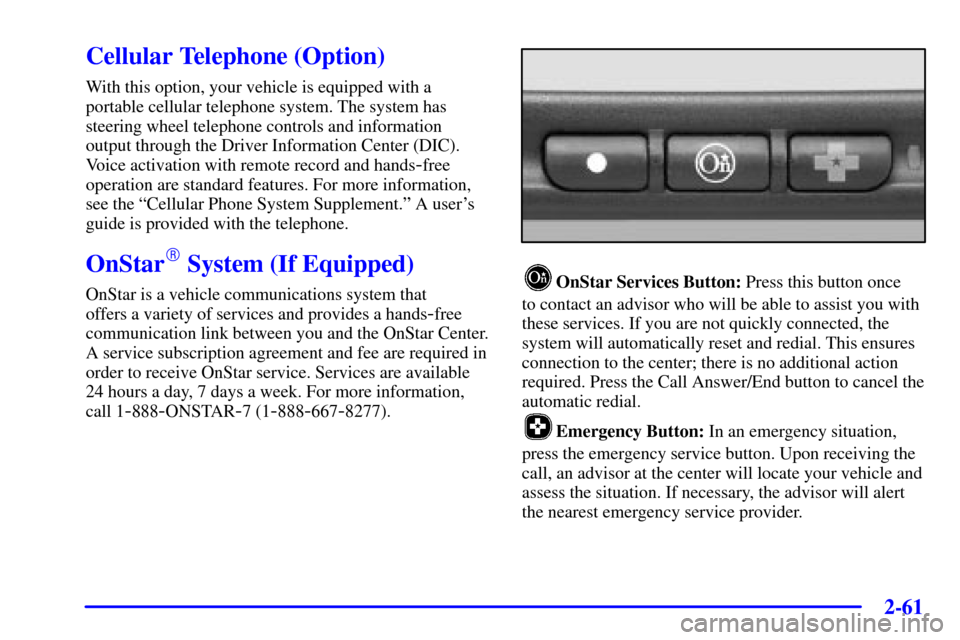
OnStar Services Button: Press this button once
to contact an advisor who will be able to assist you with
these services. If you are not quickly connected, the
system will automatically reset and redial. This ensures
connection to the center; there is no additional action
required. Press the Call Answer/End button to cancel the
automatic redial.
Emergency Button: In an emergency situation,
press the emergency service button. Upon receiving the
call, an advisor at the center will locate your vehicle and
assess the situation. If necessary, the advisor will alert
the nearest emergency service provider.
Page 129 of 371

2-62
Call ANSWER/END Button: Use this button
to answer a call. (If you are receiving a call, the audio
system will mute, and the ring will be heard). Press this
button at the end of a call to disconnect and return the
audio system to its previous settings. This button will
also cancel a call if one of the buttons is accidentally
pressed or if the automatic redial function is activated.
Volume Control: You can control the volume of the
OnStar System using the steering wheel volume control.
Telltale Light: This light will indicate the status of
the system. A solid green light will come on when you
start the vehicle to let you know that the system is on
and is ready to make or receive calls.
If the light blinks green it means that an
incoming or outgoing call is in progress. Press the
Call ANSWER/END button if you notice the light
blinking and you are not on a call.
The light will be red in the event of an OnStar system
malfunction. If this occurs press the OnStar button to
attempt to contact an advisor. If the connection is made,
the advisor will assist you with steps to take to make
sure that the system is functioning properly. If you
cannot contact the advisor, take your vehicle to your
dealership as soon as possible for assistance.
Safety and Security Services
�Automatic Notification of Air Bag
Deployment
-- If an air bag deploys, a priority
emergency signal is automatically sent to the center.
An advisor will locate your vehicle's position, try to
contact you and assist you in the situation. If the
center is unable to contact you, an emergency service
provider will be contacted.
�Stolen Vehicle Tracking
-- Call the center at
1
-888-4-ONSTAR (1-888-466-7827) to report
your vehicle stolen. The system can then locate and
track your vehicle and the advisor will be able to
notify the proper authorities.
�Roadside Assistance with Location
-- For vehicle
breakdowns, press the OnStar button. An advisor
will contact the appropriate help.
�Remote Diagnostics
-- If an instrument panel light
comes on, the center can perform a check of the
engine on
-board computer. An advisor can then
recommend what action needs to be taken.
Page 130 of 371

2-63
�OnStar MED-NET -- Med-Net can store your
personal medical history and provide it to emergency
personnel if necessary. (Requires activation and
additional fee.)
�Accident Assist
-- An advisor can provide
step
-by-step guidance following an accident.
�Remote Door Unlock
-- To contact the center,
call 1
-888-4-ONSTAR. You will be required to
provide your security information. An advisor will
send a command to your vehicle to unlock itself.
The advisor can delay unlocking your vehicle.
Remote Door Unlock is disabled 48 hours after the
vehicle is parked to maintain the battery charge.
�Vehicle Locator Service
-- To contact the center,
call 1
-888-4-ONSTAR. You will be required to
provide your security information. An advisor will
send a command to your vehicle to sound the horn
and/or flash the lamps.
In order to provide you with excellent service, calls with
the OnStar Center may be monitored or recorded.
Premium Services (Includes Safety and
Security Services)
�Route Support -- An advisor can provide directions
or guidance to anywhere you want to go. In addition,
they can help you locate gas stations, rest areas,
ATMs, hospitals, hotels, stores, eateries and more.
�Concierge Services
-- The concierge advisor can
obtain tickets, reservations, or help with vacation/trip
planning and other unique items and services.
�Ride Assist
-- An advisor can locate transportation
in the event that you are unable to drive.
Page 131 of 371

2-64
OnStar System Limitations
Complete limitations can be found on the Subscriber
Services Agreement.
OnStar Service is:
�available in the 48 contiguous United States, Alaska,
Hawaii and Canada;
�available when the vehicle is within the operating
range of a cellular provider;
�subject to limitations caused by atmospheric
conditions, such as severe weather or topographical
conditions, such as mountainous terrain;
�subject to cellular carrier equipment limitations.
Global positioning capabilities used to deliver
OnStar service will not be available if satellite signals
are obstructed.
OnStar will not function if the vehicle's battery is
discharged or disconnected. It may also be inoperative
if the vehicle is in an accident and the OnStar or vehicle
electrical system components are damaged.
Safety and security services are provided by existing
government emergency service providers. OnStar will use
reasonable efforts to contact the appropriate emergency
service provider and request assistance but cannot promise
that they will respond to the call in a timely manner or at all.
Assist Handles
An assist handle above each door can be used when
getting out of your vehicle.
Garment Hooks
For your convenience, a garment hook is attached to
each rear assist handle.
Umbrella Holder (If Equipped)
The driver's front seat cushion may come equipped
with an umbrella holder. Gently slide the umbrella into
the slot located under the front portion of the driver's
seat cushion.
Floor Mats
Your vehicle is equipped with rubber-backed front and
rear floor mats. Keep them clean by vacuuming and
using a spot cleaner, if necessary. Do not machine wash.
Page 133 of 371
2-66
HomeLink� Transmitter
(If Equipped)
This device complies with Part 15 of the FCC Rules.
Operation is subject to the following two conditions:
(1) this device may not cause harmful interference,
and (2) this device must accept any interference
received, including interference that may cause
undesired operation.This device complies with RSS
-210 of Industry Canada.
Operation is subject to the following two conditions:
(1) this device may not cause interference, and (2) this
device must accept any interference, including
interference that may cause undesired operation of
the device.
Changes and modifications to this system by other than
an authorized service facility could void authorization to
use this equipment.
Programming the HomeLink Transmitter
Do not use the HomeLink Transmitter with any garage
door opener that does not have the ªstop and reverseº
safety feature. This includes any garage door opener
model manufactured before April 1, 1982.
Be sure that people and objects are clear of the garage
door you are programming.
Page 143 of 371
2-76
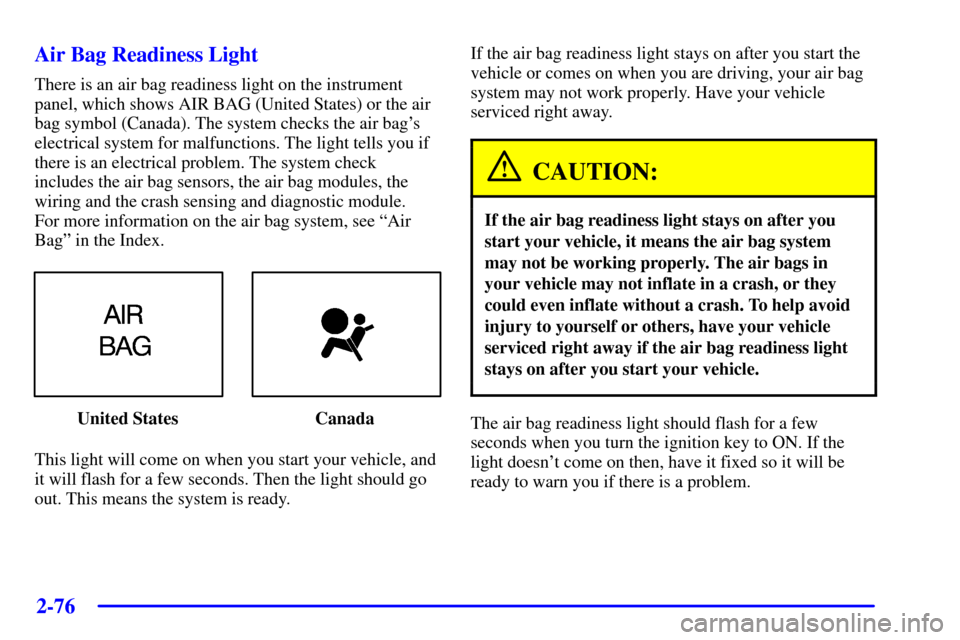
Air Bag Readiness Light
There is an air bag readiness light on the instrument
panel, which shows AIR BAG (United States) or the air
bag symbol (Canada). The system checks the air bag's
electrical system for malfunctions. The light tells you if
there is an electrical problem. The system check
includes the air bag sensors, the air bag modules, the
wiring and the crash sensing and diagnostic module.
For more information on the air bag system, see ªAir
Bagº in the Index.
United States Canada
This light will come on when you start your vehicle, and
it will flash for a few seconds. Then the light should go
out. This means the system is ready.If the air bag readiness light stays on after you start the
vehicle or comes on when you are driving, your air bag
system may not work properly. Have your vehicle
serviced right away.
CAUTION:
If the air bag readiness light stays on after you
start your vehicle, it means the air bag system
may not be working properly. The air bags in
your vehicle may not inflate in a crash, or they
could even inflate without a crash. To help avoid
injury to yourself or others, have your vehicle
serviced right away if the air bag readiness light
stays on after you start your vehicle.
The air bag readiness light should flash for a few
seconds when you turn the ignition key to ON. If the
light doesn't come on then, have it fixed so it will be
ready to warn you if there is a problem.