Page 174 of 335

3-22
RW: Press the left arrow to rewind the tape rapidly.
The radio will play while the tape rewinds. You may use
your station pushbuttons to tune to another radio station
while in RW mode. Press the left arrow again to return
to playing speed.
FF: Press the right arrow to fast forward to another part
of the tape. The radio will play while the tape advances.
You may use your station pushbuttons to tune to another
radio station while in FF mode. Press the right arrow
again to return to playing speed.
TUNE SEEK: When this button is pressed, it has
two positions. This button works the same, whether it is
pressed to the first or second position. Press this button
to seek to the next or previous selection on the tape.
Your tape must have at least three seconds of silence
between each selection for TUNE SEEK to work.
The sound will mute while seeking.
SCAN: Press this button to listen to selections for a
few seconds. The tape will go to a selection, stop for a
few seconds, then go on to the next selection. Press this
button again to stop scanning.SIDE: Press this button to change the side of the tape
that is playing.
EJECT: Press the upward triangle button to
the right of the cassette tape player to remove a tape.
The radio will play. Eject may be activated with the
radio off and/or the ignition off.
CLEAN TAPE: If this message appears on the display,
the cassette tape player needs to be cleaned. It will still
play tapes, but you should clean it as soon as possible to
prevent damage to the tapes and player. See ªCare of
Your Cassette Tape Playerº in the Index. After you
clean the player, press and hold the eject button for
three seconds to reset the CLEAN TAPE indicator.
The radio will display CLEAN TAPE MSG CLEARED
to show that the indicator was reset.
Your cassette tape player automatically reduces
background noise. Dolby Noise Reduction is
manufactured under alicense from Dolby Laboratories
Licensing Corporation. Dolby and the double
-D
symbol are trademarks of Dolby Laboratories
Licensing Corporation.
Auto CrO
2 allows the cassette tape player to adjust to
the type of cassette tape for clearer sound for CrO
2cassette tapes.
Page 179 of 335
3-27
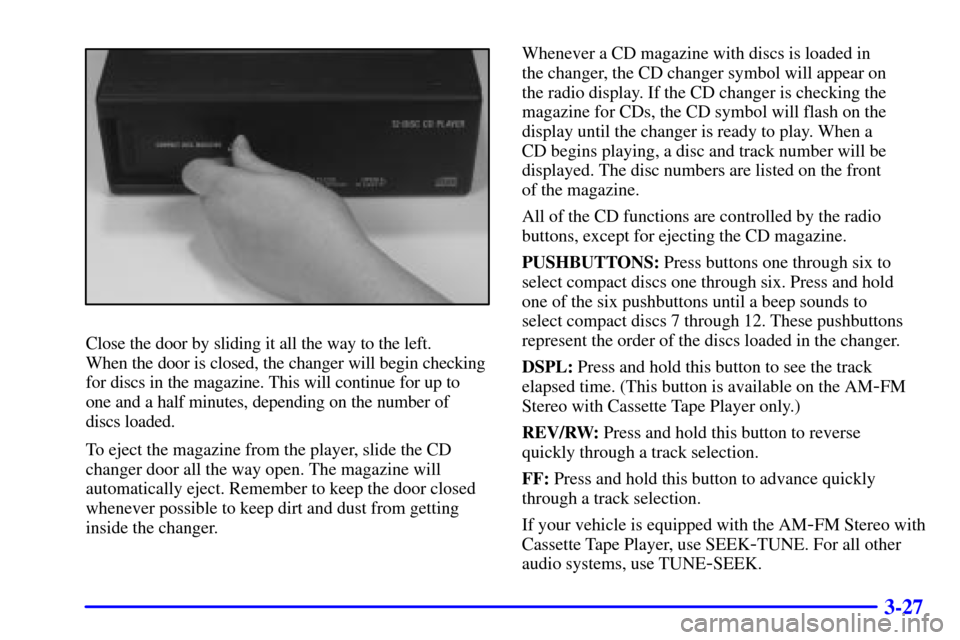
Close the door by sliding it all the way to the left.
When the door is closed, the changer will begin checking
for discs in the magazine. This will continue for up to
one and a half minutes, depending on the number of
discs loaded.
To eject the magazine from the player, slide the CD
changer door all the way open. The magazine will
automatically eject. Remember to keep the door closed
whenever possible to keep dirt and dust from getting
inside the changer.Whenever a CD magazine with discs is loaded in
the changer, the CD changer symbol will appear on
the radio display. If the CD changer is checking the
magazine for CDs, the CD symbol will flash on the
display until the changer is ready to play. When a
CD begins playing, a disc and track number will be
displayed. The disc numbers are listed on the front
of the magazine.
All of the CD functions are controlled by the radio
buttons, except for ejecting the CD magazine.
PUSHBUTTONS: Press buttons one through six to
select compact discs one through six. Press and hold
one of the six pushbuttons until a beep sounds to
select compact discs 7 through 12. These pushbuttons
represent the order of the discs loaded in the changer.
DSPL: Press and hold this button to see the track
elapsed time. (This button is available on the AM
-FM
Stereo with Cassette Tape Player only.)
REV/RW: Press and hold this button to reverse
quickly through a track selection.
FF: Press and hold this button to advance quickly
through a track selection.
If your vehicle is equipped with the AM
-FM Stereo with
Cassette Tape Player, use SEEK
-TUNE. For all other
audio systems, use TUNE
-SEEK.
Page 181 of 335
3-29
Compact Disc Changer Errors
CD CHANGER ERROR could be displayed for
the following:
�The road is too rough. The disc should play when
the road is smoother.
�The disc is dirty, scratched, wet or loaded label
side up.
�The air is very humid. If so, wait about an hour
and try again.
CD CHANGER DOOR OPEN is displayed when the
CD changer door is left open. (CHEK DOOR will be
displayed instead on the AM
-FM Stereo with Cassette
Tape Player.) Completely close the changer door to
restore normal operation.
If any error occurs repeatedly or if an error cannot be
corrected, please contact your dealer.
Radio Personalization with Home and Away
Feature (If Equipped)
If DRIVER 1 (HOME or AWAY) PRESETS or
DRIVER 2 (HOME or AWAY) PRESETS appears
in the display when the radio is first turned on,
your vehicle is equipped with this feature.
With this feature, your vehicle will recall the latest radio
settings as adjusted the last time your vehicle was
operated. This feature allows two different drivers to
store and recall their own radio settings. The settings
recalled by the radio are determined by which RKE
transmitter (ª1º or ª2º) was used to enter the vehicle.
The number on the back of the RKE transmitter
corresponds to driver 1 or to driver 2. The radio settings
will automatically adjust to where they were last set by
the identified driver. The settings can also be recalled
by briefly pressing the MEMORY seat buttons 1 or 2
located on the driver's door.
Page 276 of 335
6-22 How to Reset Transaxle Fluid
Change Indicator
Your vehicle is equipped with a transaxle fluid change
indicator. A CHANGE TRANS FLUID message will
display on the Driver Information Center (DIC) when
the powertrain computer determines that the transaxle
fluid needs to be changed or at each 100,000 miles
(160 000 km) interval, whichever occurs first. See your
Maintenance Schedule booklet for more information.
When this message appears, change the transaxle fluid
and reset the transaxle fluid life indicator as follows:
1. Turn the ignition on but do not start the engine.
2. Press and hold the OFF and rear defog buttons on the
climate control system at the same time until the
TRANS FLUID RESET message appears on
the DIC.
Engine Coolant
The cooling system in your vehicle is filled with
DEX
-COOL� engine coolant. This coolant is designed
to remain in your vehicle for 5 years or 150,000 miles
(240 000 km), whichever occurs first, if you add only
DEX
-COOL� extended life coolant.
The following explains your cooling system and how to add
coolant when it is low. If you have a problem with engine
overheating, see ªEngine Overheatingº in the Index.
A 50/50 mixture of clean, drinkable water and
DEX
-COOL� coolant will:
�Give freezing protection down to
-34�F (-37�C).
�Give boiling protection up to 265�F (129�C).
�Protect against rust and corrosion.
�Help keep the proper engine temperature.
�Let the warning lights and gages work as they should.
Page:
< prev 1-8 9-16 17-24