Page 103 of 392
2-35
CAUTION:
It can be dangerous to get out of your vehicle if
the shift lever is not fully in PARK (P) with the
parking brake firmly set. Your vehicle can roll.
Don't leave your vehicle when the engine is
running unless you have to. If you've left the
engine running, the vehicle can move suddenly.
You or others could be injured. To be sure your
vehicle won't move, even when you're on fairly
level ground, always set your parking brake and
move the shift lever to PARK (P).
Follow the proper steps to be sure your vehicle won't
move. See ªShifting Into PARK (P)º in the Index.
If you are parking on a hill and if you're pulling a
trailer, also see ªTowing a Trailerº in the Index.
Horn
Press on the center area of the steering wheel to
sound the horn.
Tilt Wheel
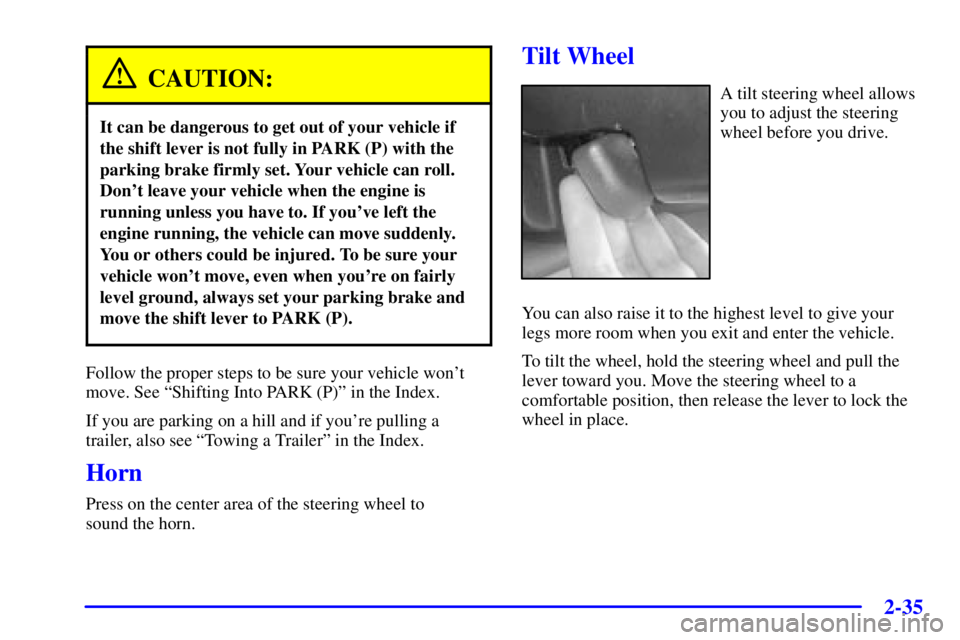
A tilt steering wheel allows
you to adjust the steering
wheel before you drive.
You can also raise it to the highest level to give your
legs more room when you exit and enter the vehicle.
To tilt the wheel, hold the steering wheel and pull the
lever toward you. Move the steering wheel to a
comfortable position, then release the lever to lock the
wheel in place.
Page 130 of 392
2-62
OnStar� System (If Equipped)
OnStar is a vehicle communications system that
offers a variety of services and provides a hands
-free
communication link between you and the OnStar Center.
A service subscription agreement and fee are required in
order to receive OnStar service. Services are available
24 hours a day, 7 days a week. For more information,
call 1
-888-ONSTAR-7 (1-888-667-8277).
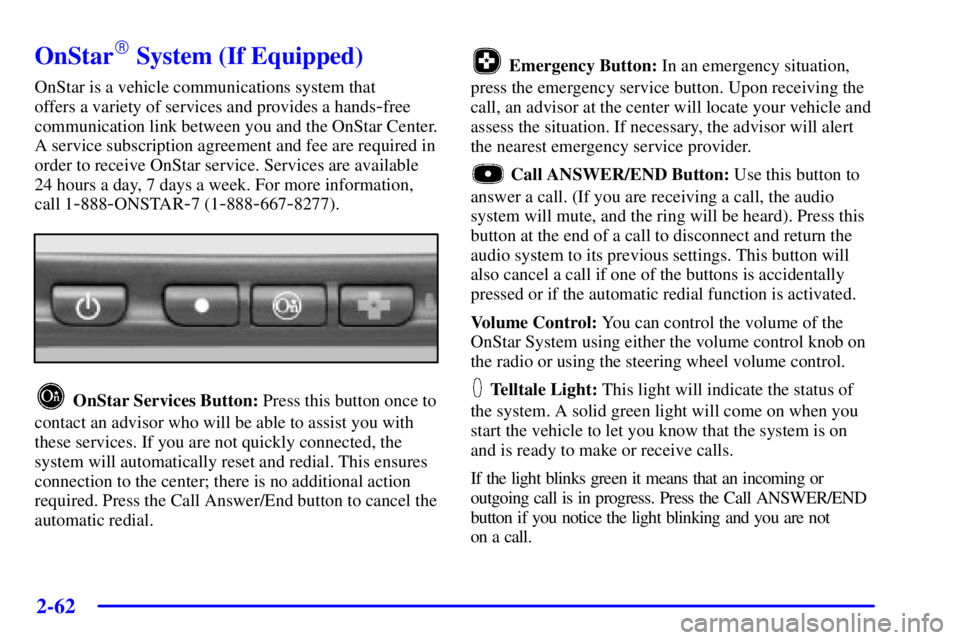
OnStar Services Button: Press this button once to
contact an advisor who will be able to assist you with
these services. If you are not quickly connected, the
system will automatically reset and redial. This ensures
connection to the center; there is no additional action
required. Press the Call Answer/End button to cancel the
automatic redial.
Emergency Button: In an emergency situation,
press the emergency service button. Upon receiving the
call, an advisor at the center will locate your vehicle and
assess the situation. If necessary, the advisor will alert
the nearest emergency service provider.
Call ANSWER/END Button: Use this button to
answer a call. (If you are receiving a call, the audio
system will mute, and the ring will be heard). Press this
button at the end of a call to disconnect and return the
audio system to its previous settings. This button will
also cancel a call if one of the buttons is accidentally
pressed or if the automatic redial function is activated.
Volume Control: You can control the volume of the
OnStar System using either the volume control knob on
the radio or using the steering wheel volume control.
Telltale Light: This light will indicate the status of
the system. A solid green light will come on when you
start the vehicle to let you know that the system is on
and is ready to make or receive calls.
If the light blinks green it means that an incoming or
outgoing call is in progress. Press the Call ANSWER/END
button if you notice the light blinking and you are not
on a call.
Page 139 of 392
2-71
The main components of your instrument panel are the following:
A. Air Outlet
B. Headlamps/Parking Lamps Knob
C. Turn Signal/Multifunction Lever
D. Steering Wheel Controls
E. Hazard Warning Flashers Button
F. Instrument Panel Cluster
G. Gearshift Lever
H. Audio System
I. Air Outlet
J. Fuel Door Release ButtonK. Trunk Release and Lockout Button
L. Hood Release
M. Ignition Switch
N. Traction Control Button
O. Heated Seat Controls
P. Ashtray and Cigarette Lighter
Q. Climate Control System
R. Glove Box
S. Passenger Climate Control
Page 169 of 392
3-
3-1
Section 3 Comfort Controls and Audio Systems
In this section, you'll find out how to operate the comfort control and audio systems offered with your vehicle.
Be sure to read about the particular systems supplied with your vehicle.
3
-2 Comfort Controls
3
-2 Personal Choice Comfort Controls
(If Equipped)
3
-2 Dual Automatic ComforTemp�
Climate Control
3
-6 Air Conditioning
3
-6 Heating
3
-6 Defogging and Defrosting
3
-6 Rear Window Defogger
3
-7 Passenger Climate Control
3
-8 Ventilation System
3
-9 Steering Wheel Controls for Climate Control
3
-9 Audio Systems
3
-9 Setting the Clock
3
-10 AM-FM Stereo with Cassette Tape Player and
Automatic Tone Control (If Equipped)3
-14 AM-FM Stereo with Cassette Tape and
Compact Disc Player with Automatic Tone
Control (If Equipped)
3
-19 Trunk-Mounted CD Changer (Option)
3
-22 Personal Choice Radio Controls (If Equipped)
3
-23 Theft-Deterrent Feature
3
-25 Audio Steering Wheel Controls
3
-25 Understanding Radio Reception
3
-26 Tips About Your Audio System
3
-27 Care of Your Cassette Tape Player
3
-28 Care of Your Compact Discs
3
-28 Care of Your Compact Disc Player
3
-28 Heated Backlite Antenna
Page 177 of 392
3-9 Steering Wheel Controls for
Climate Control
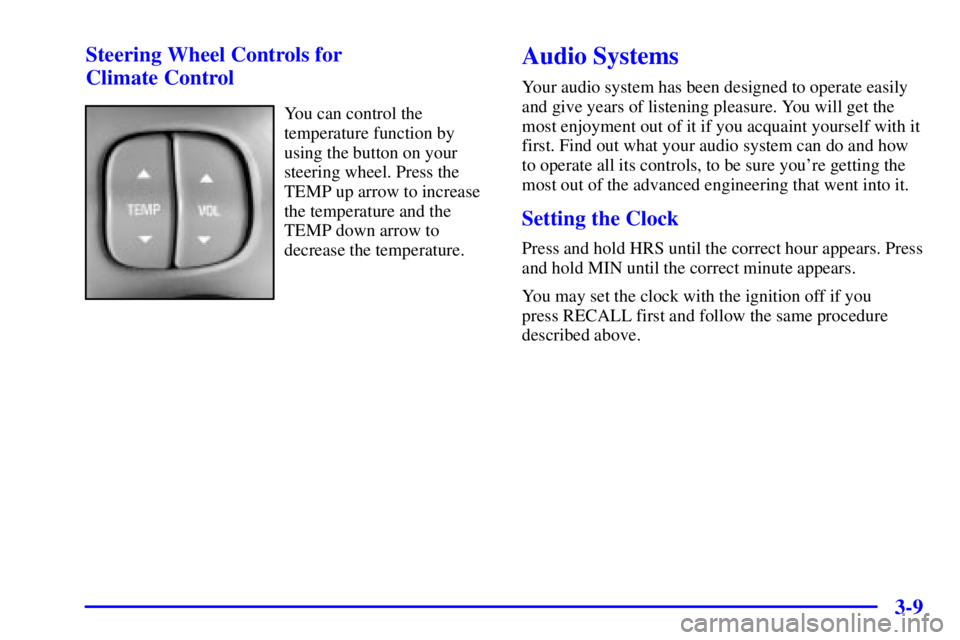
You can control the
temperature function by
using the button on your
steering wheel. Press the
TEMP up arrow to increase
the temperature and the
TEMP down arrow to
decrease the temperature.
Audio Systems
Your audio system has been designed to operate easily
and give years of listening pleasure. You will get the
most enjoyment out of it if you acquaint yourself with it
first. Find out what your audio system can do and how
to operate all its controls, to be sure you're getting the
most out of the advanced engineering that went into it.
Setting the Clock
Press and hold HRS until the correct hour appears. Press
and hold MIN until the correct minute appears.
You may set the clock with the ignition off if you
press RECALL first and follow the same procedure
described above.
Page 193 of 392
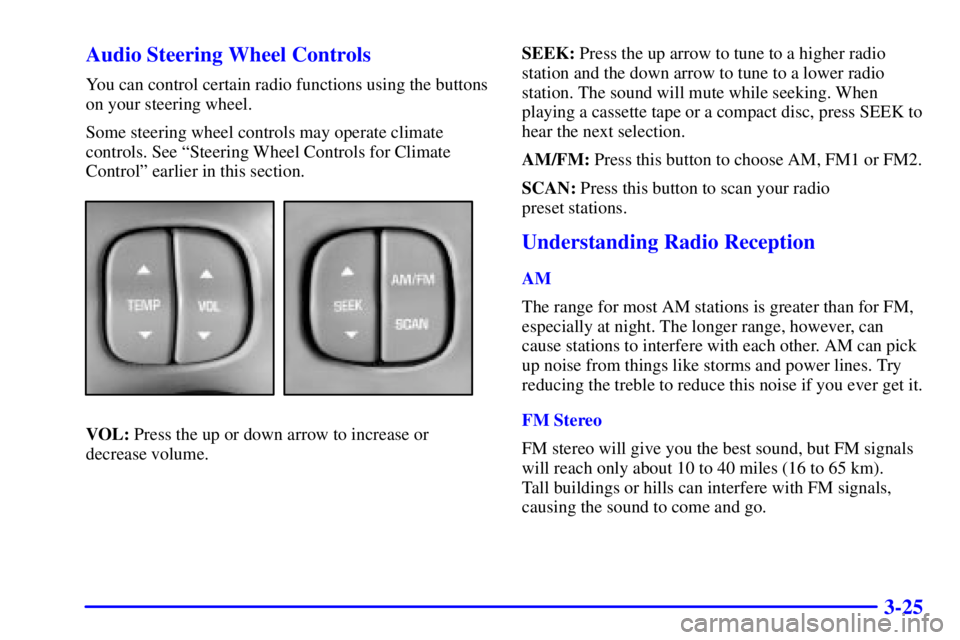
3-25 Audio Steering Wheel Controls
You can control certain radio functions using the buttons
on your steering wheel.
Some steering wheel controls may operate climate
controls. See ªSteering Wheel Controls for Climate
Controlº earlier in this section.
VOL: Press the up or down arrow to increase or
decrease volume.SEEK: Press the up arrow to tune to a higher radio
station and the down arrow to tune to a lower radio
station. The sound will mute while seeking. When
playing a cassette tape or a compact disc, press SEEK to
hear the next selection.
AM/FM: Press this button to choose AM, FM1 or FM2.
SCAN: Press this button to scan your radio
preset stations.
Understanding Radio Reception
AM
The range for most AM stations is greater than for FM,
especially at night. The longer range, however, can
cause stations to interfere with each other. AM can pick
up noise from things like storms and power lines. Try
reducing the treble to reduce this noise if you ever get it.
FM Stereo
FM stereo will give you the best sound, but FM signals
will reach only about 10 to 40 miles (16 to 65 km).
Tall buildings or hills can interfere with FM signals,
causing the sound to come and go.
Page 205 of 392

4-9
Remember: Anti-lock doesn't change the time you need
to get your foot up to the brake pedal or always decrease
stopping distance. If you get too close to the vehicle in
front of you, you won't have time to apply your brakes
if that vehicle suddenly slows or stops. Always leave
enough room up ahead to stop, even though you have
anti
-lock brakes.
Using Anti
-Lock
Don't pump the brakes. Just hold the brake pedal down
firmly and let anti
-lock work for you. You may feel a
slight brake pedal pulsation or notice some noise, but
this is normal.
Braking in Emergencies
With anti-lock, you can steer and brake at the same
time. In many emergencies, steering can help you more
than even the very best braking.
Traction Control System
(If Equipped)
Your vehicle may have a traction control system that
limits wheel spin. This is especially useful in slippery
road conditions. The system operates only if it senses
that one or both of the front wheels are spinning or
beginning to lose traction. When this happens, the
system works the front brakes and reduces engine power
to limit wheel spin.
You may feel or hear the system working, but this
is normal.
If your vehicle is in cruise control when the traction
control system begins to limit wheel spin, the cruise
control will automatically disengage. When road
conditions allow you to safely use it again, you may
reengage the cruise control. See ªCruise Controlº
in the Index.
Page 207 of 392

4-11
Steering
Power Steering
If you lose power steering assist because the engine
stops or the system is not functioning, you can steer but
it will take much more effort.
Magnetic-Speed Variable Assist Steering
(If Equipped)
Your vehicle may be equipped with this steering system
that continuously adjusts the effort you feel when
steering at all vehicle speeds. It provides ease when
parking yet a firm, solid feel at highway speeds.
Steering Tips
Driving on Curves
It's important to take curves at a reasonable speed.
A lot of the ªdriver lost controlº accidents mentioned on
the news happen on curves. Here's why:
Experienced driver or beginner, each of us is subject to
the same laws of physics when driving on curves. The
traction of the tires against the road surface makes it
possible for the vehicle to change its path when you turn
the front wheels. If there's no traction, inertia will keep the vehicle going
in the same direction. If you've ever tried to steer a
vehicle on wet ice, you'll understand this.
The traction you can get in a curve depends on the
condition of your tires and the road surface, the angle at
which the curve is banked, and your speed. While you're
in a curve, speed is the one factor you can control.
Suppose you're steering through a sharp curve. Then you
suddenly accelerate. Both control systems
-- steering and
acceleration
-- have to do their work where the tires meet
the road. Adding the sudden acceleration can demand too
much of those places. You can lose control. Refer to
ªTraction Controlº in the Index.
What should you do if this ever happens? Ease up on the
accelerator pedal, steer the vehicle the way you want it
to go, and slow down.
If you have Stabilitrak
�, you may see the STABILITY
SYSTEM ACTIVE message on the Driver Information
Center. See ªStability System Active Messageº in
the Index.
Speed limit signs near curves warn that you should
adjust your speed. Of course, the posted speeds are
based on good weather and road conditions. Under less
favorable conditions you'll want to go slower.