2001 BMW SPORT WAGON air condition
[x] Cancel search: air conditionPage 115 of 238

IndexDataTechnologyRepairsCar careControlsOverview
115n
Automatic climate control
*
1 Airflow directed toward the
windshield and side windows
2 Airflow for the upper body
The side rotary dials provide
infinitely-variable regulation of
the air supply, while the levers
change the airflow direction.
The center rotary dial controls the
temperature of the air as it
flows out118
3 Front footwell ventilation
4 Rear footwell ventilation
5 Airflow for the upper body in
the rear118
6 Automatic air distribution116
7 Individual air distribution116
8 Temperature control –
left-hand side116
9 Display for temperature and
air supply116, 11710 Temperature control –
right-hand side116
11 To defrost windshield and
windows117
12 Air conditioner117
13 Automatic recirculated air control
AUC117
14 Rear window defroster80, 118
15 Air supply117
16 Maximum cooling117
Residual heating mode118
17 Air grill for interior temperature
sensor – please keep clear and
unobstructed
Page 116 of 238
116n
Automatic climate control
*
Tips for pleasant drivingUse the automatic system, that is,
press AUTO button 6. Select an interior
temperature that is comfortable for you
– we recommend 707 (226). When
the outside temperature is above 417
(56), you can also use the air condi-
tioner 12. This will dry the air and pre-
vent the window from fogging (for ex-
ample if people are wearing damp
clothes in the vehicle). Set the outlets 2
so that the airflows past you and is not
directed straight at you. Set the rotary
dial between the outlets 2 for the upper
body to a central position. This will pro-
vide cooler air, and help to prevent fa-
tigue during the journey.
Detailed setting options are described
for you in the following section.
You can make the settings of your
vehicle in such a manner that,
when you unlock the vehicle with the
remote control of your personal key,
your own personalized setting for the
automatic climate control is initiated.<
Automatic air distribution
The AUTO program assumes
the adjustment of the air
distribution and the air supply for you
and also adapts the temperature to
external influences (summer, winter) to
meet preferences you can specify. This
program maintains a comfortable in-car
climate regardless of the season. Select
an interior temperature that is pleasant
for you – we recommend 707 (226).
The selected temperature and AUTO
for the airflow appear in the display 9.
Refer to the overview on page 114.
Open the ventilation outlets for the
upper body. Switch on the air condi-
tioner 12 in warm weather. The maxi-
mum cooling capacity is achieved when
you set the rotary dial 3 (refer to
page 118) to cold.
Individual air distribution
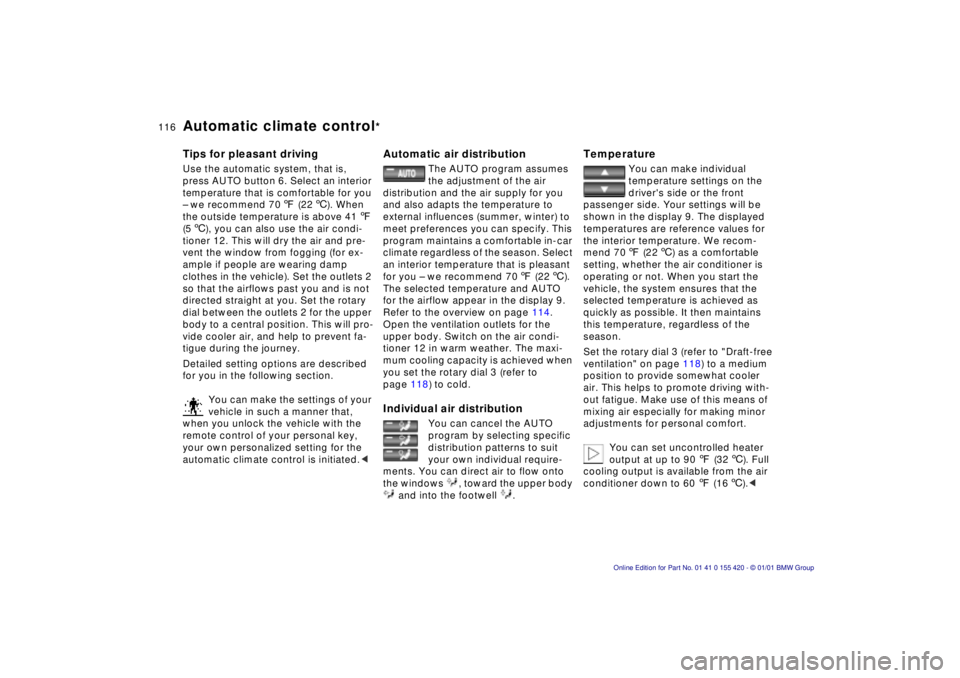
You can cancel the AUTO
program by selecting specific
distribution patterns to suit
your own individual require-
ments. You can direct air to flow onto
the windows , toward the upper body
and into the footwell .
Temperature
You can make individual
temperature settings on the
driver's side or the front
passenger side. Your settings will be
shown in the display 9. The displayed
temperatures are reference values for
the interior temperature. We recom-
mend 707 (226) as a comfortable
setting, whether the air conditioner is
operating or not. When you start the
vehicle, the system ensures that the
selected temperature is achieved as
quickly as possible. It then maintains
this temperature, regardless of the
season.
Set the rotary dial 3 (refer to "Draft-free
ventilation" on page 118) to a medium
position to provide somewhat cooler
air. This helps to promote driving with-
out fatigue. Make use of this means of
mixing air especially for making minor
adjustments for personal comfort.
You can set uncontrolled heater
output at up to 907 (326). Full
cooling output is available from the air
conditioner down to 607 (166).<
Page 117 of 238

IndexDataTechnologyRepairsCar careControlsOverview
117n
Automatic climate control
*
Air supply
In the "AUTO" program, the
airflow is controlled automati-
cally. AUTO will appear in the display 9
(refer to the overview on page 114).
Use "+" and "– " to vary the airflow.
When your setting is displayed by bars,
the automatic airflow is switched off.
Automatic air distribution maintains its
setting. You can reactivate the auto-
matic airflow by pressing the "AUTO"
button.
When you press "– " during operation at
minimum blower speed all displays are
canceled: the blower, heating and air
conditioner are switched off. The out-
side air supply is closed. By pressing
any button of the automatic climate
control (except the "MAX" button 16),
you can switch the system back on.
To defrost windshield and
windows
This program quickly re-
moves ice and condensation
from the windshield and the side win-
dows.
Air conditioner
The air is cooled and dehu-
midified and – depending on
the temperature setting – warmed again
when the air conditioner system is
switched on. Depending on the
weather, the windshield may fog over
briefly when the engine is started.
Use the button to switch off the air con-
ditioner at outside temperatures below
approx. +417 (+56). This will help to
prevent the windows from fogging up.
If the windows fog over after switching
the air conditioner off, switch it back
on.
Condensation forms in the air
conditioner system during opera-
tion, which then exits under the vehicle.
Traces of condensed water of this kind
are thus normal.<
Maximum cooling
You will get maximum
cooling capacity using this
program if the engine is running and
the outside temperature is above
+41 7(+5 6).
The temperature display 9 jumps to
+61 7 (+16 6), the system switches
over to the recirculated-air mode, and
the air will only stream out of the venti-
lation grill with the maximum amount of
air flow. That is why you need to keep
these open if you select this program.
Automatic recirculated-air
control (AUC)
You can respond to unpleas-
ant external odors by tempo-
rarily stopping the flow of outside air.
The system then recirculates the air
currently within the vehicle. Press the
button repeatedly to run through the
following control sequence:
>Indicator lamps off: outside airflow
operational.
Page 123 of 238

IndexDataTechnologyRepairsCar careControlsOverview
123n
BMW Universal Transmitter
*
1 Program the BMW Universal Trans-
mitter as described above under
"Programming."
2 Press and hold the programming but-
ton on the receiver of the device for
about two seconds or until the pro-
gramming lamp on the device comes
on.
3 Press the desired channel button of
the BMW Universal Transmitter three
times.
If you have additional questions,
please consult your BMW cen-
ter.<
Clearing the channel buttons
Read and comply with the safety
precautions on page 121.<
Individual channel buttons cannot be
cleared. However, the three channel
buttons can be cleared together in the
following manner:
>Press and hold the two outer channel
buttons of the BMW Universal Trans-
mitter until the indicator lamp flashes,
and then release the buttons.
All channel buttons are cleared.
User's informationDo not use this BMW Universal Trans-
mitter with any garage door opener that
lacks safety "stop" and "reverse" fea-
tures as required by federal safety stan-
dards (this includes any garage door
opener model manufactured before
April 1, 1982).
This device complies with Part 15 of the
FCC Rules. Operation is subject to the
following two conditions:
(1) This device may not cause harmful
interference, and
(2) This device must accept any inter-
ference received, including interference
that may cause undesired operation.
Page 139 of 238
Index
Data
Technology
Repairs
Car care
Controls
Overview
Overview
Controls and features Operation, care
and maintenance
Owner service procedures
Technical dataIndex
Advanced technology
139
n
Special operating instructions:
Break-in procedure 140
Driving notes 141
Catalytic converter 142
Antilock Brake System (ABS) 143
Disc brakes 144
Brake system 146
Winter operation 146
Power steering 148
Level control system 148
Cellular phone 149
Radio reception 149
Wheels and tires:
Tire inflation pressure 150
Tire condition 150
Tire replacement 151
Tire rotation 152
Wheel and tire combinations 153
Winter tires 154
Snow chains 155
Approved wheel and tire specifications 156 Under the hood:
Hood
159
Engine compartment 160
Washer fluids 164
Washer nozzles 164
Engine oil 165
Coolant 167
Brake fluid 168
Vehicle Identification Number 169
Care and maintenance:
The BMW Maintenance System 170
Caring for your car 171
Airbags 176
Vehicle storage 176
Laws and regulations:
Technical modifications 177
California Proposition 65 Warning 177
OBD interface socket 178
Page 143 of 238

Index
Data
Technology
Repairs
Car care
Controls
Overview
143nAntilock Brake System (ABS)
The concept
ABS enhances active safety by helping
to prevent the wheels from locking un-
der braking. The reason: locked wheels
are dangerous, because the vehicle
cannot be steered when the front
wheels slip, and loss of traction at the
rear wheels can cause the rear end to
break into an uncontrolled skid.
ABS is designed to meet two essential
requirements during every brake appli-
cation:
>To help provide vehicle stability.
> To help retain steering and maneu-
vering capability on all types of road
surface (asphalt, concrete, dirt,
moisture, snow and ice).
With ABS, the shortest possible braking
distances are achieved under most
conditions (on straight-aways and in
curves, with different road surfaces).
Braking with ABS
The system becomes operative once
the vehicle exceeds a speed of approx.
6 mph (10 km/h). The ABS is deacti-
vated whenever the vehicle's speed
drops back below approx. 4 mph
(6 km/h). This means that the wheels
can lock in the final phase of a brake
application – a factor of no significance
in actual use.
The ABS system works best in situa-
tions requiring maximum pressure on
the pedal (full braking). Since the vehi-
cle maintains steering responsiveness,
you can nevertheless avoid possible
obstacles with a minimum of steering
effort.
The ABS closed-loop control circuit cy-
cles in fractions of a second. A pulsing
of the brake pedal, combined with the
sounds associated with the hydraulic
controls, tells you that the brake system
is within its maximum limit range and
reminds you that you should adapt your
vehicle's speed to road conditions. On road surfaces which have a loose
layer on a firm base (on gravel or snow,
for instance), the braking distances with
ABS may be longer than with the
wheels locked. This also applies to
driving with snow chains. However,
ABS continues to provide enhanced
vehicle stability and steering response
under these conditions.
Page 145 of 238

Index
Data
Technology
Repairs
Car care
Controls
Overview
145nDisc brakes
Driving notes
When driving in wet conditions and in
heavy rain, it is effective to apply light
pressure to the brake pedal every few
miles (kilometers). Watch traffic condi-
tions to ensure that this maneuver does
not endanger other road users. The
heat which is generated by the brake
applications helps to dry the brake
pads and rotors.
Maximum braking force is obtained
while the wheels continue to rotate,
peaking when the wheels remain on the
verge of locking without actually doing
so. ABS maintains this state automati-
cally. If the ABS fails, you should revert
to the staggered braking technique
described below (refer to page 147).
Extended or steep mountain descents
should be driven in the gear in which
only minimal periodic brake applica-
tions is required. This avoids excessive
strain on the brakes and possible im-
pairment of the braking effect.
The braking effect of the engine can be
further increased by downshifting, into
first gear, if necessary. In the manual
mode of the automatic transmission,
you can also downshift into first gear.
Refer to page 76. Should engine braking prove inade-
quate, you should still avoid extended,
continuous braking. Instead of main-
taining low to moderate pressure over
an extended period of time, you should
decelerate by applying more substantial
pressure to the brake pedal (watch for
following traffic!), then releasing the
pedal, then repeating the application.
This staggered braking technique
allows the brakes to cool in the intervals
between active braking phases,
preventing overheating and ensuring
that full braking capacity remains avail-
able at all times.
Do not coast with the clutch de-
pressed or with the transmission
or selector lever in Neutral. Do not
coast with the engine shut off. The
engine provides no braking effect when
the clutch is depressed or the transmis-
sion is in neutral, and there is no
power-assist for braking or steering
when the engine is not running.
Never allow floor mats, carpets or any
other objects to protrude into the area
around the accelerator, clutch and
brake pedals and obstruct their move-
ment. <
Dynamic Brake Control (DBC)*
If you apply the brakes rapidly, this
system automatically produces the
maximum braking force boost and thus
helps to achieve the shortest possible
braking distance during "panic stops."
All of the benefits of the ABS system
are exploited under these circum-
stances.
Do not reduce the pressure on the
brake pedal for the duration of the
brake application. When the brake
pedal is released, the DBC is deacti-
vated.
In the event of a malfunction, the yellow
warning lamp comes on. Conventional
braking efficiency is available without
limitations.
Have the system checked and repaired
at your BMW center as soon as possi-
ble.
For "Information for your safety"
covering the ABS system, refer to
page 144. This information also gener-
ally applies for DBC. <
Page 147 of 238

Index
Data
Technology
Repairs
Car care
Controls
Overview
147nWinter operation
Rubber seals and components
In order to prevent the weather-strip-
ping from freezing, apply BMW rubber
treatment or silicone spray to the seals
on the doors, hood and luggage com-
partment lid/tailgate.
A full range of car-care products is
available from your BMW center. <
Snow chains
BMW snow chains* can be mounted on
both summer and winter tires. Mount
them in pairs on the rear wheels only
and comply with the manufacturer's
safety precautions. Do not exceed a
maximum speed of 30 mph (50 km/h).
For maximum traction, we recommend
that you manually deactivate the
ASC+T/DSC
* when driving with snow
chains mounted. Refer to page 102.
Starting off
We recommend that you use the
manual control switch to deactivate
ASC+T/ DSC
* when starting off in deep
snow or when rocking the car to free it
(refer to page 102).
Driving on low-traction road
surfaces
Use smooth, gentle pressure to control
the accelerator pedal. Avoid excessive
engine speeds and shift to the next
higher gear at an early point. Adapt
your speed and driving style when ap-
proaching grades or slopes. Maintain
an adequate distance between yourself
and the vehicle ahead.
Brakes
Winter road conditions substantially
reduce the amount of traction available
between the tires and the road surface.
The resulting increases in braking dis-
tance are considerable and should be
kept in mind at all times.
ABS is intended to prevent the wheels
from locking during brake applications,
thus helping to maintain vehicle stability
and steering response. If the ABS does not respond in a critical
braking situation and the wheels lock:
reduce the pressure on the brake pedal
until the wheels just start to roll again
while still maintaining enough force to
continue braking.
Following that, increase pedal pressure
again. Reduce the pressure as the
wheels lock, then reapply pressure.
Repeat this procedure.
This type of staggered braking will
reduce the braking distance, and the
vehicle still remains responsive to
steering.
You can then attempt to steer around
hazards after you have reduced pres-
sure on the brake pedal.
Do not shift down on slick road
surfaces. Doing so could cause
the rear wheels to lose traction and
skid, which could result in the loss of
vehicle control. <
Depress the clutch during hard
braking on road surfaces which
provide only poor or uneven traction. <