2001 BMW SPORT WAGON ECO mode
[x] Cancel search: ECO modePage 59 of 238
IndexDataTechnologyRepairsCar careControlsOverview
59n
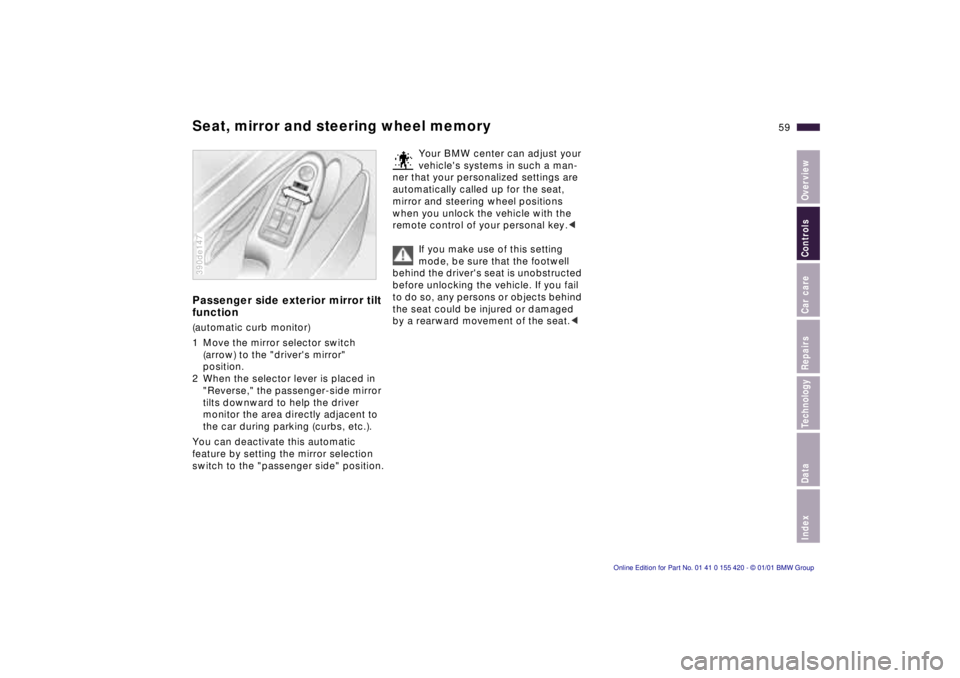
Seat, mirror and steering wheel memoryPassenger side exterior mirror tilt
function(automatic curb monitor)
1 Move the mirror selector switch
(arrow) to the "driver's mirror"
position.
2 When the selector lever is placed in
"Reverse," the passenger-side mirror
tilts downward to help the driver
monitor the area directly adjacent to
the car during parking (curbs, etc.).
You can deactivate this automatic
feature by setting the mirror selection
switch to the "passenger side" position.390de147
Your BMW center can adjust your
vehicle's systems in such a man-
ner that your personalized settings are
automatically called up for the seat,
mirror and steering wheel positions
when you unlock the vehicle with the
remote control of your personal key.<
If you make use of this setting
mode, be sure that the footwell
behind the driver's seat is unobstructed
before unlocking the vehicle. If you fail
to do so, any persons or objects behind
the seat could be injured or damaged
by a rearward movement of the seat.<
Page 69 of 238
IndexDataTechnologyRepairsCar careControlsOverview
69n
Starting the engine Switching off the engineStarting the engine>Start the engine. Do not press the
accelerator pedal.
Do not actuate the starter for too
short a time. Do not turn it for
more than approx. 20 seconds. Release
the ignition key immediately as soon as
the engine starts.
Do not allow the engine to warm up by
leaving it running while the vehicle re-
mains stationary. Instead, begin driving
immediately at a moderate engine
speed.
BMW 540i with automatic transmission:
Your BMW is equipped with the conve-
nience starting feature. Simply turn the
key to position 3 (starter) and then re-
lease it immediately.
The starter continues to operate auto-
matically.
The automatic starting mode will not
operate if the battery voltage is low.
Should this condition arise, it remains
possible to jump-start the engine (refer
to page 200).<
Should the engine fail to start on the
first attempt (if it is very hot or cold, for
instance):
>Press the accelerator pedal halfway
down while engaging the starter.
Cold starts at extremely low tempera-
tures, from approx. +57 (–156)
and at elevations above 3,300 ft
(1,000 meters):
>Be sure to let the starter remain
engaged somewhat longer the first
time (approx. 10 seconds).
>Press the accelerator pedal halfway
down while engaging the starter.
Engine idle speed is controlled by the
engine computer system. Increased
speeds at start-up are normal and
should decrease as the engine warms
up. If engine speed does not decrease,
service is required.
To prevent the battery from discharg-
ing, always deactivate electrical de-
vices which are not in use. Switch the
ignition off when the vehicle is not
being driven.Turn the ignition key to position 1 or 0.
Never remove the ignition key
while the vehicle is rolling. The
steering locks, making it impossible to
steer the vehicle.
Always remove the ignition key and en-
gage the steering lock before leaving
the vehicle.
Vehicles with manual transmission:
Always engage the parking brake
when parking on slopes and inclined
surfaces, since not even placing the
lever in 1st gear or reverse may not
provide adequate resistance to rolling.
Vehicles with automatic transmission:
Place the selector lever in "Park."<
Vehicles with automatic transmission
*:
The vehicle must be stationary and the
selector lever in "Park" before you can
remove the ignition key.
Page 73 of 238

IndexDataTechnologyRepairsCar careControlsOverview
73n
Automatic transmission
*
Before leaving the vehicle when
the engine is running, shift the
selector lever to the "Park" or "Neutral"
position and apply the parking brake.
The vehicle could move if this is not
done.
Never leave the vehicle unattended
with the engine running. An unattended
vehicle with a running engine repre-
sents a potential safety hazard.
If you should accidentally select
"Neutral" while traveling at high speed,
remove your foot from the accelerator
pedal immediately. Allow the engine
speed to drop to idle before selecting
the desired drive position. Damage
could otherwise occur due to excessive
engine speed.<
P ParkSelect "Park" only when the vehicle is
stationary. The transmission locks to
prevent the rear wheels from turning.R ReverseSelect "Reverse" only when the vehicle
is stationary.
N NeutralSelect "Neutral" only if your journey is
interrupted for a long period.D Drive
(automatic shift program)This position is designed for driving
under all normal operating conditions.
All forward gears are available.4 – Sport ProgramThis position is recommended if you
wish to select a performance-oriented
driving style.
3 and 2 – shift limiterSelect this range when you wish to limit
gear changes (on steep uphill or down-
hill slopes, for instance). The transmis-
sion shifts up only as far as the selected
gear."Kickdown" In the "Kickdown" mode, you achieve
maximum performance.
To activate this mode, depress the
accelerator pedal beyond the full-
throttle position, at which a resistance
point must be overcome.
Page 77 of 238
IndexDataTechnologyRepairsCar careControlsOverview
77n
Automatic transmission with Steptronic
*
Upshifts or downshifts will be carried
out by the ATC only at appropriate
engine speeds and road speeds. For
instance, if engine speed is too high, a
downshift will not be executed. The
gear selected will appear briefly in the
instrument cluster followed by the
current gear.
If you are driving in the manual
mode and wish to accelerate
rapidly from low road speeds (when
passing, for instance), you must shift
down manually or with the "Kickdown"
function.<
You can only change from "M/S" to
selector lever positions "P," "R," and
"N" via the "D" position.
In the following situations, the Step-
tronic "thinks" for you in the manual
mode:
>In order to prevent engine over-
speeding, the transmission shifts
automatically to the next higher gear.
shortly before the RPM cutoff point
>At low speeds, the transmission
shifts down automatically – you do
not have to act.
>In the "Kickdown" mode, the trans-
mission shifts down to the lowest
gear which is possible, depending on
the engine speed.
>According to the situation, for
instance in wintry conditions, the
vehicle can be started in 2nd or
3rd gear.Electronic transmission control
module
If the indicator lamp comes on
or the message "TRANS.FAIL-
SAFE PROG" appears in the
Check Control
*, there is a fault in the
transmission system.
Bring the vehicle to a stop. Move the
transmission selector lever to "P." Set
the parking brake and turn the engine
off (ignition key to position 0).
Wait a few seconds, then start the
engine.
If the indicator lamp goes out after a
few seconds, normal transmission
performance has been restored. You
may continue to drive as usual. If the
indicator lamp does not go out, you can
place the selector lever in all positions.
However, the vehicle will now only drive
forward with limited gear selection.
If this happens, avoid extreme engine
loads and consult the nearest BMW
center.
Do not work in the engine com-
partment when a drive gear (for-
ward or reverse) is engaged. If you do
this, the vehicle could move.<
For jump-starting, towing and tow-
starting, refer to pages 200 and 201.
Page 84 of 238
84n
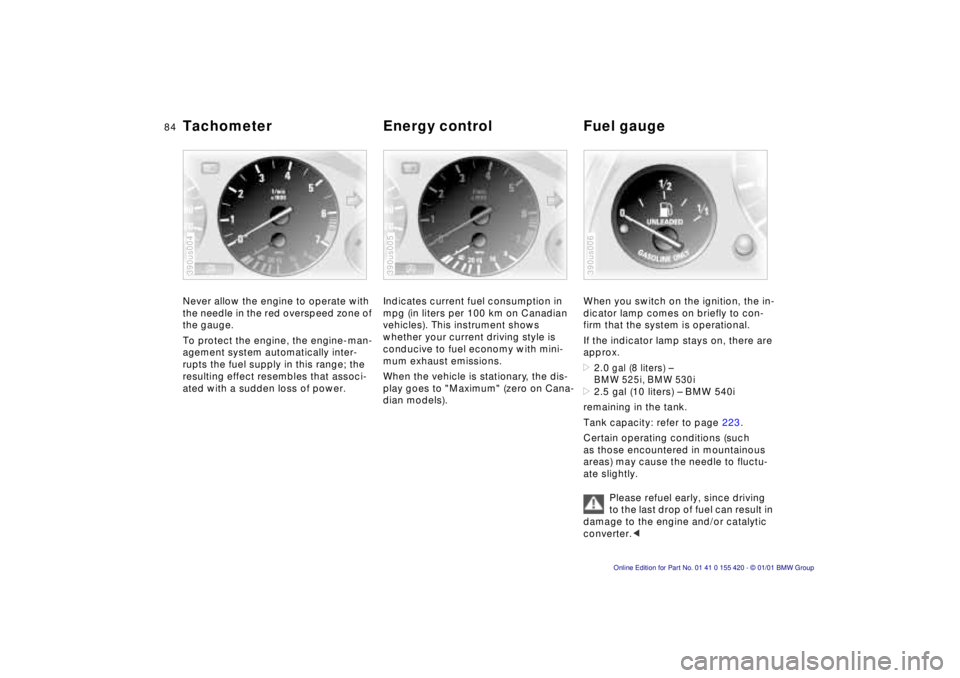
Tachometer Energy control Fuel gaugeNever allow the engine to operate with
the needle in the red overspeed zone of
the gauge.
To protect the engine, the engine-man-
agement system automatically inter-
rupts the fuel supply in this range; the
resulting effect resembles that associ-
ated with a sudden loss of power.390us004
Indicates current fuel consumption in
mpg (in liters per 100 km on Canadian
vehicles). This instrument shows
whether your current driving style is
conducive to fuel economy with mini-
mum exhaust emissions.
When the vehicle is stationary, the dis-
play goes to "Maximum" (zero on Cana-
dian models).390us005
When you switch on the ignition, the in-
dicator lamp comes on briefly to con-
firm that the system is operational.
If the indicator lamp stays on, there are
approx. >2.0
gal (8 liters) –
BMW 525i, BMW 530i
>2.5 gal (10 liters) – BMW 540i
remaining in the tank.
Tank capacity: refer to page 223.
Certain operating conditions (such
as those encountered in mountainous
areas) may cause the needle to fluctu-
ate slightly.
Please refuel early, since driving
to the last drop of fuel can result in
damage to the engine and/or catalytic
converter.< 390us006
Page 85 of 238
IndexDataTechnologyRepairsCar careControlsOverview
85n
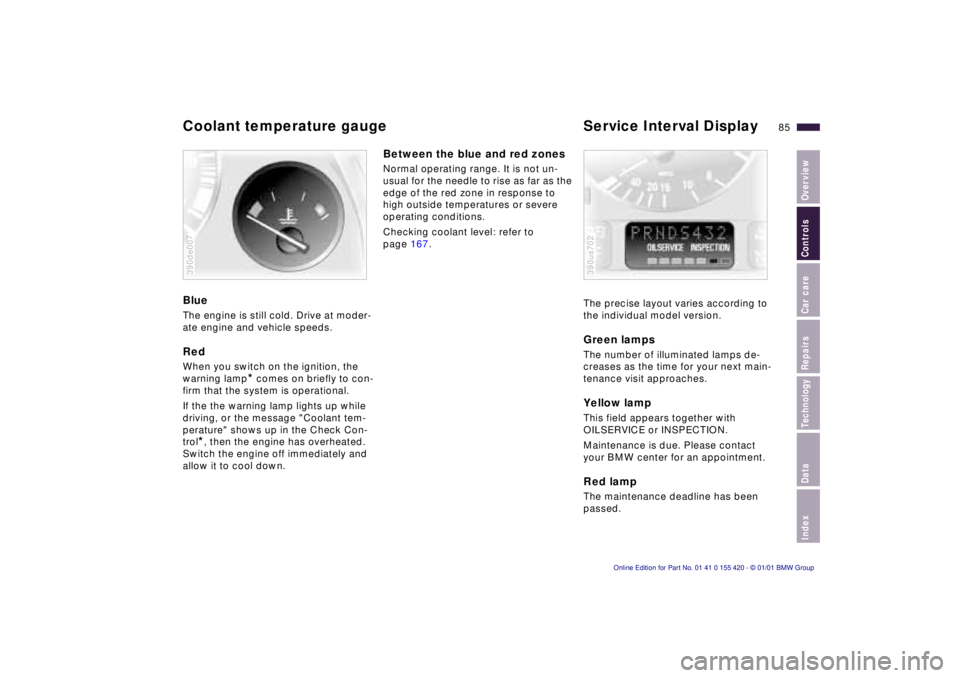
Coolant temperature gauge Service Interval DisplayBlueThe engine is still cold. Drive at moder-
ate engine and vehicle speeds.RedWhen you switch on the ignition, the
warning lamp
* comes on briefly to con-
firm that the system is operational.
If the the warning lamp lights up while
driving, or the message "Coolant tem-
perature" shows up in the Check Con-
trol
*, then the engine has overheated.
Switch the engine off immediately and
allow it to cool down.390de007
Between the blue and red zonesNormal operating range. It is not un-
usual for the needle to rise as far as the
edge of the red zone in response to
high outside temperatures or severe
operating conditions.
Checking coolant level: refer to
page 167.
The precise layout varies according to
the individual model version.
Green lampsThe number of illuminated lamps de-
creases as the time for your next main-
tenance visit approaches.Yellow lampThis field appears together with
OILSERVICE or INSPECTION.
Maintenance is due. Please contact
your BMW center for an appointment.Red lampThe maintenance deadline has been
passed.390us702
Page 89 of 238
IndexDataTechnologyRepairsCar careControlsOverview
89n
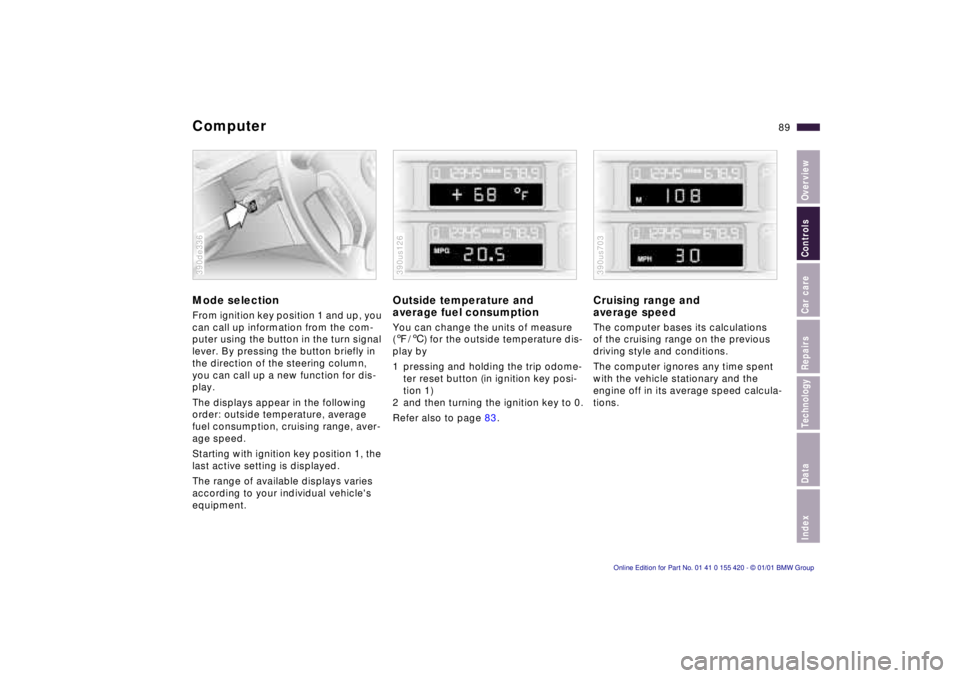
ComputerMode selectionFrom ignition key position 1 and up, you
can call up information from the com-
puter using the button in the turn signal
lever. By pressing the button briefly in
the direction of the steering column,
you can call up a new function for dis-
play.
The displays appear in the following
order: outside temperature, average
fuel consumption, cruising range, aver-
age speed.
Starting with ignition key position 1, the
last active setting is displayed.
The range of available displays varies
according to your individual vehicle's
equipment.390de336
Outside temperature and
average fuel consumptionYou can change the units of measure
(7/6) for the outside temperature dis-
play by
1 pressing and holding the trip odome-
ter reset button (in ignition key posi-
tion 1)
2 and then turning the ignition key to 0.
Refer also to page 83.390us126
Cruising range and
average speed The computer bases its calculations
of the cruising range on the previous
driving style and conditions.
The computer ignores any time spent
with the vehicle stationary and the
engine off in its average speed calcula-
tions.390us703
Page 91 of 238
IndexDataTechnologyRepairsCar careControlsOverview
91n
Multi-Information Display (MID)
*
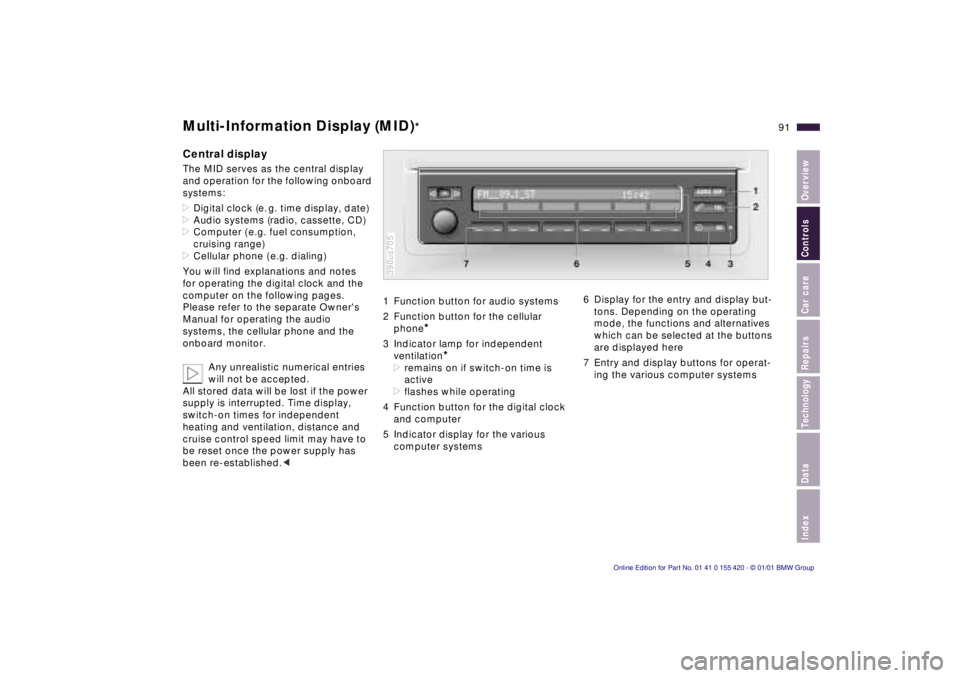
Central displayThe MID serves as the central display
and operation for the following onboard
systems:
>Digital clock (e. g. time display, date)
>Audio systems (radio, cassette, CD)
>Computer ( e.g. fuel consumption,
cruising range)
>Cellular phone ( e.g. dialing)
You will find explanations and notes
for operating the digital clock and the
computer on the following pages.
Please refer to the separate Owner's
Manual for operating the audio
systems, the cellular phone and the
onboard monitor.
Any unrealistic numerical entries
will not be accepted.
All stored data will be lost if the power
supply is interrupted. Time display,
switch-on times for independent
heating and ventilation, distance and
cruise control speed limit may have to
be reset once the power supply has
been re-established.<
1 Function button for audio systems
2 Function button for the cellular
phone
*
3 Indicator lamp for independent
ventilation
*
>remains on if switch-on time is
active
>flashes while operating
4 Function button for the digital clock
and computer
5 Indicator display for the various
computer systems390us705
6 Display for the entry and display but-
tons. Depending on the operating
mode, the functions and alternatives
which can be selected at the buttons
are displayed here
7 Entry and display buttons for operat-
ing the various computer systems