Page 71 of 211
71n
IndexDataTechnologyRepairsCar careControlsOverview
Wiper/Washer system Rear window defroster Cleaning headlamps
*
When the vehicle's lighting system is
switched on, the headlamps will also be
cleaned every fifth time cleaning wind-
shield 5 is activated.
Do not use the washers if there
is any danger that the fluid will
freeze on the windshield. If you do so,
your vision could be obscured. Use an
antifreeze agent. Refer to page 138.
Do not use the washers when the reser-
voir is empty. If you do so, the washer
pump could be damaged.
*
automatically when the ignition key is in
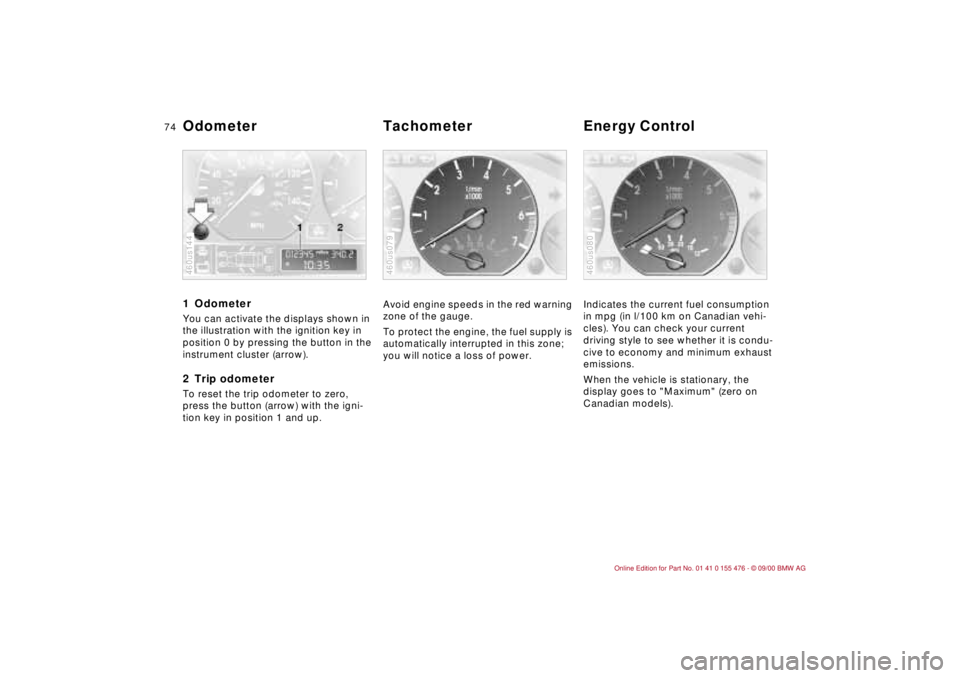
position 2.The illustration shows the button set-up
for vehicles equipped with automatic
climate control. For other layouts, refer
to page 92.To activatePress the button: as long as the indi-
cator lamp remains on, the rear window
defroster continues at high-output
(rapid thaw).
After the indicator lamp goes out, the
defroster continues operating at
reduced power for a limited period
before deactivating automatically. 462us036
To deactivatePress the button if the indicator lamp is
on.
Page 72 of 211
72n
Cruise control
*
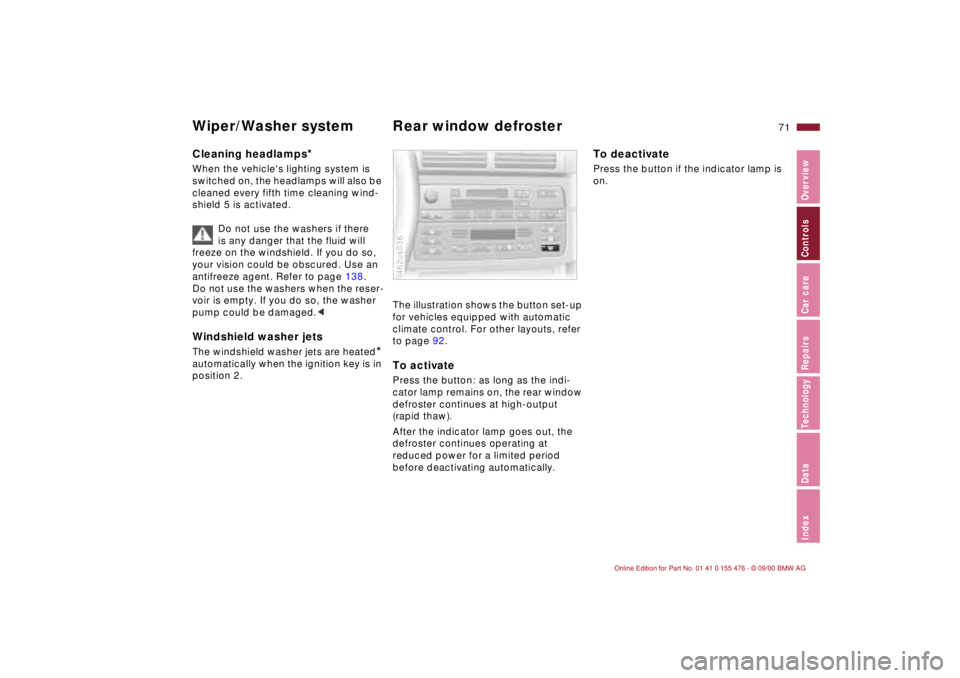
You can store and automatically main-
tain any desired vehicle speed above
approx. 20 mph (30 km/h).
Do not use cruise control on
twisting roads, when high traffic
density prevents driving at a constant
speed, when the road surface is slick
(snow, rain, ice), or when the road
surface is loose (rocks, sand).
Press button 1. The indicator lamp in
the instrument cluster comes on. You
can now use the cruise control.460de077
To store and maintain speed or
to accelerate Press button 2 briefly:
The system registers and maintains the
current vehicle speed. The speed will
now be increased by approx. 0.6 mph
(approx. 1 km/h) every time you tap the
button.
Press and hold button 2:
The vehicle accelerates without pres-
sure on the accelerator pedal. When
you release the button, the system
registers and maintains the current
speed.
If, on a downhill gradient, the
engine braking effect is not suffi-
cient, the controlled speed may be
exceeded. Speed may drop on uphill
grades if the engine output is insuffi-
cient.<
To deceleratePress button 3 briefly:
When the cruise control is active,
vehicle speed is reduced by approx.
0.6 mph (approx. 1 km/h) every time
you tap the button.
Press and hold button 3:
With the cruise control active, the
system automatically reduces the
throttle opening to slow the vehicle.
When you release the button, the
system registers and maintains the
current speed.
Page 73 of 211
73n
IndexDataTechnologyRepairsCar careControlsOverview
Cruise control
*
To cancel the cruise control When the system is activated, press
and hold button 1. The indicator lamp
stays on. You can use the cruise control
again as desired.
In addition, cruise control is canceled
automatically:
>if the brakes are applied
>if the clutch is depressed or the auto-
matic transmission selector lever is
moved from "Drive" to "Neutral"
>if you exceed or fall below the
programmed speed for an extended
period (by depressing the acceler-
ator, for example).
To resume the stored settingPress button 4:
The vehicle accelerates to and main-
tains the last speed stored. When you
turn the ignition key to position 0, the
stored speed is deleted from the
system's memory and the system is
deactivated.
To deactivate the system When the cruise control has been
canceled, press button 1 again.
The indicator lamp goes off and the
stored speed is canceled.
Page 74 of 211
74n
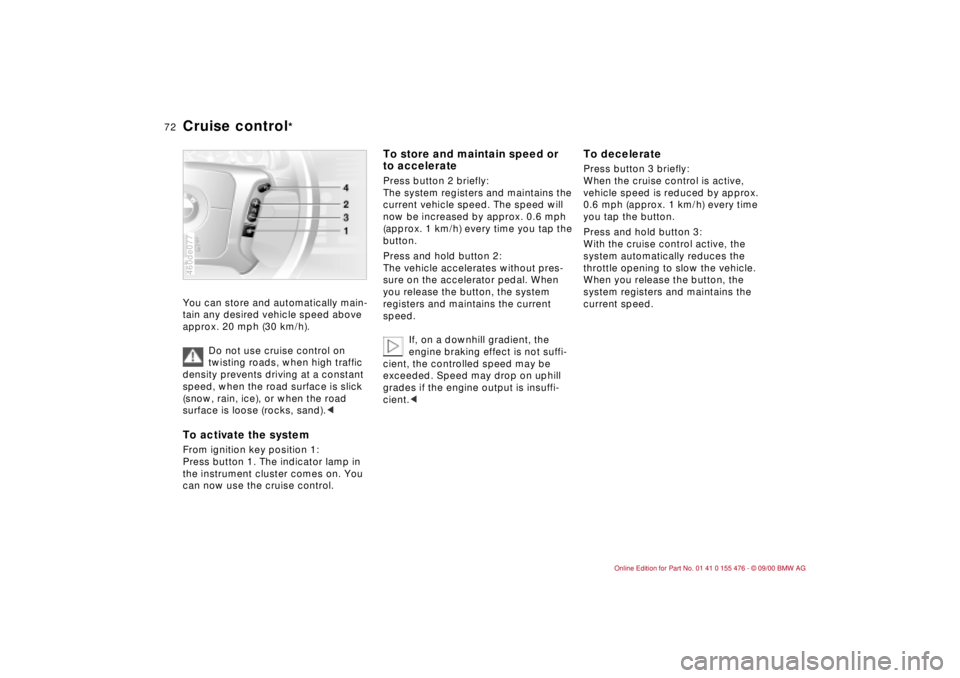
1 Odometer You can activate the displays shown in
the illustration with the ignition key in
position 0 by pressing the button in the
instrument cluster (arrow).2 Trip odometerTo reset the trip odometer to zero,
press the button (arrow) with the igni-
tion key in position 1 and up.460us144
Avoid engine speeds in the red warning
zone of the gauge.
To protect the engine, the fuel supply is
automatically interrupted in this zone;
you will notice a loss of power.460us079
Indicates the current fuel consumption
in mpg (in l/100 km on Canadian vehi-
cles). You can check your current
driving style to see whether it is condu-
cive to economy and minimum exhaust
emissions.
When the vehicle is stationary, the
display goes to "Maximum" (zero on
Canadian models).460us080
Odometer Tachometer Energy Control
Page 75 of 211

75n
IndexDataTechnologyRepairsCar careControlsOverview
Fuel gauge Temperature gauge Service Interval Display When you switch on the ignition, the
indicator lamp comes on briefly to
confirm that the system is stationary.
Once the indicator lamp begins to light
up continuously, there are still approx.
2 gallons (8 liters) of fuel in the fuel
tank.
Tank capacity: refer to page 195.
If the tilt of the vehicle varies (extended
driving in mountainous areas, for
example), there may be slight fluctua-
tions of the needle.
Fill the fuel tank well before it is
empty. Driving to the last drop of
fuel can result in damage to the engine
and/or the catalytic converter.<460us081
BlueThe engine is still cold. Drive at
moderate engine and vehicle speeds.RedWhen you switch on the ignition, the
indicator lamp comes on briefly to
confirm that the system is operational.
If the lamp comes on while operating
the vehicle: the engine is overheated.
Stop and switch the engine off immedi-
ately and allow it to cool down.Between the blue and red zonesNormal operating range. It is not
unusual for the needle to rise as far as
the edge of the red zone in response to
high outside temperatures or severe
operating conditions. Checking coolant
level: refer to page 142.460de082
Remaining distance for serviceThe displays shown in the illustration
appear for a few seconds from ignition
key position 1 or after the engine is
started.
The next service due appears with the
message OILSERVICE or INSPECTION,
together with the remaining distance
before the service is due.
The computer bases its calculations of
the remaining distance on the previous
driving style.
A flashing message and a "Ð" in front of
the number mean that the service
interval has already been exceeded by
the distance shown on the display.
Please contact your BMW center for an
appointment.460us112
Page 76 of 211
76n
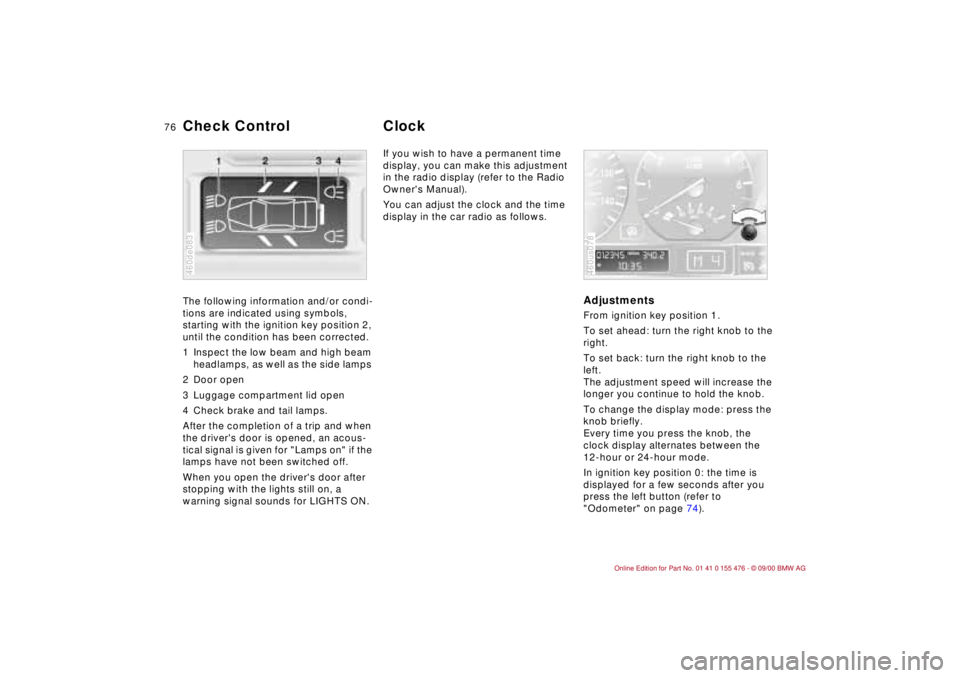
The following information and/or condi-
tions are indicated using symbols,
starting with the ignition key position 2,
until the condition has been corrected.
1 Inspect the low beam and high beam
headlamps, as well as the side lamps
2 Door open
3 Luggage compartment lid open
4 Check brake and tail lamps.
After the completion of a trip and when
the driver's door is opened, an acous-
tical signal is given for "Lamps on" if the
lamps have not been switched off.
When you open the driver's door after
stopping with the lights still on, a
warning signal sounds for LIGHTS ON.
460de083
If you wish to have a permanent time
display, you can make this adjustment
in the radio display (refer to the Radio
Owner's Manual).
You can adjust the clock and the time
display in the car radio as follows.
AdjustmentsFrom ignition key position 1.
To set ahead: turn the right knob to the
right.
To set back: turn the right knob to the
left.
The adjustment speed will increase the
longer you continue to hold the knob.
To change the display mode: press the
knob briefly.
Every time you press the knob, the
clock display alternates between the
12-hour or 24-hour mode.
In ignition key position 0: the time is
displayed for a few seconds after you
press the left button (refer to
"Odometer" on page 74).460us078
Check Control Clock
Page 77 of 211
77n
IndexDataTechnologyRepairsCar careControlsOverview
Computer
*
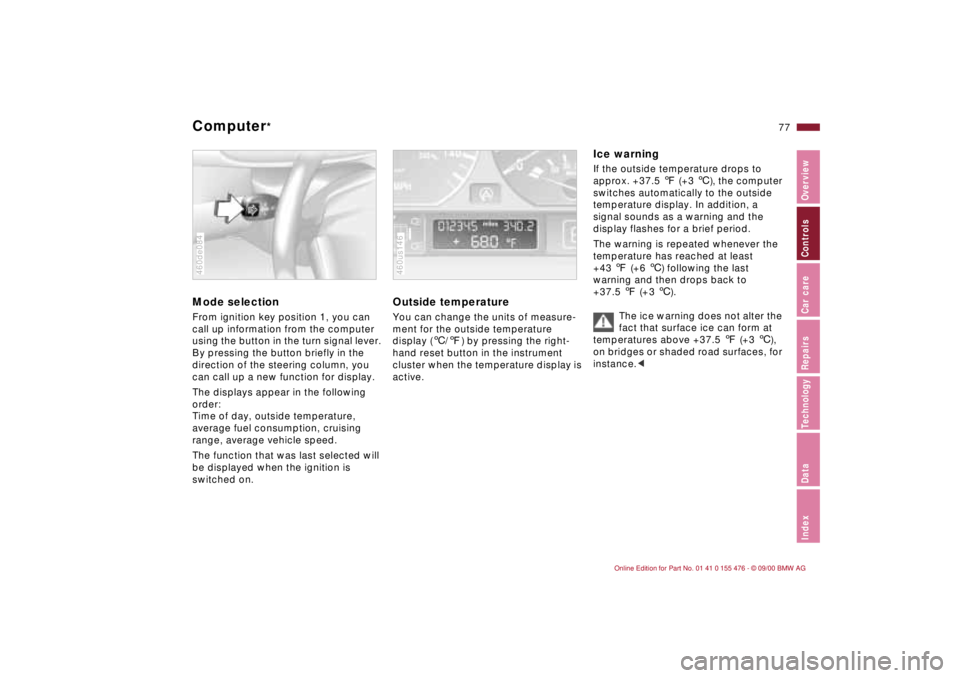
Mode selection
From ignition key position 1, you can
call up information from the computer
using the button in the turn signal lever.
By pressing the button briefly in the
direction of the steering column, you
can call up a new function for display.
The displays appear in the following
order:
Time of day, outside temperature,
average fuel consumption, cruising
range, average vehicle speed.
The function that was last selected will
be displayed when the ignition is
switched on.460de084
Outside temperature
You can change the units of measure-
ment for the outside temperature
display (
6
/
7
) by pressing the right-
hand reset button in the instrument
cluster when the temperature display is
active.
460us146
Ice warning
If the outside temperature drops to
approx. +37.5
7
(+3
6
), the computer
switches automatically to the outside
temperature display. In addition, a
signal sounds as a warning and the
display flashes for a brief period.
The warning is repeated whenever the
temperature has reached at least
+43
7
(+6
6
) following the last
warning and then drops back to
+37.5
7
(+3
6
).
The ice warning does not alter the
fact that surface ice can form at
temperatures above +37.5
7
(+3
6
),
on bridges or shaded road surfaces, for
instance.
<
Page 79 of 211
79n
IndexDataTechnologyRepairsCar careControlsOverview
The conceptThe PDC assists you when you back
into a parking space. A signal warns
you of the distance to an obstacle. To
do this, four ultrasonic sensors in the
rear bumper measure the distance to
the nearest object. The monitoring
range of the two corner sensors
extends to approx. 2 feet (60 cm)
behind the bumper. The two center
sensors cover a distance of approx.
4.9 feet (1.50 meters).
The system starts to operate automati-
cally about one second after you select
reverse with the ignition key in position 2.
PDC is deactivated when you shift back
out of reverse.
Acoustical signalsThe distance to the nearest object is
indicated by a tone sounding at various
intervals. As the distance between
vehicle and object decreases, the inter-
vals between the tones become
shorter. A continuous warning tone
sounds if the distance to a recognized
object is less than 1 foot (30 cm).
The warning signal is canceled after
approx. three seconds if the distance to
the obstacle remains constant during
this time (if you are moving parallel to
a wall, for instance).
System malfunctions will be indicated
by a continuous high-pitched tone
when the system is activated the first
time. Please refer the problem to your
BMW center.The PDC does not remove the
driver's personal responsibility for
evaluating the distance between the
vehicle and any obstacles. Even when
sensors are involved, there is a blind
spot in which objects cannot be
detected. This applies especially in
those cases where the system
approaches the physical limits of ultra-
sonic measurement, as occurs with tow
bars and trailer couplings, and in the
vicinity of thin and painted objects.
Certain sources of sound, such as a
loud radio, could drown the PDC signal
tone.<
Keep the sensors clean and free
of ice or snow in order to ensure
that they continue to operate effec-
tively.
Do not apply high-pressure spray to the
sensors for a prolonged period of time.
Maintain an adequate distance of more
than approx. 4 inches (10 cm).<
Park Distance Control (PDC)
*