2000 SAAB 9-5 automatic
[x] Cancel search: automaticPage 39 of 256

39 Security
Activating the car alarm The car alarm (anti-theft system) is
activated/deactivated when the car is
locked/unlocked by the remote control or by
the key.
The car alarm cannot be activated if the
driver’s door is open or if the ignition switch
is in position ON.
If, on the other hand, one of the other doors
or the trunk or hood is open or opened and
not closed again during the 10-seconds
delay period, it will be excluded from the
alarm function.
If it is then closed, a new delay period of ten
seconds will start, and the door (or trunk or
hood will once again be secured by the
alarm system.
As usual, the LED will be on continuously
during the new delay period and will start to
flash once every third second after the
10-seconds period has elapsed.
Window-glass sensorThe car-alarm system incorporates a
sensor that monitors the window glass for
the sound of breakage. The sensor is fitted
inside the rear dome light.
To avoid false alarms, such as the alarm
being triggered by children or pets left inside
the car, the sensor can be temporarily dis-
abled.
To disable the sensor
To disable the sensor, first ensure that the
ignition has been switched off and key
removed from the switch. Then, press and
hold the NIGHT PANEL button until ”DOOR
ALARM ONLY” appears on the SID and a
chime sounds. The car alarm must now be
activated within three minutes, or the glass
sensor will become active again.
The glass sensor will be enabled again
automatically when the car is next unlocked.
The sensor can also be enabled again by
repeating the procedure for disabling it.
When the sensor has been enabled, ”FULL
THEFT ALARM” will appear on the SID.
If a fault is detected in the glass sensor,
”SERVICE THEFT ALARM” will appear on
the SID.
Electronic starting interlock
(immobilizer) When the key is inserted in the ignition, a
signal is sent to the receiver. If the signal is
verified, the engine can be started.
Each time the key is removed from the igni-
tion, the electronic immobilizer is activated.
This means that the car cannot be started
without the correct key is inserted in the igni-
tion and the immobilizer is thus deactivated.
If a fault is detected (e.g. in the transmitter)
”KEY NOT ACCEPTED” will appear on the
SID.
In this case, you can still start the car if you
turn the ignition key to ON and press one of
the buttons on the remote control (providing
that the receiver gets the right signal from
the remote control).
Take the car to an authorized Saab dealer to
have the system checked.
The LED double-flashes when the car is
immobilized.
ProCarManuals.com
Page 45 of 256
45 Instruments and controls
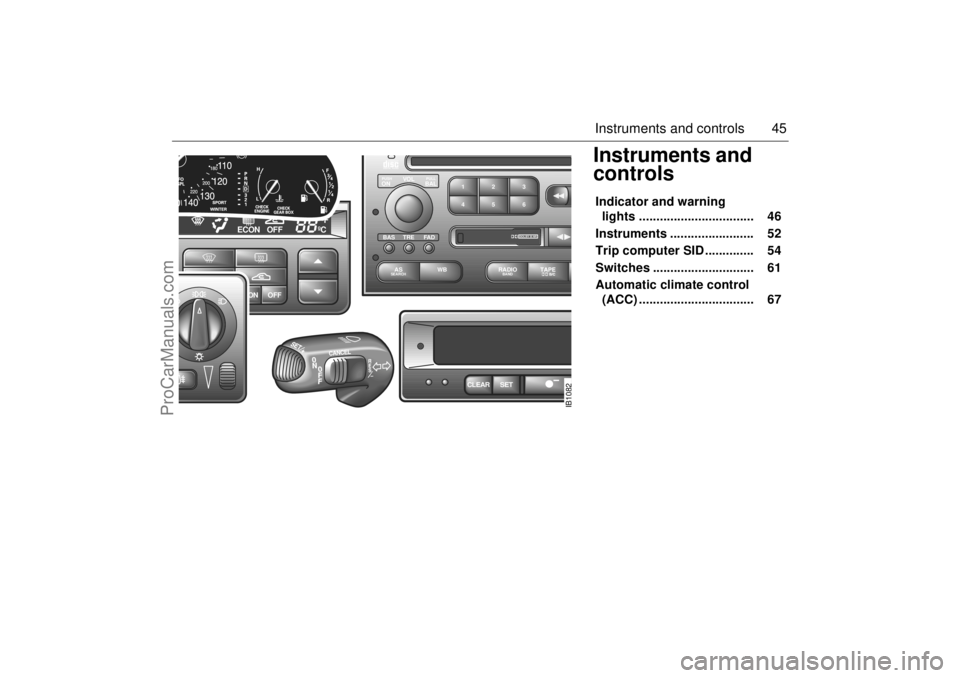
Instruments and
controls Indicator and warning
lights ................................. 46
Instruments ........................ 52
Trip computer SID .............. 54
Switches ............................. 61
Automatic climate control
(ACC) ................................. 67
ECON OFF
ºF
ºC
ECON OFF
CLEAR
SET
IB1082
VOL
TREBAL ON
FA D BAS
PULL PUSH
RADIO BAND
WB AS
SEARCH
2 13
5 46
DOLBY B NR
ProCarManuals.com
Page 50 of 256

50 Instruments and controls
Indicator, SPORT-mode
This light will come on in cars with automatic
transmission when the S (SPORT) button
on the selector lever has been pressed
(position D, 3, 2 or 1) see page 144.
In this mode, the gear changes occur later,
at higher engine revs, giving the engine and
transmission a sportier feel.
To cancel the SPORT mode, press the S
button on the selector lever again. The
mode is also deselected automatically
when the selector lever is moved to P or R.
Indicator, WINTER-mode
This light shows when the WINTER mode
has been selected in cars with automatic
transmission (see page 144).
In the WINTER mode, the car pulls away in
3rd gear, to help prevent wheelspin on an
icy road.
To cancel the WINTER mode, press the W
button.
Fault indicator, automatic
transmission
On a car with an automatic transmission,
this warning symbol is illuminated if a fault
has been detected in the transmission.
Switch the ignition off and on again to check
if the fault persists.
Even if the fault persists, it is still possible to
drive the car (see page 140).
Have the automatic transmission checked
by an authorized Saab dealer as soon as
possible. NOTEIf the control module has actuated the
Limp-home function for the automatic
transmission, the car will remain in 4th
gear when D is selected, making it very
sluggish. To overcome this, move the
selector lever to position 2.
When the indicator light is on, the car
must not be driven with a trailer attached.
ProCarManuals.com
Page 51 of 256

51 Instruments and controls
Traction-control-system:
OFF
The indicator light goes on when the Trac-
tion Control System is switched off with the
TCS OFF button.
IMPORTANT: the Traction Control System
is automatically engaged every time the
engine is started (see page 147).
The indicator light also goes on when there
is a fault in the Traction Control System. In
this case the light cannot be turned off by
means of the TCS button. If a fault is indi-
cated, have the system checked by an
authorized Saab dealer.
See also "Traction Control System", on
page 147.
TCS modulation in
progress
The TCS indicator light is located in the
lower half of the tachometer and will be illu-
minated when TCS regulation is occurring,
i.e. when there is insufficient traction
between the tires and the road surface to
provide the grip required for the accelera-
tion called for. The driver can also sense
that the engine is not responding normally to
the accelerator.
Operation of the TCS indicates reduced
traction between the tires and the road, and
that extra care should be taken by the driver.
In normal driving, the TCS will improve both
ride comfort and safety, but must not be
regarded as a system to enable the driver to
drive at or maintain a higher rate of speed.
The same precautions for safe cornering
and driving on slippery roads must still be
applied (see page 147).
ProCarManuals.com
Page 52 of 256

52 Instruments and controlsAutochecking of lights,
main instrument panel The above warning and indicator lights
should come on when the ignition is
switched on prior to starting. They should go
out after about 3 seconds.
The following lights light up until the engine
is started, presuming that no fault exists:
Central warning light .
Oil pressure warning light .
Warning, charging .
InstrumentsTachometerThe tachometer indicates the engine speed
in thousands of revolutions per minute. The
needle may be allowed to enter the broken
red zone on the dial only for an instant.
A safety cut-out function (in the fuel system)
prevents the engine speed exceeding
approximately 6,200 rpm.
Odometer and trip meter The odometer records the distance trav-
elled in miles on U.S. vehicles and on Cana-
dian vehicles the distance indicated is in
kilometres, and the trip meter in miles and
tenths (kilometres and tenths of kilometres
on Canadian vehicles). Reset button The reset button has two functions, deter-
mined by whether the ignition is ON or OFF.
When the ignition is ON, the button will
reset the trip meter.
When the ignition is OFF, the button will
bring up the display for 20 seconds to
allow the odometer and trip-meter read-
ings to be viewed.
IB1279
IB340
IB341
1 Cars with automatic transmission
ProCarManuals.com
Page 54 of 256

54 Instruments and controlsCheck fuse 15 (radiator fan) in the fuse
panel under the hood, see page 196.
If the needle repeatedly enters the red zone,
stop the car as soon as it is safe to do so and
check the coolant level by looking at the
level visible through the plastic tank - do not
remove the cap.
If the coolant level falls below the MIN mark,
the SID will display the message ”FILL
COOLANT FLUID”.
Selector lever indication
(Automatic transmission) The position of the selector lever is indi-
cated on the main instrument panel.
Trip computer SID (Saab Information Display (SID) The SID displays CHECK messages and
has eight trip-computer functions (Saab Car
Computer, SCC)
The SID display is also used by the Audio
System.
NOTEIf the needle, despite the above action,
enters the red zone, stop the car immedi-
ately, let the engine idle.
If the needle stays in the red zone, stop
the engine.
WARNING
Never open the cap of the expansion tank
completely when the engine is hot, open
with care. The over-pressure in the cool-
ing-system can cause hot coolant and
steam to be released.
WARNING
It is strongly recommended that the SID
settings be changed only when the car is
stationary. The driver’s attention can oth-
erwise easily be distracted from the road.
IB1280
ProCarManuals.com
Page 55 of 256

55 Instruments and controls
SCCSelecting the function
Use the button to scroll through the
following functions:
Outdoor temperature
(Frost warning)Regardless of which function has been
selected, except Night Panel Mode, SID will
automatically display the outdoor tempera-
ture when it is between 26° and 38°F (-3°
and +3°C). This also applies if the
temperature has moved outside the range
of 21° to 43°F (-6° to +6°C) but is again
between 26° and 38°F (-3° and +3°C).
Use the button to scroll through the
following functions:
Entering values for the functions Values can be entered for the following
functions: SPD∅, DIST, ARRIV, ALARM
and SPD W.
1 Select the desired function using or
.
2 Press the SET button for at least one
second (figures start to flash and a
chime sounds).
3 Use or to increase or decrease
the value (press CLEAR to reset).
4 Press SET to record the value.
DIST Distance to destination / Trip
meter.
ARRIV Estimated time of arrival.
ALARM Alarm function.
SPD W Speed warning (chime).
WARNING
Remember that roads can be icy even at
temperatures of above 38°F (+3°C),
especially on bridges and stretches of
road that are sheltered from the sun.
TEMP Outdoor temperature and Date.
D.T.E. Estimated range (distance to
empty fuel tank).
FUEL∅ Average fuel consumption
since function last reset.
SPD∅ Average speed since function
last reset.
NIGHT PANEL
CLEAR
SET
IB346
ProCarManuals.com
Page 59 of 256

59 Instruments and controls
1 This message cannot be removed by pressing
CLEAR. Depress the brake pedal.
2 This message will be displayed approxi-
mately 600 miles (1,000 km) before the next
scheduled service is due, or when 365 days
have elapsed since the last service. The
message should be cleared at the time of that
service (see the Saab Warranties & Service
Record Booklet).
If you have carried out the service yourself,
you can clear the message by pressing
CLEAR once. Reset by pressing CLEAR for
at least eight seconds, until ”SERVICE”
appears on the display and a chime sounds.
Night panelTo improve night-driving conditions inside
the car, the Night Panel mode can be
selected. In this mode, the amount of infor-
mation displayed is reduced, and only the
most important instruments and displays
will be illuminated.
When the Night Panel button is pressed,
only the speedometer will be illuminated (up
to the 87-mph or 140-km/h graduation), all
the other instruments illumination being
extinguished and their needles moved to
zero. Both the SID and the ACC displays will
be extinguished and the backlighting for
switches and other controls will be dimmed.
Note: All indicator and warning lights,
together with the display of CHECK mes-
sages, will operate as normal, except "Frost
warning", see page 55. The following conditions will wake up the
respective displays in the Night-Panel
mode:
Setting of the Audio system, SID or ACC
(display comes on for ten seconds).
CHECK message generated in the SID.
High engine revs cause the rev counter to
be illuminated until the engine speed has
fallen again.
If the quantity of fuel remaining falls below
4 gallons (15 liters), the fuel gauge will be
illuminated.
If the engine temperature rises above nor-
mal, the temperature gauge will be illumi-
nated.
If the speed of the car exceeds 84 mph
(135 km/h), the entire speedometer will
be illuminated.
In cars with automatic transmission, if the
selector lever is moved from D to position
3, 2 or 1, the selector indication on the
main instrument panel will be illuminated.
To restore the displays and lighting to the
normal mode, press the Night-Panel button.
ProCarManuals.com