2000 MERCEDES-BENZ SL500 Location
[x] Cancel search: LocationPage 82 of 297

78 Instrument cluster
Technical
data Instruments
and controlsOperationDrivingInstrument
cluster displayPractical hints Car care Index
Coolant temperature gauge
During severe operating conditions and stop-and-go city
traf f ic, th e coola nt tempera ture may rise close to th e red
marking.
The engine should not be operated with the coolant
temperature in the red zone. Doing so may cause
serious engine damage which is not covered by the
Mercedes-Benz Limited Warranty.Outside temperature indicator
The temperature sensor is located in the front bumper
area. Due to its location, the sensor can be affected by
road or engine heat during idling or slow driving. This
means that the accuracy of the displayed temperature
can only be verified by comparison to a thermometer
placed next to the sensor, not by comparison to external
displays (e.g. bank signs etc.).
Adaptation to ambient temperature takes place in steps
and depends on the prevailing driving conditions (stop-
and-go or moderate, constant driving) and amount of
temperature change.
Wa r n i n g !
• Driving when your engine is badly overheated
can cause some fluids which may have leaked
into the engine compartment to catch fire. You
could be seriously burned.• Steam from an overheated engine can cause
serious burns and can occur just by opening
the engine hood. Stay away from the engine if
you see or hear steam coming from it.Turn off the engine, get out of the vehicle and do
not stand near the vehicle until it cools down.
Wa r n i n g !
The outside temperature indicator is not designed
to serve as an Ice-Warning Device and is therefore
unsuitable for that purpose. Indicated
temperatures just above the freezing point do not
guarantee that the road surface is free of ice.
Page 109 of 297
105 Audio system
Technical
data Instruments
and controlsOperationDrivingInstrument
cluster displayPractical hints Car care Index Scan tuning
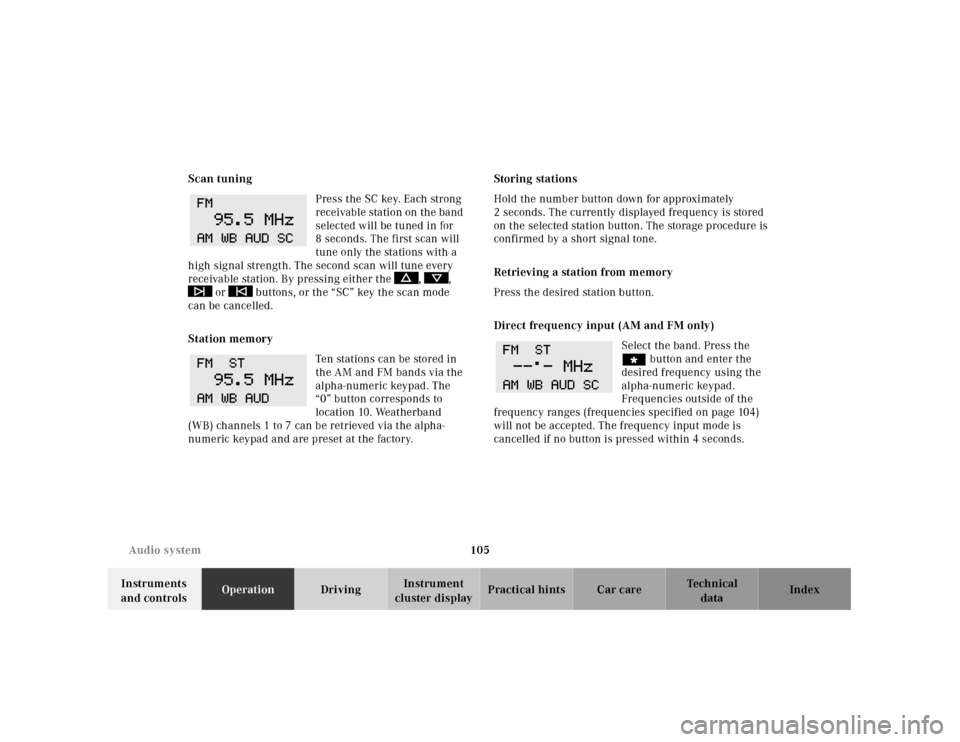
Press the SC key. Each strong
receivable station on the band
selected will be tuned in for
8 seconds. The first scan will
tune only the stations with a
high signal strength. The second scan will tune every
receivable station. By pressing either the , ,
or buttons, or the “SC” key the scan mode
can be cancelled.
Station memory
Ten stations can be stored in
the AM and FM bands via the
alpha-numeric keypad. The
“0” button corresponds to
location 10. Weatherband
(WB) channels 1 to 7 can be retrieved via the alpha-
numeric keypad and are preset at the factory.Storing stations
Hold the number button down for approximately
2 seconds. The currently displayed frequency is stored
on the selected station button. The storage procedure is
confirmed by a short signal tone.
Retrieving a station from memory
Press the desired station button.
Direct frequency input (AM and FM only)
Select the band. Press the
“ button and enter the
desired frequency using the
alpha-numeric keypad.
Frequencies outside of the
frequency ranges (frequencies specified on page 104)
will not be accepted. The frequency input mode is
cancelled if no button is pressed within 4 seconds.
Page 139 of 297
135 Garage door opener
Technical
data Instruments
and controlsOperationDrivingInstrument
cluster displayPractical hints Car care Index Rolling code programming:
To train a garage door opener (or other rolling code
devices) with the rolling code feature, follow these
instructions after completing the “Programming”
portion of this text. (A second person may make the
following training procedures quicker and easier.)
1. Locate training button on the garage door opener
motor head unit. Exact location and color of the
button may vary by garage door opener brand. If
there is difficulty locating the transmitting button,
reference to garage door opener operator’s manual.
2. Press “training” button on the garage door opener
motor head unit (which activated the “training
light”).
Note:
Following step 2, there are 30 seconds to initiate
step 3.3. Firmly press and release the programmed
integrated remote control transmit button. Press
and release same button a second time to complete
the training process. (Some garage door openers
may required you to do this procedure a third time
to complete the training.)
4. Confirm the garage door operation by pressing the
programmed button on the integrated remote
control transmitter.
Canadian programming:
During programming, your hand-held transmitter may
automatically stop transmitting. Continue to press and
hold the integrated remote control transmitter button
(note steps 2 through 4 in the “Programming” portion)
while you press and re-press (“cycle”) your hand-held
transmitter every two seconds until the frequency
signal has been learned. The indicator lamp will flash
slowly and then rapidly after several seconds upon
successful training.
Page 160 of 297
156 Tele Aid
Technical
data Instruments
and controlsOperationDrivingInstrument
cluster displayPractical hints Car care Index
pressing the button (for longer than 2 seconds) located
under the cover. See below for instructions on initiating
an emergency call manually.
Once the emergency call is in progress, the indicator
lamp in the “SOS” button will begin to flash. All
information relevant to the emergency, such as the
location of the vehicle (determined by the GPS satellite
location system), vehicle model, identification number
and color are generated.
A voice connection between the Response Center and
the occupants of the vehicle will be established
automatically soon after the emergency call has been
initiated. The Response Center will attempt to determine
more precisely the nature of the accident provided they
can speak to an occupant of the vehicle.
The Tele Aid system is available if:
• it has been activated and is operational. Activation
requires a subscription for monitoring services and
cellular air time,
• t h e r e l ev a n t c e l l u l a r p h on e n e t w or k a n d G P S si g n a l s
are available.Note:
Location of the vehicle on a map is possible if the
vehicle is able to receive signals from the GPS satellite
network.
Wa r n i n g !
If the indicator lamp in the “SOS” button is
illuminated continuously and there was no voice
connection to the Response Center established,
then the Tele Aid system could not initiate an
emergency call (e.g. the relevant cellular phone
network is not available).Should this occur, assistance must be summoned
by other means.
Page 162 of 297
158 Tele Aid
Technical
data Instruments
and controlsOperationDrivingInstrument
cluster displayPractical hints Car care Index
Roadside Assistance button
Located below the center armrest cover is the Roadside
Assistance button. Pressing and holding the
button (for longer than 2 seconds), will initiate a call to
a Mercedes-Benz Roadside Assistance dispatcher. The
button will flash while the call is in progress. The
Tele Aid system will transmit data generating the
vehicle identification number, model, color and location
(subject to availability of cellular and GPS signals).A voice connection between the Roadside Assistance
dispatcher and the occupants of the vehicle will be
established. The nature of the need for assistance can
then be described. Sign and Drive services (jump start, a
few gallons of fuel or the replacement of a flat tire with
the vehicle spare tire) are available.
If the vehicle requires more than Sign and Drive
services, the Mercedes-Benz Roadside assistance
dispatcher will either dispatch a qualified
Mercedes-Benz technician or arrange to tow your
vehicle to the nearest Mercedes-Benz Center.
For other than Sign and Drive services, labor and / or
towing charges may apply. Refer to the Roadside
Assistance manual for more information.
Notes:
The indicator lamp in the Roadside Assistance
button remains illuminated in red for approx.
5 seconds during the system self-check after turning
key in steering lock to position 2 (together with the
“SOS” button and the Information button¡).
See system self-check on page 155 when the indicator
lamp does not light up in red or stays on longer than
approximately 5 seconds.
Wa r n i n g !
If you feel at any way in jeopardy when in the
vehicle (e.g. smoke or fire in the vehicle, vehicle in
a dangerous road location), please do not wait for
voice contact after you have pressed the emergency
button. Carefully leave the vehicle and move to a
safe location. The Response Center will
automatically contact local emergency officials
with the vehicle’s approximate location if they
receive an “SOS” signal and cannot make voice
contact with the vehicle occupants.
Page 163 of 297
159 Tele Aid
Technical
data Instruments
and controlsOperationDrivingInstrument
cluster displayPractical hints Car care Index Information button ¡
Located below the center armrest cover is the
Information button¡. Pressing and holding the
button (for longer than 2 seconds), will initiate a call to
t h e C l i e n t A s s ista n c e C e nt e r. T h e b u t to n w il l f l a sh w h i l e
the call is in progress. The Tele Aid system will transmit
data generating the vehicle identification number,
model, color and location (subject to availability of
cellular and GPS signals).
A voice connection between the Client Assistance
Center representative and the occupants of the vehicle
will be established. Information regarding the operation
of your vehicle, the nearest Mercedes-Benz Center or
Mercedes-Benz USA products and services is available
to you.
If you have chosen the Route Guidance Service (an
optional service available at additional cost in the USA
only), your communication will be transferred to our
Response Center, who will provide the appropriate
information.
For more details concerning this optional service,
please contact the Response Center at 1-800-756-9018.Notes:
The indicator lamp in the Information button¡
rem ains illuminated in red for approx . 5 seconds du ring
the system self-check after turning key in steering lock
to position 2 (together with the “SOS” button and the
Roadside Assistance button).
See system self-check on page 155 when the indicator
lamp does not light up in red or stays on longer than
approximately 5 seconds.
Important!
If the indicator lamps do not illuminate or remain
illuminated (in red) at any time, the Tele Aid system has
detected a fault or the service is not currently active,
and may not initiate a call. Visit your Mercedes-Benz
Center and have the system checked or contact the
Response Center at 1-800-756-9018 (in the USA) or
1-888-923-8367 (in Canada) as soon as possible.
Page 165 of 297
161 Tele Aid
Technical
data Instruments
and controlsOperationDrivingInstrument
cluster displayPractical hints Car care Index Remote door unlock
In t he c ase you have your vehicle locked unintentionally
(e.g. key inside vehicle), and the reserve key is not
handy, contact the Mercedes-Benz Response Center at
1-800-756-9018 (in the USA) or 1-888-923-8367 (in
Canada). You will be asked to provide your password
which you provided when you completed the subscriber
agreement.
Then return to your vehicle and press trunk lock for a
minimum of 20 seconds.
The Response Center will then unlock your vehicle with
the remote door unlocking feature.
Note:
The remote door unlock feature is available if the
relevant cellular phone network and GPS signals are
available.Vehicle location / stolen vehicle tracking services
Should you wish to locate your vehicle, contact the
Mercedes-Benz Response Center at 1-800-756-9018 (in
the USA) or 1-888-923-8367 (in Canada). You will be
asked to provide your password which you provided
when you completed the subscriber agreement.
In the event your vehicle was stolen, report the incident
to th e police wh o will issu e a nu mbered incident report.
Pass this number on to the Mercedes-Benz Response
Center.
The Response Center will then attempt to covertly
contact the vehicle’s Tele Aid system. The key in the
steering lock must be in position 1 or 2 and the cellular
and GPS signals must be available. The Response Center
will contact you at the phone number(s) provided in the
agreement once the vehicle is located. The Response
Center will attempt to contact the vehicle until located,
up to a maximu m of 14 days or until t he vehicle location
incident report is cancelled by you.
Page 166 of 297
162 Tele Aid
Technical
data Instruments
and controlsOperationDrivingInstrument
cluster displayPractical hints Car care Index
Important!
Tele Aid utilizes the cellular network for
communication and the GPS (Global Positioning
System) satellites for vehicle location. If either of these
signals are unavailable, the Tele Aid system may not
function and if this occurs, assistance must be
summoned by other means.
Wa r n i n g !
The Tele Aid control unit is located under the
driver’s seat. If there is accumulation of water or
other liquid in this area, the Tele Aid control unit
could suffer an electrical short circuit making the
system inoperative. In this case the indicator lamp
in the “SOS” button does not illuminate during or
remains illuminated after the system self-check.
Have the system checked at the nearest
Mercedes-Benz Center as soon as possible.