2000 HONDA ODYSSEY ESP
[x] Cancel search: ESPPage 95 of 352
Power Slidin g Door s (E X Model )
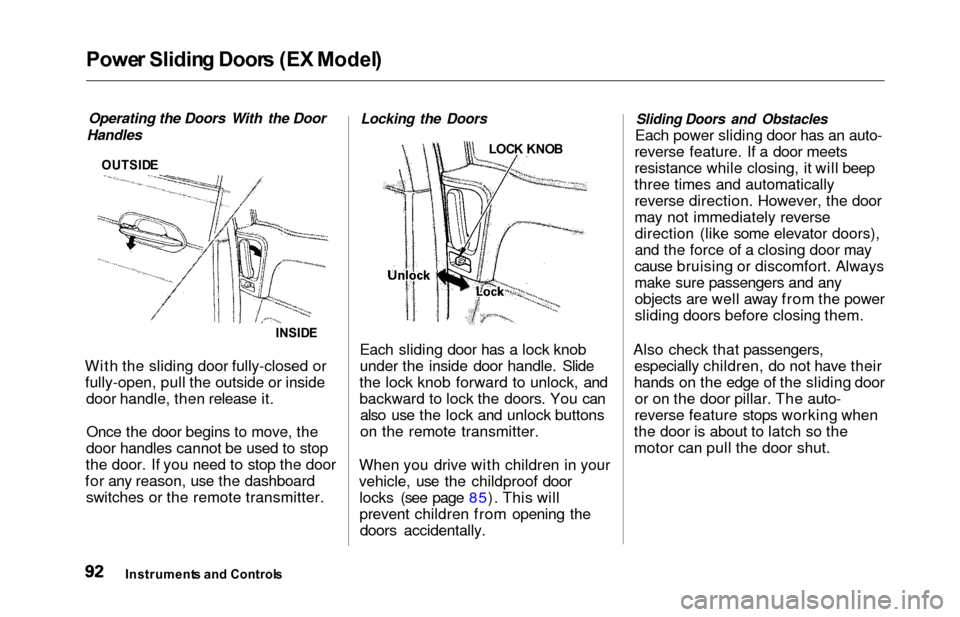
Operating the Doors With the Door
Handles
OUTSID E
INSIDE
With the sliding door fully-closed or
fully-open, pull the outside or inside door handle, then release it.
Once the door begins to move, the
door handles cannot be used to stop
the door. If you need to stop the door
for any reason, use the dashboard switches or the remote transmitter.
Locking the Doors
LOC K KNO B
Each sliding door has a lock knob
under the inside door handle. Slide
the lock knob forward to unlock, and
backward to lock the doors. You can also use the lock and unlock buttons
on the remote transmitter.
When you drive with children in your
vehicle, use the childproof door locks (see page 85). This will
prevent children from opening thedoors accidentally.
Sliding Doors and Obstacles
Each power sliding door has an auto-
reverse feature. If a door meets
resistance while closing, it will beep
three times and automatically
reverse direction. However, the door
may not immediately reverse direction (like some elevator doors),
and the force of a closing door may
cause bruising or discomfort. Always
make sure passengers and any objects are well away from the power
sliding doors before closing them.
Also check that passengers, especially children, do not have their
hands on the edge of the sliding door or on the door pillar. The auto-
reverse feature stops working when
the door is about to latch so the
motor can pull the door shut.
Instrument s an d Control s
Page 101 of 352
HomeLink Universa l Transmitte r
4. Press and release the button on
the HomeLink transmitter. (Thesame button you trained with
the "Training the Transmitter"
procedure.)
5. Press and release the HomeLink transmitter buttonagain. This should turn off the
training light on the garage door opener unit. (Somesystems may require you to
press and release the button up
to three times.)
6. Press the transmitter button again. It should operate the
garage door.
Retrainin g a Butto n
To train an already programmed
transmitter button to operate a new
device:
1. Select the transmitter button you want to train. 2. Press and hold the transmitter
button until the red light begins
to flash slowly (approximately
20 seconds).
3. While continuing to hold the transmitter button, place the
remote control for the device 1
to 3 inches from the HomeLink
transmitter.
4. Press and hold the button on the remote control. Hold both
buttons until the red light
begins to flash rapidly.
5. Release both buttons. The transmitter should now be
trained to operate the device.
Erasin g Code s
To erase the codes stored in all three buttons, press and hold the
two outside buttons until the redlight begins to flash, then release
the buttons. You should erase all three codes
before selling the vehicle.
As required by the FCC:
This device complies with Part 15
of the FCC rules. Operation is
subject to the following two
conditions: (1) This device may not
cause harmful interference, and (2)
this device must accept any
interference received, including
interference that may cause
undesired operation.
Changes or modifications not
expressly approved by the party
responsible for compliance could
void the user's authority to operate
the equipment.
This device complies with IndustryCanada Standard RSS-210.Operation is subject to the
following two conditions: (1) this
device may not cause interference,
and (2) this device must accept any
interference that may cause
undesired operation of the device.
Instrument s an d Control s
Page 177 of 352
Audio Syste m
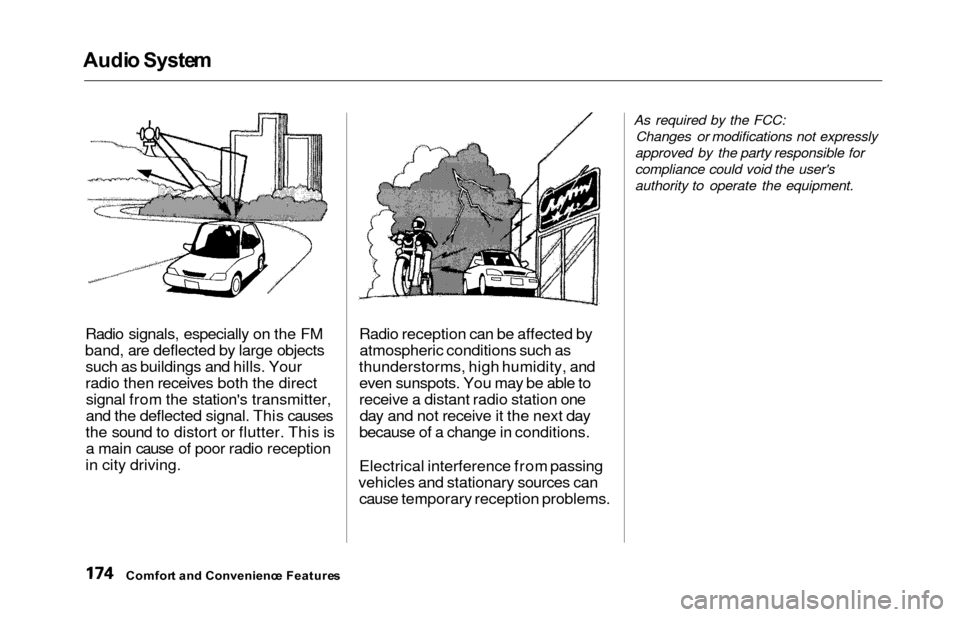
Radio signals, especially on the FM
band, are deflected by large objects such as buildings and hills. Your
radio then receives both the directsignal from the station's transmitter,
and the deflected signal. This causes
the sound to distort or flutter. This is a main cause of poor radio reception
in city driving. Radio reception can be affected by
atmospheric conditions such as
thunderstorms, high humidity, and even sunspots. You may be able to
receive a distant radio station oneday and not receive it the next day
because of a change in conditions.
Electrical interference from passing
vehicles and stationary sources can cause temporary reception problems.
As required by the FCC:
Changes or modifications not expressly
approved by the party responsible for
compliance could void the user's
authority to operate the equipment.
Comfor t an d Convenienc e Feature s
Page 216 of 352
The Brakin g System , Tractio n Contro l Syste m
If the ABS indicator and the brake
system indicator come on together,
and the parking brake is fully
released, the front-to-rear braking
distribution system may also shut
down.
Test your brakes as instructed on page 310. If the brakes feel normal,drive slowly and have your vehicle
repaired by your dealer as soon as
possible. Avoid sudden hard braking
which could cause the rear wheels to lock up and possibly lead to a loss of
control.
On EX model
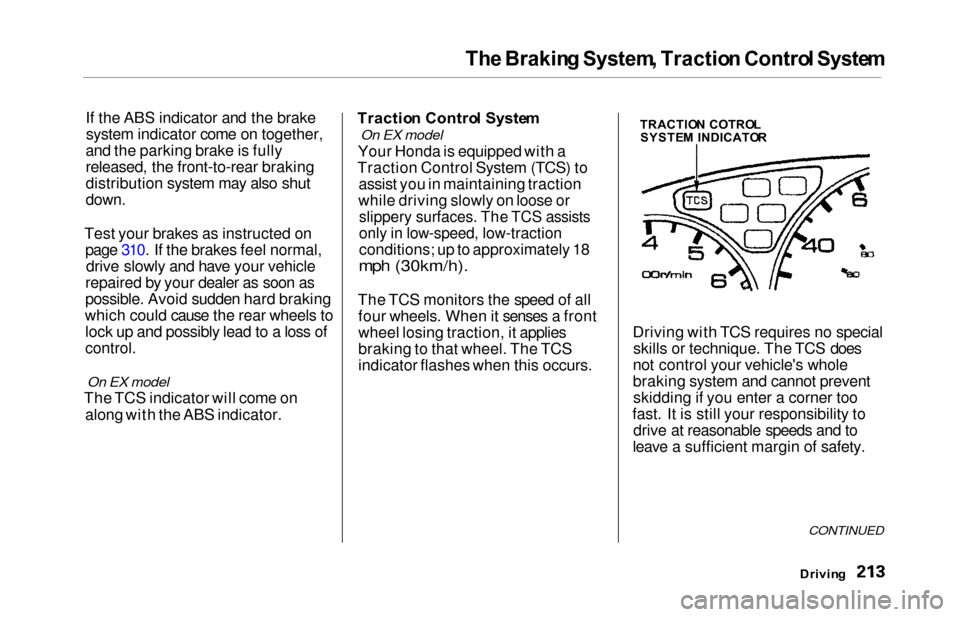
The TCS indicator will come on
along with the ABS indicator. Tractio
n Contro l Syste m
On EX model
Your Honda is equipped with a
Traction Control System (TCS) to assist you in maintaining traction
while driving slowly on loose or
slippery surfaces. The TCS assists
only in low-speed, low-traction
conditions; up to approximately 18
mph (30km/h).
The TCS monitors the speed of all four wheels. When it senses a front
wheel losing traction, it applies
braking to that wheel. The TCS
indicator flashes when this occurs. Driving with TCS requires no special
skills or technique. The TCS does
not control your vehicle's whole
braking system and cannot prevent skidding if you enter a corner too
fast. It is still your responsibility to drive at reasonable speeds and to
leave a sufficient margin of safety.
Drivin g
CONTINUED
TRACTIO N COTRO L
SYSTE M INDICATO R
Page 217 of 352
Traction Contro l Syste m
When starting out or driving at low
speeds on a loose or slippery road
surface, you may notice that the
vehicle does not respond to the accelerator in the same way it does
at other times. This is a sign the TCS
is activating. You will see the TCS
indicator light flash.
You should still install winter tires on your vehicle during the winter. Makesure to use the same size originally
supplied with vehicle. Exercise the
same caution in winter driving as you
would if your vehicle was not
equipped with TCS.
Driving with the compact spare tire
installed (see page 292) may activate the TCS. You should turn off
the system. If the brakes overheat while the TCS
is activating, the TCS indicator will stop flashing and stay on temporarily.
This indicates that the TCS system has turned off. After the brakes havecooled down (usually for about 10
minutes), the TCS will turn back onand the indicator will turn off.
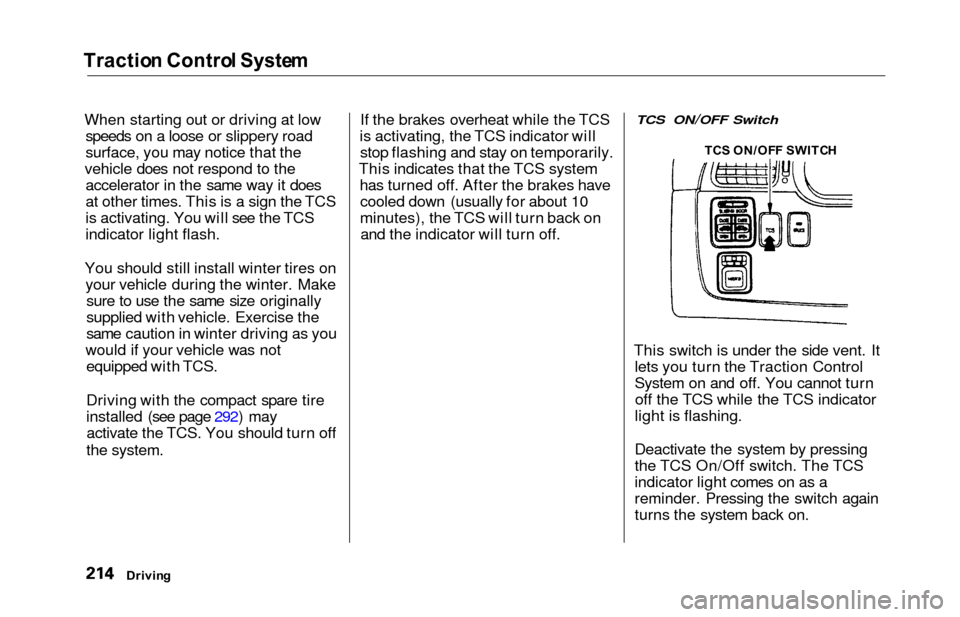
TCS ON/OFF Switch
This switch is under the side vent. It lets you turn the Traction Control
System on and off. You cannot turnoff the TCS while the TCS indicator
light is flashing.
Deactivate the system by pressing
the TCS On/Off switch. The TCS
indicator light comes on as a
reminder. Pressing the switch again
turns the system back on.
Drivin g TC
S ON/OF F SWITC H
Page 219 of 352
Driving in Ba d Weathe r
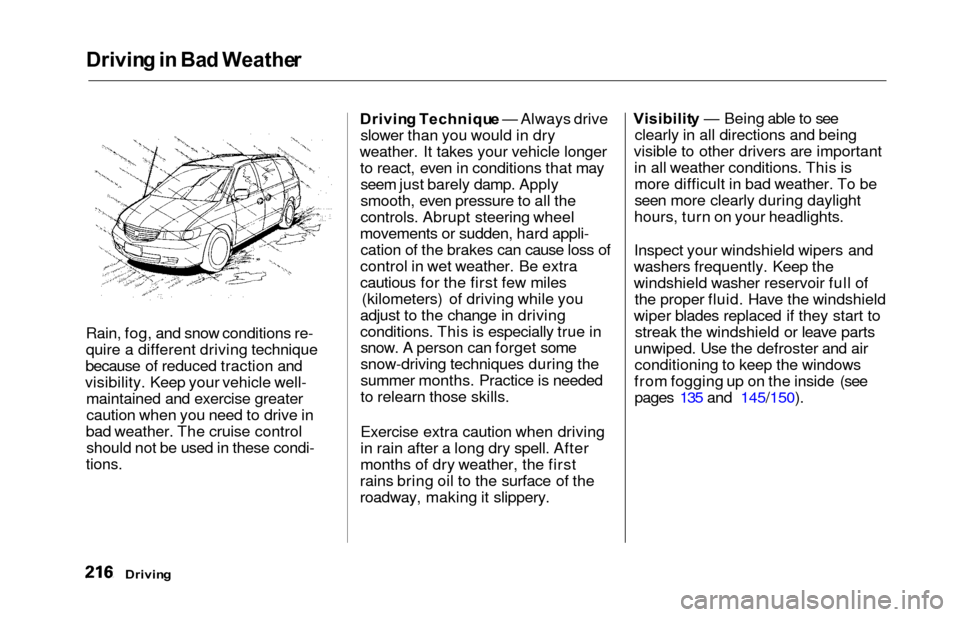
Rain, fog, and snow conditions re-
quire a different driving technique
because of reduced traction and
visibility. Keep your vehicle well- maintained and exercise greater
caution when you need to drive in
bad weather. The cruise control should not be used in these condi-
tions.
Drivin g Techniqu e — Always drive
slower than you would in dry
weather. It takes your vehicle longer to react, even in conditions that mayseem just barely damp. Apply
smooth, even pressure to all the
controls. Abrupt steering wheel
movements or sudden, hard appli- cation of the brakes can cause loss of
control in wet weather. Be extra
cautious for the first few miles (kilometers) of driving while you
adjust to the change in driving
conditions. This is especially true in snow. A person can forget some
snow-driving techniques during the
summer months. Practice is needed
to relearn those skills.
Exercise extra caution when driving
in rain after a long dry spell. After
months of dry weather, the first
rains bring oil to the surface of the
roadway, making it slippery. Visibilit
y — Being able to see
clearly in all directions and being
visible to other drivers are important in all weather conditions. This ismore difficult in bad weather. To be
seen more clearly during daylight
hours, turn on your headlights.
Inspect your windshield wipers and
washers frequently. Keep the
windshield washer reservoir full of the proper fluid. Have the windshield
wiper blades replaced if they start to streak the windshield or leave parts
unwiped. Use the defroster and air conditioning to keep the windows
from fogging up on the inside (see pages 135 and 145/150).
Drivin g
Page 223 of 352
Towing a Traile r
Towin g Equipmen t an d
Accessorie s
Towing can require a variety of equipment, depending on the size of
your trailer, how it will be used, and how much load you are towing.
Discuss your needs with your trailer
sales or rental agency, and follow the
guidelines in the rest of this section.
Also make sure that all equipment is properly installed and that it meets
federal, state, province, and local
regulations.
Hitches
Any hitch used on your vehicle mustbe properly bolted to the underbody, using the six threaded holes
provided. A hitch designed especially
for your Odyssey can be obtained
from your Honda dealer.
Weight Distributing Hitch
If the total trailer weight is more
than 2,000 Ibs (900 kg), you must
also use a weight distributing hitch.
This device transfers weight from the vehicle's rear wheels to the front
wheels, and to the trailer's wheels. Carefully follow the hitch maker's
instructions for proper installation
and adjustment.
Safety Chain
Always use a safety chain. Make sure that it is secured to both the
trailer and hitch, and that it crosses under the tongue so it can catch the
trailer if it becomes unhitched. Leave enough slack to allow the
trailer to turn corners easily, but do not let the chain drag on the ground.
Sway Control
If the total trailer weight exceeds
2,000 Ibs (900 kg), you should install
a sway control device to minimize swaying that can occur in crosswinds
and in normal and emergency
driving maneuvers. Your trailer
maker can tell you what kind of sway
control you need and how to install it.
Transmission Fluid Cooler
If the total trailer weight is more
than 2,000 Ibs (900 kg), you must also have a transmission fluid cooler
installed. This device will help
prevent transmission overheating,
which could cause serious damage.
A transmission fluid cooler designed for your Odyssey can be obtained
from your Honda dealer.
Drivin g
Page 248 of 352
Cooling Syste m
Replacin g Engin e Coolan t
The cooling system should be completely drained and refilled with
new coolant according to the time
and distance recommendations in
the maintenance schedule. Only use Genuine Honda Antifreeze/Coolant.
Draining the coolant requires access
to the underside of the vehicle. Unless you have the tools and
knowledge, you should have this maintenance done by a skilled
mechanic.
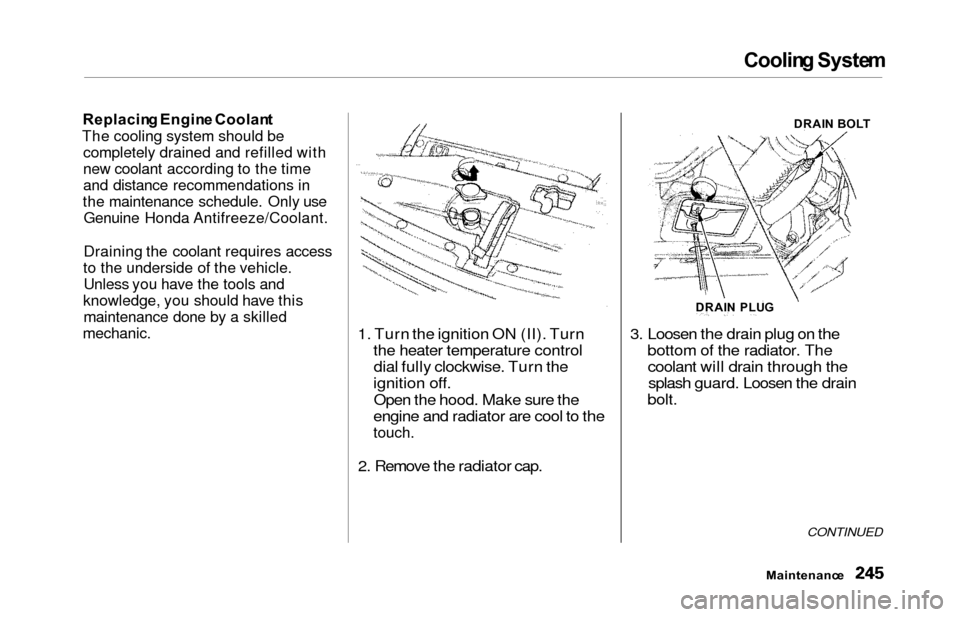
1. Turn the ignition ON (II). Turn the heater temperature controldial fully clockwise. Turn the
ignition off.
Open the hood. Make sure the
engine and radiator are cool to the
touch.
2. Remove the radiator cap. 3. Loosen the drain plug on the
bottom of the radiator. Thecoolant will drain through thesplash guard. Loosen the drain
bolt.
CONTINUED
Maintenanc e
DRAIN PLU G DRAI
N BOL T