Page 5 of 378
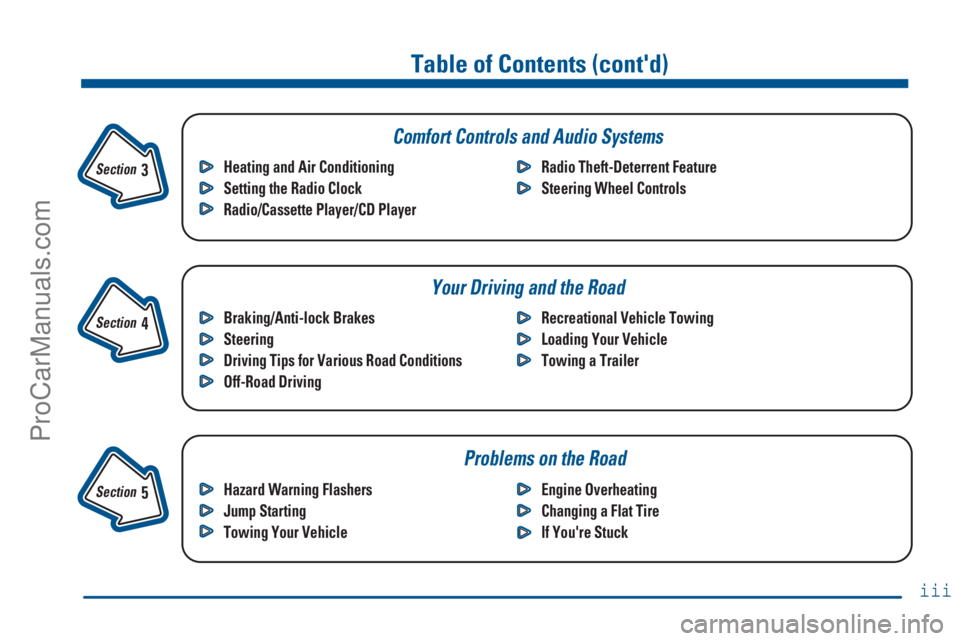
Table of Contents (cont'd)
Braking/Anti-lock Brakes
Steering
Driving Tips for Various Road Conditions
Off-Road DrivingRecreational Vehicle Towing
Loading Your Vehicle
Towing a Trailer Heating and Air Conditioning
Setting the Radio Clock
Radio/Cassette Player/CD PlayerRadio Theft-Deterrent Feature
Steering Wheel Controls
Hazard Warning Flashers
Jump Starting
Towing Your VehicleEngine Overheating
Changing a Flat Tire
If You're Stuck
Problems on the Road
Section
3
Section
4
Section
5
Your Driving and the Road Comfort Controls and Audio Systems
iii
ProCarManuals.com
Page 111 of 378
2-49 Center Floor Console
Your vehicle has a console between the two front
bucket seats.
To open the console, pull up on the console cover.
The console has two cupholders and a storage tray,
including a change holder, for the front seat passenger
and driver to use.
The cupholders are located in the front of the storage
compartment. Push in on the door and release. The
cupholders will pop out for use.
The console also contains the following components:
�Rear Seat Audio Controls
�Rear Seat Accessory Power Outlets
�Six
-disc CD Changer
�Cellular Phone (if equipped)
For more information on these components, please see
the Index for that item.
ProCarManuals.com
Page 123 of 378
2-61
Instrument Panel
A. Air Vents
B. Instrument Cluster
C. Automatic Transfer Case
D. Glove Box
E. Audio System
F. Rear Window DefoggerG. CD Changer
H. Ashtray
I. Comfort Controls
J. Accessory Power Outlets
and Lighter
K. Rear Liftglass ReleaseL. Rear Window Washer/Wiper
M. Audio Steering Wheel Controls
N. Brake Release
O. Hood Release
P. Fog Lamps
Q. Lamp Controls
ProCarManuals.com
Page 138 of 378
3-
3-1
Section 3 Comfort Controls and Audio Systems
In this section, you'll find out how to operate the comfort control and audio systems offered with your vehicle.
Be sure to read about the particular systems supplied with your vehicle.
3
-2 Comfort Controls
3
-2 Electronic Climate Control System
3
-5 Air Conditioning
3
-5 Heating
3
-5 Defogging and Defrosting
3
-6 Rear Window Defogger
3
-6 Ventilation System
3
-8 Audio Systems
3
-8 Setting the Clock
3
-8AM-FM Stereo with Cassette Tape Player
3
-13 AM-FM Stereo with Compact Disc Player
(If Equipped)3
-17 Rear Seat Audio (RSA)
3
-19 Console-Mounted CD Changer
3
-22 Theft-Deterrent Feature
3
-24 Audio Steering Wheel Controls
3
-25 Understanding Radio Reception
3
-25 Tips About Your Audio System
3
-26 Care of Your Cassette Tape Player
3
-27 Care of Your Compact Discs
3
-27 Care of Your Compact Disc Player
3
-27 Fixed Mast Antenna
ProCarManuals.com
Page 145 of 378

3-8
Audio Systems
Your audio system has been designed to operate easily
and give years of listening pleasure. You will get the
most enjoyment out of it if you acquaint yourself with it
first. Find out what your audio system can do and how
to operate all its controls, to be sure you're getting the
most out of the advanced engineering that went into it.
Your vehicle has a feature called Retained Accessory
Power (RAP). With RAP, you can play your audio
system even after the ignition is off. See ªRetained
Accessory Powerº in the Index.
Setting the Clock
Press and hold HR until the correct hour appears on the
display. Press and hold MN until the correct minute
appears on the display. To display the clock with the
ignition off, press RECALL or HR/MN and the time
will be displayed for a few seconds. There is an initial
two
-second delay before the clock goes into the
time
-set mode.
AM-FM Stereo with Cassette Tape Player
Included with the AM-FM Stereo with Cassette Tape
Player are six Bose� high performance speakers and a
six channel Bose amplifier. Please see your dealer
for details.
Playing the Radio
PWR
-VOL: Press this knob to turn the system on
and off. To increase volume, turn the knob clockwise.
Turn it counterclockwise to decrease volume. The knob
is capable of being rotated continuously.
ProCarManuals.com
Page 146 of 378

3-9
REAR DSPL: When the main radio is turned on,
press this button to turn on the rear seat audio display
on the main radio. Press it again to turn the rear seat
audio display off.
RECALL: Display the time with the ignition off by
pressing this button. When the radio is playing, press
this button to recall the station frequency.
SCV: Your system has a feature called
Speed
-Compensated Volume (SCV). With SCV, your
audio system adjusts automatically to make up for road
and wind noise as you drive. Set the volume at the
desired level. Turn the control ring behind the upper
knob clockwise to adjust the SCV. Then, as you drive,
SCV automatically increases the volume, as necessary,
to overcome noise at any particular speed. The volume
level should always sound the same to you as you drive.
If you don't want to use SCV, turn the control all the
way down. Each notch on the control ring allows for
more volume compensation at faster vehicle speeds.Finding a Station
AM
-FM: Press this button to switch between AM, FM1
and FM2. The display will show your selection.
TUNE: Press this knob lightly so it extends. Turn it to
choose radio stations. Push the knob back into its stored
position when you're not using it.
SEEK: Press the right arrow to tune to the next higher
station and the left arrow to tune to the next lower station
and stay there. The sound will mute while seeking.
SCAN: Press and hold SEEK for two seconds until
SCAN appears on the display. SCAN allows you to
listen to stations for a few seconds. The receiver will
continue to scan and momentarily stop at each station
until you press the button again. The sound will mute
while scanning.
ProCarManuals.com
Page 150 of 378

3-13 AM-FM Stereo with Compact Disc Player
(If Equipped)
Included with the AM-FM Stereo with Compact Disc
Player are six Bose high performance speakers and a
six channel Bose amplifier. Please see your dealer
for details.
Playing the Radio
PWR
-VOL: Press this knob to turn the system on and
off. To increase volume, turn this knob clockwise. Turn
it counterclockwise to decrease volume. The knob is
capable of rotating continuously.REAR DSPL: When the main radio is turned on, press
this button to turn on the rear seat audio display on the
main radio. Press it again to turn the rear seat audio
display off.
RECALL: Display the time with the ignition off by
pressing this button. When the radio is playing, press
this button to recall the station frequency.
SCV: Your system has a feature called
Speed
-Compensated Volume (SCV). With SCV, your
audio system adjusts automatically to make up for road
and wind noise as you drive. Set the volume at the
desired level. Turn the control ring behind the upper
knob clockwise to adjust the SCV. Then, as you drive,
SCV automatically increases the volume, as necessary,
to overcome noise at any particular speed. The volume
level should always sound the same to you as you drive.
If you don't want to use SCV, turn the control all the
way down. Each notch on the control ring allows for
more volume compensation at faster vehicle speeds.
Finding a Station
AM
-FM: Press this button to switch between AM, FM1
and FM2. The display will show your selection.
ProCarManuals.com
Page 154 of 378

3-17 Rear Seat Audio (RSA)
This feature allows rear seat passengers to listen to and
control any of the music sources, including AM
-FM,
cassette tapes and CDs, through the Rear Seat Audio
(RSA) controller. However, the rear seat passengers
can only control the music sources that the front seat
passengers are not listening to. For example, rear seat
passengers may listen to a cassette tape throughheadphones while the driver listens to the radio through
the front speakers. The rear seat passengers have control
of the volume for each set of headphones. Be aware that
the front seat audio controls always have priority over
the RSA controls. Note that if the front seat passengers
switch the source for the main radio to a remote source,
the RSA will play the same remote source. The rear
speakers will be muted when the RSA power is turned
on. You may operate the RSA functions even when the
main radio is off.
Note that this feature is intended for rear
seat passengers.
The following function is controlled by the knob on the
main radio:
PWR
-VOL: Push this knob twice to turn RSA off.
The following functions are controlled by the RSA
system buttons:
PWR: Press this button to turn RSA on or off.
VOL: Press this knob lightly so it extends. Turn the
knob clockwise to increase volume and
counterclockwise to decrease volume. Push the knob
back into its stored position when you're not using it.
The left VOL knob controls the left headphone and the
right VOL knob controls the right headphone.
ProCarManuals.com