Page 16 of 361
xiv
For example,
these symbols
are used on an
original battery:
CAUTION
POSSIBLE
INJURY
PROTECT
EYES BY
SHIELDING
CAUSTIC
BATTERY
ACID COULD
CAUSE
BURNS
AVOID
SPARKS OR
FLAMES
SPARK OR
FLAME
COULD
EXPLODE
BATTERY
These symbols
are important
for you and
your passengers
whenever your
vehicle is
driven:
DOOR LOCK
UNLOCK
FASTEN
SEAT
BELTS
POWER
WINDOW
AIR BAG
These symbols
have to do with
your lamps:
MASTER
LIGHTING
SWITCH
TURN
SIGNALS
PARKING
LAMPS
HAZARD
WARNING
FLASHER
DAYTIME
RUNNING
LAMPS
FOG LAMPS
These symbols
are on some of
your controls:
WINDSHIELD
WIPER
WINDSHIELD
WASHER
WINDSHIELD
DEFROSTER
REAR
WINDOW
DEFOGGER
VENTILATING
FAN
These symbols
are used on
warning and
indicator lights:
ENGINE
COOLANT
TEMP
BATTERY
CHARGING
SYSTEM
BRAKE
COOLANT
ENGINE OIL
PRESSURE
ANTI-LOCK
BRAKES
Here are some
other symbols
you may see:
FUSE
LIGHTER
HORN
SPEAKER
FUEL
Vehicle Symbols
These are some of the symbols you may find on your vehicle.
Page 18 of 361
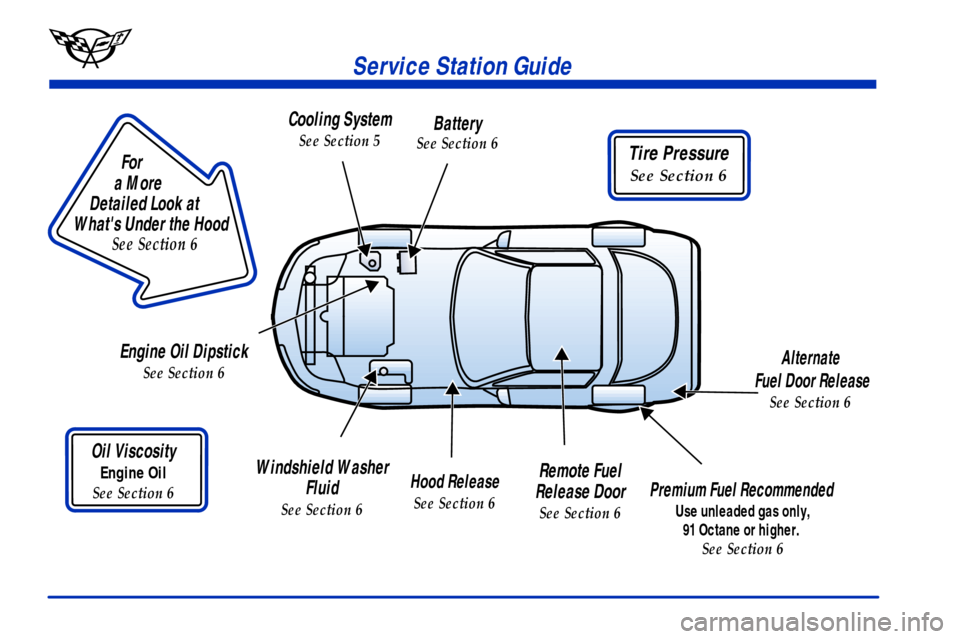
Tire Pressure
See Section 6
Service Station Guide
Oil Viscosity
Engine Oil
See Section 6
Engine Oil Dipstick
See Section 6
Premium Fuel Recommended
Use unleaded gas only,
91 Octane or higher.
See Section 6
Cooling System
See Section 5
Windshield Washer
Fluid
See Section 6
Alternate
Fuel Door Release
See Section 6
Battery
See Section 6
Remote Fuel
Release Door
See Section 6
For
a More
Detailed Look at
What's Under the Hood
See Section 6
Hood Release
See Section 6
Page 141 of 361
2-83
CAUTION:
Don't keep driving if the oil pressure is low.
If you do, your engine can become so hot that it
catches fire. You or others could be burned.
Check your oil as soon as possible and have your
vehicle serviced.
NOTICE:
Damage to your engine from neglected oil
problems can be costly and is not covered by
your warranty.
Security Light
This light comes on to
remind you to arm your
theft
-deterrent system. If it
comes on and stays on when
your ignition is on, there
may be a problem with your
theft
-deterrent system.
See ªTheft
-Deterrent Systemº and ªPASS-Key Systemº
in the Index.
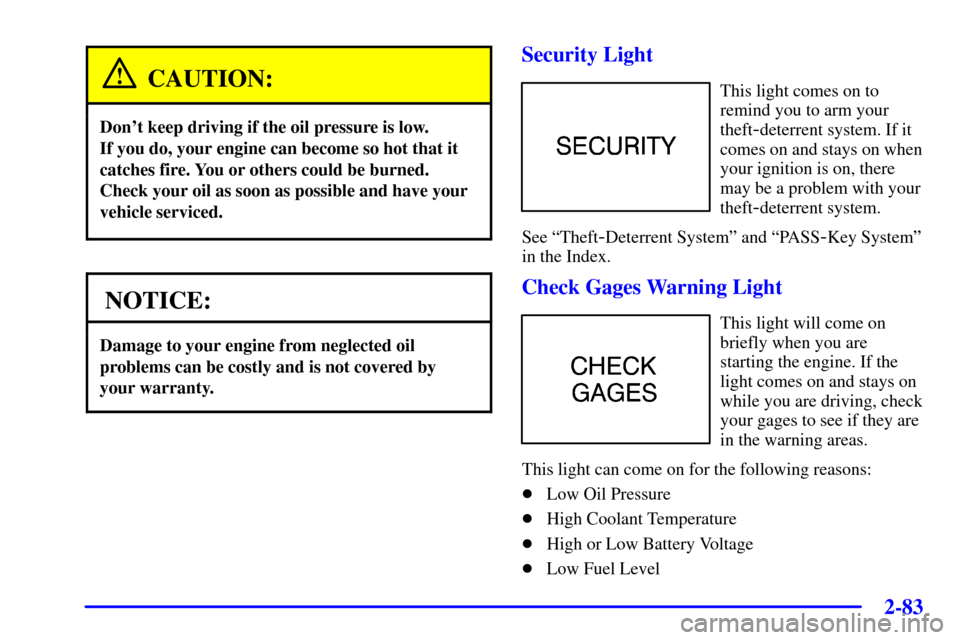
Check Gages Warning Light
This light will come on
briefly when you are
starting the engine. If the
light comes on and stays on
while you are driving, check
your gages to see if they are
in the warning areas.
This light can come on for the following reasons:
�Low Oil Pressure
�High Coolant Temperature
�High or Low Battery Voltage
�Low Fuel Level
Page 144 of 361
2-86
There are five HUD selections that you can choose to
view in the HUD display. By pressing and holding the
PAGE button, you can scroll through these pages in the
following order:
�Speed Only
�Speed and Gage
�Speed, Tachometer and Gage
�Speed and Tachometer
�Tachometer Only
When you have chosen the desired HUD display,
release the PAGE button.
Gages can be scrolled through by tapping the
PAGE button (only when a gage is displayed).
The gages shown are:
�Oil Pressure
�Coolant Temperature
�Fuel Level
The selections that you choose will remain in the
HUD display until they are changed.
Be sure to continue scanning your displays, controls and
driving environment just as you would in a vehicle
without HUD. If you never look at your instrument
panel cluster, you may not see something important,
such as a warning light. Under important warning
conditions, the CHECK GAGES icon will illuminate in
the HUD. View your Driver Information Center (DIC)
for more information.
Page 146 of 361
2-88
If the ignition is on and you can't see the HUD image,
check to see if:
�Something is covering the HUD unit.
�The HUD dimmer control is adjusted properly.
�The HUD image is adjusted to the proper height.
�Ambient light (in the direction your vehicle is
facing) is low.
�A fuse is blown. See ªFuses and Circuit Breakersº
in the Index.
Keep in mind that your windshield is part of the HUD
system. If you ever have to have your windshield
replaced, be sure to get one that is designed for HUD or
your HUD image may look blurred and out of focus.
Driver Information Center (DIC)
The Driver Information Center (DIC) will display
information about how your vehicle is functioning,
as well as warning messages if a system problem is
detected. The DIC display area is located in the
instrument panel cluster below the speedometer
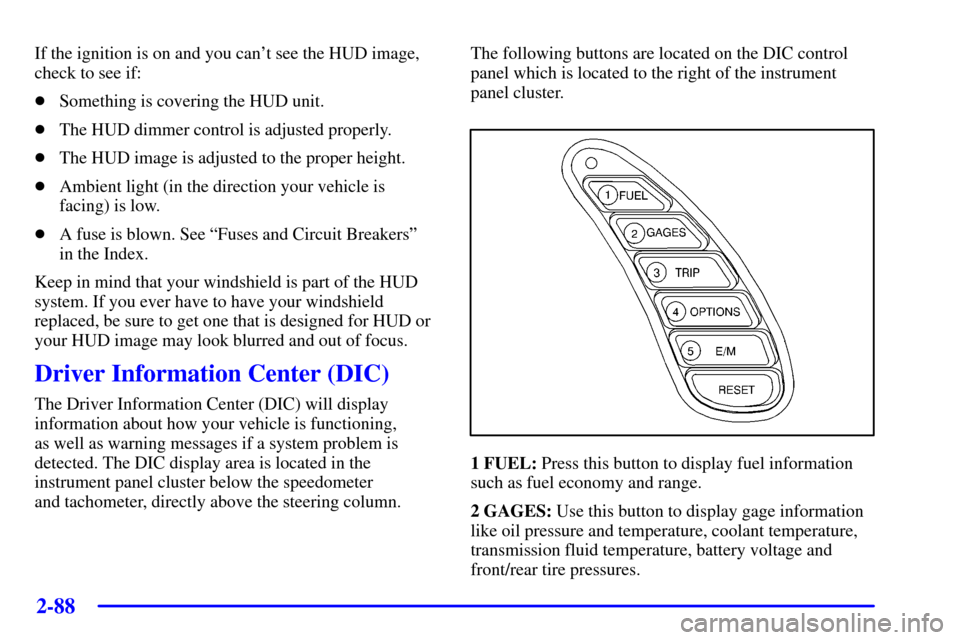
and tachometer, directly above the steering column.The following buttons are located on the DIC control
panel which is located to the right of the instrument
panel cluster.
1 FUEL: Press this button to display fuel information
such as fuel economy and range.
2 GAGES: Use this button to display gage information
like oil pressure and temperature, coolant temperature,
transmission fluid temperature, battery voltage and
front/rear tire pressures.
Page 148 of 361

2-90
The average fuel economy is viewed as a long-term
approximation of your overall driving conditions.
If you press RESET in this mode while you're
driving, the system will begin figuring fuel economy
from that point in time.
Press FUEL again to display instantaneous fuel
economy, such as:
�INST. 20.1 MPG or
�INST. 5.3 L/100 km
Press FUEL again to display the range, such as:
�RANGE 20 MI or
�RANGE 32 km
The range calculates the remaining distance you can
drive without refueling. It's based on fuel economy and
the fuel remaining in the tank.
If the range is lower than 30 miles (48 km), the display
will read RANGE LOW.
The fuel economy data used to determine fuel range is
an average of recent driving conditions. As your driving
conditions change, this data is gradually updated.
Resetting the fuel range causes the fuel economy data
to be updated immediately. Press RESET to reset the
fuel range.2 GAGES
The GAGES button allows you to scroll through the
functions listed below when you press it.
Press the GAGE button to display the oil pressure,
such as:
�OIL PRESSURE 40 PSI or
�OIL PRESSURE 276 kPa
Page 222 of 361

4-24
Once you are moving on the freeway, make certain you
allow a reasonable following distance. Expect to move
slightly slower at night.
When you want to leave the freeway, move to the
proper lane well in advance. If you miss your exit,
do not, under any circumstances, stop and back up.
Drive on to the next exit.
The exit ramp can be curved, sometimes quite sharply.
The exit speed is usually posted.
Reduce your speed according to your speedometer, not
to your sense of motion. After driving for any distance
at higher speeds, you may tend to think you are going
slower than you actually are.
Before Leaving on a Long Trip
Make sure you're ready. Try to be well rested. If you
must start when you're not fresh
-- such as after a day's
work
-- don't plan to make too many miles that first part
of the journey. Wear comfortable clothing and shoes you
can easily drive in.Is your vehicle ready for a long trip? If you keep it
serviced and maintained, it's ready to go. If it needs
service, have it done before starting out. Of course,
you'll find experienced and able service experts in
Chevrolet dealerships all across North America.
They'll be ready and willing to help if you need it.
Here are some things you can check before a trip:
�Windshield Washer Fluid: Is the reservoir full?
Are all windows clean inside and outside?
�Wiper Blades: Are they in good shape?
�Fuel, Engine Oil, Other Fluids: Have you checked
all levels?
�Lamps: Are they all working? Are the lenses clean?
�Tires: They are vitally important to a safe,
trouble
-free trip. Is the tread good enough for
long
-distance driving? Are the tires all inflated to
the recommended pressure?
�Weather Forecasts: What's the weather outlook
along your route? Should you delay your trip a
short time to avoid a major storm system?
�Maps: Do you have up
-to-date maps?
Page 250 of 361

6-
6-1
Section 6 Service and Appearance Care
Here you will find information about the care of your vehicle. This section begins with service and fuel information,
and then it shows how to check important fluid and lubricant levels. There is also technical information about your
vehicle, and a part devoted to its appearance care.
6
-2 Service
6
-3 Fuel
6
-5 Filling Your Tank
6
-9 Checking Things Under the Hood
6
-12 Engine Oil
6
-17 Engine Air Cleaner/Filter
6
-19 Automatic Transmission Fluid
6
-19 Manual Transmission Fluid
6
-21 Hydraulic Clutch
6
-22 Rear Axle
6
-23 Engine Coolant
6
-26 Surge Tank Pressure Cap
6
-26 Power Steering Fluid
6
-27 Windshield Washer Fluid
6
-29 Brakes
6
-32 Battery
6
-33 Bulb Replacement
6
-37 Windshield Wiper Blade Replacement6
-40 Tires
6
-52 Lifting Your Corvette
6
-56 Appearance Care
6
-56 Cleaning the Inside of Your Vehicle
6
-59 Cleaning a Removable Roof Panel
6
-60 Cleaning the Outside of Your Vehicle
6
-61 Cleaning Your Convertible Top
6
-62 Cleaning Aluminum Wheels
6
-62 Cleaning Tires
6
-62 Finish Damage
6
-63 Underbody Maintenance
6
-64 GM Vehicle Care/Appearance Materials
6
-65 Vehicle Identification Number (VIN)
6
-65 Service Parts Identification Label
6
-66 Electrical System
6
-73 Replacement Bulbs
6
-74 Capacities and Specifications
6
-75 Normal Maintenance Replacement Parts