Page 138 of 364

2-74 Oil Pressure Light
If you have a low engine oil
pressure problem, this light
will stay on after you start
your engine, or come on
when you are driving. This
indicates that your engine is
not receiving enough oil.
The engine could be low on oil, or could have some
other oil problem. Have it fixed immediately.
The oil light could also come on in three other situations:
�When the ignition is on but the engine is not running,
the light will come on as a test to show you it is
working, but the light will go out when you turn the
ignition to START. If it doesn't come on with the
ignition on, you may have a problem with the fuse
or bulb. Have it fixed right away.
�If you're idling at a stop sign, the light may blink
on and then off.
�If you make a hard stop, the light may come on for
a moment. This is normal.CAUTION:
Don't keep driving if the oil pressure is low.
If you do, your engine can become so hot that
it catches fire. You or others could be burned.
Check your oil as soon as possible and have
your vehicle serviced.
NOTICE:
Damage to your engine from neglected oil
problems can be costly and is not covered by
your warranty.
Page 139 of 364
2-75 Service Vehicle Soon Light
This light will come on
briefly when you turn on
the ignition.
It will stay on or come on if it detects a problem on
the vehicle. If this happens, see your dealer service
department as soon as possible.
Passlock� Warning Light
United States Canada
This light will come on briefly when you turn the key
to START.
If the light flashes, the Passlock system has entered a
tamper mode. If the vehicle fails to start, see ªPasslockº
in the Index.
On vehicles equipped with the remote keyless entry
system, when the ignition is off and the security system
is armed, the light will flash to indicate that the security
system is active.
Page 140 of 364
2-76
If the light comes on continuously while driving and
stays on, there may be a problem with the Passlock
system. Your vehicle will not be protected by Passlock,
and you should see your dealer.
On vehicles equipped with remote keyless entry, the
Passlock warning light will flash to indicate that the
security system is active when the ignition is OFF
and the security system is armed.
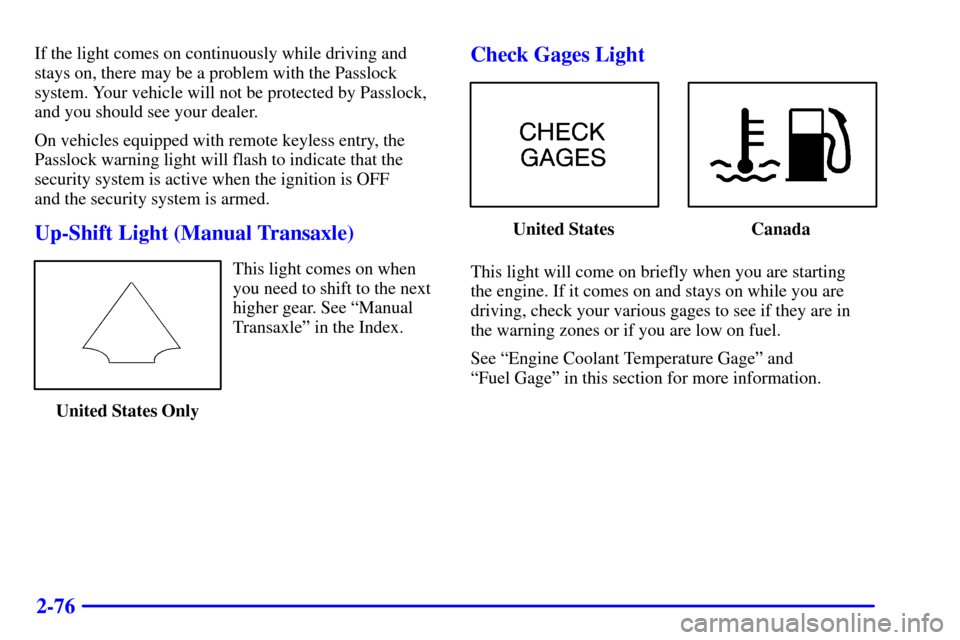
Up-Shift Light (Manual Transaxle)
This light comes on when
you need to shift to the next
higher gear. See ªManual
Transaxleº in the Index.
United States Only
Check Gages Light
United States Canada
This light will come on briefly when you are starting
the engine. If it comes on and stays on while you are
driving, check your various gages to see if they are in
the warning zones or if you are low on fuel.
See ªEngine Coolant Temperature Gageº and
ªFuel Gageº in this section for more information.
Page 141 of 364
2-77 Fuel Gage
United States Canada
Your fuel gage tells you about how much fuel you
have left. When the indicator nears empty, the
CHECK GAGES light will come on. You still have
about 1.5 gallons (5.7 L) of fuel left, but you should
get more soon. See ªCheck Gages Lightº earlier in
this section for more information.Here are four things that some owners ask about.
None of these show a problem with your fuel gage:
�At the service station, the gas pump shuts off
before the gage reads full.
�It takes a little more or less fuel to fill up that the
gage indicated. For example, the gage may have
indicated the tank was half full, but it actually took
a little more or less than half the tank's capacity to
fill the tank.
�The gage moves a little when you turn a corner
or speed up.
�The gage doesn't go back to empty when you
turn off the ignition.
For your fuel tank capacity, see ªCapacities and
Specificationsº in the Index.
Page 145 of 364

3-4
FLOOR: This setting sends most of the air
through the ducts near the floor. The rest comes out
of the defroster and side window vents.
DEFOG: This setting allows half of the air to
go to the floor ducts and half to the defroster and side
window vents.
DEFROST: This setting directs most of the air
through the defroster and side window vents. Some of
the air goes to the floor ducts. The air conditioning
compressor will run automatically in this setting when
it is needed to help dry the air in the vehicle.
Air Conditioning Compressor Button
Press the A/C button to operate the air conditioner
compressor. The indicator light above the button will
glow when the air conditioning compressor is running.
You don't have to press the button to run the compressor
in MAX or DEFROST.
It is normal for the A/C indicator light to come on while
in DEFROST.
Air Conditioning (If Equipped)
On very hot days, open the windows long enough to
let hot, inside air escape. This reduces the time it takes
for your vehicle to cool down, which should help
fuel economy.
For quick cool
-down on very hot days, use MAX with
the temperature knob all the way in the blue area. If this
setting is used for long periods of time, the air in your
vehicle may become too dry.
For normal cooling on hot days, use VENT with the
temperature knob in the blue area and the A/C button
pushed in. The system will bring in outside air and
cool it.
On cool, but sunny days, the sun may warm your upper
body, but your lower body may not be warm enough.
You can use BI
-LEVEL with the temperature knob in
the middle and the A/C button pushed in. The system
will bring in outside air and direct slightly warmer air to
your lower body. You may notice this temperature
difference more at some times than others.
Page 171 of 364

3-30
Theft-Deterrent Feature RDS Radios
(If Equipped)
THEFTLOCK� is designed to discourage theft of
your radio. The feature works automatically by learning
a portion of the Vehicle Identification Number (VIN).
If the radio is moved to a different vehicle, it will not
operate and LOCKED will be displayed.
When the radio and vehicle is turned off, the blinking
red light indicates that THEFTLOCK is armed.
With THEFTLOCK activated, your radio will not
operate if stolen.
Theft-Deterrent Feature Non-RDS
Radios (If Equipped)
THEFTLOCK� is designed to discourage theft of
your radio. The feature works automatically by learning
a portion of the Vehicle Identification Number (VIN).
If the radio is moved to a different vehicle, it will not
operate and LOC will be displayed.
With THEFTLOCK activated, your radio will not
operate if stolen.
Understanding Radio Reception
AM
The range for most AM stations is greater than for FM,
especially at night. The longer range, however, can
cause stations to interfere with each other. AM can pick
up noise from things like storms and power lines. Try
reducing the treble to reduce this noise if you ever get it.
FM Stereo
FM stereo will give you the best sound, but FM signals
will reach only about 10 to 40 miles (16 to 65 km). Tall
buildings or hills can interfere with FM signals, causing
the sound to come and go.
Tips About Your Audio System
Hearing damage from loud noise is almost undetectable
until it is too late. Your hearing can adapt to higher
volumes of sound. Sound that seems normal can be
loud and harmful to your hearing. Take precautions by
adjusting the volume control on your radio to a safe
sound level before your hearing adapts to it.
Page 172 of 364

3-31
To help avoid hearing loss or damage:
�Adjust the volume control to the lowest setting.
�Increase volume slowly until you hear comfortably
and clearly.
NOTICE:
Before you add any sound equipment to your
vehicle
-- like a tape player, CB radio, mobile
telephone or two
-way radio -- be sure you can
add what you want. If you can, it's very
important to do it properly. Added sound
equipment may interfere with the operation of
your vehicle's engine, Delphi Delco Electronics
radio or other systems, and even damage them.
Your vehicle's systems may interfere with the
operation of sound equipment that has been
added improperly.
So, before adding sound equipment, check with
your dealer and be sure to check Federal rules
covering mobile radio and telephone units.
Care of Your Cassette Tape Player
A tape player that is not cleaned regularly can cause
reduced sound quality, ruined cassettes or a damaged
mechanism. Cassette tapes should be stored in their
cases away from contaminants, direct sunlight and
extreme heat. If they aren't, they may not operate
properly or may cause failure of the tape player.
Your tape player should be cleaned regularly after
every 50 hours of use. Your radio may display CLN or
CLEAN to indicate that you have used your tape player
for 50 hours without resetting the tape clean timer. If
this message appears on the display, your cassette tape
player needs to be cleaned. It will still play tapes, but
you should clean it as soon as possible to prevent
damage to your tapes and player. If you notice a
reduction in sound quality, try a known good cassette
to see if it is the tape or the tape player at fault. If this
other cassette has no improvement in sound quality,
clean the tape player.
The recommended cleaning method for your
cassette tape player is the use of a scrubbing action,
non
-abrasive cleaning cassette with pads which scrub
the tape head as the hubs of the cleaner cassette turn.
The recommended cleaning cassette is available through
your dealership (GM Part No. 12344789).
Page 174 of 364

3-33 Care of Your Compact Discs
Handle discs carefully. Store them in their original cases
or other protective cases and away from direct sunlight
and dust. If the surface of a disc is soiled, dampen a
clean, soft cloth in a mild, neutral detergent solution
and clean it, wiping from the center to the edge.
Be sure never to touch the signal surface when handling
discs. Pick up discs by grasping the outer edges or the
edge of the hole and the outer edge.
Care of Your Compact Disc Player
The use of CD lens cleaner discs is not advised, due to
the risk of contaminating the lens of the CD optics with
lubricants internal to the CD mechanism.
Fixed Mast Antenna
The fixed mast antenna can withstand most car washes
without being damaged. If the mast should ever become
slightly bent, you can straighten it out by hand. If the
mast is badly bent, as it might be by vandals, you should
replace it.
Check every once in a while to be sure the mast is still
tightened to the fender.
Chime Level Adjustment
The radio is the vehicle chime producer. The chime is
produced from the driver's side front door speakers.
To change the volume level, press and hold pushbutton
six with the ignition on and the radio power off. The
chime volume level will change from the normal level
to loud, and LOUD will be displayed on the radio.
To change back to the default or normal setting, press
and hold the pushbutton six again. The chime level will
change from the loud level to normal, and NORMAL
will be displayed. Each time the chime volume is
changed, three chimes will sound as an example of the
new volume selected. Chime level adjustment is only
available on RDS radios. Removing the radio and not
replacing it with a factory radio or chime module will
disable vehicle chimes.