Page 101 of 391
2-26
1. Hold the brake pedal down with your right foot and
set the parking brake.
2. Move the shift lever into PARK (P) like this:
�Pull the lever toward you.
�Move the lever up as far as it will go.
3. Turn the ignition key to LOCK.
4. Remove the key and take it with you. If you can
remove the key from your ignition, your vehicle is in
PARK (P).
Page 103 of 391
2-28
Shifting Out of PARK (P)
Your vehicle has an automatic transmission shift lock
control system. You have to fully apply your regular
brake before you can shift from PARK (P) when the
ignition is in RUN. See ªAutomatic Transmissionº
in the Index.
If you cannot shift out of PARK (P), ease pressure on
the shift lever
-- push the shift lever all the way into
PARK (P) as you maintain brake application. Then
move the shift lever into the gear you want.
If you ever hold the brake pedal down but still can't
shift out of PARK (P), try this:
1. Turn the key to OFF.
2. Apply and hold the brake until the end of Step 4.
3. Shift to NEUTRAL (N).
4. Start the vehicle and then shift to the drive gear
you want.
5. Have the system fixed as soon as you can.
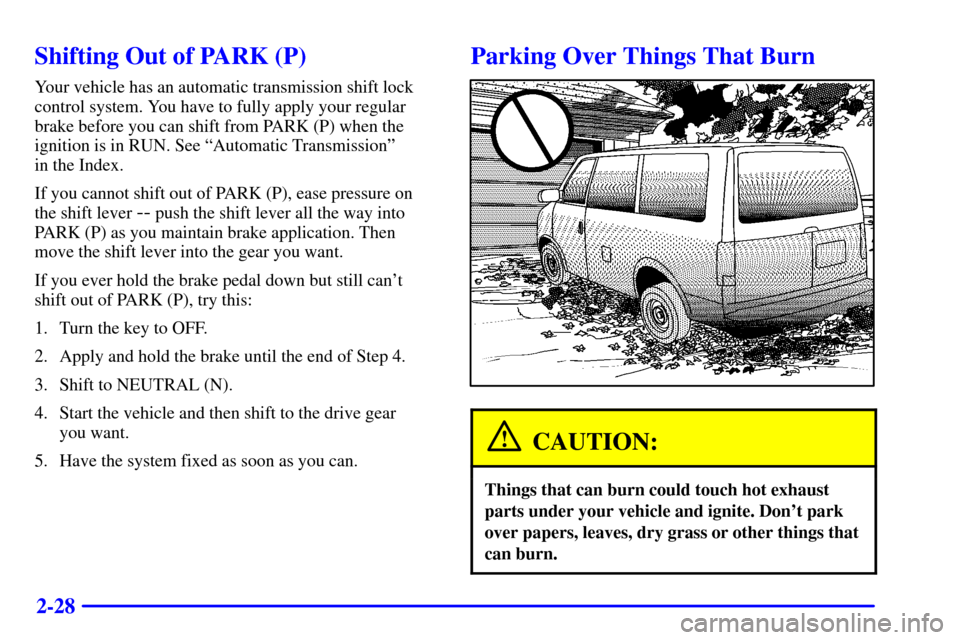
Parking Over Things That Burn
CAUTION:
Things that can burn could touch hot exhaust
parts under your vehicle and ignite. Don't park
over papers, leaves, dry grass or other things that
can burn.
Page 114 of 391
2-39
Passing Another Vehicle While Using Cruise Control
Use the accelerator pedal to increase your speed. When
you take your foot off the pedal, your vehicle will slow
down to the cruise control speed you set earlier.
Using Cruise Control on Hills
How well your cruise control will work on hills depends
upon your speed, load and the steepness of the hills.
When going up steep hills, you may want to step on the
accelerator pedal to maintain your speed. When going
downhill, you may have to brake or shift to a lower gear
to keep your speed down. Of course, applying the brake
takes you out of cruise control. Many drivers find this to
be too much trouble and don't use cruise control on
steep hills.
Ending Cruise Control
There are two ways to turn off the cruise control:
�Step lightly on the brake pedal.
�Move the cruise switch to OFF.
Erasing Speed Memory
When you turn off the cruise control or the ignition,
your cruise control set speed memory is erased.Exterior Lamps
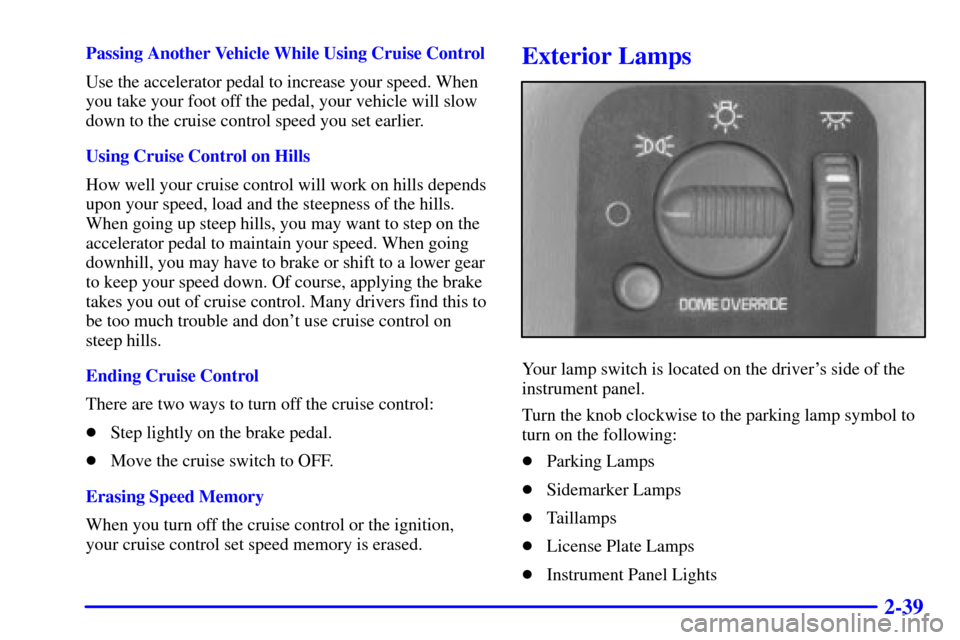
Your lamp switch is located on the driver's side of the
instrument panel.
Turn the knob clockwise to the parking lamp symbol to
turn on the following:
�Parking Lamps
�Sidemarker Lamps
�Taillamps
�License Plate Lamps
�Instrument Panel Lights
Page 115 of 391
2-40
Turn the knob clockwise to the master lighting symbol
to turn on all the lamps listed as well as the headlamps.
Turn the knob all the way counterclockwise to turn off
your lamps and put the system in auto headlamp mode.
Automatic Headlamp System
When it is dark enough outside, your automatic
headlamp system will turn on your headlamps at the
normal brightness along with other lamps such as the
taillamps, sidemarker, parking lamps and the instrument
panel lights. The radio lights will also be dim.
Your vehicle is equipped with a light sensor on the top
of the instrument panel in the defroster grille. Be sure it
is not covered, or the system will be on whenever the
ignition is on.
The system may also turn on your headlamps when
driving through a parking garage, heavy overcast
weather or a tunnel. This is normal.
There is a delay in the transition between the daytime
and nighttime operation of the Daytime Running Lamps
(DRL) and the automatic headlamp systems so that
driving under bridges or bright overhead street lights does
not affect the system. The DRL and automatic headlamp
system will only be affected when the light sensor sees a
change in lightning lasting longer than the delay.To idle your vehicle with the automatic headlamp
system off, set the parking brake while the ignition is
off. Then start your vehicle. The automatic headlamp
system will stay off until you release the parking brake.
As with any vehicle, you should turn on the regular
headlamp system when you need it.Lamps On Reminder
A reminder tone will sound when your headlamps or
parking lamps are manually turned on and your ignition
is in the OFF, LOCK or ACCESSORY position. To
disable the tone, turn the thumbwheel all the way down.
In the automatic mode, the headlamps turn off once the
ignition key is in OFF.
Daytime Running Lamps
Daytime Running Lamps (DRL) can make it easier
for others to see the front of your vehicle during the
day. DRL can be helpful in many different driving
conditions, but they can be especially helpful in the
short periods after dawn and before sunset.
Page 140 of 391
2-65
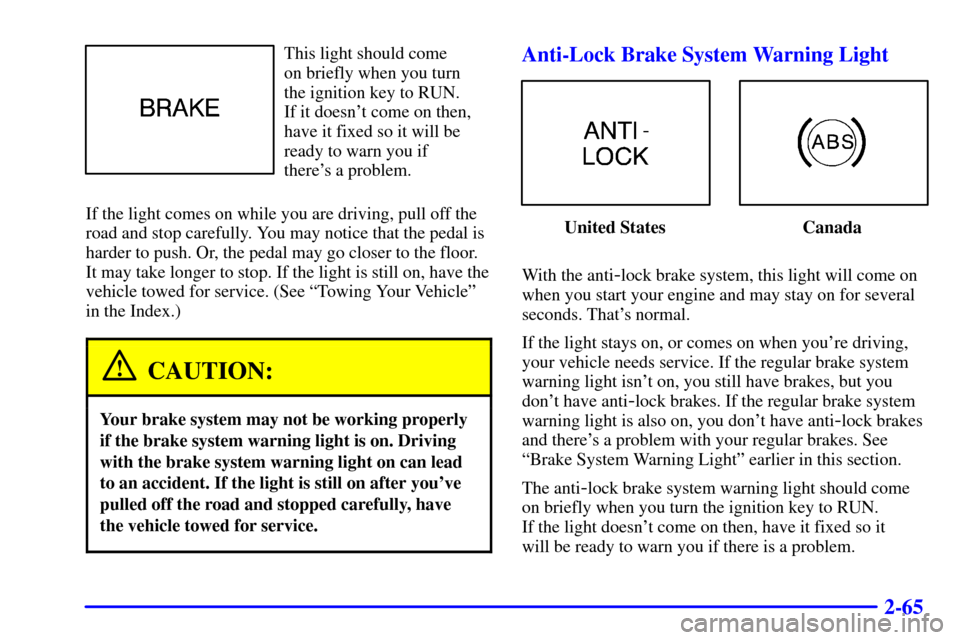
This light should come
on briefly when you turn
the ignition key to RUN.
If it doesn't come on then,
have it fixed so it will be
ready to warn you if
there's a problem.
If the light comes on while you are driving, pull off the
road and stop carefully. You may notice that the pedal is
harder to push. Or, the pedal may go closer to the floor.
It may take longer to stop. If the light is still on, have the
vehicle towed for service. (See ªTowing Your Vehicleº
in the Index.)
CAUTION:
Your brake system may not be working properly
if the brake system warning light is on. Driving
with the brake system warning light on can lead
to an accident. If the light is still on after you've
pulled off the road and stopped carefully, have
the vehicle towed for service.
Anti-Lock Brake System Warning Light
United States Canada
With the anti
-lock brake system, this light will come on
when you start your engine and may stay on for several
seconds. That's normal.
If the light stays on, or comes on when you're driving,
your vehicle needs service. If the regular brake system
warning light isn't on, you still have brakes, but you
don't have anti
-lock brakes. If the regular brake system
warning light is also on, you don't have anti
-lock brakes
and there's a problem with your regular brakes. See
ªBrake System Warning Lightº earlier in this section.
The anti
-lock brake system warning light should come
on briefly when you turn the ignition key to RUN.
If the light doesn't come on then, have it fixed so it
will be ready to warn you if there is a problem.
Page 156 of 391
3-9
Audio Systems
Your audio system has been designed to operate easily
and give years of listening pleasure. You will get the
most enjoyment out of it if you acquaint yourself with it
first. Find out what your audio system can do and how
to operate all its controls, to be sure you're getting the
most out of the advanced engineering that went into it.
Setting the Clock for Systems with
SET Button
Press SET. Within five seconds, press and hold the
SEEK right arrow until the correct minute appears on
the display. Press and hold the SEEK left arrow until the
correct hour appears on the display.
Setting the Clock for Systems with HR and
MN Buttons
Press and hold HR until the correct hour appears on the
display. Press and hold MN until the correct minute
appears on the display. To display the clock with the
ignition off, press RECALL or HR/MN and the time
will be displayed for a few seconds. There is an initial
two
-second delay before the clock goes into the
time
-set mode.
Page 157 of 391
3-10 AM-FM Stereo
Playing the Radio
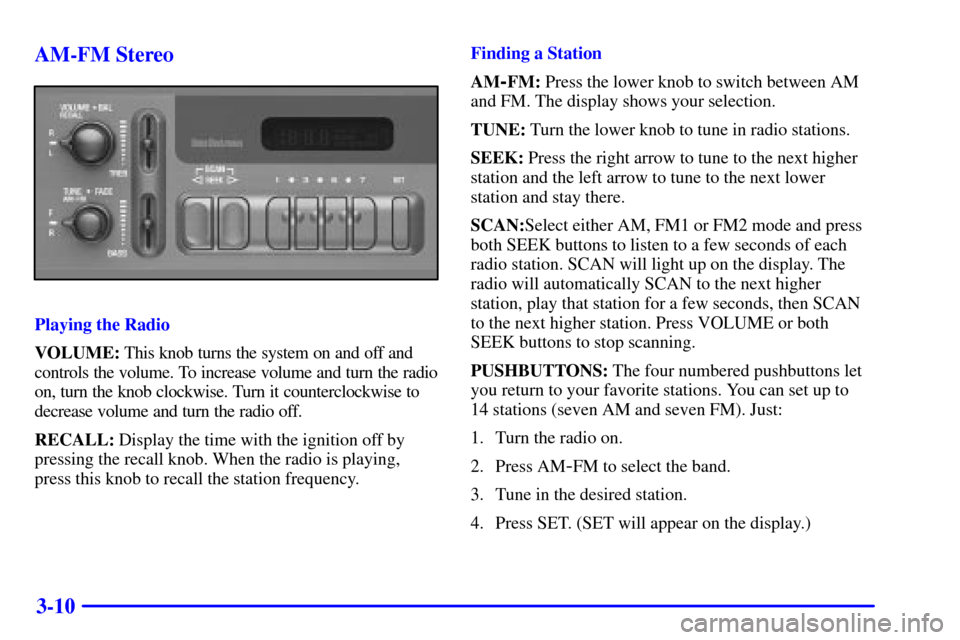
VOLUME: This knob turns the system on and off and
controls the volume. To increase volume and turn the radio
on, turn the knob clockwise. Turn it counterclockwise to
decrease volume and turn the radio off.
RECALL: Display the time with the ignition off by
pressing the recall knob. When the radio is playing,
press this knob to recall the station frequency.Finding a Station
AM
-FM: Press the lower knob to switch between AM
and FM. The display shows your selection.
TUNE: Turn the lower knob to tune in radio stations.
SEEK: Press the right arrow to tune to the next higher
station and the left arrow to tune to the next lower
station and stay there.
SCAN:Select either AM, FM1 or FM2 mode and press
both SEEK buttons to listen to a few seconds of each
radio station. SCAN will light up on the display. The
radio will automatically SCAN to the next higher
station, play that station for a few seconds, then SCAN
to the next higher station. Press VOLUME or both
SEEK buttons to stop scanning.
PUSHBUTTONS: The four numbered pushbuttons let
you return to your favorite stations. You can set up to
14 stations (seven AM and seven FM). Just:
1. Turn the radio on.
2. Press AM
-FM to select the band.
3. Tune in the desired station.
4. Press SET. (SET will appear on the display.)
Page 159 of 391
3-12 AM-FM Stereo with Cassette Tape Player
(If Equipped)
Playing the Radio
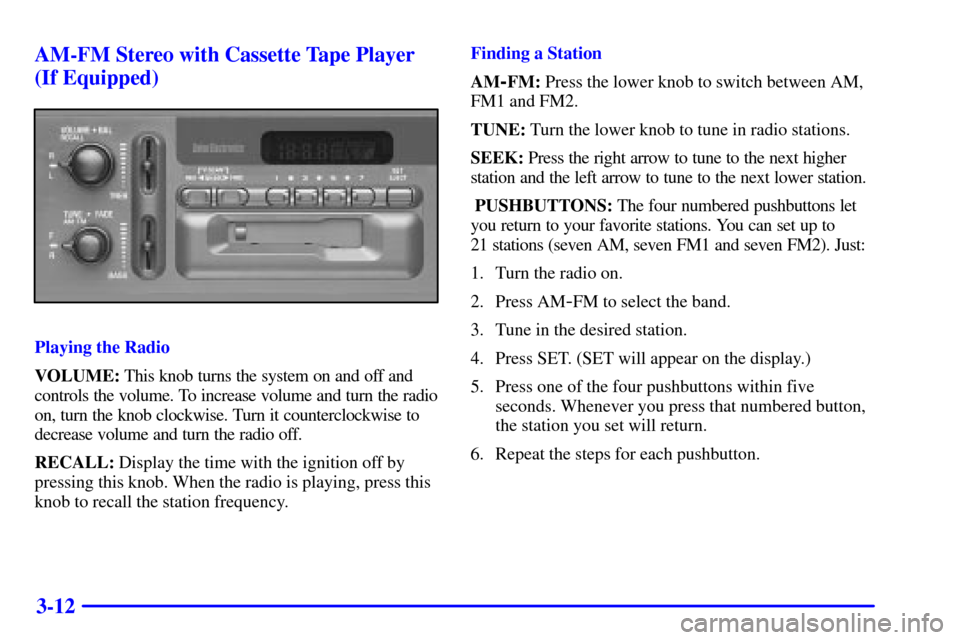
VOLUME: This knob turns the system on and off and
controls the volume. To increase volume and turn the radio
on, turn the knob clockwise. Turn it counterclockwise to
decrease volume and turn the radio off.
RECALL: Display the time with the ignition off by
pressing this knob. When the radio is playing, press this
knob to recall the station frequency.Finding a Station
AM
-FM: Press the lower knob to switch between AM,
FM1 and FM2.
TUNE: Turn the lower knob to tune in radio stations.
SEEK: Press the right arrow to tune to the next higher
station and the left arrow to tune to the next lower station.
PUSHBUTTONS: The four numbered pushbuttons let
you return to your favorite stations. You can set up to
21 stations (seven AM, seven FM1 and seven FM2). Just:
1. Turn the radio on.
2. Press AM
-FM to select the band.
3. Tune in the desired station.
4. Press SET. (SET will appear on the display.)
5. Press one of the four pushbuttons within five
seconds. Whenever you press that numbered button,
the station you set will return.
6. Repeat the steps for each pushbutton.