Page 4 of 359
ii
Table of Contents
Keys and Door Locks
Remote Keyless Entry (RKE) System
Trunk Release
Automatic Transmission
Parking Brake
Windows
Tilt Wheel
Turn Signal/Multifunction Lever
Windshield Wipers
Cruise Control
Interior and Exterior LampsMirrors
Storage Compartments
Convenience Net
Accessory Power Outlets
OnStar® System (If Equipped)
Sunroof (Option)
HomeLink® Transmitter (Option)
Instrument Panel, Warning Lights and Gages
Driver Information Center
Memory and Personalization/Personal Choice Feature Seats and Seat Controls
Safety BeltsAir Bag Systems
Child Restraints
Section
1
Section
2
Seats and Restraint Systems
Features and Controls
Page 71 of 359
2-11 Trunk Lock Release
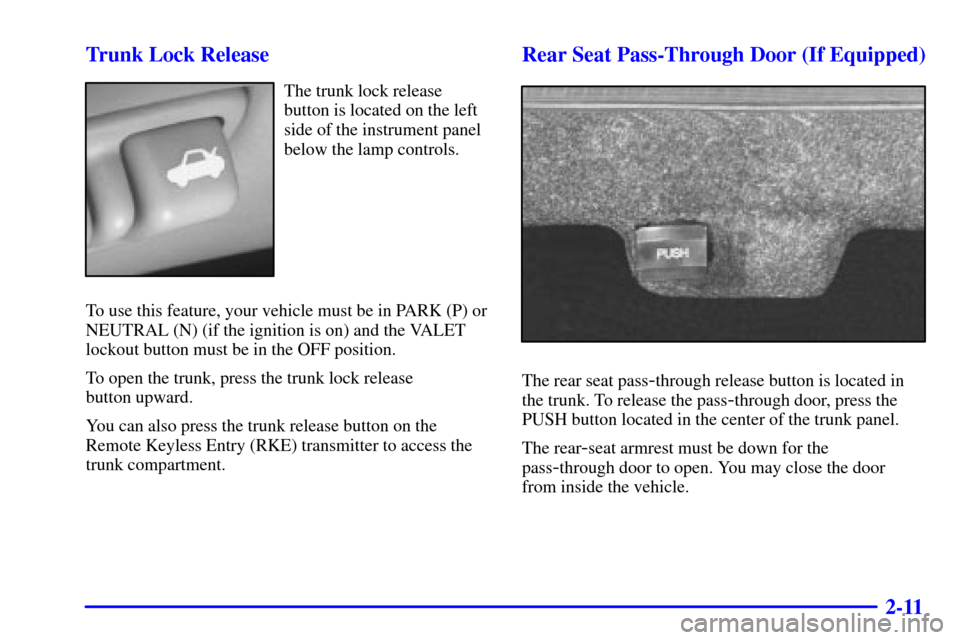
The trunk lock release
button is located on the left
side of the instrument panel
below the lamp controls.
To use this feature, your vehicle must be in PARK (P) or
NEUTRAL (N) (if the ignition is on) and the VALET
lockout button must be in the OFF position.
To open the trunk, press the trunk lock release
button upward.
You can also press the trunk release button on the
Remote Keyless Entry (RKE) transmitter to access the
trunk compartment.
Rear Seat Pass-Through Door (If Equipped)
The rear seat pass-through release button is located in
the trunk. To release the pass
-through door, press the
PUSH button located in the center of the trunk panel.
The rear
-seat armrest must be down for the
pass
-through door to open. You may close the door
from inside the vehicle.
Page 72 of 359

2-12 Trunk Lid Tie Down (If Equipped)
CAUTION:
Driving with the trunk lid open can allow
dangerous CO (carbon monoxide) gas to come
into your vehicle. You can't see or smell CO.
It can cause unconsciousness and even death.
If you ever need to drive with your trunk lid
open, then:
�Make sure all windows, the rear seat
pass
-through and sunroof are closed.
�Turn the fan on your heating and cooling
system to its highest speed, with the setting
on VENT. This forces fresh outside air into
your vehicle.
�Open all air ducts on the instrument panel.
Don't use the trunk lid tie down if you are towing
a trailer because of the danger of CO.
This feature is used to secure the trunk lid if it will not
close completely, such as when carrying large packages
in the trunk.
1. Attach the end loop of the tie down to the retainer
located at the center of the trunk sill (see view B).
2. Attach the clip end of the tie down to the D
-ring on
the trunk lid (see view A).
3. Tighten the tie down by pulling the free end of the
cord until secure.
4. To remove the tie down, press the clip end to release
and loosen the cord.
Page 73 of 359

2-13
Theft
Vehicle theft is big business, especially in some cities.
Although your vehicle has a number of theft
-deterrent
features, we know that nothing we put on it can make
it impossible to steal. However, there are ways you
can help.
Key in the Ignition
If you leave your vehicle with the keys inside, it's an
easy target for joy riders or professional thieves
-- so
don't do it.
When you park your vehicle and open the driver's door,
you'll hear a chime reminding you to remove your key
from the ignition and take it with you. Always do this.
Your steering wheel will be locked, and so will your
ignition and transaxle. And remember to lock the doors.
Parking at Night
Park in a lighted spot, close all windows and lock your
vehicle. Remember to keep your valuables out of sight.
Put them in a storage area, or take them with you.
Parking Lots
If you park in a lot where someone will be watching
your vehicle, it's best to lock it up and take your keys.
But what if you have to leave your ignition key?
�If possible, park in a busy, well lit area.
�Put your valuables in a storage area, like your
trunk or glove box. Be sure to close and lock the
storage area.
�Close all windows.
�Move the trunk release lockout switch to ON.
�Lock the glove box.
�Lock all the doors except the driver's.
�Then take the door key and remote keyless entry
transmitter with you.
�Lock all doors except the driver's.
�Give the valet key to the valet. Then take the master
key with you.
Page 115 of 359
2-55 Center Console Storage
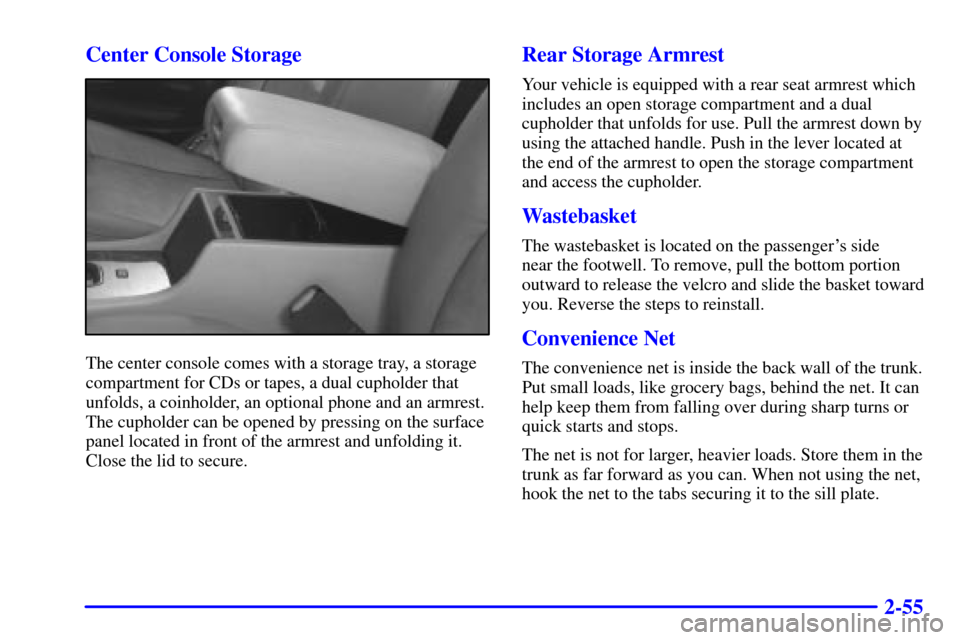
The center console comes with a storage tray, a storage
compartment for CDs or tapes, a dual cupholder that
unfolds, a coinholder, an optional phone and an armrest.
The cupholder can be opened by pressing on the surface
panel located in front of the armrest and unfolding it.
Close the lid to secure.
Rear Storage Armrest
Your vehicle is equipped with a rear seat armrest which
includes an open storage compartment and a dual
cupholder that unfolds for use. Pull the armrest down by
using the attached handle. Push in the lever located at
the end of the armrest to open the storage compartment
and access the cupholder.
Wastebasket
The wastebasket is located on the passenger's side
near the footwell. To remove, pull the bottom portion
outward to release the velcro and slide the basket toward
you. Reverse the steps to reinstall.
Convenience Net
The convenience net is inside the back wall of the trunk.
Put small loads, like grocery bags, behind the net. It can
help keep them from falling over during sharp turns or
quick starts and stops.
The net is not for larger, heavier loads. Store them in the
trunk as far forward as you can. When not using the net,
hook the net to the tabs securing it to the sill plate.
Page 125 of 359
2-65
The main components of the instrument panel are:
1. Air Outlets
2. Driver Information Center Control Buttons
3. Turn Signal/Multifunction Lever
4. Instrument Panel Cluster
5. Windshield Wiper/Washer Lever
6. Cruise Control Lever
7. Ignition Switch
8. Air Vent Control Dial
9. Hazard Warning Button
10. Radio
11. Lamp Controls
12. Hood Release13. Fuel Door Release
14. Trunk Release
15. HVAC Steering Wheel Controls
16. Horn
17. Audio Steering Wheel Controls
18. Heated Seat Controls
19. Traction Control Switch
20. Console Shift Lever
21. Convenience Storage/Optional Ashtray
22. Electronic Climate Controls
23. Glove Box
Page 200 of 359

3-46
While performing the information update, the radio will
temporarily disable the RDS buttons. The RDS buttons
will be enabled again once the update is completed.
When the radio begins an update, the information
contained in the radio's memory is cleared. If you
perform an immediate update and then quickly cancel it,
NO TEXT AVAILABLE will appear on the display.
Viewing the News/Information
To view the news/information, press and release the
INFO button. The radio will display TOPIC: ALL.
The radio will then begin displaying all the received
information at a rate of approximately three seconds
per display. You can page through the topics at a faster
rate by pressing and releasing the INFO button after
the text appears.
You can access a topic directly from the TOPIC: ALL
display by pressing and releasing the INFO button until
the desired topic is displayed. The radio will display the
information for that topic only.
If the radio has not received any information, NO TEXT
AVAILABLE will appear on the display. This will be
followed by the UPDATE NOW? PRESS RDM display
previously described.
Vehicle Control
Your radio can provide you with safety and convenience
features by performing the following vehicle control actions:
�Unlocking or locking the doors,
�opening the trunk,
�flashing the parking lights and
�sounding the horn.
If you need one of these services, contact the OnStar
�
service center.
When you turn your vehicle off, the radio will
automatically tune to your FM provider's station and
check for a vehicle control request received through
RDS. Your vehicle control request will be completed in
five minutes or less if your vehicle is in the continental
United States and in a location that can receive
FM broadcasts.
Vehicle control is available for six days from the time
you last turned off your vehicle. This time can be
increased up to 11 days by turning off the automatic
information updates as described previously. This would
be useful if you are going to be away from your vehicle
for an extended period of time.
For more information see OnStar in the Index.
Page 282 of 359
6-6
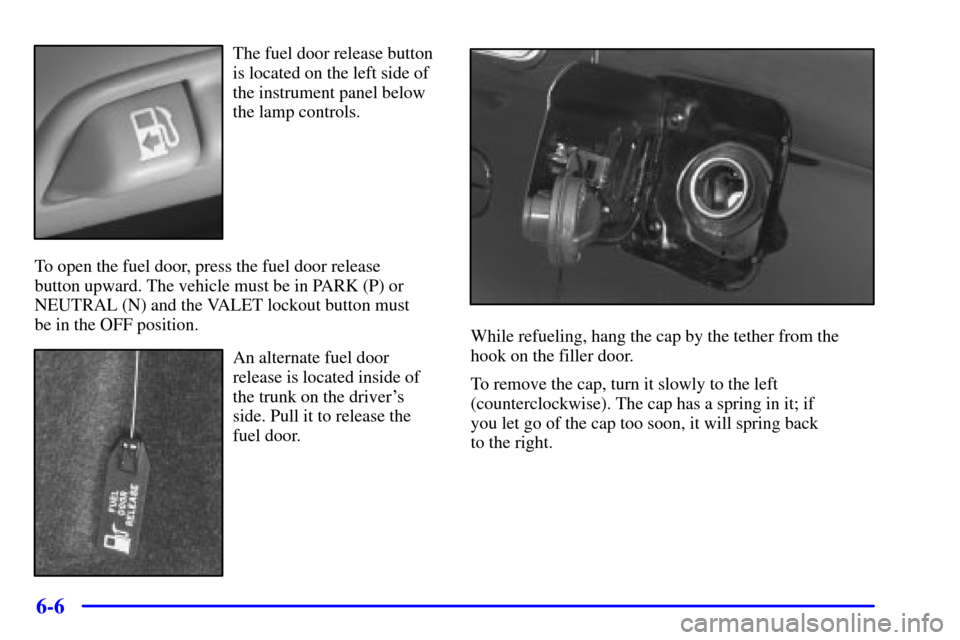
The fuel door release button
is located on the left side of
the instrument panel below
the lamp controls.
To open the fuel door, press the fuel door release
button upward. The vehicle must be in PARK (P) or
NEUTRAL (N) and the VALET lockout button must
be in the OFF position.
An alternate fuel door
release is located inside of
the trunk on the driver's
side. Pull it to release the
fuel door.
While refueling, hang the cap by the tether from the
hook on the filler door.
To remove the cap, turn it slowly to the left
(counterclockwise). The cap has a spring in it; if
you let go of the cap too soon, it will spring back
to the right.