Page 86 of 359
2-26 Performance Shift Display (STS Only)
When your vehicle detects a change in driving
conditions, it will automatically initiate the appropriate
performance shift mode. When this occurs, the gear
display on the instrument panel cluster will change to
indicate that the transmission has shifted to a different
gear. For example, the gear display on the cluster may
indicate D, 3, 2, or 1 even though the gearshift lever is
still in OVERDRIVE (D). Once the performance shift
mode ends, the gear display on the cluster will return to
matching the gearshift lever indication.
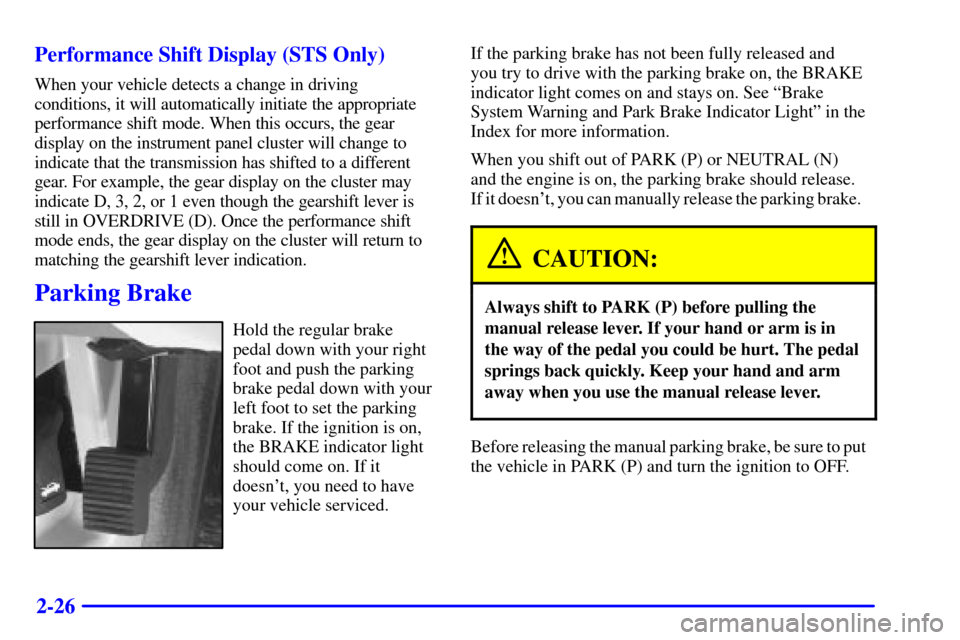
Parking Brake
Hold the regular brake
pedal down with your right
foot and push the parking
brake pedal down with your
left foot to set the parking
brake. If the ignition is on,
the BRAKE indicator light
should come on. If it
doesn't, you need to have
your vehicle serviced.If the parking brake has not been fully released and
you try to drive with the parking brake on, the BRAKE
indicator light comes on and stays on. See ªBrake
System Warning and Park Brake Indicator Lightº in the
Index for more information.
When you shift out of PARK (P) or NEUTRAL (N)
and the engine is on, the parking brake should release.
If it doesn't, you can manually release the parking brake.
CAUTION:
Always shift to PARK (P) before pulling the
manual release lever. If your hand or arm is in
the way of the pedal you could be hurt. The pedal
springs back quickly. Keep your hand and arm
away when you use the manual release lever.
Before releasing the manual parking brake, be sure to put
the vehicle in PARK (P) and turn the ignition to OFF.
Page 96 of 359

2-36
Turn Signal/Multifunction Lever
Turn and Lane Change Signals
To signal a turn, move the lever on the left side of the
steering wheel all the way up or down. The lever returns
automatically when the turn is complete.
An arrow located on the
instrument panel cluster
will flash in the direction
of the turn or lane change.
Raise or lower the lever until the arrow starts to flash to
signal a lane change. Hold it there until the lane change
is complete. The lever returns when it is released.
If the turn signal is left on, a warning chime will sound
and the Driver Information Center (DIC) will display
TURN SIGNAL ON (after driving about a mile) to
remind you to turn it off.Arrows that flash rapidly when signaling for a turn or
lane change may be caused by a burned
-out signal bulb.
Other drivers won't see the turn signal.
Replace burned
-out bulbs to help avoid possible
accidents. Check the fuse (see ªFuses and Circuit
Breakersº in the Index) and check for burned
-out
bulbs if the arrow fails to work when signaling a turn.
Headlamp High/Low Beam
When the low-beam headlamps are on, push the turn
signal lever away from you to change the headlamps to
high beam.
This light on the
instrument panel cluster
will be on, indicating
high
-beam usage.
Pull the turn signal lever toward you to return to
low
-beam headlamps.
Page 100 of 359
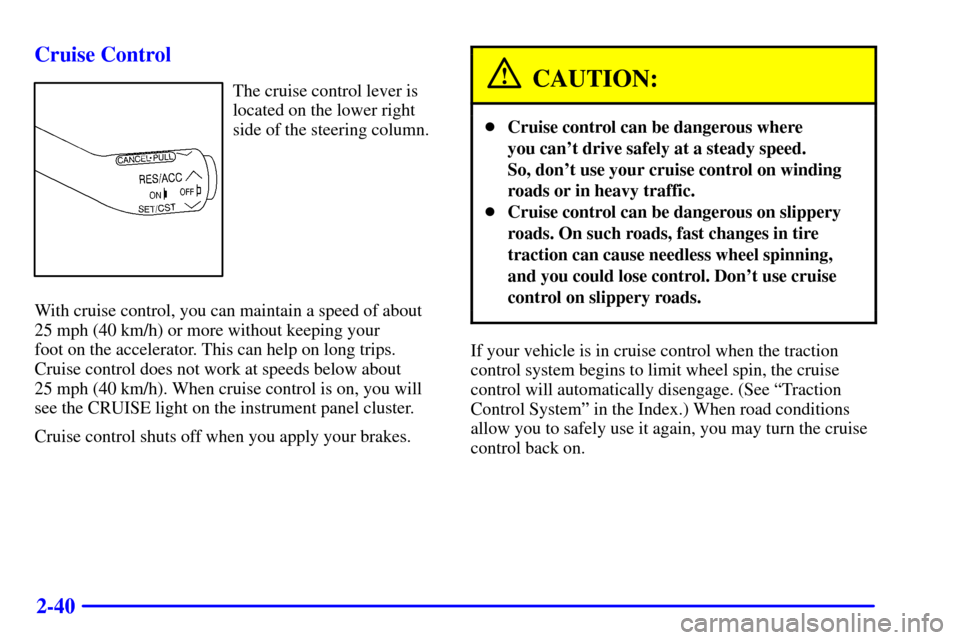
2-40 Cruise Control
The cruise control lever is
located on the lower right
side of the steering column.
With cruise control, you can maintain a speed of about
25 mph (40 km/h) or more without keeping your
foot on the accelerator. This can help on long trips.
Cruise control does not work at speeds below about
25 mph (40 km/h). When cruise control is on, you will
see the CRUISE light on the instrument panel cluster.
Cruise control shuts off when you apply your brakes.CAUTION:
�Cruise control can be dangerous where
you can't drive safely at a steady speed.
So, don't use your cruise control on winding
roads or in heavy traffic.
�Cruise control can be dangerous on slippery
roads. On such roads, fast changes in tire
traction can cause needless wheel spinning,
and you could lose control. Don't use cruise
control on slippery roads.
If your vehicle is in cruise control when the traction
control system begins to limit wheel spin, the cruise
control will automatically disengage. (See ªTraction
Control Systemº in the Index.) When road conditions
allow you to safely use it again, you may turn the cruise
control back on.
Page 105 of 359

2-45
When the Twilight Sentinel� switch is on and it's dark
enough outside, the high
-beam headlamps (at reduced
intensity) will turn off and normal low
-beam headlamp
operation will occur. When the Twilight Sentinel switch
is on and it's bright enough outside, the regular lamps
will go off, and the high
-beam headlamps at reduced
brightness will take over.
If it's dark outside and the Twilight Sentinel control
is off, a HEADLAMPS SUGGESTED message will
display on the Driver's Information Center (DIC). This
message informs the driver that turning on the exterior
lamps is recommended even though the DRL are still
illuminated. This message indicates that it has become
dark enough outside to require the headlamps and/or
other exterior lamps. Turning on the Twilight Sentinel
or the headlamps will deactivate the DRL and remove
the HEADLAMPS SUGGESTED message. If the
parking lamps or the fog lamps were turned on instead,
the DRL will still deactivate and the HEADLAMPS
SUGGESTED message will continue to be displayed.
To idle your vehicle with the DRL off, turn off the
Twilight Sentinel and shift the transaxle into PARK (P).
Placing your vehicle in PARK (P) disables the DRL.
The DRL will stay off until you shift out of PARK (P).To drive your vehicle with the DRL off, turn off the
Twilight Sentinel and manually turn on the parking
lamps or fog lamps (if equipped).
As with any vehicle, you should turn on the regular
headlamp system when you need it.
Fog Lamps (STS Only)
Use the fog lamps for better vision in foggy or misty
conditions. When you push the fog lamp button located
next to the exterior lamps control, a small indicator light
in the fog lamp button and the LIGHTS ON and fog
lamp indicator lights on the instrument panel cluster will
tell you that the fog lamps and the parking lamps are on.
Pushing the fog lamp button again will turn them off.
If you turn on the high
-beam headlamps, the fog lamps
will turn off. They'll turn back on again when you
change to low
-beam headlamps. You can use the fog
lamp button to turn the fog lamps on or off when the
parking lamps or headlamps are on.
When the Twilight Sentinel
� is on and the fog lamps are
turned on, the fog lamps, headlamps and parking lamps
will remain on.
Page 125 of 359
2-65
The main components of the instrument panel are:
1. Air Outlets
2. Driver Information Center Control Buttons
3. Turn Signal/Multifunction Lever
4. Instrument Panel Cluster
5. Windshield Wiper/Washer Lever
6. Cruise Control Lever
7. Ignition Switch
8. Air Vent Control Dial
9. Hazard Warning Button
10. Radio
11. Lamp Controls
12. Hood Release13. Fuel Door Release
14. Trunk Release
15. HVAC Steering Wheel Controls
16. Horn
17. Audio Steering Wheel Controls
18. Heated Seat Controls
19. Traction Control Switch
20. Console Shift Lever
21. Convenience Storage/Optional Ashtray
22. Electronic Climate Controls
23. Glove Box
Page 126 of 359
2-66
Instrument Panel Cluster
Your instrument panel cluster is designed to let you know at a glance how your vehicle is running. You'll know how
fast you're going, how much fuel you're using and many other things you'll need to drive safely and economically.
United States version shown, Canada similar
Page 250 of 359
5-2
Hazard Warning Flashers
Your hazard warning flashers let you warn others. They
also let police know you have a problem. Your front and
rear turn signal lamps will flash on and off.
The hazard warning button
is located in the center of
the instrument panel,
between the two air vents.
Press the button in to make
the front and rear turn signal
lamps flash on and off.
This light located on the
instrument panel cluster
will flash, indicating that
the hazard warning
flashers are on.
Your hazard warning flashers work no matter what
position the key is in, and even if the key isn't in.
Press the button again to turn your hazard warning
flashers off. When the hazard warning flashers are on,
the turn signals won't work.