Page 84 of 359
2-24
Also use this gear to rock your vehicle back and forth
to get out of snow, ice or sand without damaging your
transaxle. See ªIf You're Stuck in Sand, Mud, Ice or
Snowº in the Index for additional information.
NEUTRAL (N): In this position, the engine doesn't
connect with the wheels. To restart when you're already
moving, use NEUTRAL (N) only. Also use NEUTRAL (N)
when your vehicle is being towed.
CAUTION:
Shifting out of PARK (P) or NEUTRAL (N) while
your engine is ªracingº (running at high speed)
is dangerous. Unless your foot is firmly on the
brake pedal, your vehicle could move very
rapidly. You could lose control and hit people
or objects. Don't shift out of PARK (P) or
NEUTRAL (N) while your engine is racing.
OVERDRIVE (D): This position is for normal driving.
If you need more power for passing, and you're:
�Going less than 35 mph (55 km/h), push the
accelerator pedal about halfway down.
�Going about 35 mph (55 km/h) or more, push the
accelerator all the way down.
The transaxle will shift down to the next gear and
have more power.
NOTICE:
If your vehicle seems to start up rather slowly, or
if it doesn't seem to shift gears as you accelerate,
something may be wrong with a transaxle system
sensor. If you drive very far that way, your
vehicle can be damaged. So if this happens, have
your vehicle serviced right away. Until then, you
can use SECOND (2) when you are driving less
than 35 mph (55 km/h) and OVERDRIVE (D)
for higher speeds.
Page 85 of 359

2-25
THIRD (3): This position is also used for normal driving,
however, it offers more power and lower fuel economy than
OVERDRIVE (D).
Here are examples for using THIRD (3) instead of
OVERDRIVE (D):
�When driving on hilly, winding roads.
�When going down a steep hill.
SECOND (2): This position gives you more power.
You can use SECOND (2) on hills. It can help control
your speed as you go down steep mountain roads, but
then you would also want to use your brakes off and on.
NOTICE:
Don't shift into SECOND (2) unless you are
going slower than 65 mph (105 km/h), or you
can damage your engine.
FIRST (1): This position gives you even more power
than SECOND (2). You can use it on very steep hills,
or in deep snow or mud.
If the traction control switch is off, your vehicle will not
go into FIRST (1) gear and the vehicle will accelerate
from stop more slowly. This can help in deep snow or
mud conditions. When the traction control is turned
off, a message will be lit on the Driver Information
Center (DIC).
NOTICE:
If your front wheels can't rotate, don't try to
drive. This might happen if you were stuck in
very deep sand or mud or were up against a
solid object. You could damage your transaxle.
Also, if you stop when going uphill, don't hold
your vehicle there with only the accelerator
pedal. This could cause overheating and damage
the transaxle. Use your brakes to hold your
vehicle in position on a hill.
Page 86 of 359
2-26 Performance Shift Display (STS Only)
When your vehicle detects a change in driving
conditions, it will automatically initiate the appropriate
performance shift mode. When this occurs, the gear
display on the instrument panel cluster will change to
indicate that the transmission has shifted to a different
gear. For example, the gear display on the cluster may
indicate D, 3, 2, or 1 even though the gearshift lever is
still in OVERDRIVE (D). Once the performance shift
mode ends, the gear display on the cluster will return to
matching the gearshift lever indication.
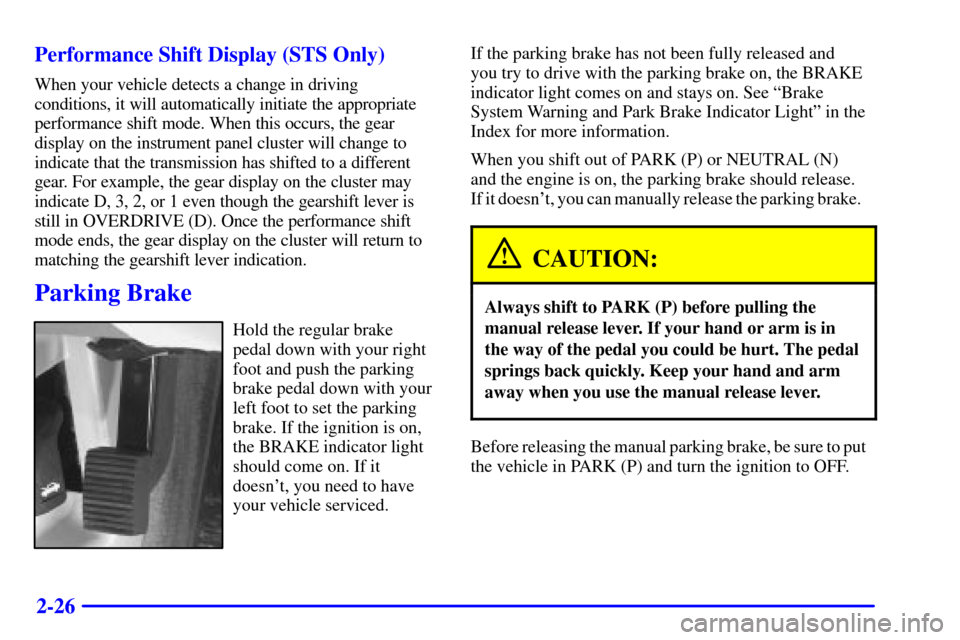
Parking Brake
Hold the regular brake
pedal down with your right
foot and push the parking
brake pedal down with your
left foot to set the parking
brake. If the ignition is on,
the BRAKE indicator light
should come on. If it
doesn't, you need to have
your vehicle serviced.If the parking brake has not been fully released and
you try to drive with the parking brake on, the BRAKE
indicator light comes on and stays on. See ªBrake
System Warning and Park Brake Indicator Lightº in the
Index for more information.
When you shift out of PARK (P) or NEUTRAL (N)
and the engine is on, the parking brake should release.
If it doesn't, you can manually release the parking brake.
CAUTION:
Always shift to PARK (P) before pulling the
manual release lever. If your hand or arm is in
the way of the pedal you could be hurt. The pedal
springs back quickly. Keep your hand and arm
away when you use the manual release lever.
Before releasing the manual parking brake, be sure to put
the vehicle in PARK (P) and turn the ignition to OFF.
Page 87 of 359
2-27
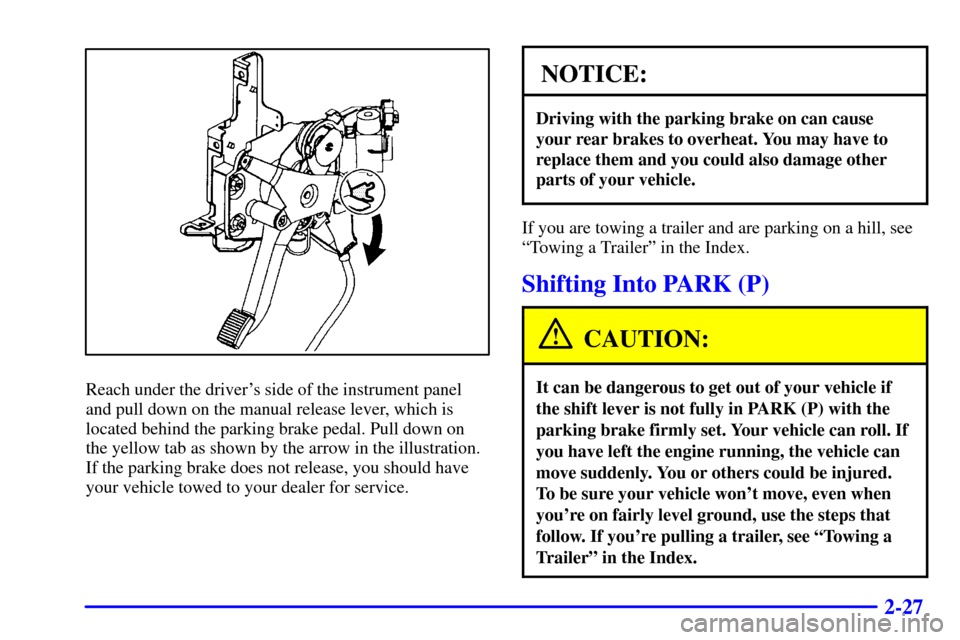
Reach under the driver's side of the instrument panel
and pull down on the manual release lever, which is
located behind the parking brake pedal. Pull down on
the yellow tab as shown by the arrow in the illustration.
If the parking brake does not release, you should have
your vehicle towed to your dealer for service.
NOTICE:
Driving with the parking brake on can cause
your rear brakes to overheat. You may have to
replace them and you could also damage other
parts of your vehicle.
If you are towing a trailer and are parking on a hill, see
ªTowing a Trailerº in the Index.
Shifting Into PARK (P)
CAUTION:
It can be dangerous to get out of your vehicle if
the shift lever is not fully in PARK (P) with the
parking brake firmly set. Your vehicle can roll. If
you have left the engine running, the vehicle can
move suddenly. You or others could be injured.
To be sure your vehicle won't move, even when
you're on fairly level ground, use the steps that
follow. If you're pulling a trailer, see ªTowing a
Trailerº in the Index.
Page 88 of 359

2-28 Console Shift Lever
1. Hold the brake pedal down with your right foot.
2. Move the shift lever into
PARK (P) by pushing
the lever all the way
toward the front of
your vehicle.
3. With your right foot still holding the brake pedal
down, set the parking brake.
4. Turn the ignition key to OFF.
5. Remove the key and take it with you. If you can
leave your vehicle with the ignition key in your
hand, your vehicle is in PARK (P).
Leaving Your Vehicle With the
Engine Running
CAUTION:
It can be dangerous to leave your vehicle with
the engine running. Your vehicle could move
suddenly if the shift lever is not fully in PARK (P)
with the parking brake firmly set. And, if you
leave the vehicle with the engine running, it could
overheat and even catch fire. You or others could
be injured. Don't leave your vehicle with the
engine running unless you have to.
If you have to leave your vehicle with the engine running,
be sure your vehicle is in PARK (P) and your parking brake
is firmly set before you leave it.
Page 89 of 359

2-29 Torque Lock
If you are parking on a hill and you don't shift your
transaxle into PARK (P) properly, the weight of the
vehicle may put too much force on the parking pawl in
the transaxle. You may find it difficult to pull the shift
lever out of PARK (P). This is called ªtorque lock.º
To prevent torque lock, set the parking brake and then
shift into PARK (P) properly before you leave the
driver's seat. To find out how, see ªShifting Into
PARK (P)º in the Index.
If torque lock does occur, you may need to have
another vehicle push yours a little uphill to take some
of the pressure from the parking pawl in the transaxle,
so you can pull the shift lever out of PARK (P).
Shifting Out of PARK (P)
Your vehicle has an automatic transaxle shift lock
control system. You have to fully apply your regular
brakes before you can shift from PARK (P) when the
ignition is ON. See ªAutomatic Transaxleº in the Index.
If you cannot shift out of PARK (P), ease the pressure
on the shift lever. Push the shift lever all the way into
PARK (P) as you maintain brake application. Then
move the shift lever into the gear you want. If you
ever hold the pedal down but still can't shift out of
PARK (P), try this:
�Turn the ignition key to ACC. Open and close the
driver's door to turn off the retained Accessory
Power (RAP) feature
�Apply and hold the brake until the end of Step 4.
�Shift to NEUTRAL (N).
�Start the vehicle and then shift to the drive gear
you want.
�Have the vehicle fixed as soon as you can.
Page 91 of 359
2-31
If the URPA system is not functioning properly, the
display will flash red, indicating that there is a problem.
The light will also flash red when you are driving if a
trailer is attached to your vehicle, or if you have a bicycle
or an object hanging out of your trunk. The light will
continue to flash until the trailer or the object is removed
and your vehicle is driven forward at least 15 mph.
It may also flash red if the ultrasonic sensors are not
kept clean. So be sure to keep your rear bumper free of
mud, dirt, snow, ice and slush or the system may not
work properly. If after cleaning the rear bumper and then
driving at least 15 mph, the display continues to flash
red, see your dealer. It may also flash red if your vehicle
is moving in REVERSE (R) at a speed greater than
3 mph (5 km/h). Other conditions that may affect
system performance include things like, the vibrations
from a jackhammer or the compression of airbrakes on
a very large truck.
As always, drivers should use care when backing up
a vehicle. Always look behind you, being sure to
check for other vehicles, obstructions and blind spots.
For cleaning instructions, see ªCleaning Your Vehicleº
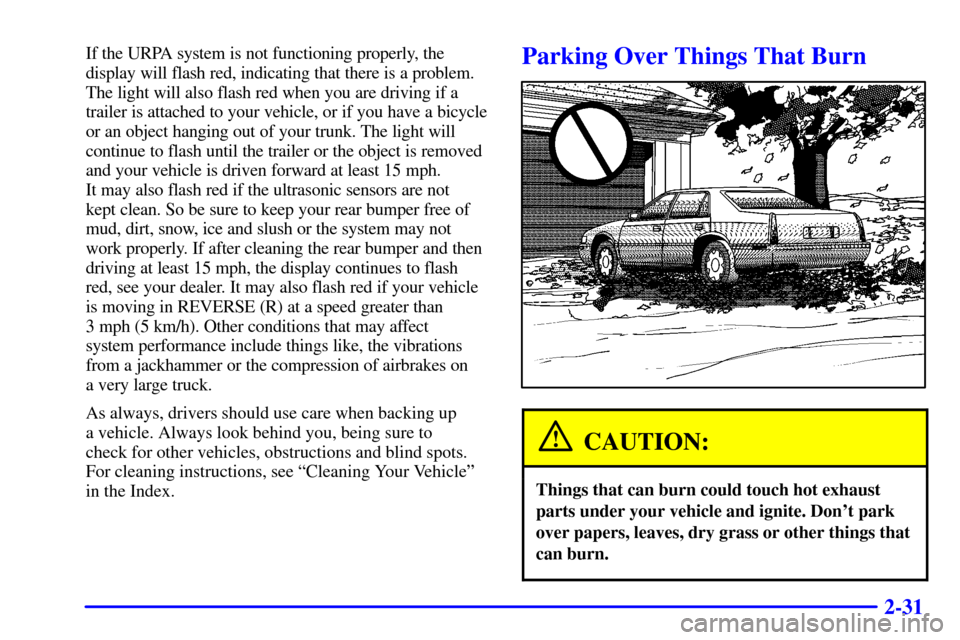
in the Index.Parking Over Things That Burn
CAUTION:
Things that can burn could touch hot exhaust
parts under your vehicle and ignite. Don't park
over papers, leaves, dry grass or other things that
can burn.
Page 93 of 359
2-33
CAUTION:
It can be dangerous to get out of your vehicle if
the shift lever is not fully in PARK (P) with the
parking brake firmly set. Your vehicle can roll.
Don't leave your vehicle when the engine is
running unless you have to. If you've left the
engine running, the vehicle can move suddenly.
You or others could be injured. To be sure your
vehicle won't move, even when you're on fairly
level ground, always set your parking brake after
you move the shift lever to PARK (P).
Follow the proper steps to be sure your vehicle won't
move. See ªShifting Into PARK (P)º in the Index.
If you are parking on a hill and if you're pulling a
trailer, also see ªTowing a Trailerº in the Index.
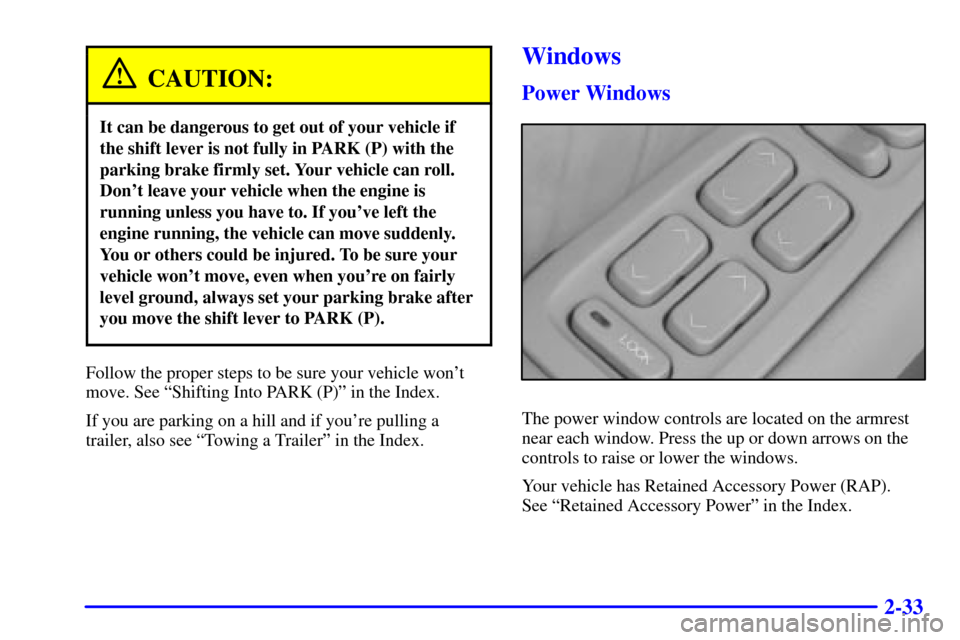
Windows
Power Windows
The power window controls are located on the armrest
near each window. Press the up or down arrows on the
controls to raise or lower the windows.
Your vehicle has Retained Accessory Power (RAP).
See ªRetained Accessory Powerº in the Index.