Page 6 of 349
iv
Fuel
Checking Fluids and Lubricants
GM Oil Life System™ (If Equipped)
Engine Air Cleaner/Filter
Passenger Compartment Air Filter (If Equipped)
Brakes
Bulb ReplacementWindshield Wiper Blade Replacement
Tires and Wheels
Appearance Care
Electrical System/Fuses and Circuit Breakers
Capacities and Specifications
Normal Maintenance Replacement Parts
Table of Contents (cont'd)
Maintenance Schedule Service and Appearance Care
Section
7
Section
6
Scheduled Maintenance
Owner Checks and Services
Periodic Maintenance InspectionsRecommended Fluids and Lubricants
Maintenance Records
Page 103 of 349

2-36 Turn Signal and Lane Change Indicator
The turn signal has the following positions: two upward
(for right) and two downward (for left). These positions
allow you to signal a turn or a lane change.
To signal a turn, move the lever all the way up or
down. When the turn is finished, the lever will
return automatically.
An arrow on the instrument
panel cluster will flash in
the direction of the turn or
lane change.
To signal a lane change, just raise or lower the lever
until the arrow starts to flash. Hold it there until you
complete your lane change. The lever will return by
itself when you release it.
If the arrow flashes faster than normal as you signal a
turn or a lane change, a signal bulb may be burned out
and other drivers won't see your turn signal.If a bulb is burned out, replace it to help avoid an
accident. If the arrows don't go on at all when you
signal a turn, check for burned
-out bulbs and then check
the fuse (see ªFuses and Circuit Breakersº in the Index).
A chime will sound if you leave your turn signal on for
more than 3/4 mile (1.2 km).
Headlamp High/Low Beam Changer
To change your headlamps from low beams to high
beams, or high to low, pull the multifunction lever all
the way toward you. Then release it.
When the high beams
are on, this indicator light
located on the instrument
panel cluster will also be on.
Page 137 of 349

2-70 Low Oil Pressure Warning Light
If you have a problem with
your oil, this light may stay
on after you start your
engine, or come on when
you are driving.
This indicates that oil is not going through your engine
quickly enough to keep it lubricated. The engine could
be low on oil or could have some other oil problem.
Have it fixed right away.
The oil light could also come on in the
following situations:
�The light will come on briefly when you turn on
the ignition to show you that is is working properly.
(If it doesn't come on with the ignition on, you may
have a problem with the fuse or bulb. Have it fixed
right away.)
�Sometimes when the engine is idling at a stop, the
light may blink on and off. This is normal.CAUTION:
Don't keep driving if the oil pressure is low.
If you do, your engine can become so hot that
it catches fire. You or others could be burned.
Check you oil as soon as possible and have your
vehicle serviced.
NOTICE:
Damage to your engine from neglected oil
problems can be costly and is not covered by
your warranty.
Page 138 of 349

2-71 Low Oil Level Light
Your engine is equipped
with an oil level monitoring
system. When the ignition
key is turned on, the
LOW OIL light will
come on briefly.
If the light does not come on briefly, have it fixed so it
will be ready to warn you if there's a problem.
If the light stays on, stop the vehicle on a level surface
and turn the engine off. Check the oil level using the
engine oil dipstick. (See ªEngine Oilº in the Index.)
If the light does not come on briefly, have the low oil
level sensor system repaired so it will be ready to warn
you if there's a problem.
The oil level monitoring system only checks oil level
during the brief period between key on and engine
crank. It does not monitor engine oil level when the
engine is running. Additionally, an oil level check is
only performed if the engine has been turned off for a
considerable period of time, allowing the oil normally in
circulation to drain back into the oil pan.
Change Oil Soon Light
The CHANGE OIL SOON
light should come on briefly
as a bulb check when you
start the engine. If the
light doesn't come on,
have it serviced.
If the CHANGE OIL SOON light comes on and stays
on after you start the engine, have the oil changed.
For additional information, see ªEngine Oil, When to
Changeº in the Index. To reset the Oil Life Monitor,
see ªEngine Oil Life Monitorº in the Index.
Page 209 of 349

4-39 Turn Signals When Towing a Trailer
When you tow a trailer, your vehicle may need a different
turn signal flasher and/or extra wiring. Check with your
dealer. The arrows on your instrument panel will flash
whenever you signal a turn or lane change. Properly
hooked up, the trailer lamps will also flash, telling other
drivers you're about to turn, change lanes or stop.
When towing a trailer, the arrows on your instrument
panel will flash for turns even if the bulbs on the trailer are
burned out. Thus, you may think drivers behind you are
seeing your signal when they are not. It's important to check
occasionally to be sure the trailer bulbs are still working.
Driving On Grades
Reduce speed and shift to a lower gear before you start
down a long or steep downgrade. If you don't shift
down, you might have to use your brakes so much that
they would get hot and no longer work well.
On a long uphill grade, shift down and reduce your
speed to around 45 mph (70 km/h) to reduce the
possibility of engine and transaxle overheating.
If you are towing a trailer, you may want to drive in
THIRD (3) instead of OVERDRIVE (�) (or, as you
need to, a lower gear).
Parking on Hills
CAUTION:
You really should not park your vehicle, with a
trailer attached, on a hill. If something goes
wrong, your rig could start to move. People can
be injured, and both your vehicle and the trailer
can be damaged.
But if you ever have to park your rig on a hill, here's
how to do it:
1. Apply your regular brakes, but don't shift into
PARK (P) yet.
2. Have someone place chocks under the
trailer's wheels.
3. When the wheel chocks are in place, release the
regular brakes until the chocks absorb the load.
4. Reapply the regular brakes. Then apply your parking
brake, and shift to PARK (P).
5. Release the regular brakes.
Page 244 of 349
6-
6-1
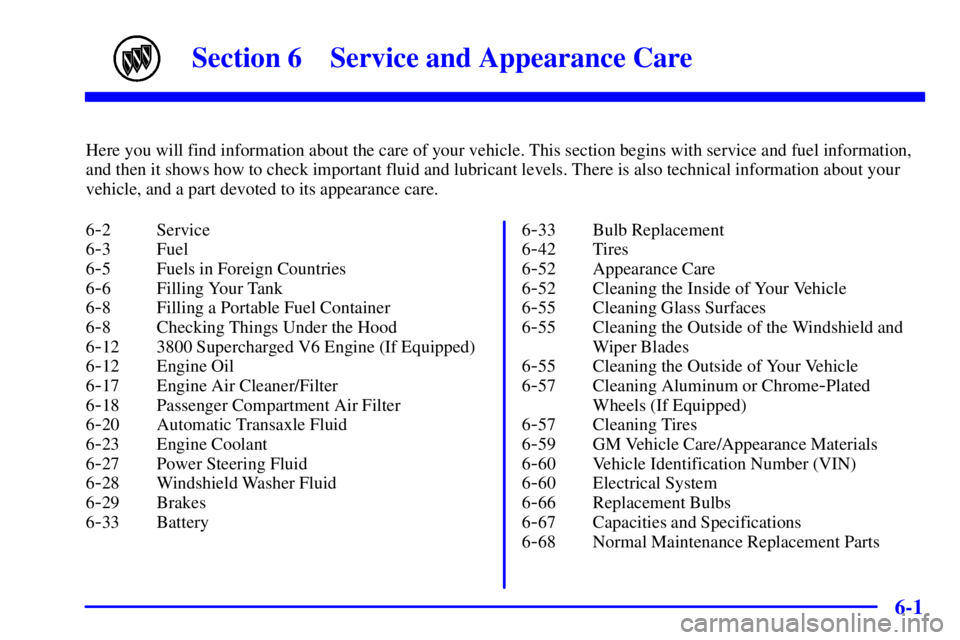
Section 6 Service and Appearance Care
Here you will find information about the care of your vehicle. This section begins with service and fuel information,
and then it shows how to check important fluid and lubricant levels. There is also technical information about your
vehicle, and a part devoted to its appearance care.
6
-2 Service
6
-3 Fuel
6
-5 Fuels in Foreign Countries
6
-6 Filling Your Tank
6
-8 Filling a Portable Fuel Container
6
-8 Checking Things Under the Hood
6
-12 3800 Supercharged V6 Engine (If Equipped)
6
-12 Engine Oil
6
-17 Engine Air Cleaner/Filter
6
-18 Passenger Compartment Air Filter
6
-20 Automatic Transaxle Fluid
6
-23 Engine Coolant
6
-27 Power Steering Fluid
6
-28 Windshield Washer Fluid
6
-29 Brakes
6
-33 Battery6
-33 Bulb Replacement
6
-42 Tires
6
-52 Appearance Care
6
-52 Cleaning the Inside of Your Vehicle
6
-55 Cleaning Glass Surfaces
6
-55 Cleaning the Outside of the Windshield and
Wiper Blades
6
-55 Cleaning the Outside of Your Vehicle
6
-57 Cleaning Aluminum or Chrome-Plated
Wheels (If Equipped)
6
-57 Cleaning Tires
6
-59 GM Vehicle Care/Appearance Materials
6
-60 Vehicle Identification Number (VIN)
6
-60 Electrical System
6
-66 Replacement Bulbs
6
-67 Capacities and Specifications
6
-68 Normal Maintenance Replacement Parts
Page 276 of 349

6-33
Battery
Your new vehicle comes with a maintenance free
ACDelco� battery. When it's time for a new battery,
get one that has the replacement number shown on
the original battery's label. We recommend an
ACDelco battery.
If your battery has a very low charge or is dead, you
may not be able to remove the ignition key from the
ignition switch or shift out of PARK (P). Refer to
ªShifting Out of PARK (P)º in the Index.
Vehicle Storage
If you're not going to drive your vehicle for 25 days or
more, remove the black, negative (
-) cable from the
battery. This will help keep your battery from
running down.
CAUTION:
Batteries have acid that can burn you and gas
that can explode. You can be badly hurt if you
aren't careful. See ªJump Startingº in the Index
for tips on working around a battery without
getting hurt.
Contact your dealer to learn how to prepare your vehicle
for longer storage periods.
Also, for your audio system, see ªTheft
-Deterrent
Featureº in the Index.
Bulb Replacement
In this section you'll find directions for changing the
bulbs on your vehicle. See ªReplacement Bulbsº in the
Index to find the type of bulb you should use.
For any bulb changing procedure not listed in this
section, contact your dealer service department.
Halogen Bulbs
CAUTION:
Halogen bulbs have pressurized gas inside and
can burst if you drop or scratch the bulb. You or
others could be injured. Be sure to read and
follow the instructions on the bulb package.
Page 277 of 349
6-34 Headlamps
For the type of bulb, see ªReplacement Bulbsº in
the Index.
1. Open the hood.
2. Pull up on the headlamp retainers to release the
assembly locator tabs.3. Slide the headlamp assembly out of the slots.
4. Remove the bulb socket from the
headlamp assembly.
5. Remove the rubber access cover (from behind the
bulb you are replacing).
6. Turn the bulb socket one
-quarter turn and remove it
from the lamp.
7. Lift the plastic locking tab on the electrical
connector and pull the connector from the headlamp
bulb socket.

