2000 BMW 540I SEDAN remote control
[x] Cancel search: remote controlPage 57 of 217
57n
RepairsIndexOverview Controls Car care Technology Data
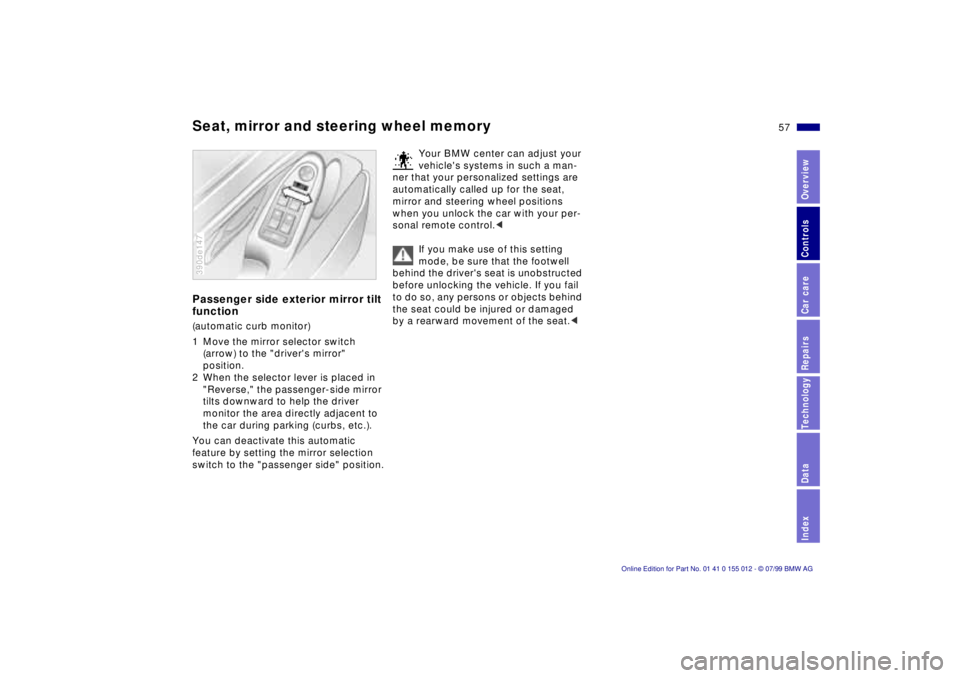
Seat, mirror and steering wheel memoryPassenger side exterior mirror tilt
function(automatic curb monitor)
1 Move the mirror selector switch
(arrow) to the "driver's mirror"
position.
2 When the selector lever is placed in
"Reverse," the passenger-side mirror
tilts downward to help the driver
monitor the area directly adjacent to
the car during parking (curbs, etc.).
You can deactivate this automatic
feature by setting the mirror selection
switch to the "passenger side" position.390de147
Your BMW center can adjust your
vehicle's systems in such a man-
ner that your personalized settings are
automatically called up for the seat,
mirror and steering wheel positions
when you unlock the car with your per-
sonal remote control.<
If you make use of this setting
mode, be sure that the footwell
behind the driver's seat is unobstructed
before unlocking the vehicle. If you fail
to do so, any persons or objects behind
the seat could be injured or damaged
by a rearward movement of the seat.<
Page 58 of 217
58n
Car Memory, Key MemoryHow the system functionsYou have probably frequently wished
that you could configure individual
functions of your vehicle to reflect your
own personal requirements. In engi-
neering your vehicle, BMW has included
several user-defined functions in the
vehicle's design. Your authorized BMW
center can make these settings for you.
There are settings related to the vehicle
("Car Memory") and settings related to
individuals ("Key Memory"). You can
have two different basic positions con-
figured for two different persons. The
only requirement is that each person
uses his or her own remote control key.463de029
When your vehicle is unlocked with the
remote control, the vehicle recognizes
the individual user by means of a data
exchange with the key, and makes
adjustments accordingly.
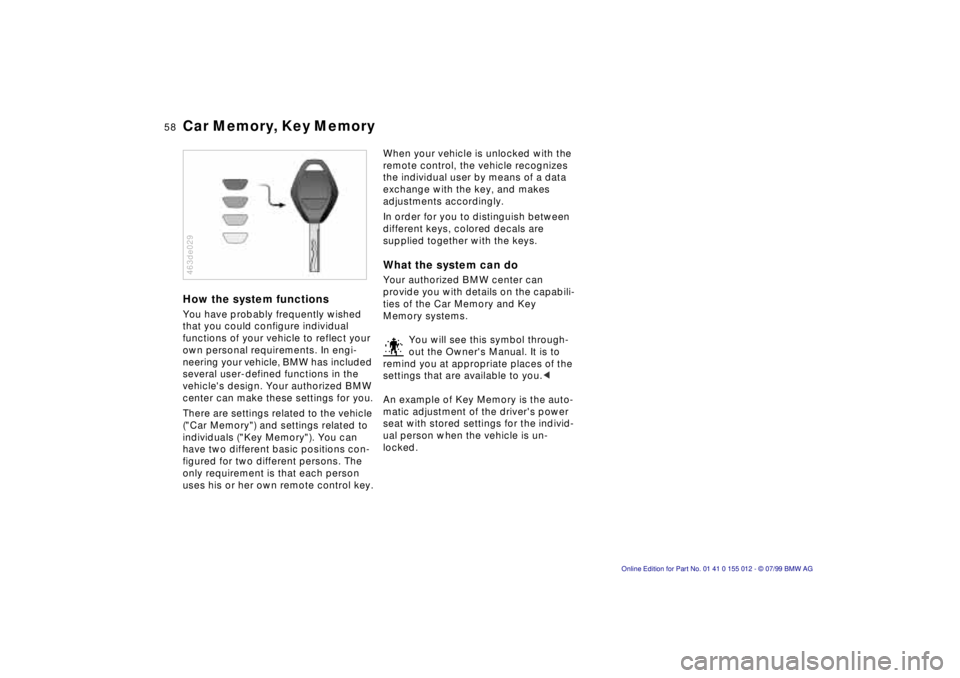
In order for you to distinguish between
different keys, colored decals are
supplied together with the keys.What the system can doYour authorized BMW center can
provide you with details on the capabili-
ties of the Car Memory and Key
Memory systems.
You will see this symbol through-
out the Owner's Manual. It is to
remind you at appropriate places of the
settings that are available to you.<
An example of Key Memory is the auto-
matic adjustment of the driver's power
seat with stored settings for the individ-
ual person when the vehicle is un-
locked.
Page 100 of 217
100n
Automatic climate controlTips for pleasant drivingUse the automatic system, that is, press
AUTO button 4. Select an interior tem-
perature that is comfortable for you Ð
we recommend 727 (226). When the
outside temperature is above 417
(56), you can also use the air condi-
tioning system (12). This will dry the air
and prevent the window from fogging
(for example if people are wearing
damp clothes in the vehicle). Set the
outlets 2 so that the air flows past you
and is not directed straight at you. Set
the rotary dial between the outlets 2 for
the upper body to a central position.
This will provide cooler air, and help to
prevent fatigue during the journey.
Detailed setting options are described
for you in the following section.
You can make the settings of your
vehicle in such a manner that,
when you unlock the car with your indi-
vidualized remote control, your own
personalized setting for the automatic
climate control is initiated.<
Automatic air distribution
The AUTO program assumes
the adjustment of the air dis-
tribution and the air supply for you and
also adapts the temperature to external
influences (summer, winter) to meet
preferences you can specify. This pro-
gram maintains a comfortable in-car cli-
mate regardless of the season. Select
an interior temperature that is pleasant
for you Ð we recommend 727 (226).
The selected temperature and AUTO for
the air flow appear in the display 7. Re-
fer to the overview on page 98. Open
the ventilation outlets for the upper
body. Switch on the air conditioner in
warm weather. The maximum cooling
capacity is achieved when you set the
rotary dial 3 (refer to page 102) to cold.
Individual air distribution
You can cancel the AUTO pro-
gram by selecting specific dis-
tribution patterns to suit your
own individual requirements.
You can direct air to flow onto the win-
dows , toward the upper body ,
and into the footwell .
Temperature
You can make individual tem-
perature settings on the
driver's side or the front pas-
senger side. Your settings will be
shown in the display 9. The displayed
temperatures are reference values for
the interior temperature. We recom-
mend 727 (226) as a comfortable
setting, whether the air conditioner is
operating or not.When you start the ve-
hicle, the system ensures that the se-
lected temperature is achieved as
quickly as possible. It then maintains
this temperature, regardless of the sea-
son.
Set the rotary dial 3 (refer to "Draft-free
ventilation" on page 102) to a medium
position to provide somewhat cooler
air. This helps to promote driving with-
out fatigue. Make use of this means of
mixing air especially for making minor
adjustments for personal comfort.
You can set uncontrolled heater
output at up to 907 (326). Full
cooling output is available from the air
conditioner down to 607 (166).<
Page 105 of 217
105n
RepairsIndexOverview Controls Car care Technology Data
The conceptThe BMW Universal Transmitter re-
places up to three hand-held transmit-
ters that control different devices such
as a garage door opener, alarm sys-
tems or a door locking system. The
BMW Universal Transmitter recognizes
and "learns" the transmitted signal from
each of the original hand-held transmit-
ters.
The signal of an original hand-held
transmitter can be programmed to one
of three channel keys. Following that,
each of the devices can be operated
with the channel key that you have pro-
grammed for it. A transmission of the
signal is indicated by the indicator lamp.
Before you sell your vehicle, the pro-
grammed channel keys should be de-
leted. Refer to page 107 for the de-
scription of this process.
To prevent potential injuries or
damage: During the programming
operation and before every remote trig-
gering of a programmed device using
the BMW Universal Transmitter, be sure
that there are no persons, animals or
objects within the range of movement
of the respective device. Read and
comply with the safety instructions for
the original hand-held transmitter
also.<
To Canadian residents:
During programming, your hand-
held transmitter may automatically stop
transmitting after two seconds. This
may not be long enough to program the
BMW Universal Transmitter. If you are
programming from one of these hand-
held transmitters, the Universal Trans-
mitter's lamp may begin to flash in a se-
ries of double flashes. If this occurs,
continue to hold the button on the Uni-
versal Transmitter while you reactivate
your hand-held transmitter. You may
have to repeat this function several
times while programming.<
Before programming, read the
"User's information" section on
page 107.<
The original hand-held transmitter
If this symbol is depicted on the
packaging or in the user's in-
structions for the original hand-
held transmitter, it may be assumed
that this original hand-held transmitter
is compatible with the BMW Universal
Transmitter.
Checking for the change codeIn order to determine whether the origi-
nal hand-held transmitter is equipped
with a change code system, you may
either refer to the instructions for the
original hand-held transmitter or pro-
gram a channel key as described in the
left column on page 106 under "Pro-
gramming."
Following that, press and hold the pro-
grammed channel key of the BMW Uni-
versal Transmitter. If the indicator lamp
of the BMW Universal Transmitter
flashes rapidly for two seconds and
then stays on continuously, the original
hand-held transmitter is equipped with
a change code system. If the change
code system is available, program the
channel keys as described in the right-
hand column on page 106 under "Pro-
gramming a hand-held transmitter with
change code."
If you have additional questions,
please consult your BMW center
or call 1-800-355-3515.<
BMW Universal Transmitter
*
Page 210 of 217

Everything from A to Z
G
Gasoline29
Gasoline gauge83
Glove compartment108
Gross weight201
H
Handbrake23, 69
Handsfree system109
Hazard warning system27
Hazard warning triangle27
Head restraint53
Headlamp cleaning78
Headlamp covers,
care155, 167
Headlamp flasher77
Headlamp washer
system148
Heated seats103
Heated steering wheel103
Heating and ventilation98
Heating while stopped102
Heavy loads120
Height199
Height adjustment
Seats52
Steering wheel54
HiFi system192
High beams24
Bulb replacement167
High Performance Synthetic
Oils150Hood release143
Horn25, 26
Hydraulic Brake Assistant,
refer to DBC24, 129
I
Ice warning82
Identification number of the
vehicle153
Identification, tires137
Ignition key35
Ignition lock67
Independent ventilation104
Indicator77
Indicator lamps22
Inflation pressure30, 134
Monitoring92, 194
INSPECTION84
Instrument cluster18, 20
Instrument lighting94
Instrument panel20
Instrument panel switch77
Instruments18
Integrated rear axle194
Intensive automatic cleaning
unit78
Intensive cleaning
system148
Interaxle tire rotation136
Interference indicators85
Interference with
car phones133Interior lamps96
Remote control38
Interior mirror55
automatic dimming
feature55
Interior motion sensor46
Deactivation46
Interior rearview mirror
with automatic dimming
feature55, 192
Interlock67
Intermittent wiper switch77
J
Jack173
Jump-starting182
K
Key Memory58
Keys35
Kickdown72, 75
L
Lashing eye44, 120
Leather care159
Length199
Level control
system24, 132, 195
Light switch94
Light-alloy wheels138, 140
Lighter110Lights-on warning94
Load-securing devices120
Locking and unlocking the
doors36, 37
Low beams94
Bulb replacement167
Low beams, bulb
replacement167
Low-fuel warning lamp83
Lug bolts174
Lug wrench174
Luggage compartment
Capacity201
Lamps96
Net44
Luggage compartment lid/
Tailgate44
Emergency actuation41
Opening separately41
Remote control39
Luggage space44
Luggage straps44
Lumbar support51
M
M Multifunction steering
wheel (MFL)26
M+S tires138
Magic Eye177
Maintenance84, 154
Page 211 of 217

211n
RepairsIndexOverview Controls Car care Technology Data
Everything from A to Z
Manual operation
Doors36
Fuel filler door180
Luggage compartment lid/
Tailgate41, 181
Sliding/Tilt sunroof180
Manual transmission70
Manually controlled
recirculated-air101
Master key34
Mechanical seat52
Memory56
MFL (M Multifunction
steering wheel)26
MFL (Multifunction steering
wheel)25
Microfilter103
Mirror54
Mirror heating55
Mirror memory56
Mobile communications
systems, refer to the
separate Owner's Manual
Mobile phones133
Modifications,
technical6, 161
Multifunction steering wheel
(MFL)25
N
Navigation System, refer to
the separate Owner's
Manual
Nonsmoker equipment110
Nozzles98
O
OBD connector162
Odometer82
Oil
Additives149
Consumption149
Grades150
Oil change interval, see the
Service and Warranty
Information Booklet (US
models) or Warranty and
Service Guide Booklet
(Canadian models)
Oil dipstick149
Oil level, indicator lamp23
Oil quantity, engine203
OILSERVICE84
Old batteries177
Onboard computer88
Average fuel
consumption88
Average speed88
Cruising range88
Outside temperature88
Onboard tool kit166Open luggage compartment
lid/tailgate from
interior41
Opening and closing
From the inside38
From the outside36
Operating range88
Outside temperature88
Outside temperature
display82
P
Paint blemishes156
Paint, care156
Paintwork, minor
repairs157
Paintwork, waxing157
Park Distance Control
(PDC)90
Parking brake23, 69
Parking help90
Parking lamps95
Bulb replacement168
Parking, Winter132
PDC (Park Distance
Control)90
Playing cassettes
Refer to the Radio Owner's
Manual
Playing CDs
Refer to the Radio Owner's
Manual
Pocket light108Pollen filter103
Power output198
Power steering132
Power windows47
Safety switch48
Power-slip control
Refer to ASC+T/DSC91
Pressure, tire30, 134
Monitoring92, 194
R
Radio reception133, 190
Radio, refer to the separate
Owner's Manual
Radios133
Rain sensor155
RDC (Tire Pressure
Control)92, 194
Reading lamps96
Rear view mirror54
Rear window blind104
Rear window
defrosting79, 102
Rear window wiper79
Rear-seat backrest,
removable112
Recirculated-air control101
Reclining seat50
Refueling28
Remote control37
Removable rear-seat
backrest112