Page 97 of 311

Seat Heaters
Both front seats are equipped withseat heaters. The ignition switch
must be ON (II) to use them. Push
the front of the switch, HI, to rapidly
heat up the seat. After the seat
reaches a comfortable temperature, select LO by pushing the back of the
switch. This will keep the seat warm. The HI or LO indicator lights and
remains lit until you turn it off by
pushing the opposite side of theswitch lightly. The indicator will turn
off.
In HI, the heater turns off when the
seat gets warm, and turns back on
after the seat's temperature drops. It
continues to cycle as long as you
leave it set on HI. The HI indicator
remains lit as a reminder that you
have the heater on.
In LO, the heater runs continuously.
It does not cycle with temperaturechanges. Follow these precautions whenever
you use the seat heaters:
• Use the HI setting only to heat the seats quickly. Select the LO
setting when the seats feel warm.
The HI setting draws large amounts of current from the
battery.
• Do not use the seat heaters, even on the LO setting, if the engine is
left idling for an extended period.
They can weaken the battery, causing hard starting.
Because of the sensors for the side
airbag system, there is no heater in
the passenger's seat-back.
Instruments and Controls
Page 101 of 311
Mirrors
SENSORINDICATORAUTO SWITCH
The inside mirror can automaticallydarken to reduce glare. To turn on
this feature, press the button on the bottom of the mirror. The AUTO
indicator comes on as a reminder.
When it is on, the mirror darkens when it senses the headlights of a
vehicle behind you, then returns tonormal visibility when the lights are
gone. Press the button again to turn off this sensing. Adjusting the Power Mirrors
SELECTOR SWITCH
Adjust the outside mirrors with the
adjustment switch on the driver's
door armrest:
1. Turn the ignition switch ON (II).
2. Move the selector switch to L (driver's side) or R (passenger's
side).
ADJUSTMENT SWITCH
3. Push the appropriate edge of the adjustment switch to move the
mirror right, left, up or down.
4. When you finish, move the selector switch to the center (off)
position. This turns off the adjustment switch so you can't
move a mirror out of position by
accidentally bumping the switch.
Instruments and Controls
Page 109 of 311
Accessory Power Sockets, Interior Lights
COVER
ACCESSORY POWER SOCKET
These sockets are intended to supply power for 12 volt DC accessories
that are rated 120 watts or less (10amps).
They will not power an automotive type cigarette lighter element. Ceiling Light
DOOR ACTIVATED
The ceiling light has a three-position
switch. In the OFF position, the light
does not come on. In the center
position, the ceiling light comes on
when you open any door. The light fades out after all doors are closed.
In the ON position, the ceiling lightstays on continuously.
The ceiling light (with the switch in the center position) also comes on
when you unlock the door with the remote transmitter (see page 78). Spotlights
Turn on the spotlight by pushing the button next to each light. Push the
button again to turn it off. You can
use the spotlights at all times.
Instruments and Controls
Page 110 of 311
Interior Lights, CD Holder
Courtesy Lights
IGNITION SWITCH LIGHT
DOOR LIGHT
Each door has a courtesy light. This
light comes on when you open the door.
Your car also has a courtesy light in the ignition switch. This light comeson when you open the driver's door.
It remains on for several seconds after the door is closed. CD Holder
You can store up to four CDs in the CD holder. Push on the center of the
holder to get it to pop out. Then
remove it by pulling it straight out. Lift the lid to reach the storage trays.
Instruments and Controls
Page 132 of 311
Audio System
Audio System LightingYou can use the instrument panel brightness control knob to adjust the
illumination of the audio system (see
page 64). The audio system
illuminates when the parking lightsare on, even if the radio is turned off.
Radio Frequencies
Your Acura's radio can receive the complete AM and FM bands.
Those bands cover these frequen- cies:
AM band: 530 to 1,710 kilohertz
FM band: 87.7 to 107.9 megahertz
Radio stations on the AM band are
assigned frequencies at least ten
kilohertz apart (530, 540, 550). Stations on the FM band are
assigned frequencies at least 0.2
megahertz apart (87.9, 88.1, 88.3). Stations must use these exact
frequencies. It is fairly common for stations to round-off the frequency in
their advertising, so your radio could display a frequency of 100.9 even
though the announcer may identify
the station as "FM101."
Radio Reception How well your Acura's radio receivesstations is dependent on many
factors, such as the distance from
the station's transmitter, nearby
large objects, and atmospheric conditions.
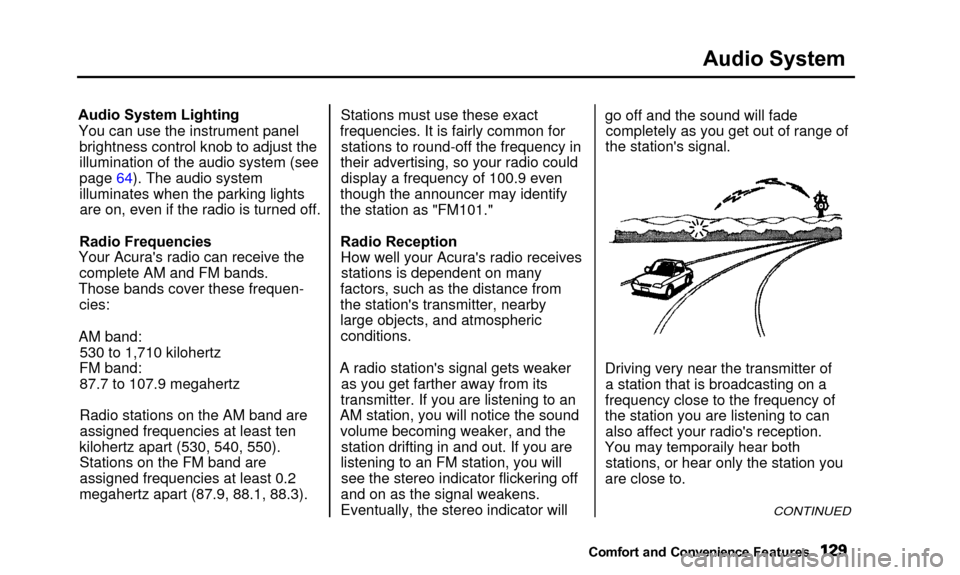
A radio station's signal gets weaker as you get farther away from its
transmitter. If you are listening to an
AM station, you will notice the sound volume becoming weaker, and the station drifting in and out. If you are
listening to an FM station, you will see the stereo indicator flickering off
and on as the signal weakens.
Eventually, the stereo indicator will go off and the sound will fade
completely as you get out of range of
the station's signal.
Driving very near the transmitter of a station that is broadcasting on a
frequency close to the frequency of
the station you are listening to can also affect your radio's reception.
Yo u
ma
y
temporaril
y
hea
r
bot
h
stations, or hear only the station you
are close to.
CONTINUED
Comfort and Convenienc e Features
You may temporaily hear both
Page 146 of 311

Security System
The security system helps to protectyour vehicle and valuables from theft.
The horn sounds and a combination of headlights, parking lights, side
marker lights and taillights flashes if someone attempts to break into your
vehicle or remove the radio. This alarm continues for two minutes,
then the system resets. To reset an alarming system before the two
minutes have elapsed, unlock either
front door with the key or the remote transmitter.
The security system sets auto- matically fifteen seconds after you
lock the doors, hood, and trunk. For
the system to activate, you must lock
the doors from the outside with the
key, lock tab, door lock switch, or
remote transmitter. The securitysystem light next to the driver's door
lock starts blinking immediately to show you the system is setting itself.SECURITY SYSTEM LIGHT
Once the security system is set,
opening any door (without using the
key or the remote transmitter), or the hood, will cause it to alarm. Italso alarms if the radio is removed
from the dashboard or the wiring is cut. With the system set, you can still
open the trunk with the remote
transmitter without triggering the alarm. The alarm will sound if the
trunk is opened with the trunk
release handle.
The security system will not set if the hood, trunk, or any door is not
fully closed. If the system will not set,check the Door Monitor on the
instrument panel (see page 56), to see if the doors and trunk are fully
closed. Since it is not part of the
monitor display, manually check the
hood.
Do not attempt to alter this system or add other devices to it.
Comfort and Convenience Features
Page 156 of 311

Accessories and Modifications
Modifying your car, or installing
some non-Acura accessories, can
make your car unsafe. Before you
make any modifications or add anyaccessories, be sure to read the
following information.
Accessories Your dealer has Genuine Acura accessories that allow you to
personalize your car. These accessories have been designed andapproved for your car, and are
covered by warranty.
Non-Acura accessories are usually
designed for universal applications.
Although aftermarket accessories may fit on your car, they may not
meet factory specifications, and
could adversely affect your car's
handling and stability. (See "Modifications" on the page 154 for
additional information.) Improper accessories or
modifications can affect your
car's handling, stability and performance, and cause a
crash in which you can be hurt
or killed.
Follow all instructions in this
owner's manual regarding
accessories and modifications.
When properly installed, cellular phones, alarms, two-way radios, and
low-powered audio systems should not interfere with your car's
computer-controlled systems, such
as the SRS and anti-lock brakesystem.
However, if electronic accessories are improperly installed, or exceed
your car's electrical system capacity, they can interfere with the operation of your car, or even cause the
airbags to deploy.
Before installing any accessory:
• Make sure the accessory does not obscure any lights, or interfere
with proper car operation or performance.
• Be sure electronic accessories do not overload electrical circuits(see page 275).
• Have the installer contact your Acura dealer for assistance beforeinstalling any electronic accessory.
If possible, have your dealer inspect
the final installation.
Before Driving
Page 163 of 311

Preparing to Drive
You should do the following checksand adjustments every day before
you drive your car.
1. Make sure all windows, mirrors, and outside lights are clean and
unobstructed. Remove frost, snow, or ice.
2. Check that the hood and trunk are fully closed.
3. Visually check the tires. If a tire looks low, use a gauge to check its
pressure.
4. Check that any items you may be carrying with you inside are stored
properly or fastened down securely. 5. Check the adjustment of the seat
(see page 12).
6. Check the adjustment of the inside and outside mirrors (seepage 97).
7. Check the adjustment of the steering wheel (see page 17).
8. Make sure the doors are securely closed and locked.
9. Fasten your seat belt. Check that your passengers have fastenedtheir seat belts (see page 15). 10. Turn the ignition switch ON (II).
Check the indicator lights in the
instrument panel.
11. Start the engine (see page 161). 12. Check the gauges and indicator lights in the instrument panel (see
page 53).
Driving


