Page 75 of 311
Steering Wheel Controls
When you push the CANCEL button,or tap the brake pedal, the CRUISECONTROL light on the instrument
panel will go out and the car will
begin to slow down. You can use the accelerator pedal in the normal way.
The system remembers the previously-set cruising speed. Toreturn to that speed, accelerate toabove 25 mph (40 km/h) and then
press the RESUME/accel button until the CRUISE CONTROL lightcomes on. The car will accelerate to
the same cruising speed as before. Pressing the Cruise Control Master
Switch turns the system completely
off and erases the previous cruising
speed from memory. To use the
system again, refer to Using the Cruise Control Remote Audio Controls
AUDIO/CH
BUTTON
These buttons let you control some
functions of the audio system with-
out removing your hands from the
wheel. Refer to page 141 for a com- plete explanation.
Instruments and Controls
Page 79 of 311
Keys and Locks
ACCESSORY (I) - In this position,you can operate the audio systemand the accessory power socket.
ON (II) — This is the normal key
position when driving. All features
and accessories on the car are usable.
Several of the lights on the instru-
ment panel come on as a test when
you turn the ignition switch from
ACCESSORY to ON. START (III) - Use this position
only to start the engine. The switch
returns to ON (II) when you let go of
the key.
The engine will not start if the
Immobilizer System does not
recognize the key's coding (see page
74).
You will hear a reminder beeper if
you leave the key in the ignition
switch in the LOCK (0) or
ACCESSORY (I) position and open the driver's door. Remove the key to
turn off the beeper.
Instruments and Controls
Page 86 of 311
Keys and Locks
2. Lock the glove box with themaster key. Make sure the trunk
pass-through cover is locked (see
page 92).
3. Give the person the valet key. Even if the trunk main switch is
turned off, you can open the trunk
with the remote transmitter.
GLOVE BOX
Open the glove box by squeezing the
handle. Close it with a firm push.
Lock or unlock the glove box with
the master key.
The glove box light comes on only when the instrument panel lights are on.
Instruments and Controls
Glove Box
An open glove box can cause
serious injury to your passenger
in a crash, even if the
passenger is wearing the seatbelt.
Always keep the glove box
closed while driving.
Page 98 of 311
Power Windows
Your car's windows are electrically-powered. Turn the ignition switch to ON (II) to raise or lower any window.
Each door has a switch that controls
its window. To open the window,
push the switch down and hold it. Release the switch when you want
the window to stop. Close the
window by pushing the switch up and holding it.
DRIVER'S WINDOW
SWITCH MAIN
SWITCH
The driver's door armrest has a
master power window control panel.
To open any of the passengers' win- dows, push down on the appropriate
switch and hold it down until the
window reaches the desired position.
To close the window, pull back on the window switch. Release theswitch when the window gets to the
position you want.
CONTINUED
Instruments and Controls
Closing a power window on
someone's hands or fingers can
cause serious injury.
Make sure your passengers are
away from the windows before
closing them.
Page 99 of 311

Power Windows, Moonroof
The master control panel also con-tains these extra features:
AUTO - To open the driver's window fully, push the window switch firmly down and release it.
The window automatically goes all the way down. To stop the window
from going all the way down, pull
back on the window switch briefly.
To open the driver's window only partially, push the window switchdown lightly and hold it. The window
will stop as soon as you release the switch.
The AUTO function only works to lower the driver's window. To raise
the window, you must pull back on
the window switch and hold it until
the window reaches the desired
position. The MAIN switch controls power to
the passengers' windows. With thisswitch off, the passengers' windows
cannot be raised or lowered. The
MAIN switch does not affect the
driver's window. Keep the MAIN
switch off when you have children in
the car so they do not injure them- selves by operating the windows
unintentionally.
The power window system has a key- off delay function. The windows will
still operate for up to ten minutes
after you turn off the ignition.Opening either front door cancels
the delay function. You must turn
the ignition switch ON (II) again
before you can raise or lower the
windows. Moonroof
MOONROOF SWITCH
The moonroof has two positions: it
can be tilted up in the back for
ventilation, or it can be slid back into the roof. Use the switch under the
left dashboard vent to operate the
moonroof. The ignition switch must
be ON (II).
Instruments and Controls
Page 100 of 311

Moonroof, Mirrors
To tilt up the back of the moonroof,press and hold the center button
( ). To close the moonroof,
press and hold the top of the switch
( ). To open the moonroof,
press and hold the bottom of the
switch ( ). Release the switch
when the moonroof gets to the desired position. Make sure
everyone's hands are away from the
moonroof before opening or closing
it. The moonroof has a key-off delay.
You can still open and close the moonroof for up to ten minutes after
you turn off the ignition. The key-off delay cancels as soon as you open
either front door. You must then
turn the ignition ON (II) for the
moonroof to operate.
If you try to open the moonroof in
below-freezing temperatures, or whenit is covered with snow or ice, you can
damage the moonroof panel or motor.
Mirrors
Keep the inside and outside mirrors
clean and adjusted for best visibility.
Be sure to adjust the mirrors before
you start driving.
CONTINUED
Instruments and Controls
Closing the moonroof on
someone's hands or fingers can
cause serious injury. Make sure all hands and fingers
are clear of the moonroof
before closing it.
NOTICE
Page 102 of 311
Mirrors, Parking Brake
HEATED MIRROR BUTTON
The outside mirrors are heated to re-move fog and frost. With the ignition
switch ON (II), turn on the heaters
by pressing the button. The light in
the button comes on as a reminder. Press the button again to turn theheaters off. Parking Brake
PARKING BRAKE PEDAL
To apply the parking brake, push the
parking brake pedal down with your
foot. To release the parking brake, push on the pedal again. The parking
brake light on the instrument panel should go out when the parking
brake is fully released with the engine running. (see page 54.)
NOTICE
Driving the car with the parking brake
applied can damage the rear brakes
and axles.
Instruments and Controls
Page 132 of 311
Audio System
Audio System LightingYou can use the instrument panel brightness control knob to adjust the
illumination of the audio system (see
page 64). The audio system
illuminates when the parking lightsare on, even if the radio is turned off.
Radio Frequencies
Your Acura's radio can receive the complete AM and FM bands.
Those bands cover these frequen- cies:
AM band: 530 to 1,710 kilohertz
FM band: 87.7 to 107.9 megahertz
Radio stations on the AM band are
assigned frequencies at least ten
kilohertz apart (530, 540, 550). Stations on the FM band are
assigned frequencies at least 0.2
megahertz apart (87.9, 88.1, 88.3). Stations must use these exact
frequencies. It is fairly common for stations to round-off the frequency in
their advertising, so your radio could display a frequency of 100.9 even
though the announcer may identify
the station as "FM101."
Radio Reception How well your Acura's radio receivesstations is dependent on many
factors, such as the distance from
the station's transmitter, nearby
large objects, and atmospheric conditions.
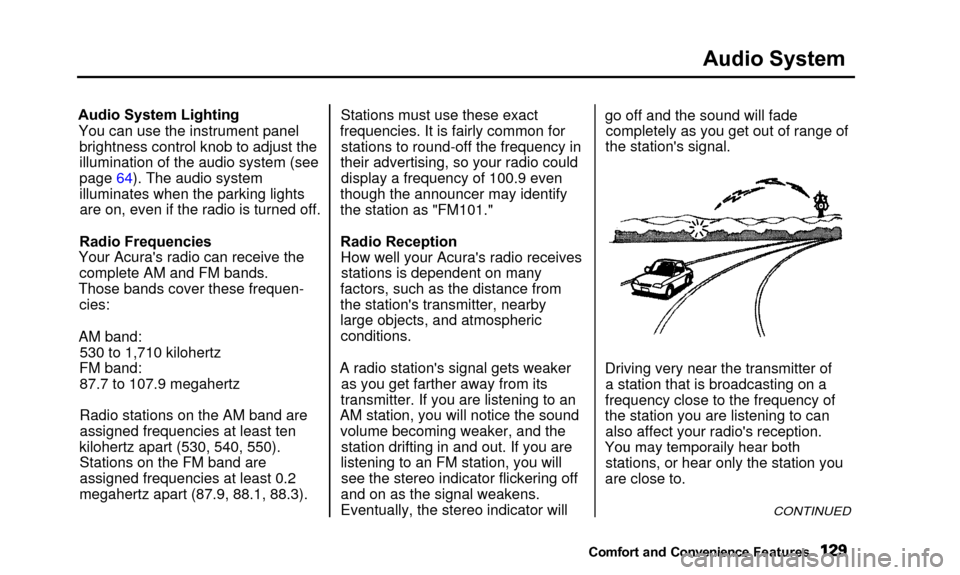
A radio station's signal gets weaker as you get farther away from its
transmitter. If you are listening to an
AM station, you will notice the sound volume becoming weaker, and the station drifting in and out. If you are
listening to an FM station, you will see the stereo indicator flickering off
and on as the signal weakens.
Eventually, the stereo indicator will go off and the sound will fade
completely as you get out of range of
the station's signal.
Driving very near the transmitter of a station that is broadcasting on a
frequency close to the frequency of
the station you are listening to can also affect your radio's reception.
Yo u
ma
y
temporaril
y
hea
r
bot
h
stations, or hear only the station you
are close to.
CONTINUED
Comfort and Convenienc e Features
You may temporaily hear both


