1999 TOYOTA SOLARA ignition
[x] Cancel search: ignitionPage 92 of 244
SOLARA_U
92
Your automatic transmission has a shift
lock system to minimize the possibility of
incorrect operation. This means you can
only shift out of ºPº position when the
brake pedal is depressed (with the ignition
switch in ºONº position and the lock re-
lease button depressed).
(a) Normal driving
1. Start the engine as instructed in ºHow to start the engineº in Part 3. The
transmission must be in ºPº or ºNº.
2. With your foot holding down the brake pedal, shift the selector lever to ºDº.
In ºDº position, the automatic transmission
system will select the most suitable gear
for the running conditions such as normal
cruising, hill climbing, hard towing, etc.
Always turn the overdrive switch on for
better fuel economy and quieter driving. If
the engine coolant temperature is low, the
transmission will not shift into overdrive
gear even with the overdrive switch on.
CAUTION
Never put your foot on the accelera-
tor pedal while shifting.
3. Release the parking brake and brake pedal. Depress the accelerator pedal
slowly for smooth starting.
(b) Using engine braking
To use engine braking, you can downshift
the transmission as follows: Turn off the overdrive switch. The ºO/D
OFFº indicator light will come on and
the transmission will downshift to the
third gear.
Shift into the º2º position. The trans-
mission will downshift to the second
gear when the vehicle speed drops
down to or lower than the following
speed, and more powerful engine brak-
ing will be obtained.
5S- FE engine...... 106 km/h (65 mph)
1MZ- FE engine.... 119 km/h (73 mph)
Shift into the ºLº position. The trans-
mission will downshift to the first gear
When the vehicle speed drops down to
or lower than the following speed, and
maximum engine braking will be ap-
plied.
5S- FE engine........ 46 km/h (28 mph)
1MZ- FE engine..... 56 km/h (34 mph) Vehicles with cruise control
'When the
cruise control is being used, even if you
downshift the transmission by turning off
the overdrive switch, engine braking is not
applied because the cruise control is not
cancelled.
For ways to decrease the vehicle speed,
see ºCruise controlº in this chapter.
CAUTION
Be careful when downshifting on a
slippery surface. Abrupt shifting
could cause the vehicle to spin or
skid.
(c) Using º2º and ºLº positions
The º2º and ºLº positions are used for
strong engine braking as described pre-
viously.
With the selector lever in º2º or ºLº, you
can start the vehicle in motion as with the
lever in ºDº.
With the selector lever in º2º, the vehicle
will start in the first gear and automatical-
ly shift to the second gear.
With the selector lever in ºLº, the trans-
mission is engaged in the first gear.
Page 100 of 244

SOLARA_U
100 Type 4: AM
F M ETR radio/cassette player/com-
pact disc player/compact disc auto changer con-
troller This section describes some of the basic
features on Toyota audio systems. Some
information may not pertain to your sys-
tem.
Your audio system works when the ignition
key is in the ºACCº or ºONº position.
TURNING THE SYSTEM ON AND OFF
Push ºPWR
V OLº, ºPWR/VOLº or ºVOL/
PWRº to turn the audio system on and
off.
Push ºAMº, ºFMº, ºAM
F Mº, ºTAPEº or
ºCDº to turn on that function without push-
ing ºPWR
V OLº, ºPWR/VOLº or ºVOL/
PWRº.
You can turn on each player by inserting
a cassette tape or compact disc.
You can turn off each player by ejecting
the cassette tape or compact disc. If the
audio system was previously off, then the
entire audio system will be turned off
when you eject the cassette tape or com-
pact disc. If the another function was pre-
viously playing, it will come on again.
SWITCHING BETWEEN FUNCTIONS
Push ºAMº, ºFMº, ºAM
F Mº, ºTAPEº or
ºCDº if the system is already on but you
want to switch from one function to anoth-
er. TONE AND BALANCE
For details about your system's tone and
balance controls, see the description of
your own system.
Tone
How good an audio program sounds to
you is largely determined by the mix of
the treble, midrange, and bass levels. In
fact, different kinds of music and vocal
programs usually sound better with differ-
ent mixes of treble, midrange, and bass.
Balance
A good balance of the left and right stereo
channels and of the front and rear sound
levels is also important.
Keep in mind that if you are listening to
a stereo recording or broadcast, changing
the right/left balance will increase the vol-
ume of one group of sounds while de-
creasing the volume of another.
ÐUsing your audio system:
some basics
Page 103 of 244
SOLARA_U103
Details of specific buttons, controls and
features are described in the alphabetical
listing that follows.
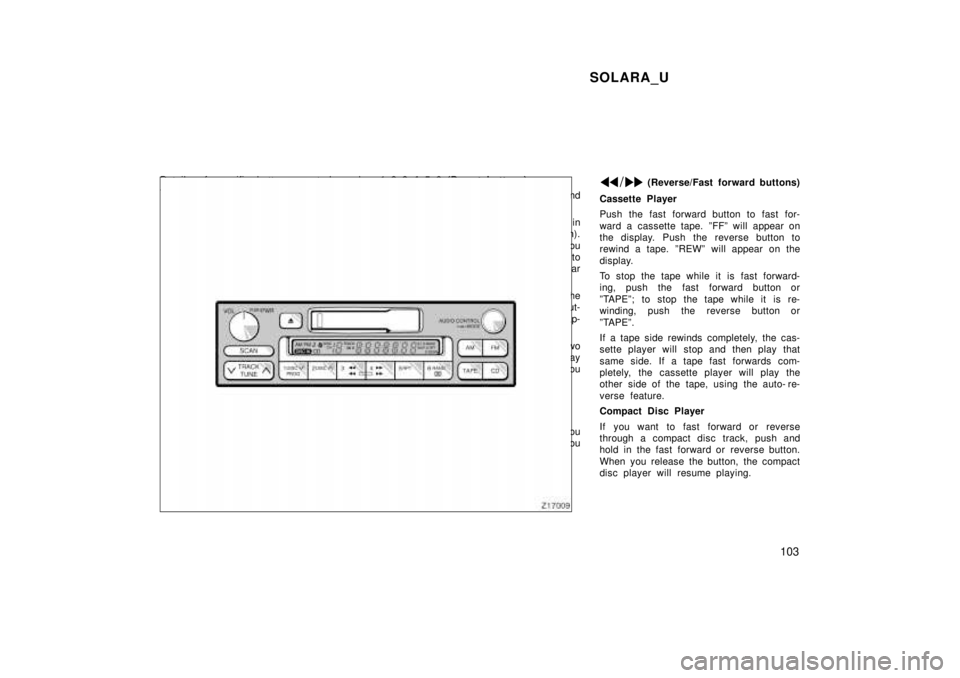
1 2 3 4 5 6 (Preset buttons)
These buttons are used to preset and
tune in radio stations.
To preset a station to a button: Tune in
the desired station (see ºTUNEº button).
Push and hold down the button until you
hear a beepÐthis will set the station to
the button. The button number will appear
on the display.
To tune in to a preset station: Push the
button for the station you want. The but-
ton number and station frequency will ap-
pear on the display.
These systems can store one AM and two
FM stations for each button (The display
will show ºAMº, ºFM1º or ºFM2º when you
push ºAMº or ºFMº).
(Eject button)
Push this button to eject a cassette.
After you turn the ignition to ºLOCKº, you
will be able to eject a cassette but you
will not be able to reinsert it.
(Reverse/Fast forward buttons)
Cassette Player
Push the fast forward button to fast for-
ward a cassette tape. ºFFº will appear on
the display. Push the reverse button to
rewind a tape. ºREWº will appear on the
display.
To stop the tape while it is fast forward-
ing, push the fast forward button or
ºTAPEº; to stop the tape while it is re-
winding, push the reverse button or
ºTAPEº.
If a tape side rewinds completely, the cas-
sette player will stop and then play that
same side. If a tape fast forwards com-
pletely, the cassette player will play the
other side of the tape, using the auto- re-
verse feature.
Compact Disc Player
If you want to fast forward or reverse
through a compact disc track, push and
hold in the fast forward or reverse button.
When you release the button, the compact
disc player will resume playing.
Page 110 of 244

SOLARA_U
11 0
1 2 3 4 5 6 (Preset buttons)
These buttons are used to preset and
tune in radio stations.
To preset a station to a button: Tune in
the desired station (see ºTUNEº button).
Push and hold down the button until you
hear a beepÐthis will set the station to
the button. The button number will appear
on the display.
To tune in to a preset station: Push the
button for the station you want. The but-
ton number and station frequency will ap-
pear on the display.
These systems can store one AM and two
FM stations for each button (The display
will show ºAMº, ºFM1º or ºFM2º when you
push ºAMº or ºFMº).
(Eject button)
Push this button to eject a compact disc.
After you turn the ignition to ºLOCKº, you
will be able to eject a disc but you will
not be able to reinsert it.
(Reverse/Fast forward buttons)
If you want to fast forward or reverse
through a compact disc track, push and
hold in the fast forward or reverse button.
When you release the button, the compact
disc player will resume playing. AM VFM
Push ºAM VFMº to switch between the AM
and FM bands. ºAMº, ºFM1º or ºFM2º will
appear on the display. These systems al-
low you to set twelve FM stations, two for
each button.
If the audio system is off, you can turn
on the radio by pushing ºAM VFMº. Also,
push ºAM VFMº to switch from compact
disc operation to radio operation. AUDIO CONTROL / MODE
Manual tone adjustment functionÐ
This knob is used to adjust the tone
manually.
For low- pitch tone adjustment, push
ºAUDIO CONTROL / MODEº repeatedly
until ºBASº appears on the display. Then
turn the knob to suit your preference.
The display will show the range from
ºBAS -5º to ºBAS 5º.
With middle- pitch toneÐ
For middle- pitch tone adjustment, push
ºAUDIO CONTROL / MODEº repeatedly
until ºMldº appears on the display. Then
turn the knob to suit your preference.
The display will show the range from ºMld
- 5º to ºMld 5º.
For high- pitch tone adjustment, push
ºAUDIO CONTROL / MODEº repeatedly
until ºTREº appears on the display. Then
turn the knob to suit your preference.
The display will show the range from
ºTRE -5º to ºTRE 5º.
Page 115 of 244

SOLARA_U11 5
1 2 3 4 5 6 (Preset buttons)
These buttons are used to preset and
tune in radio stations.
To preset a station to a button: Tune in
the desired station (see ºTUNEº or ºSEEKº
button). Push and hold down the button
until you hear a beepÐthis will set the
station to the button. The button number
will appear on the display.
To tune in to a preset station: Push the
button for the station you want. The but-
ton number and station frequency will ap-
pear on the display.
These systems can store one AM and two
FM stations for each button (The display
will show ºAMº, ºFM1º or ºFM2º when you
push ºAMº or ºFMº).
(Eject button)
Push the cassette tape eject button to
eject a cassette. Push the compact disc
eject button to eject a compact disc.
After you turn the ignition to ºLOCKº, you
will be able to eject a cassette or disc but
you will not be able to reinsert it.
(Reverse/Fast forward buttons)
Cassette Player
Push the fast forward button to fast for-
ward a cassette tape. ºFFº will appear on
the display. Push the reverse button to
rewind a tape. ºREWº will appear on the
display.
To stop the tape while it is fast forward-
ing, push the fast forward button or
ºTAPEº; to stop the tape while it is re-
winding, push the reverse button or
ºTAPEº.
If a tape side rewinds completely, the cas-
sette player will stop and then play that
same side. If a tape fast forwards com-
pletely, the cassette player will play the
other side of the tape, using the auto- re-
verse feature.
Compact Disc Player
If you want to fast forward or reverse
through a compact disc track, push and
hold in the fast forward or reverse button.
When you release the button, the compact
disc player will resume playing. AM
VFM
Push ºAM VFMº to switch between the AM
and FM bands. ºAMº, ºFM1º or ºFM2º will
appear on the display. These systems al-
low you to set twelve FM stations, two for
each button.
If the audio system is off, you can turn
on the radio by pushing ºAM VFMº. Also,
push ºAM VFMº to switch from cassette or
compact disc operation to radio operation.
AUDIO CONTROL / MODE
Manual tone adjustment functionÐ
This knob is used to adjust the tone
manually.
For low- pitch tone adjustment, push
ºAUDIO CONTROL / MODEº repeatedly
until ºBASº appears on the display. Then
turn the knob to suit your preference.
The display will show the range from
ºBAS -5º to ºBAS 5º.
For high- pitch tone adjustment, push
ºAUDIO CONTROL / MODEº repeatedly
until ºTREº appears on the display. Then
turn the knob to suit your preference.
The display will show the range from
ºTRE -5º to ºTRE 5º.
Page 122 of 244
SOLARA_U
122
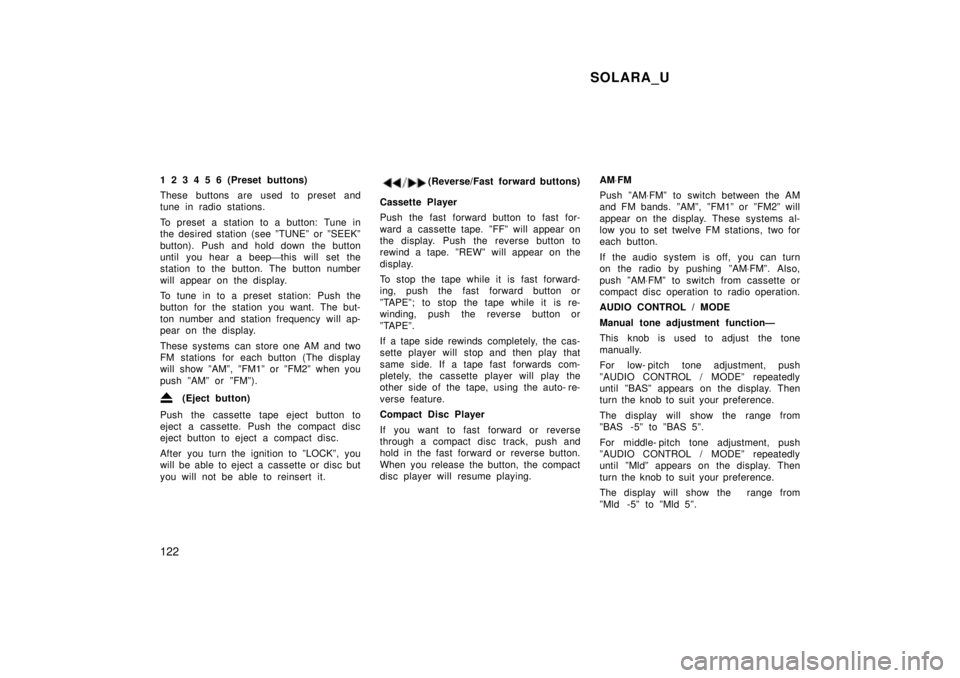
1 2 3 4 5 6 (Preset buttons)
These buttons are used to preset and
tune in radio stations.
To preset a station to a button: Tune in
the desired station (see ºTUNEº or ºSEEKº
button). Push and hold down the button
until you hear a beep
'this will set the
station to the button. The button number
will appear on the display.
To tune in to a preset station: Push the
button for the station you want. The but-
ton number and station frequency will ap-
pear on the display.
These systems can store one AM and two
FM stations for each button (The display
will show ºAMº, ºFM1º or ºFM2º when you
push ºAMº or ºFMº).
(Eject button)
Push the cassette tape eject button to
eject a cassette. Push the compact disc
eject button to eject a compact disc.
After you turn the ignition to ºLOCKº, you
will be able to eject a cassette or disc but
you will not be able to reinsert it.
(Reverse/Fast forward buttons)
Cassette Player
Push the fast forward button to fast for-
ward a cassette tape. ºFFº will appear on
the display. Push the reverse button to
rewind a tape. ºREWº will appear on the
display.
To stop the tape while it is fast forward-
ing, push the fast forward button or
ºTAPEº; to stop the tape while it is re-
winding, push the reverse button or
ºTAPEº.
If a tape side rewinds completely, the cas-
sette player will stop and then play that
same side. If a tape fast forwards com-
pletely, the cassette player will play the
other side of the tape, using the auto- re-
verse feature.
Compact Disc Player
If you want to fast forward or reverse
through a compact disc track, push and
hold in the fast forward or reverse button.
When you release the button, the compact
disc player will resume playing. AM
VFM
Push ºAM VFMº to switch between the AM
and FM bands. ºAMº, ºFM1º or ºFM2º will
appear on the display. These systems al-
low you to set twelve FM stations, two for
each button.
If the audio system is off, you can turn
on the radio by pushing ºAM VFMº. Also,
push ºAM VFMº to switch from cassette or
compact disc operation to radio operation.
AUDIO CONTROL / MODE
Manual tone adjustment functionÐ
This knob is used to adjust the tone
manually.
For low- pitch tone adjustment, push
ºAUDIO CONTROL / MODEº repeatedly
until ºBASº appears on the display. Then
turn the knob to suit your preference.
The display will show the range from
ºBAS -5º to ºBAS 5º.
For middle- pitch tone adjustment, push
ºAUDIO CONTROL / MODEº repeatedly
until ºMldº appears on the display. Then
turn the knob to suit your preference.
The display will show the range from
ºMld -5º to ºMld 5º.
Page 149 of 244

SOLARA_U149
Traction control system
Slip indicator light
ºTRAC OFFº indicator/warning light
AUTOMATIC TRACTION CONTROL SYS- TEM
The traction control system automatical-
ly helps control the spinning of the
front wheels which may occur when ac-
celerating on slippery road surfaces,
thus assisting driver to control the driv-
ing power of the front wheels. When
you turn the ignition switch on, the
traction control system always turns on
automatically, and the slip indicator
light and ºTRAC OFFº indicator/warning
light will come on. The indicator lights
will go off after a few seconds.
Leave the system on during ordinary
driving so that it can operate when
needed. When traction control is ap-
plied, the slip indicator light blinks.
You may hear a sound in the engine
compartment for a few seconds when the
engine is started or just after the vehicle
is started. This means that the traction
control system is in the self- check mode,
and does not indicate malfunction. When
the traction control system is operating,
you may feel vibration or noise of your
vehicle, caused by operation of the
brakes. This indicates the system is func-
tioning properly.
When getting the vehicle out of mud or
new snow, etc. the traction control system
will help operate to prevent the wheels
from spinning.
Page 155 of 244
SOLARA_U155
Ty p e C
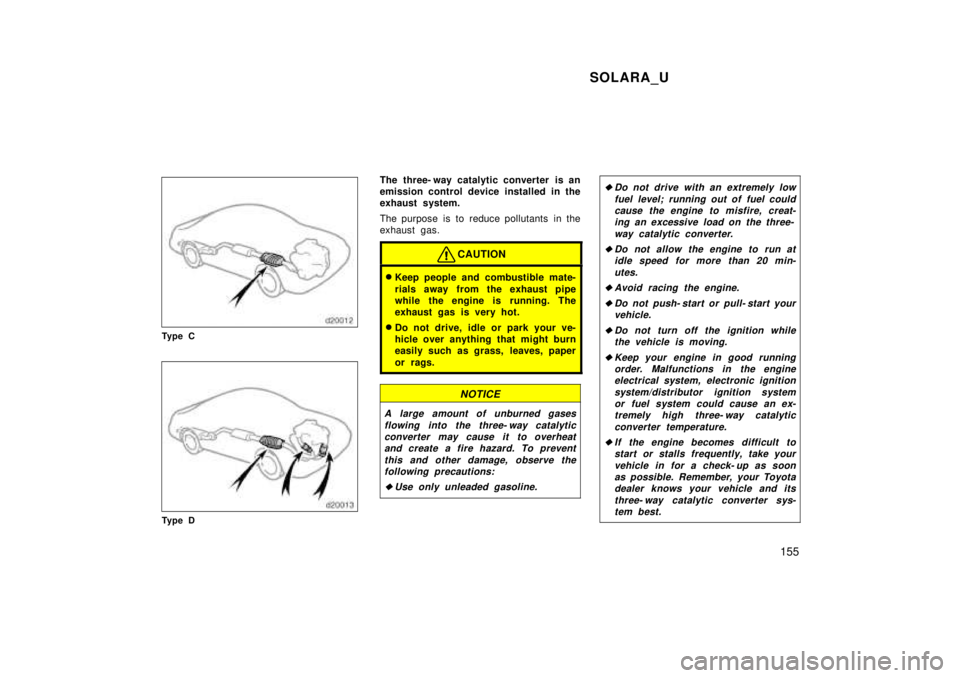
Ty p e D The three- way catalytic converter is an
emission control device installed in the
exhaust system.
The purpose is to reduce pollutants in the
exhaust gas.
CAUTION
Keep people and combustible mate-
rials away from the exhaust pipe
while the engine is running. The
exhaust gas is very hot.
Do not drive, idle or park your ve-
hicle over anything that might burn
easily such as grass, leaves, paper
or rags.
NOTICE
A large amount of unburned gases
flowing into the three- way catalyticconverter may cause it to overheat and create a fire hazard. To prevent
this and other damage, observe thefollowing precautions:
Use only unleaded gasoline.
Do not drive with an extremely low
fuel level; running out of fuel couldcause the engine to misfire, creat-ing an excessive load on the three-
way catalytic converter.
Do not allow the engine to run atidle speed for more than 20 min-
utes.
Avoid racing the engine.
Do not push- start or pull- start yourvehicle.
Do not turn off the ignition while
the vehicle is moving.
Keep your engine in good runningorder. Malfunctions in the engineelectrical system, electronic ignition
system/distributor ignition systemor fuel system could cause an ex-
tremely high three- way catalytic
converter temperature.
If the engine becomes difficult tostart or stalls frequently, take your
vehicle in for a check- up as soonas possible. Remember, your Toyota dealer knows your vehicle and its
three- way catalytic converter sys-tem best.