Page 106 of 376
yellowblue
2-46
Tilt Wheel
A tilt steering wheel allows
you to adjust the steering
wheel before you drive. You
can also raise it to the
highest level to give your
legs more room when you
exit and enter the vehicle.
To tilt the wheel, hold the steering wheel and pull the
lever located on the left
-hand side of the steering
column below the turn signal/multifunction lever. Move
the steering wheel to a comfortable level, then release
the lever to lock the wheel in place.
Turn Signal/Multifunction Lever
The lever on the left side of the steering column
includes your:
�Turn and Lane Change Signals
�Headlamp High/Low Beam Changer
�Flash
-to-Pass Feature
�Windshield Wipers
�Windshield Washer
�Cruise Control (If Equipped)
Page 109 of 376
yellowblue
2-49 Cruise Control (If Equipped)
With cruise control, you can maintain a speed of about
25 mph (40 km/h) or more without keeping your foot on the
accelerator. This can really help on long trips. Cruise control
does not work at speeds below about 25 mph (40 km/h).
When you apply the brakes, the cruise control shuts off.
CAUTION:
�Cruise control can be dangerous where you
can't drive safely at a steady speed. So,
don't use your cruise control on winding
roads or in heavy traffic.
�Cruise control can be dangerous on
slippery roads. On such roads, fast changes
in tire traction can cause needless wheel
spinning, and you could lose control. Don't
use cruise control on slippery roads.
If your vehicle is in cruise control when the traction
control system on the 3800 Supercharged V6 engine, or
the enhanced traction system on the 3100 V6 and
3800 V6 engine begins to limit wheel spin, the cruise
control will automatically disengage. (See ªTraction
Control Systemº or ªEnhanced Traction Systemº in the
Index.) When road conditions allow you to safely use it
again, you may turn the cruise control back on.
Page 143 of 376
yellowblue
2-83
When the ignition key is turned to RUN, the HUD
image will come on. Then the Head
-Up Display will
operate normally.
NOTICE:
Although the HUD image appears yo be near the
front of the vehicle, do not use it as a parking aid.
The HUD was not designed for that purpose. If
you try to use it that way, such as in a parking
lot, you may misjudge distance and run
into something.
When the HUD is on, the speedometer reading will be
displayed continually. The current radio station or CD
track number will only be displayed for three seconds
after the radio or CD track status changes. This will
happen whenever one of the radio controls is pressed,
either on the radio itself or on the optional steering
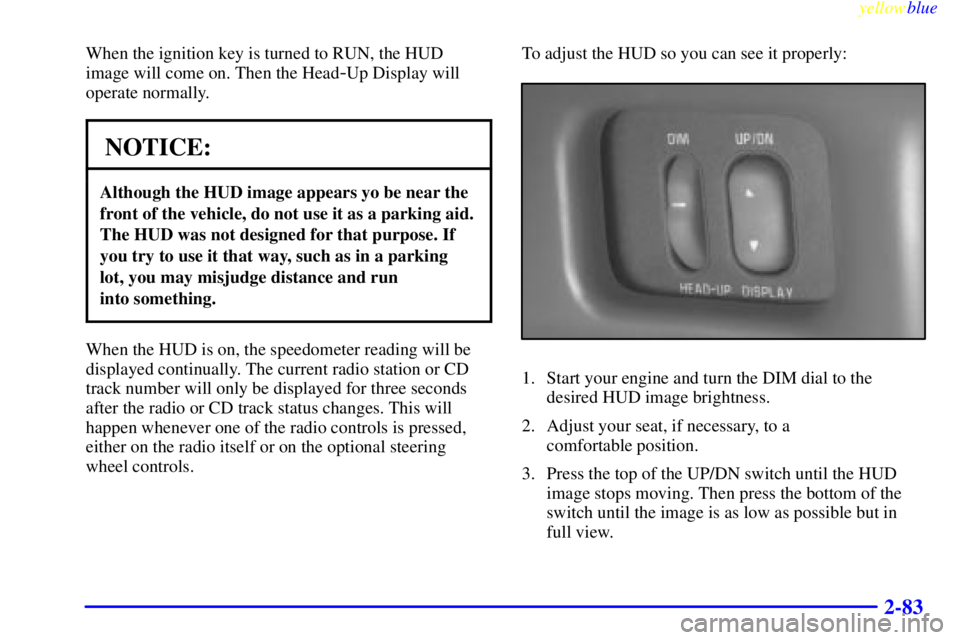
wheel controls.To adjust the HUD so you can see it properly:
1. Start your engine and turn the DIM dial to the
desired HUD image brightness.
2. Adjust your seat, if necessary, to a
comfortable position.
3. Press the top of the UP/DN switch until the HUD
image stops moving. Then press the bottom of the
switch until the image is as low as possible but in
full view.
Page 147 of 376

yellowblue
2-87 Functions
: If one of the doors is ajar, a light will appear
next to that door on the vehicle outline.
CHANGE OIL SOON: This light will appear when the
system predicts that the oil's remaining useful life is
almost up. The system predicts remaining oil life using
inputs from length of drives, coolant temperature,
engine rpm and vehicle speed. It alerts you to change
the oil on a schedule consistent with the vehicle's
driving conditions.
After changing the oil, the system must be reset. With
the ignition key in ON but the engine off, fully push and
release the accelerator pedal slowly three times within
five seconds. If the CHANGE OIL SOON light flashes,
the system is resetting. Turn the ignition key to OFF,
then start the vehicle. If the CHANGE OIL SOON light
comes back on, the Oil Life Monitor has not reset.
Repeat the procedure.LOW: This light will come on when the ignition is
on and the fluid container is low.
AJAR: This light alerts you that the trunk is not
fully closed.
LOW TRAC: This light will come on when the
Traction Control System is limiting wheel spin. See
ªTrac Systemº or ªLow Traction Lightº in the Index.
TRAC OFF: This light lets you know that the Traction
Control System has been disabled and will not limit
wheel spin. See ªEnhanced Traction System Warning
Lightº or ªLow Traction Lightº in the Index.
TRAC switch: If the vehicle has the Traction Control
System, you will have a disable switch on the far right
side of the Driver Information Center. The Traction
Control System is automatically activated when you turn
the ignition on. This switch will activate/deactivate the
Traction Control System. If you need to disable the
system, such as when you are stuck and are rocking the
vehicle back and forth, push this switch. See ªStuck: In
Sand, Mud, Ice or Snowº in the Index.
Page 153 of 376
3-
yellowblue
3-1
Section 3 Comfort Controls and Audio Systems
In this section, you'll find out how to operate the comfort control and audio systems offered with your vehicle. Be
sure to read about the particular systems supplied with your vehicle.
3
-2 Comfort Controls
3
-2 Air Conditioning with Electronic Controls
3
-4 Air Conditioning with Automatic and
Auxiliary Temperature Control (If Equipped)
3
-8 Rear Window Defogger
3
-9 Ventilation System
3
-10 Audio Systems
3
-10 Setting the Clock
3
-10 AM-FM Stereo with Cassette Tape Player
3
-14 AM-FM Stereo with Compact Disc Player
(If Equipped)
3
-16 AM-FM Stereo with Compact Disc Player and
Equalizer (If Equipped)3
-19 Trunk-Mounted CD Changer (Option)
3
-22 Theft-Deterrent Feature
3
-25 Audio Steering Wheel Controls (If Equipped)
3
-26 Understanding Radio Reception
3
-26 Tips About Your Audio System
3
-27 Care of Your Cassette Tape Player
3
-28 Care of Your Compact Discs
3
-28 Care of Your Compact Disc Player
3
-28 Fixed Mast Antenna
3
-29 Backglass Antenna (If Equipped)
Page 177 of 376
yellowblue
3-25
To unlock a secured radio, see ªUnlocking the
Theft
-Deterrent Feature After a Power Lossº
earlier in this section.
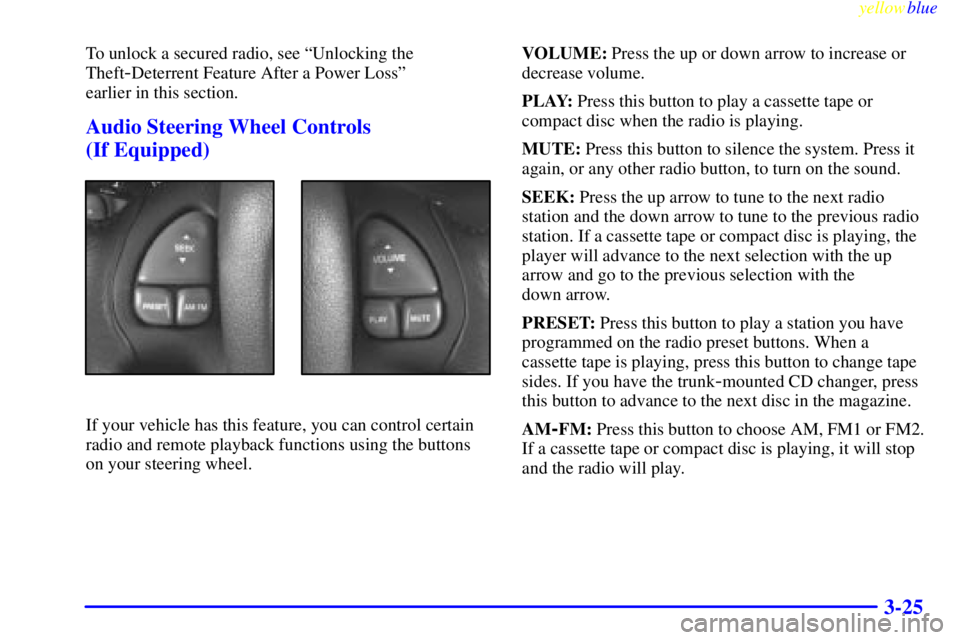
Audio Steering Wheel Controls
(If Equipped)
If your vehicle has this feature, you can control certain
radio and remote playback functions using the buttons
on your steering wheel.VOLUME: Press the up or down arrow to increase or
decrease volume.
PLAY: Press this button to play a cassette tape or
compact disc when the radio is playing.
MUTE: Press this button to silence the system. Press it
again, or any other radio button, to turn on the sound.
SEEK: Press the up arrow to tune to the next radio
station and the down arrow to tune to the previous radio
station. If a cassette tape or compact disc is playing, the
player will advance to the next selection with the up
arrow and go to the previous selection with the
down arrow.
PRESET: Press this button to play a station you have
programmed on the radio preset buttons. When a
cassette tape is playing, press this button to change tape
sides. If you have the trunk
-mounted CD changer, press
this button to advance to the next disc in the magazine.
AM
-FM: Press this button to choose AM, FM1 or FM2.
If a cassette tape or compact disc is playing, it will stop
and the radio will play.
Page 190 of 376
yellowblue
4-8
Here's how anti-lock works. Let's say the road is wet.
You're driving safely. Suddenly an animal jumps out in
front of you.
You slam on the brakes. Here's what happens with ABS.
A computer senses that wheels are slowing down. If one
of the wheels is about to stop rolling, the computer will
separately work the brakes at each front wheel and at
both rear wheels.The anti
-lock system can change the brake pressure faster
than any driver could. The computer is programmed to
make the most of available tire and road conditions.
You can steer around the obstacle while braking hard.
As you brake, your computer keeps receiving updates on
wheel speed and controls braking pressure accordingly.
Page 191 of 376

yellowblue
4-9
Remember: Anti-lock doesn't change the time you need
to get your foot up to the brake pedal or always decrease
stopping distance. If you get too close to the vehicle in
front of you, you won't have time to apply your brakes
if that vehicle suddenly slows or stops. Always leave
enough room up ahead to stop, even though you have
anti
-lock brakes.
Using Anti
-Lock
Don't pump the brakes. Just hold the brake pedal down
firmly and let anti
-lock work for you. You may feel a
slight brake pedal pulsation or notice some noise, but
this is normal.
Traction Control System (With 3800
Supercharged V6 Engine)
Your vehicle has a traction control system that limits
wheel spin. This is especially useful in slippery road
conditions. The system operates only if it senses that
one or both of the front wheels are spinning or
beginning to lose traction. When this happens, the
system works the front brakes and reduces engine
power to limit wheel spin.
This light will come on
when your traction control
system is limiting wheel
spin. See ªTraction Control
System Warning Lightº in
the Index.
You may feel or hear the system working, but this
is normal.
If your vehicle is in cruise control when the traction
control system begins to limit wheel spin, the cruise
control will automatically disengage. When road
conditions allow you to safely use it again, you may
reengage the cruise control. (See ªCruise Controlº
in the Index.)
This light should come on
briefly when you start the
engine. If it stays on or
comes on while you are
driving, there's a problem
with your traction
control system.