Page 171 of 286
STEERING WHEEL CONTROLS
The radio controls mounted on the right side
of the steering wheel provide convenient
access to three commonly used functions:
VOL,VOL, and NEXT. Use the
NEXT button to select the next pre-
programmed station (AM/FM), the next se-
lection on the tape, or the next selection on
the CD.
AHA1063
4-32Heater, air conditioner and audio systems
ZX
Page 172 of 286

REAR AUDIO CONTROLS
Radio features controlled by the rear seat
remote control (if so equipped) are listed
below:
cVolume: þ/+cMedia select: AM/FM, tape, CD, or CD
changer.
cSpeakers ON/OFF
cMem: proceed to the next preset station
(AM/FM).cSeek:bc
Push the Memory three and Memory five
buttons on the front radio controls simulta-
neously to turn the rear controls on. Push
them again to turn the rear audio controls off.
The(headphones symbol) illuminates
in the front display when the rear audio
controls are on. Two headphone jacks are
provided so two rear seat passengers may
listen to the audio system privately.
The rear volume controls can only increase
the volume to the level at which the front
radio volume control is set.
Headphones are not included with the ve-
hicle. Most portable radio headphones work
with the rear audio controls.
For vehicles equipped with the premium
AM-FM radio with cassette player and com-
pact disc player and 6 disc CD player, if the
rear passengers turn off the rear speakers
and are using headphones they may
choose to listen to a different media than the
front passengers. The rear passengers can
listen to the radio while the front passengers
can listen to the same thing, a cassette
tape, CD, or the CD changer. The radio will
go into DUAL PLAY mode and the rear
AHA1060
Heater, air conditioner and audio systems4-33
ZX
Page 173 of 286

passengers can use the rear controls to
change media.
VOLUME button
The VOLUME button allows the rear pas-
sengers to adjust the headphone volume
level.
MEDIA button
The MEDIA button allows the rear passen-
ger to change between AM, FM1, FM2,
TAPE, CD, & CD DJ.
MEM button
In AM, FM1, or FM2 mode the MEM button
allows the rear passenger to successively
access memory preset station 1 through 6.
In CD DJ mode the MEM button allows the
rear passengers to select other compact
discs in the CD changer.
SEEK button
In AM, FM1, or FM2 mode the SEEKandbutton allows the rear pas-
sengers to find the next radio station up or
down the station band frequency.
In TAPE mode the SEEK
andbutton allows the rear passengers use Au-tomatic Music Search (AMS) to find the next
or previous song on the cassette.
In CD mode the SEEK
andbutton
allows the rear passengers to find the next
or previous selection on the CD.
In CD DJ mode the SEEK
and
button allows the rear passengers to find
the next or previous selection on the CD.
For vehicles equipped with the AM-FM radio
with cassette player, when the rear seat
controls are on, push the SPKRS ON-OFF
button to turn all speakers off. Push again to
turn all speakers on.
For vehicles equipped with the premium
AM-FM radio with cassette player and com-
pact disc player and 6 disc CD player, when
the rear seat controls are on, push the
SPKRS ON-OFF button to turn the rear
speakers off. Push again to turn the rear
speakers on.
If the rear audio system was on when the
ignition was turned OFF, the audio system
``remembers'' and the rear system is still on
when the engine is started again. The sys-
tem also ``remembers'' if the speakers were
ON or OFF. Therefore, the speakers may
have to be turned on again by pressing theSPKRS ON-OFF button or turning the rear
audio controls off.
Microphone installed model
If equipped with a genuine NISSAN cellular
phone, your NISSAN features a non-
directional microphone in the steering col-
umn cover, so it is not necessary to look at
or speak directly into the microphone when
calling.
To do so could detract from the driving
operation and cause an accident.
See the manual for car phone operation.
Pre-wired and antenna for phone
installed model
Some models are pre-wired to accept the
genuine NISSAN cellular phone.
In addition, the same model has the phone
antenna built into the rear glass window.
When installing a CB ham radio, a car
phone or other transmitters in your NISSAN,
be sure to observe the following cautions,
otherwise the new equipment may ad-
versely affect the MFI (Multiport Fuel Injec-
tion) system and other electronic parts.
CB RADIO OR CAR PHONE
4-34Heater, air conditioner and audio systems
ZX
Page 174 of 286
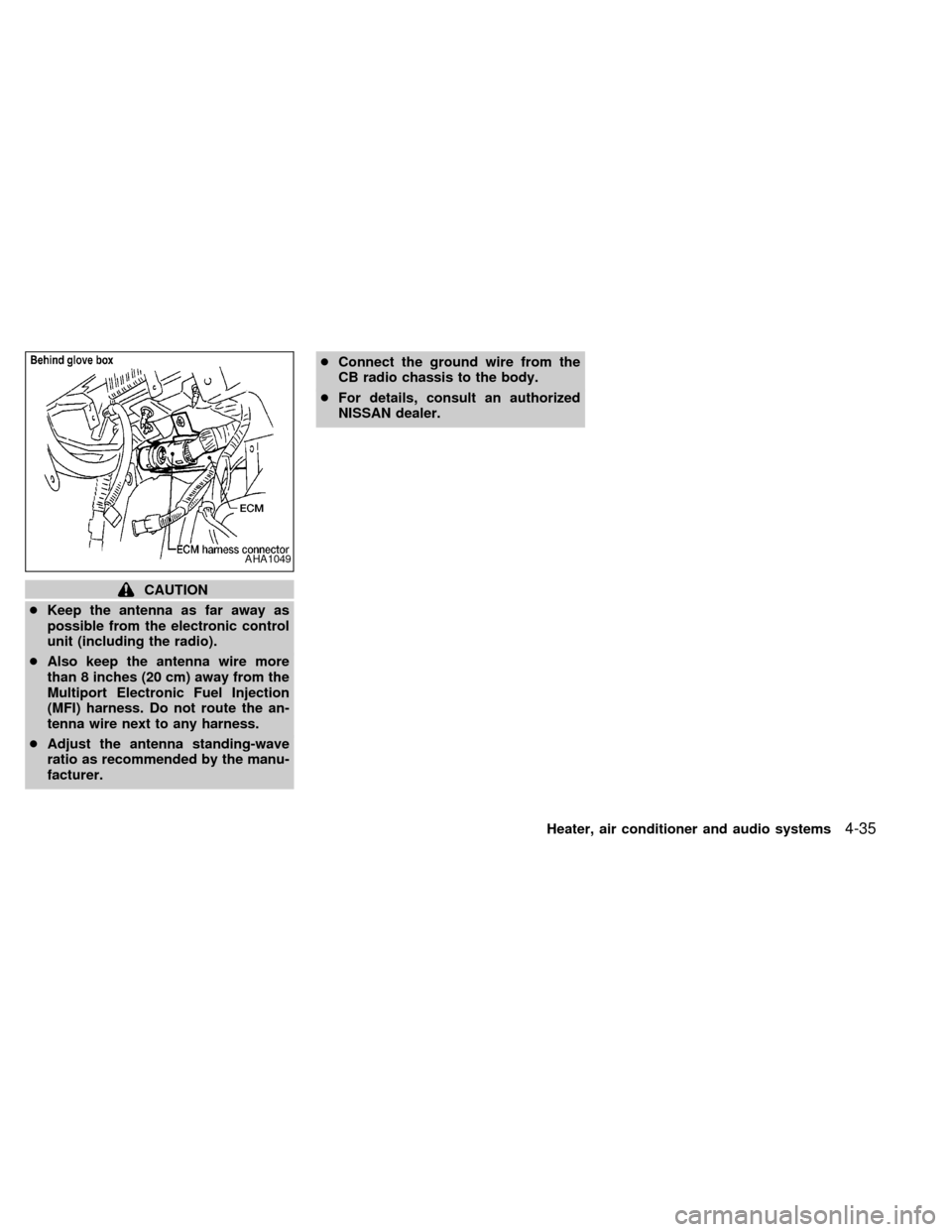
CAUTION
cKeep the antenna as far away as
possible from the electronic control
unit (including the radio).
cAlso keep the antenna wire more
than 8 inches (20 cm) away from the
Multiport Electronic Fuel Injection
(MFI) harness. Do not route the an-
tenna wire next to any harness.
cAdjust the antenna standing-wave
ratio as recommended by the manu-
facturer.cConnect the ground wire from the
CB radio chassis to the body.
cFor details, consult an authorized
NISSAN dealer.
AHA1049
Heater, air conditioner and audio systems4-35
ZX
Page 175 of 286
MEMO
4-36Heater, air conditioner and audio systems
ZX
Page 193 of 286
Engine block heater (if so equipped)
An engine block heater to assist extreme
cold temperature starting is available
through an authorized NISSAN dealer.
WARNING
Do not use your heater with an un-
grounded electrical system or two-
pronged (cheater) adapters. You can be
injured by an electrical shock if you use
an ungrounded connection.
5-18Starting and driving
ZX
Page 202 of 286
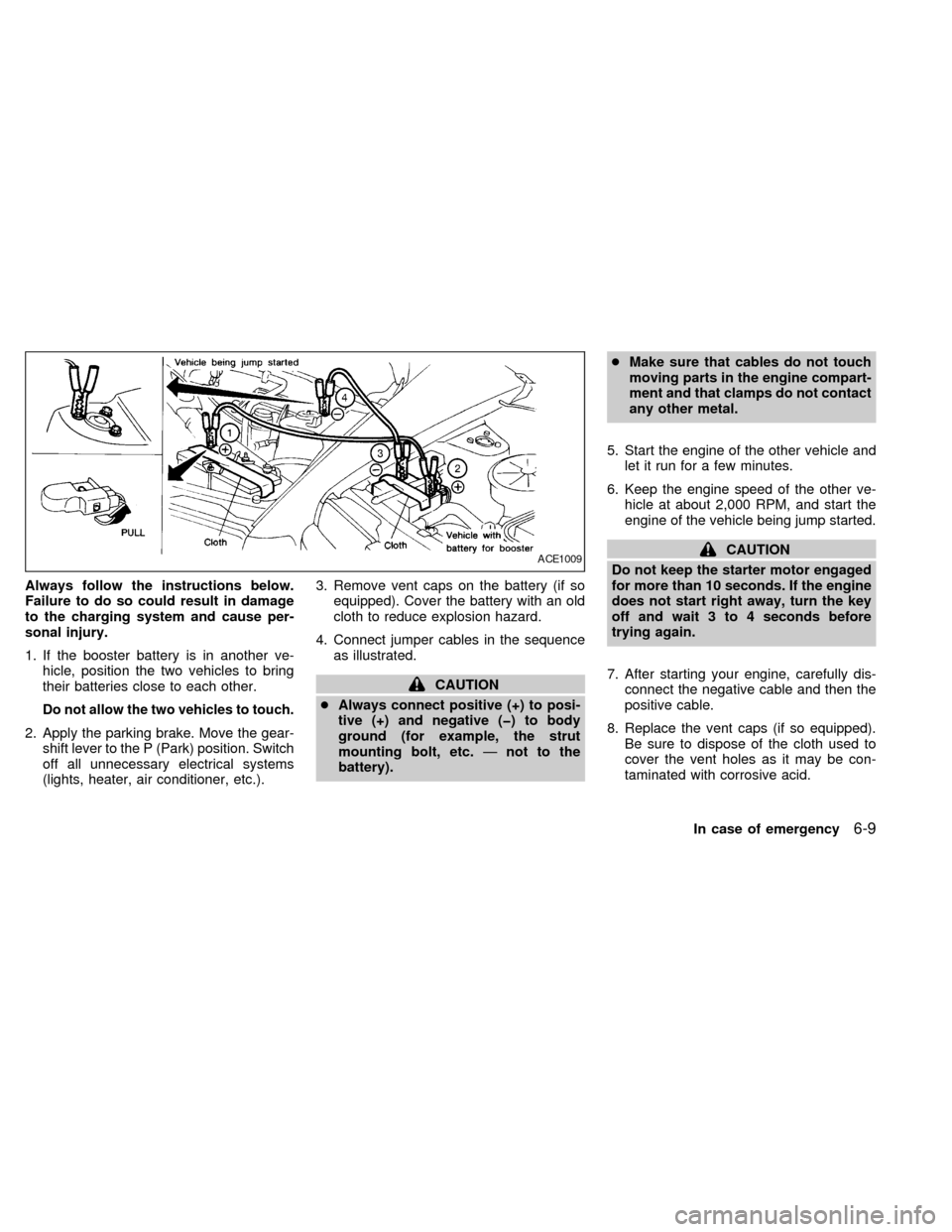
Always follow the instructions below.
Failure to do so could result in damage
to the charging system and cause per-
sonal injury.
1. If the booster battery is in another ve-
hicle, position the two vehicles to bring
their batteries close to each other.
Do not allow the two vehicles to touch.
2. Apply the parking brake. Move the gear-
shift lever to the P (Park) position. Switch
off all unnecessary electrical systems
(lights, heater, air conditioner, etc.).3. Remove vent caps on the battery (if so
equipped). Cover the battery with an old
cloth to reduce explosion hazard.
4. Connect jumper cables in the sequence
as illustrated.
CAUTION
cAlways connect positive (+) to posi-
tive (+) and negative (þ) to body
ground (for example, the strut
mounting bolt, etc.Ðnot to the
battery).cMake sure that cables do not touch
moving parts in the engine compart-
ment and that clamps do not contact
any other metal.
5. Start the engine of the other vehicle and
let it run for a few minutes.
6. Keep the engine speed of the other ve-
hicle at about 2,000 RPM, and start the
engine of the vehicle being jump started.
CAUTION
Do not keep the starter motor engaged
for more than 10 seconds. If the engine
does not start right away, turn the key
off and wait 3 to 4 seconds before
trying again.
7. After starting your engine, carefully dis-
connect the negative cable and then the
positive cable.
8. Replace the vent caps (if so equipped).
Be sure to dispose of the cloth used to
cover the vent holes as it may be con-
taminated with corrosive acid.ACE1009
In case of emergency6-9
ZX
Page 218 of 286
If the cooling system frequently requires
coolant, have it checked by an autho-
rized NISSAN dealer.
CHANGING ENGINE COOLANT
An authorized NISSAN dealer can change
the engine coolant. The service procedure
is found in NISSAN's service manual.
Improper servicing can result in reduced
heater performance and engine
overheating.
WARNING
cTo avoid danger of being scalded,
never change the coolant when the
engine is hot.
cNever remove the radiator cap when
the engine is hot. Serious burns
could be caused by high pressure
fluid escaping from the radiator.
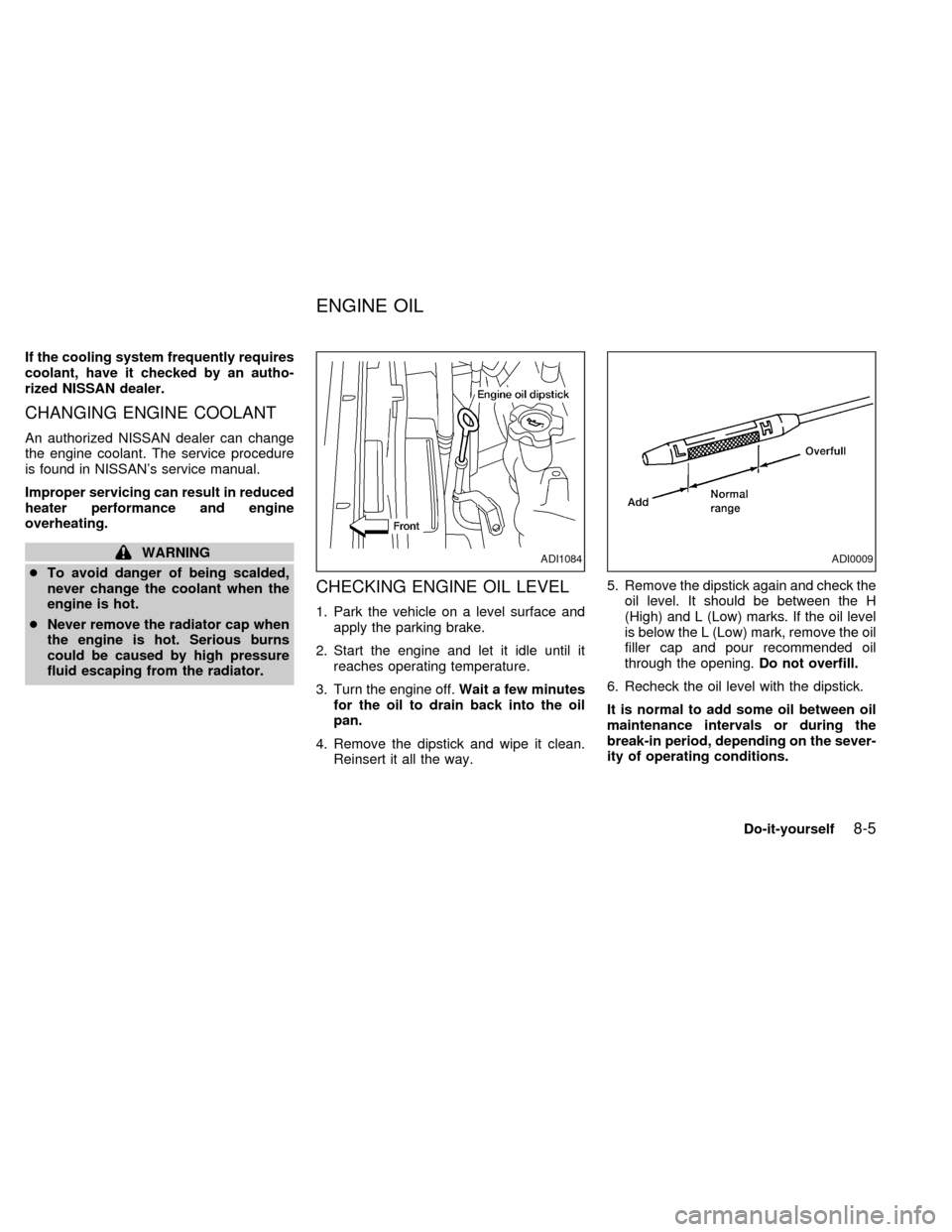
CHECKING ENGINE OIL LEVEL
1. Park the vehicle on a level surface and
apply the parking brake.
2. Start the engine and let it idle until it
reaches operating temperature.
3. Turn the engine off.Wait a few minutes
for the oil to drain back into the oil
pan.
4. Remove the dipstick and wipe it clean.
Reinsert it all the way.5. Remove the dipstick again and check the
oil level. It should be between the H
(High) and L (Low) marks. If the oil level
is below the L (Low) mark, remove the oil
filler cap and pour recommended oil
through the opening.Do not overfill.
6. Recheck the oil level with the dipstick.
It is normal to add some oil between oil
maintenance intervals or during the
break-in period, depending on the sever-
ity of operating conditions.
ADI1084ADI0009
ENGINE OIL
Do-it-yourself8-5
ZX