Page 226 of 472
AIR CONDITIONING AND AUDIO
206
20E005±1
The outlets from which air is delivered can be selected
manually by pushing the button. The function of each
mode is as follows:
1Panel ± Air flows mainly from the instrument panel
vents.
2 Bi±level ± Air flows from both the floor vents and
the instrument panel vents.
3 Floor ± Air flows mainly from the floor vents.
4Floor/Windshield ± Air flows mainly from the floor
vents and windshield vents. If quick heating or cooling is desired ±
Turn the ºTEMPº knob until ºMAX. HOTº or ºMAX.
COLDº appears on the display.
When the ºMAX. COLDº is selected, the air intake is
automatically set to ºRECIRCULATED AIRº mode.
If manual fan speed control is desired ±
Page 227 of 472
AIR CONDITIONING AND AUDIO
207
20E006±2
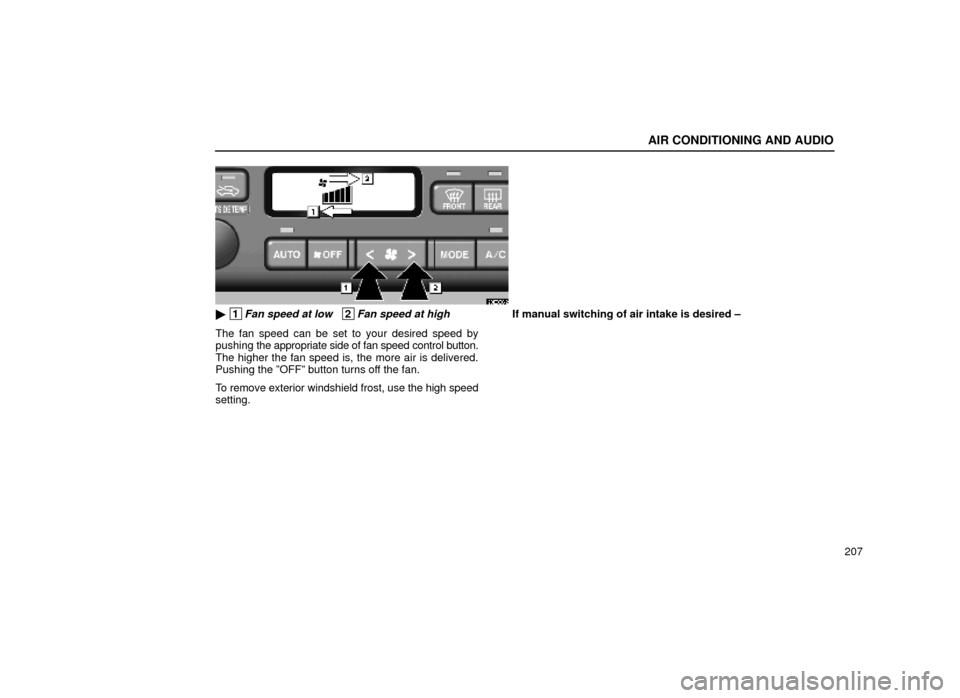
� 1Fan speed at low 2Fan speed at high
The fan speed can be set to your desired speed by
pushing the appropriate side of fan speed control button.
The higher the fan speed is, the more air is delivered.
Pushing the ºOFFº button turns off the fan.
To remove exterior windshield frost, use the high speed
setting. If manual switching of air intake is desired ±
Page 229 of 472

AIR CONDITIONING AND AUDIO
209
The air intake control button is used to switch the air
intake between the OUTSIDE AIR mode and
RECIRCULATED AIR mode.
With the button in the OUTSIDE AIR mode, the
OUTSIDE AIR mode indicator light will come on and the
system will take fresh outside air into the vehicle.
If quick circulation of cooled air is desired, push the air
intake control button for RECIRCULATED AIR. The
RECIRCULATED AIR mode indicator light will come on.
For normal use, it is best to keep the air intake control
button set to OUTSIDE AIR mode. If recirculated air is
used
during heating, the windows will fog up more easily.
If the engine coolant temperature becomes extremely
high, the RECIRCULATED AIR mode is automatically
selected. This is not a malfunction. When the engine
coolant temperature is lowered, the previous mode
resumes.
If manual on±off of the air conditioning is desired ±
Push the ºA/Cº button to turn the air conditioning on and
push it again to turn the air conditioning off.
The air conditioning does not work if the outside
temperature is lowered down to around 0 �C (32�F).
If the system is used for ventilation, heating in dry
weather or removing frost or exterior fog on the
windshield, turn the air conditioning off once it is no
longer required. This will improve fuel economy. The air
conditioning can be used for year±round automatic temperature
control including cooling and dehumidifying
operation.
If the air conditioning compressor does not operate, the
indicator of the ºA/Cº button will blink. If the indicator of
the ºA/Cº button blinks even when the ºA/Cº button is
pushed again, have the compressor checked by your
nearest Lexus dealer.
Displaying the outside temperature ±
When you push the ºOUTSIDE TEMPº knob, the
temperature display shows the outside temperature. To
return to the display of the current set temperature, push
the knob again. The temperature display ranges from
±30 �C (±22 �F) up to 50�C (122�F).
Page 230 of 472
AIR CONDITIONING AND AUDIO
210
(b) Windshield defogging and defrosting
20E008±1
To remove interior fog on the windshield ±
Push the ºFRONT WINDSHIELDº button.
To remove frost or exterior fog on the windshield ±
1. Turn the ºTEMPº knob at the maximum temperature.
2. Push the ºFRONT WINDSHIELDº button.
3. Push the fan speed control button on the right side to
obtain a maximum air flow.
4. Leave the air conditioning on±off button off.When
the ºFRONT WINDSHIELDº button is pushed, the
air conditioning is set to operate and the OUTSIDE AIR
mode is set.
If you push the ºFRONT WINDSHIELDº button once
again while in the FRONT WINDSHIELD mode, the
mode then returns to the last mode used.
Page 235 of 472

AIR CONDITIONING AND AUDIO
215
1Turning the system on and adjusting volume
(See page 216 for details.)
2Stopping and ejecting a cassette tape
(See page 225 for details.)
3Function buttons
1 ± 6: Station selector buttons
(See page 222 for details.)
SCAN: Scan tuning
(See page 225 for details.)
P. SCAN: Preset scan tuning (See page 225 for details.)
4Display of functions in TAPE mode
��:
Side change
(See page 227 for details.)
: DOLBY NR
(See page 227 for details.)
�� :Rewinding
(See page 228 for details.)
�� :Fast forwarding
(See page 228 for details.)
RPT: Automatic repeat
(See page 229 for details.)
SKIP: Automatic skip of blank portions of tape
(See page 229 for details.)
SCAN: Scan selection
(See page 230 for details.)
4
Display of functions in CD mode
:Disc selection
(See page 236 for details.)
�� :Reversing
(See page 240 for details.)
�� :Fast forwarding
(See page 240 for details.)
RPT: Automatic repeat
(See page 241 for details.)
RAND: Random access
(See page 241 for details.)
SCAN: Scan selection
(See page 238 for details.)
5
Mode selectors
(See page 217 for details.)
6Cassette tape slot
(See page 225 for details.)
7Tone and balance knobs
(See page 218 for details.)
8Radio mode: Frequency tuning
( S e e p a g e 221 o r 223 f o r
details.)
TAPE mode: Direct access to a desired
program (See page 231 for details.)
Page 236 of 472
AIR CONDITIONING AND AUDIO
216CD mode:
Direct access to a desired
program
(See page 239 for details.)
Using your audio system: some basics
This section describes some of the basic features of the
Lexus audio system. Some information may not pertain
to your system.
Your audio system works when the ignition key is in the
ºACCº or ºONº position.
NOTICE
To prevent the battery from being discharged, do not leave the car audio on longer than necessarywhen the engine is not running.
(a) Turning the system on and off
20E012±1
Push this knob to turn the audio system on and off.
Turn this knob to adjust the volume.
The system turns on in the last mode used.
20E013±1
Page 237 of 472
AIR CONDITIONING AND AUDIO
217
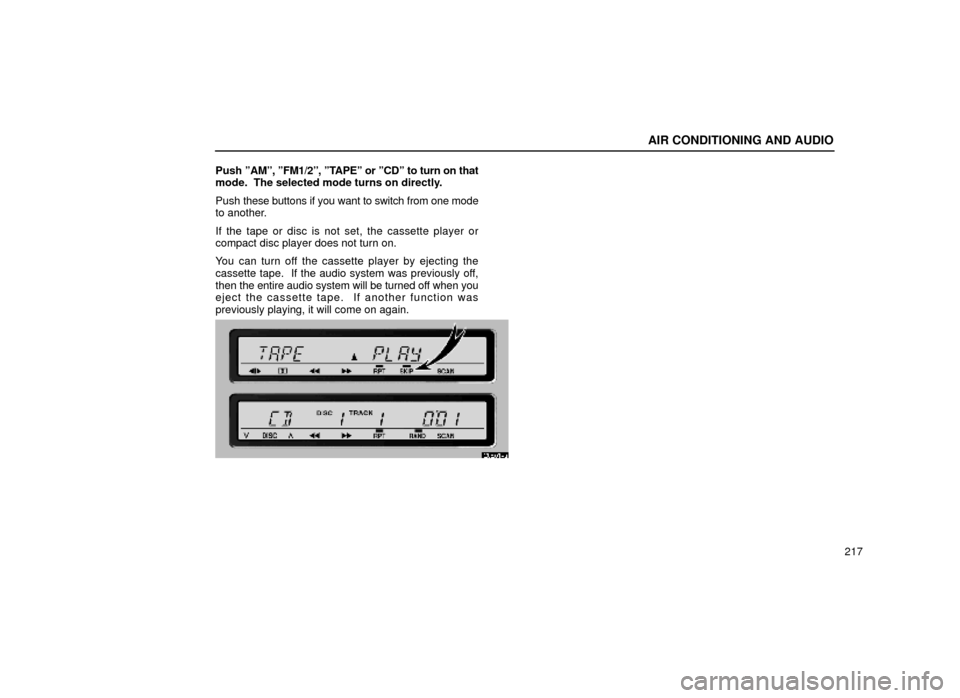
Push
ºAMº, ºFM1/2º, ºTAPEº or ºCDº to turn on that
mode. The selected mode turns on directly.
Push these buttons if you want to switch from one mode
to another.
If the tape or disc is not set, the cassette player or
compact disc player does not turn on.
You can turn off the cassette player by ejecting the
cassette tape. If the audio system was previously off,
then the entire audio system will be turned off when you
eject the cassette tape. If another function was
previously playing, it will come on again.
20E014a
Page 238 of 472
AIR CONDITIONING AND AUDIO
218In the ºTAPEº or ºCDº mode, the applicable
functions
are shown in the lowest part of the display.
Push the switch just below to turn on each function.
(b) Tone and balance
How good an audio program sounds to you is largely
determined by the mix of the treble, mid±range, and
bass levels. In fact, different kinds of music and vocal
programs usually sound better with different mixes of
treble, mid±range, and bass.
A good balance of the left and right stereo channels and
of the front and rear sound levels is also important.
Keep in mind that if you are listening to a stereo
recording or broadcast, changing the right/left balance
will increase the volume of one group of sounds while
decreasing the volume of another.
20E015±1