Page 56 of 269

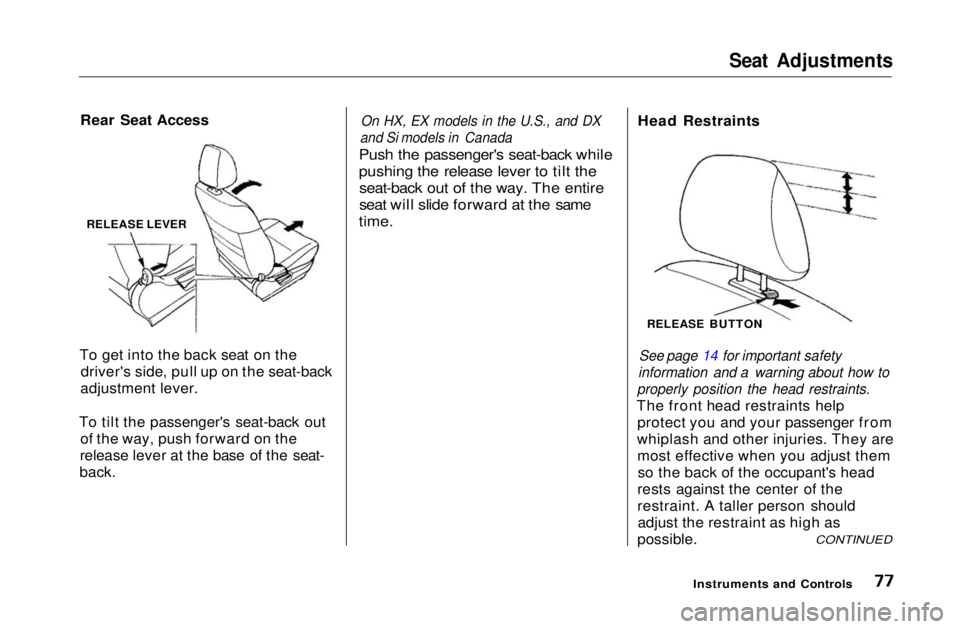
Indicator Lights
Charging System
Indicator
If this light comes on when the
engine is running, the battery is not
being charged. For complete
information, see page 232.
Low Oil Pressure
Indicator
The engine can be severely damaged
if this light flashes or stays on when
the engine is running. For complete
information, see page 232.
High Beam Indicator
This light comes on with the high beam headlights. See page 61 for
information on the headlight
controls.
On Canadian models, this indicator
comes on with reduced brightness
when the Daytime Running Lights (DRL) are on (see page 61). Parking Brake
and Brake
System
Indicator
This light has two functions:
1. It lights as a reminder that you have not released the parking
brake. Driving with the parking
brake applied can damage the
brakes and tires.
2. If it remains lit after you release the parking brake while the engineis running, or comes on while
driving, it can indicate a problem
in the brake system. For complete information, see page 234 .
Malfunction Indicator
Lamp
See page 233.
Anti-lock Brake
System (ABS)Indicator
Only on cars equipped with ABS (see
page 153)
This light normally comes on for a few seconds when you turn theignition switch ON (II), and when
the ignition switch is turned to START (III). If this light comes on at
any other time, there is a problem in
the ABS. If this happens, take the car to your dealer to have it checked.
With the light on, your car still has normal braking ability but no anti-
lock.
Instruments and Controls
U.S.
Canada
BRAKE
ABS
U.S.
CanadaMain Menu Table of Contents s t
Page 61 of 269
Controls Near the Steering Wheel
The two levers on the steering column contain controls for driving
features you use most often. The left lever controls the turn signals,
headlights, and high beams. The
right lever controls the windshield
washers and wipers.
The rear window defogger switch is on the dashboard to the right of the
center air vents.
The controls under the left air vent are for the moonroof, mirrors, cruise
control and instrument panel
brightness.
The tilt adjustment lever on the underside of the steering column
allows you to tilt the steering wheel.
Instruments and Controls
CRUISE
CONTROL
INSTRUMENT PANEL
BRIGHTNESS HAZARD WARNING
LIGHTS
REAR WINDOW
DEFOGGER
MOONROOF
MIRROR
CONTROLS HEADLIGHTS/
TURN SIGNALS
TILT ADJUSTMENT
HORNWINDSHIELD
WIPERS/
WASHERSMain Menu Table of Contents s t
Page 62 of 269
Controls Near the Steering Wheel
Headlights
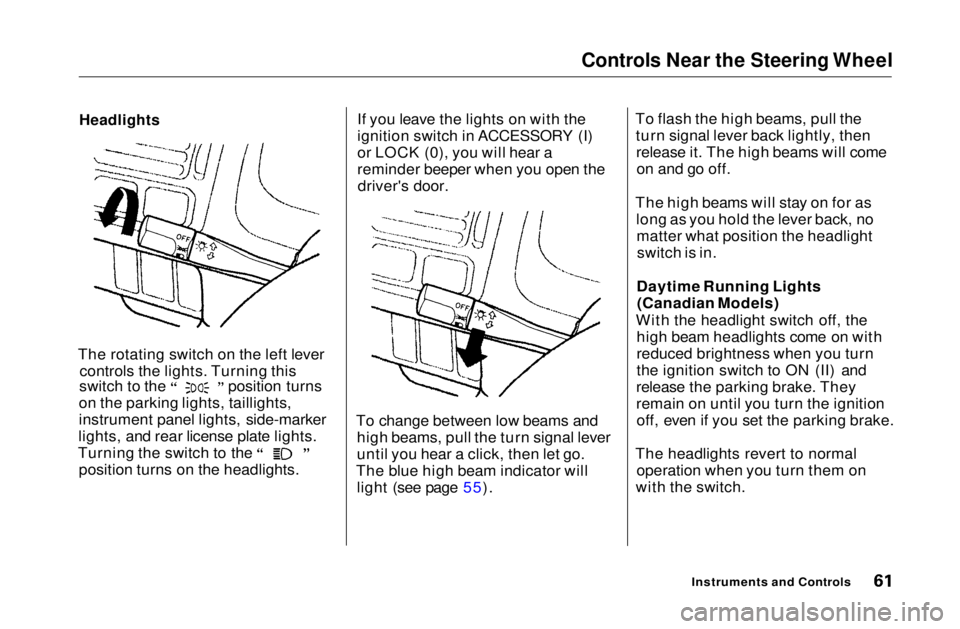
The rotating switch on the left lever controls the lights. Turning this switch to the position turns
on the parking lights, taillights,
instrument panel lights, side-marker
lights, and rear license plate lights. Turning the switch to the
position turns on the headlights. If you leave the lights on with the
ignition switch in ACCESSORY (I)
or LOCK (0), you will hear a
reminder beeper when you open the
driver's door.
To change between low beams and high beams, pull the turn signal lever
until you hear a click, then let go.
The blue high beam indicator will light (see page 55). To flash the high beams, pull the
turn signal lever back lightly, thenrelease it. The high beams will comeon and go off.
The high beams will stay on for as long as you hold the lever back, nomatter what position the headlightswitch is in.
Daytime Running Lights (Canadian Models)
With the headlight switch off, the high beam headlights come on with
reduced brightness when you turn
the ignition switch to ON (II) and
release the parking brake. They
remain on until you turn the ignition off, even if you set the parking brake.
The headlights revert to normal operation when you turn them on
with the switch.
Instruments and ControlsMain Menu Table of Contents s t
Page 78 of 269
Seat Adjustments
Rear Seat Access
To get into the back seat on the driver's side, pull up on the seat-back
adjustment lever.
To tilt the passenger's seat-back out of the way, push forward on the
release lever at the base of the seat-
back.
On HX, EX models in the U.S., and DX
and Si models in Canada
Push the passenger's seat-back while
pushing the release lever to tilt the seat-back out of the way. The entire
seat will slide forward at the same
time.
Head Restraints
See page 14 for important safety
information and a warning about how to
properly position the head restraints.
The front head restraints help protect you and your passenger from
whiplash and other injuries. They are most effective when you adjust themso the back of the occupant's head
rests against the center of the
restraint. A taller person should adjust the restraint as high as
possible.
Instruments and Controls
CONTINUED
RELEASE LEVER
RELEASE BUTTONMain Menu Table of Contents s t
Page 79 of 269
Seat Adjustments, Folding Rear Seat
The front head restraints adjust for height. You need both hands to
adjust the restraint. Do not attempt
to adjust it while driving. To raise it, pull upward. To lower the restraint,
push the release button sideways and push the restraint down.
To remove a head restraint for cleaning or repair, pull it up as far as
it will go. Push the release button
and pull the restraint out of the seat-
back. Folding Rear Seat
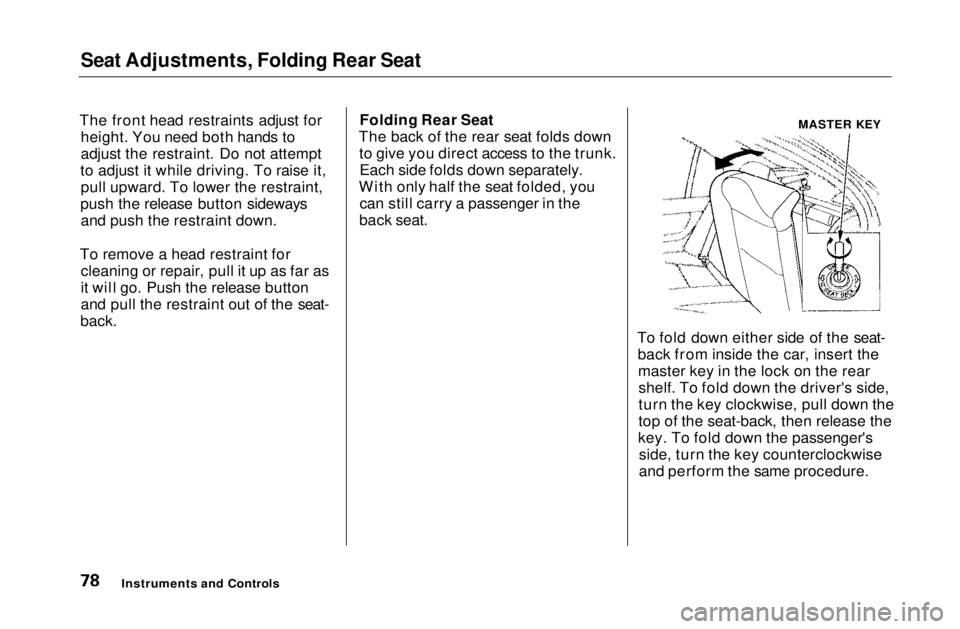
The back of the rear seat folds down to give you direct access to the trunk.Each side folds down separately.
With only half the seat folded, you can still carry a passenger in the
back seat.
To fold down either side of the seat-back from inside the car, insert themaster key in the lock on the rearshelf. To fold down the driver's side,
turn the key clockwise, pull down the
top of the seat-back, then release the
key. To fold down the passenger's side, turn the key counterclockwise
and perform the same procedure.
Instruments and Controls
MASTER KEYMain Menu Table of Contents s t
Page 82 of 269

Moonroof, Mirrors
On EX and Si models in the U.S., and Si
and SiR models in Canada
Use the switches on the dashboard
under the left vent to operate the
moonroof. The ignition must be ON
(II).
To lift the rear of the moonroof for
ventilation, push the button.
To slide the moonroof back, push
the switch. Hold it until the
moonroof reaches the desired
position, then release the switch.
To close the moonroof, press and hold the switch.
If you try to open the moonroof in
below-freezing temperatures, or whenit is covered with snow or ice, you can
damage the moonroof panel or motor.
Mirrors
Keep the inside and outside mirrors
clean and adjusted for best visibility.
Be sure to adjust the mirrors before
you start driving.
The inside mirror has clay and night positions. The night position reduces
glare from headlights behind you. Flip the tab on the bottom edge of
the mirror to select the day or night
position.
Instruments and Controls
Moonroof
Closing the moonroof on
someone's hands or fingers can
cause serious injury.Make sure passengers are
clear of the moonroof before
closing it.
NOTICE TABMain Menu Table of Contents s t
Page 151 of 269
The Braking System
Brake System Design
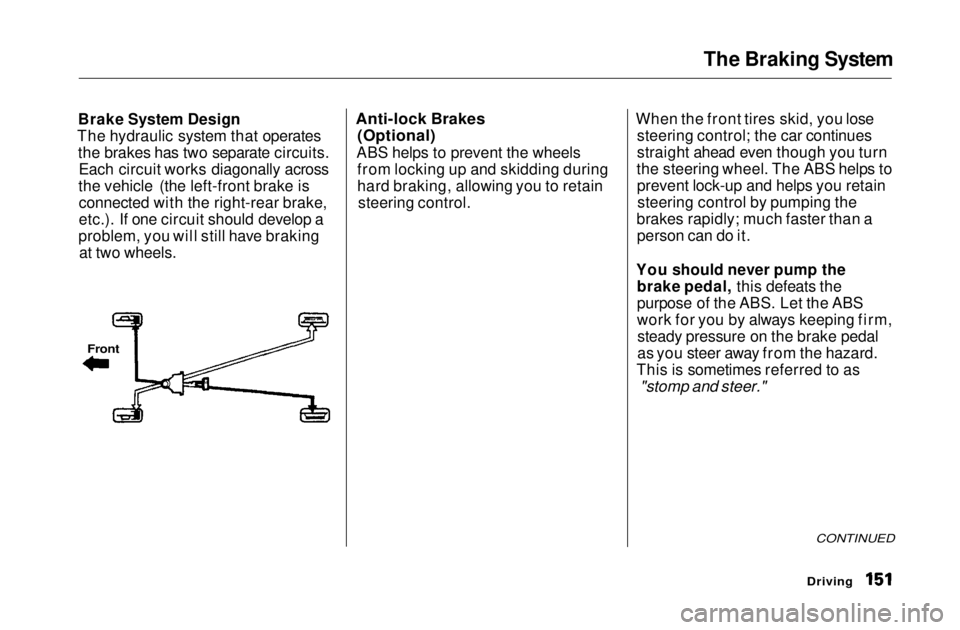
The hydraulic system that operates the brakes has two separate circuits.Each circuit works diagonally across
the vehicle (the left-front brake is connected with the right-rear brake,
etc.). If one circuit should develop a
problem, you will still have braking at two wheels.
Anti-lock Brakes
(Optional)
ABS helps to prevent the wheels from locking up and skidding during
hard braking, allowing you to retainsteering control. When the front tires skid, you lose
steering control; the car continues
straight ahead even though you turn
the steering wheel. The ABS helps to prevent lock-up and helps you retainsteering control by pumping the
brakes rapidly; much faster than a person can do it.
You should never pump the brake pedal, this defeats the
purpose of the ABS. Let the ABS
work for you by always keeping firm,steady pressure on the brake pedal
as you steer away from the hazard.
This is sometimes referred to as
"stomp and steer."
CONTINUED
Driving
FrontMain Menu Table of Contents s t
Page 154 of 269
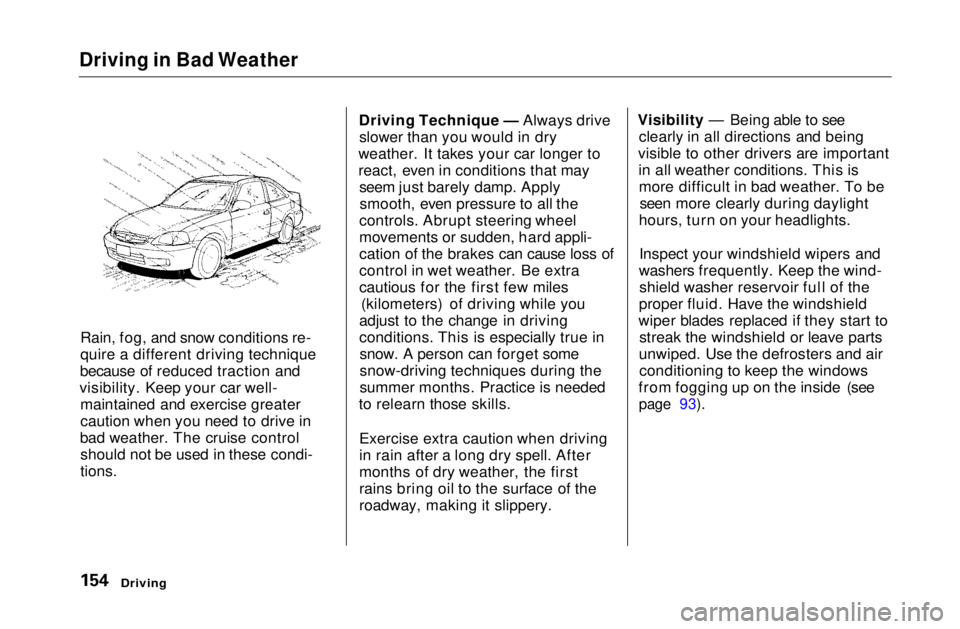
Driving in Bad Weather
Rain, fog, and snow conditions re-
quire a different driving technique
because of reduced traction and
visibility. Keep your car well- maintained and exercise greater
caution when you need to drive in
bad weather. The cruise control should not be used in these condi-
tions.
Driving Technique — Always drive
slower than you would in dry
weather. It takes your car longer to
react, even in conditions that may seem just barely damp. Applysmooth, even pressure to all the
controls. Abrupt steering wheel
movements or sudden, hard appli-
cation of the brakes can cause loss of
control in wet weather. Be extra
cautious for the first few miles (kilometers) of driving while you
adjust to the change in driving
conditions. This is especially true in snow. A person can forget some
snow-driving techniques during the
summer months. Practice is needed
to relearn those skills.
Exercise extra caution when driving
in rain after a long dry spell. After
months of dry weather, the first
rains bring oil to the surface of the
roadway, making it slippery. Visibility — Being able to see
clearly in all directions and being
visible to other drivers are important in all weather conditions. This ismore difficult in bad weather. To be seen more clearly during daylight
hours, turn on your headlights.
Inspect your windshield wipers and
washers frequently. Keep the wind- shield washer reservoir full of the
proper fluid. Have the windshield
wiper blades replaced if they start to streak the windshield or leave parts
unwiped. Use the defrosters and air conditioning to keep the windows
from fogging up on the inside (see
page 93).
DrivingMain Menu Table of Contents s t