Page 19 of 200
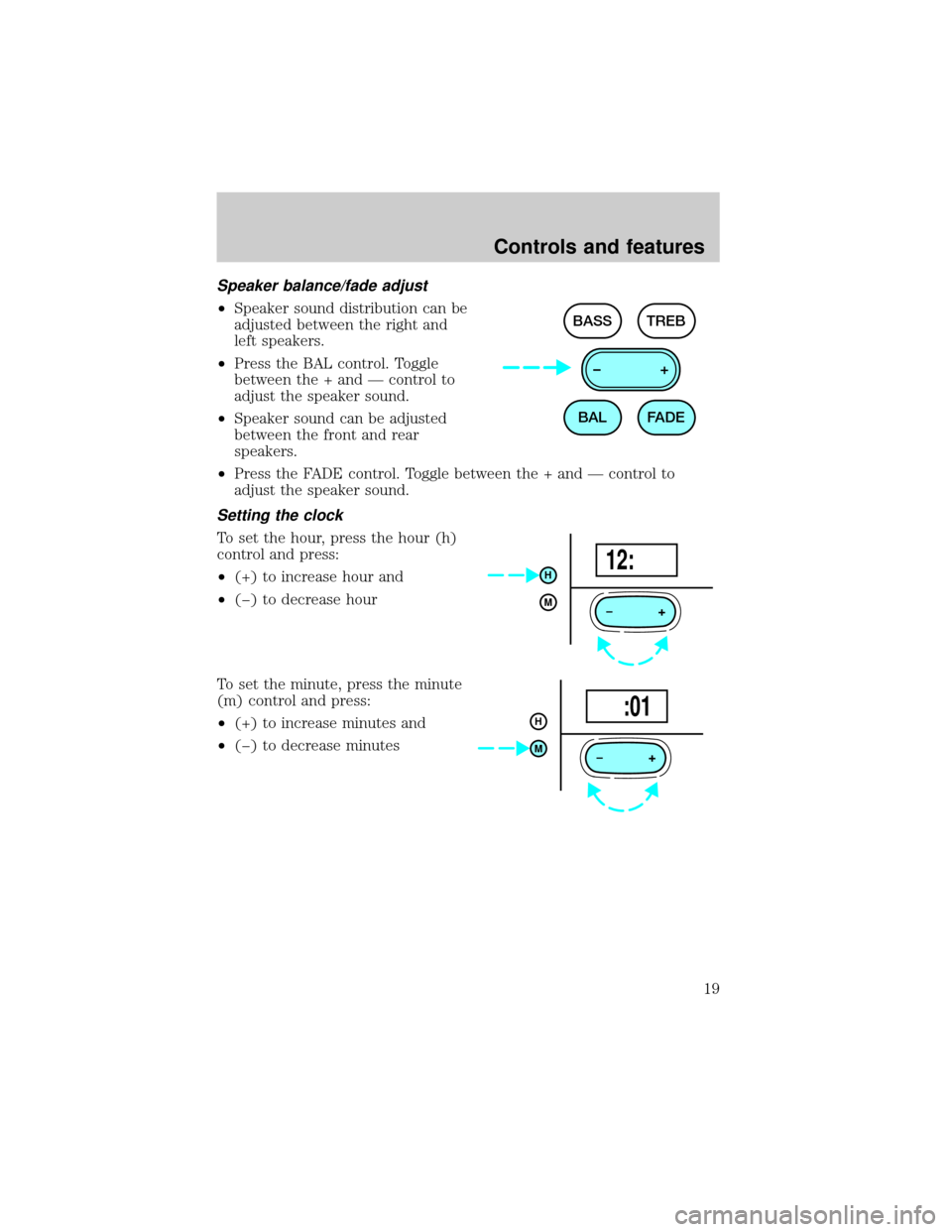
Speaker balance/fade adjust
²Speaker sound distribution can be
adjusted between the right and
left speakers.
²Press the BAL control. Toggle
between the + and Ð control to
adjust the speaker sound.
²Speaker sound can be adjusted
between the front and rear
speakers.
²Press the FADE control. Toggle between the + and Ð control to
adjust the speaker sound.
Setting the clock
To set the hour, press the hour (h)
control and press:
²(+) to increase hour and
²(þ) to decrease hour
To set the minute, press the minute
(m) control and press:
²(+) to increase minutes and
²(þ) to decrease minutes
BAL BASS TREB
FADE –+
+
H
M12:
+
H
M :01
Controls and features
19
Page 25 of 200
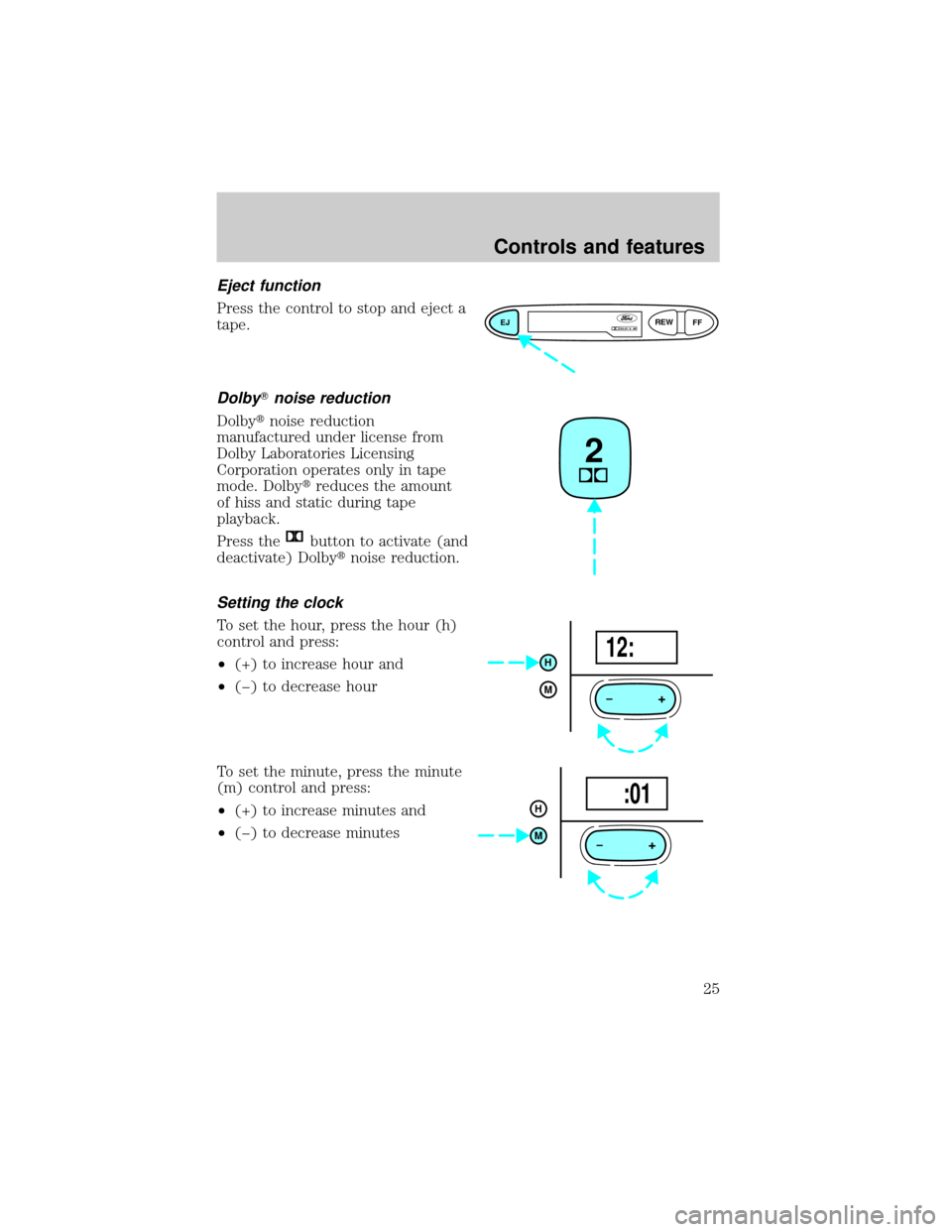
Eject function
Press the control to stop and eject a
tape.
DolbyTnoise reduction
Dolbytnoise reduction
manufactured under license from
Dolby Laboratories Licensing
Corporation operates only in tape
mode. Dolbytreduces the amount
of hiss and static during tape
playback.
Press the
button to activate (and
deactivate) Dolbytnoise reduction.
Setting the clock
To set the hour, press the hour (h)
control and press:
²(+) to increase hour and
²(þ) to decrease hour
To set the minute, press the minute
(m) control and press:
²(+) to increase minutes and
²(þ) to decrease minutes
EJREW
FFDOLBY B NR
2
+
H
M12:
+
H
M :01
Controls and features
25
Page 33 of 200
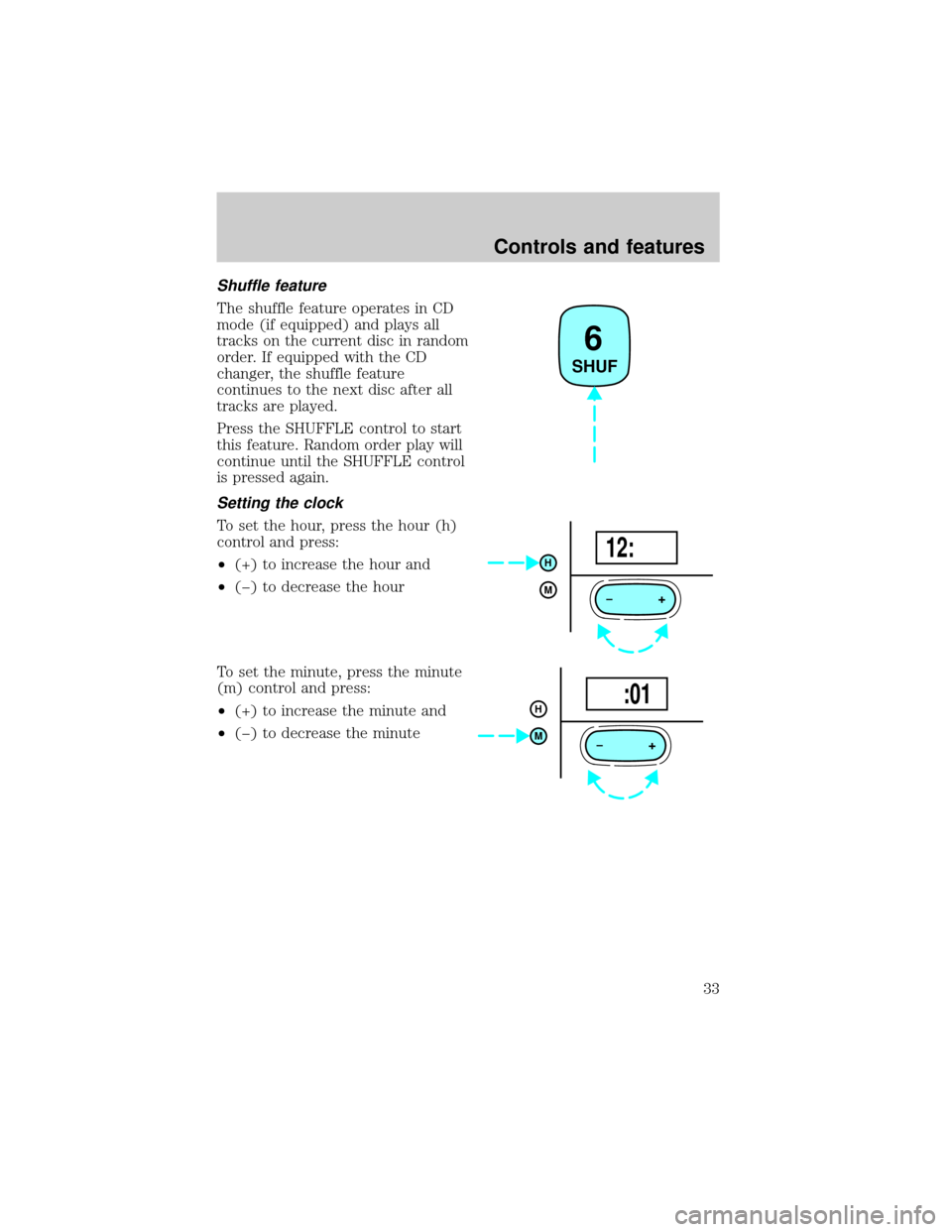
Shuffle feature
The shuffle feature operates in CD
mode (if equipped) and plays all
tracks on the current disc in random
order. If equipped with the CD
changer, the shuffle feature
continues to the next disc after all
tracks are played.
Press the SHUFFLE control to start
this feature. Random order play will
continue until the SHUFFLE control
is pressed again.
Setting the clock
To set the hour, press the hour (h)
control and press:
²(+) to increase the hour and
²(þ) to decrease the hour
To set the minute, press the minute
(m) control and press:
²(+) to increase the minute and
²(þ) to decrease the minute
6
SHUF
+
H
M12:
+
H
M :01
Controls and features
33