Page 5 of 208
SCAN
BASS TREB BAL FADE
SIDE
EJ
REW FF1 - 2TAPE
AMSVOL - PUSH ON
SEEK
TUNE
AM
FMCLK
12 3456
FM1ST
L
NORM A/CVENT FLOORFLR • DEFDEF
HI
LO
MAX A/C
OUTSIDE TEMPAUTOMATICOFFFAUTO
HM
OILH
L
RSM
SET
ACC
COAST
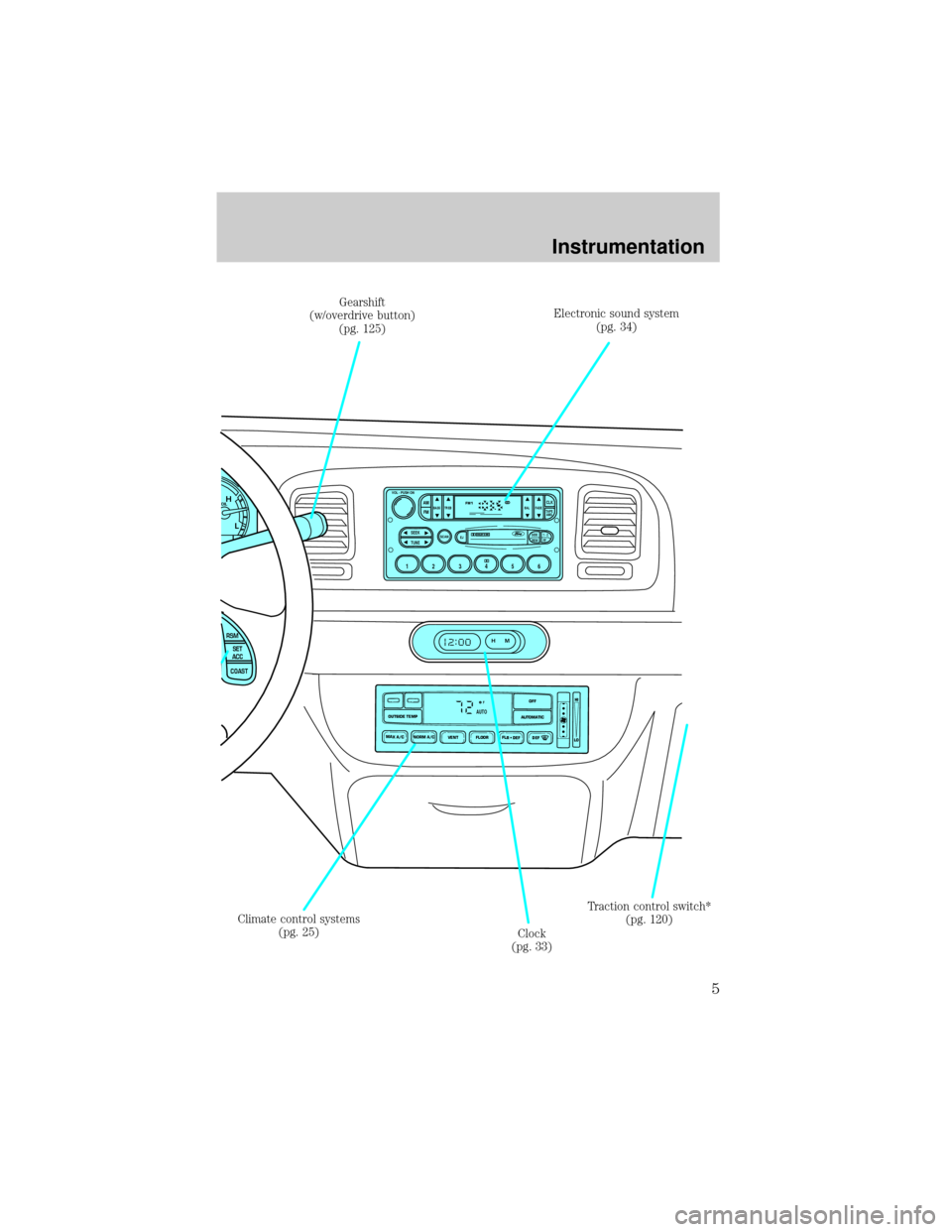
Electronic sound system
(pg. 34)
Climate control systems
(pg. 25)
Clock
(pg. 33)Traction control switch*
(pg. 120) Gearshift
(w/overdrive button)
(pg. 125)
Instrumentation
5
Page 24 of 208
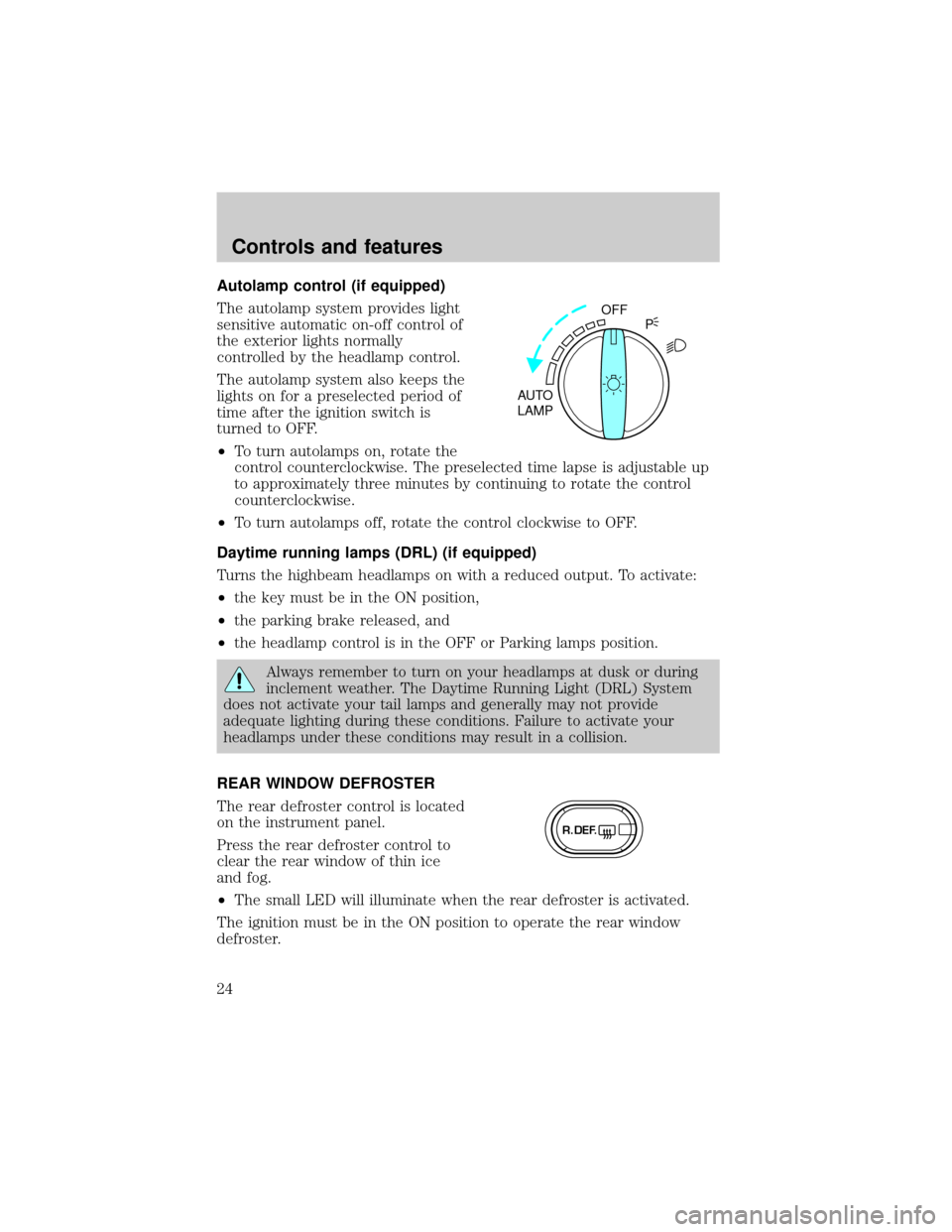
Autolamp control (if equipped)
The autolamp system provides light
sensitive automatic on-off control of
the exterior lights normally
controlled by the headlamp control.
The autolamp system also keeps the
lights on for a preselected period of
time after the ignition switch is
turned to OFF.
²To turn autolamps on, rotate the
control counterclockwise. The preselected time lapse is adjustable up
to approximately three minutes by continuing to rotate the control
counterclockwise.
²To turn autolamps off, rotate the control clockwise to OFF.
Daytime running lamps (DRL) (if equipped)
Turns the highbeam headlamps on with a reduced output. To activate:
²the key must be in the ON position,
²the parking brake released, and
²the headlamp control is in the OFF or Parking lamps position.
Always remember to turn on your headlamps at dusk or during
inclement weather. The Daytime Running Light (DRL) System
does not activate your tail lamps and generally may not provide
adequate lighting during these conditions. Failure to activate your
headlamps under these conditions may result in a collision.
REAR WINDOW DEFROSTER
The rear defroster control is located
on the instrument panel.
Press the rear defroster control to
clear the rear window of thin ice
and fog.
²The small LED will illuminate when the rear defroster is activated.
The ignition must be in the ON position to operate the rear window
defroster.
OFF
AUTO
LAMPP
R.DEF.
Controls and features
24
Page 33 of 208
²Remove any snow, ice or leaves
from the air intake area (at the
bottom of the windshield).
²If your vehicle has been parked with the windows closed during hot
weather, the air conditioner will do a much faster job of cooling if you
drive for two or three minutes with the windows open. This will force
most of the hot, stale air out of the vehicle. Then operate the air
conditioner as you would normally.
²When placing objects on top of your instrument panel, be careful to
not place them over the defroster outlets. These objects can block
airflow and reduce your ability to see through your windshield. Also,
avoid placing small objects on top of your instrument panel. These
objects can fall down into the defroster outlets and block airflow and
possibly damage your climate control system.
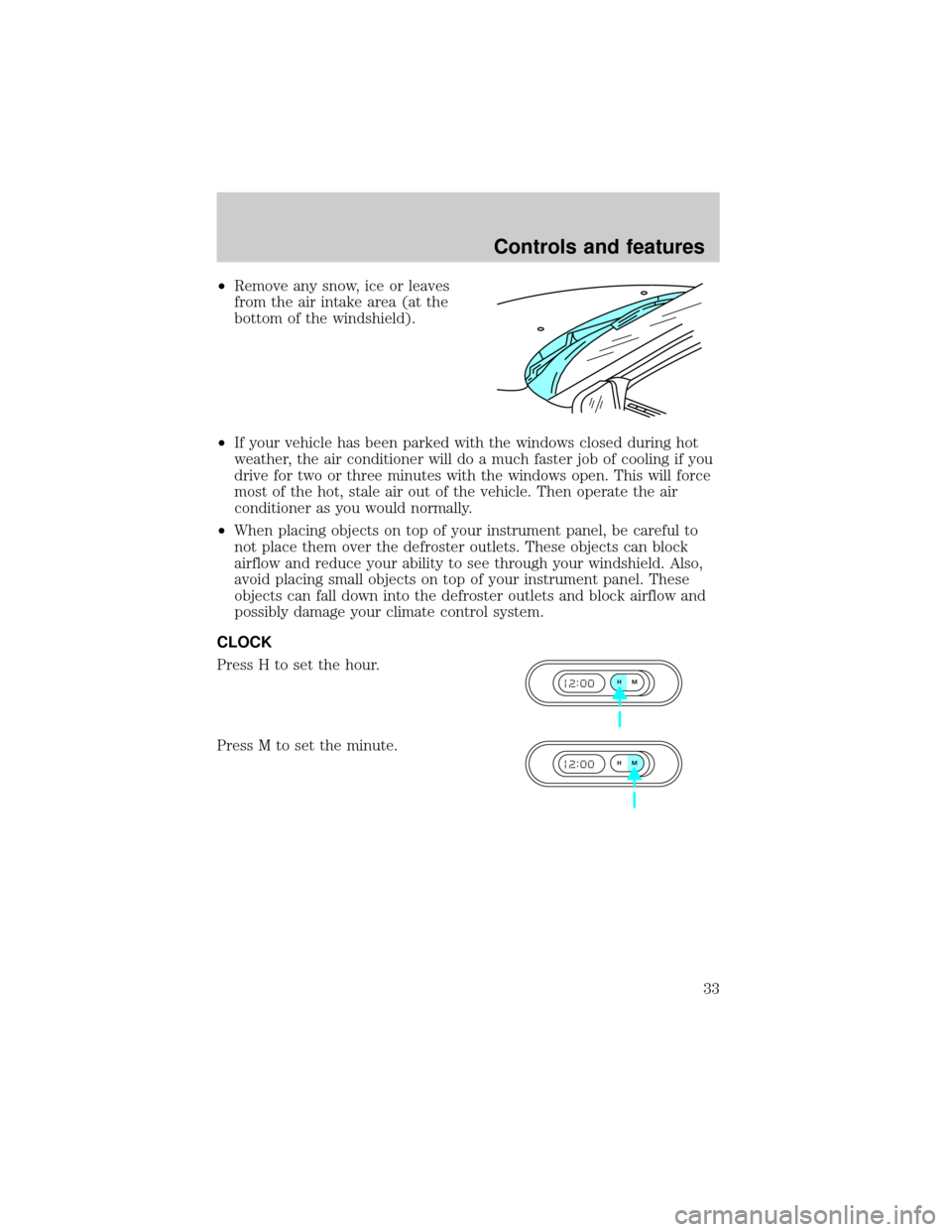
CLOCK
Press H to set the hour.
Press M to set the minute.
HM
HM
Controls and features
33
Page 37 of 208
Speaker fade adjust (if equipped)
Speaker sound can be adjusted
between the front and rear
speakers.
With the electronic AM/FM stereo,
press the TONE control four times,
then use the volume knob to adjust
the level.
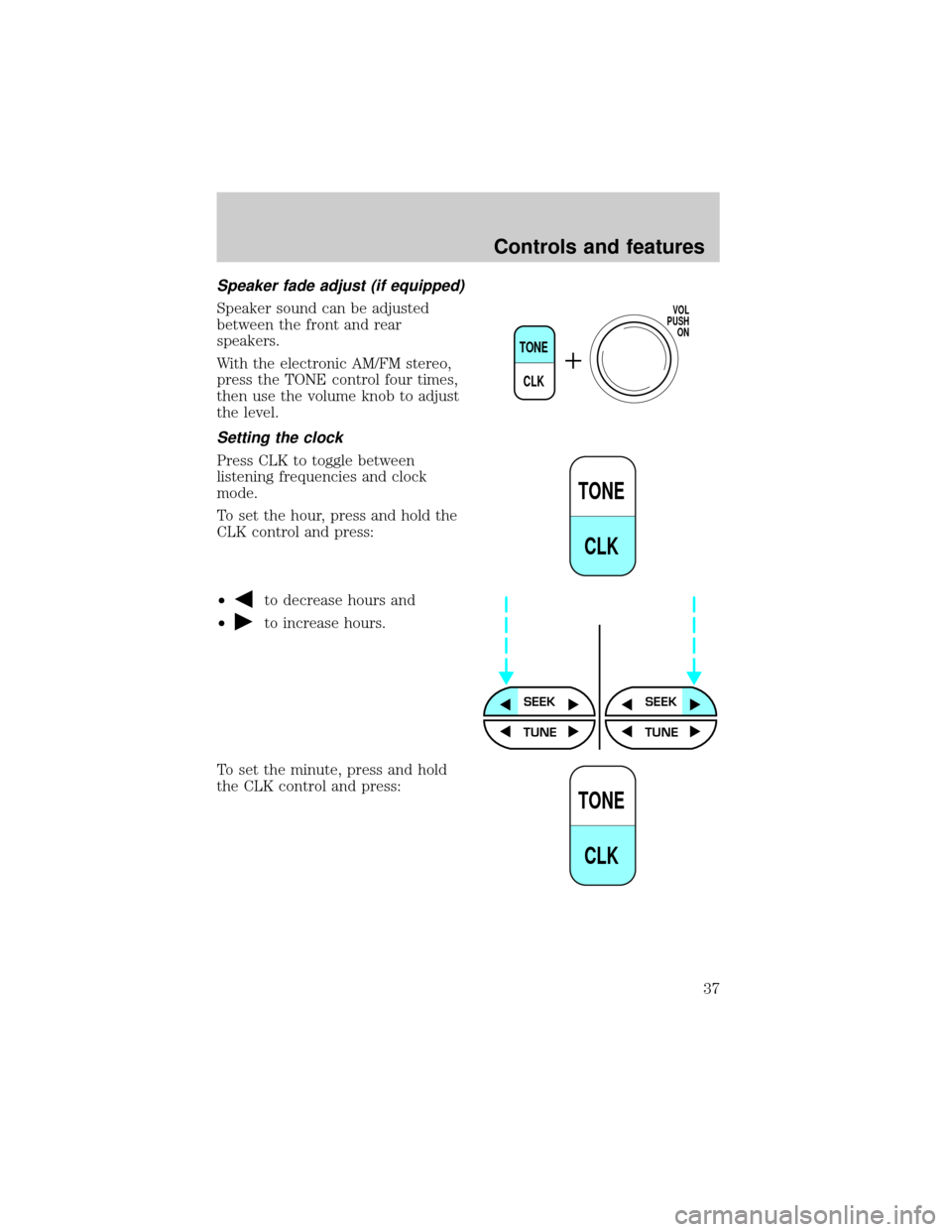
Setting the clock
Press CLK to toggle between
listening frequencies and clock
mode.
To set the hour, press and hold the
CLK control and press:
²
to decrease hours and
²
to increase hours.
To set the minute, press and hold
the CLK control and press:
TONE
CLK
VOL
PUSH
ON
TONE
CLK
SEEKSEEK
TUNE TUNE
TONE
CLK
Controls and features
37
Page 38 of 208
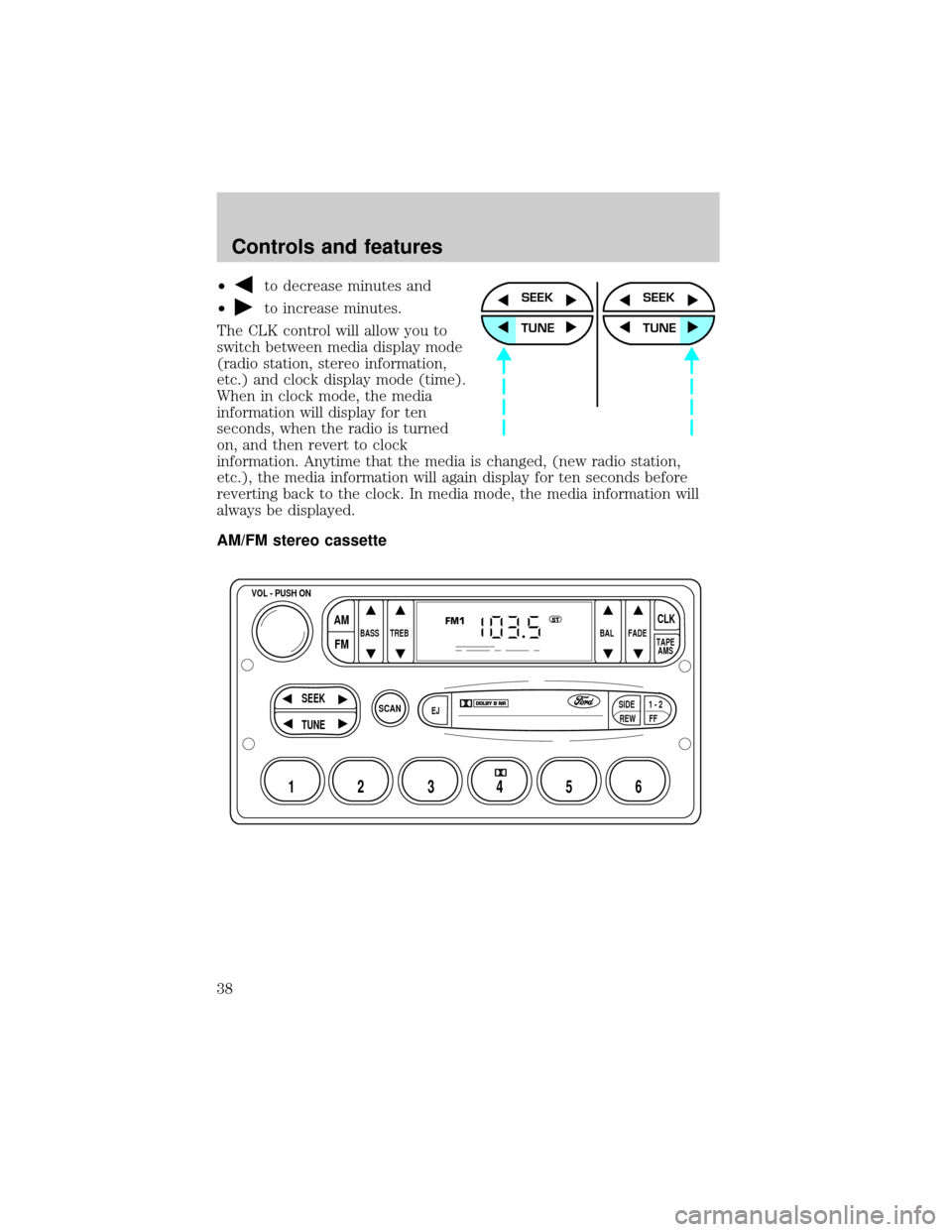
²to decrease minutes and
²
to increase minutes.
The CLK control will allow you to
switch between media display mode
(radio station, stereo information,
etc.) and clock display mode (time).
When in clock mode, the media
information will display for ten
seconds, when the radio is turned
on, and then revert to clock
information. Anytime that the media is changed, (new radio station,
etc.), the media information will again display for ten seconds before
reverting back to the clock. In media mode, the media information will
always be displayed.
AM/FM stereo cassetteSEEK
TUNE
SEEK
TUNE
SCAN
BASS TREB BAL FADE
SIDE
EJ
REW FF1 - 2TAPE
AMS
VOL - PUSH ON
SEEK
TUNE
AM
FMCLK
12 3456
FM1ST
Controls and features
38
Page 44 of 208
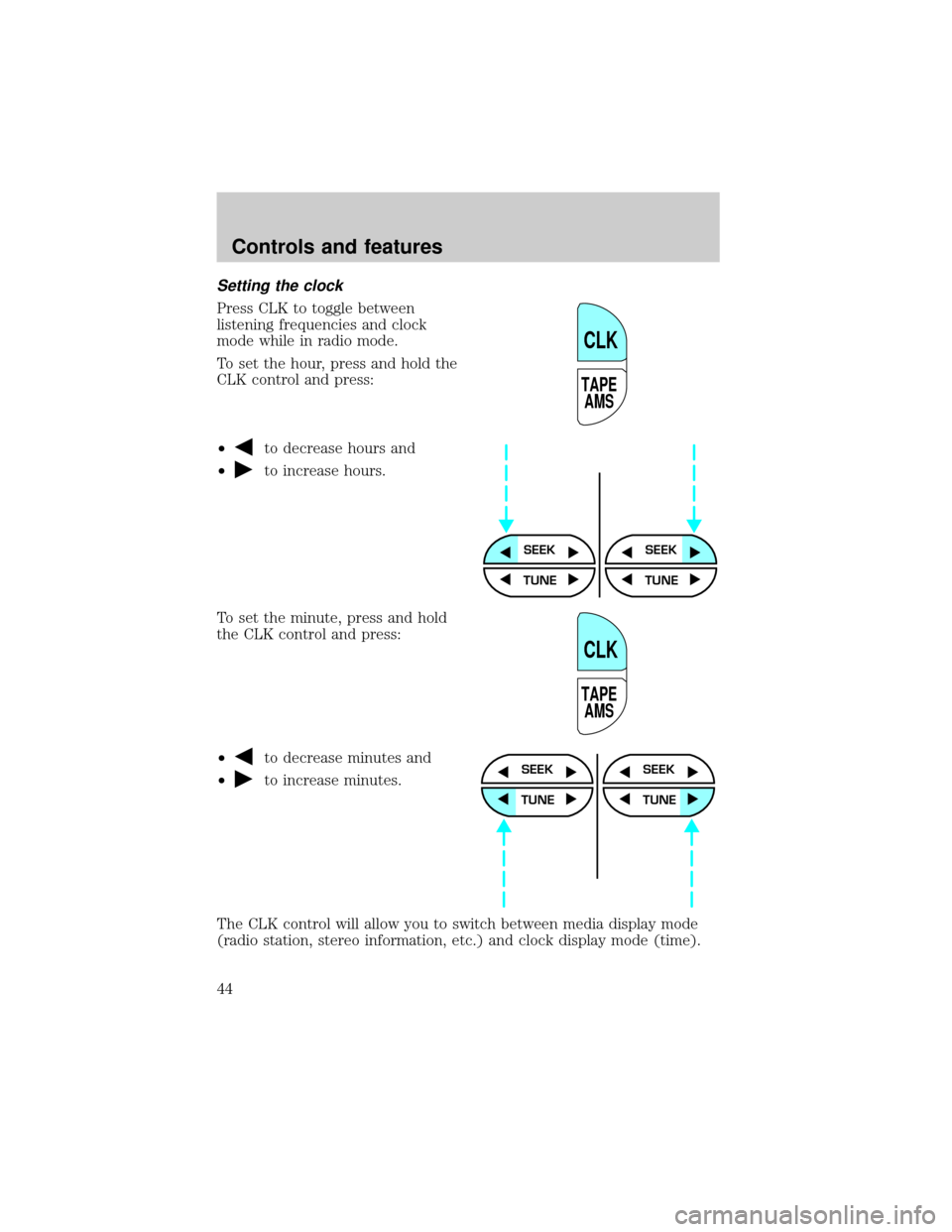
Setting the clock
Press CLK to toggle between
listening frequencies and clock
mode while in radio mode.
To set the hour, press and hold the
CLK control and press:
²
to decrease hours and
²
to increase hours.
To set the minute, press and hold
the CLK control and press:
²
to decrease minutes and
²
to increase minutes.
The CLK control will allow you to switch between media display mode
(radio station, stereo information, etc.) and clock display mode (time).
TAPE
AMS
CLK
SEEKSEEK
TUNE TUNE
TAPE
AMS
CLK
SEEK
TUNE
SEEK
TUNE
Controls and features
44
Page 45 of 208
When in clock mode, the media information will display for ten seconds,
when the radio is turned on, and then revert to clock information.
Anytime that the media is changed, (new radio station, etc.), the media
information will again display for ten seconds before reverting back to
the clock. In media mode, the media information will always be
displayed.
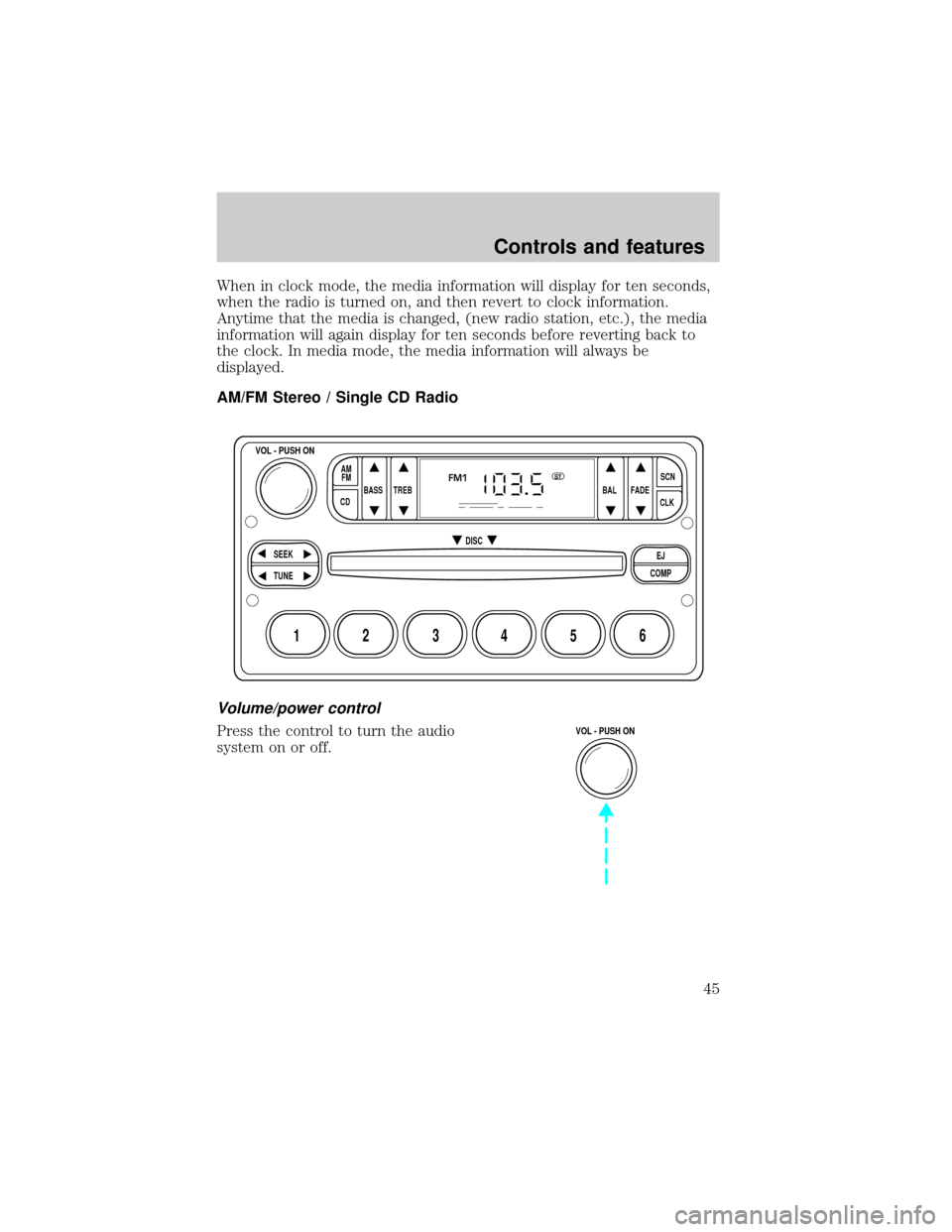
AM/FM Stereo / Single CD Radio
Volume/power control
Press the control to turn the audio
system on or off.
BASS
CDTREB BAL FADESCN
CLK AM
FM
VOL - PUSH ON
SEEK
EJ
COMP DISC
TUNE
12 3456
FM1ST
VOL - PUSH ON
Controls and features
45
Page 50 of 208
CD select
²To begin CD play (if CD[s] are
loaded), press the CD control.
The first track of the disc will
begin playing. After that, CD play
will begin where it stopped last.
Eject function
Press the control to stop and eject a
CD.
Compression feature
Compression adjust brings soft and
loud CD passages together for a
more consistent listening level.
Press the COMP control to activate and deactivate compression adjust.
Setting the clock
To set the hour, press and hold the
CLK control and press:
²
to decrease hours and
²
to increase hours.
AM
FM
CD
EJ
COMP
SCN
CLK
SEEKSEEK
TUNE TUNE
Controls and features
50
![FORD CROWN VICTORIA 1999 2.G Owners Manual CD select
²To begin CD play (if CD[s] are
loaded), press the CD control.
The first track of the disc will
begin playing. After that, CD play
will begin where it stopped last.
Eject function
Press the](/manual-img/11/4775/w960_4775-49.png "FORD CROWN VICTORIA 1999 2.G Owners Manual CD select
²To begin CD play (if CD[s] are
loaded), press the CD control.
The first track of the disc will
begin playing. After that, CD play
will begin where it stopped last.
Eject function
Press the")