Page 63 of 328

2-
yellowblue
2-1
Section 2 Features and Controls
Here you can learn about the many standard and optional features on your vehicle, and information on starting,
shifting and braking. Also explained are the instrument panel and the warning systems that tell you if everything is
working properly
-- and what to do if you have a problem.
2
-2 Keys
2
-4 Door Locks
2
-7 Remote Keyless Entry System (RKE)
2
-11 Trunk
2
-12 Theft
2
-13 Theft-Deterrent System
2
-15 Immobilizer
2
-16 New VehicleªBreak-Inº
2
-16 Ignition Positions
2
-18 Starting Your Engine
2
-19 Engine Coolant Heater (If Equipped)
2
-21 Automatic Transmission Operation
2
-25 Parking Brake
2
-26 Shifting Into PARK (P)
2
-28 Shifting Out of PARK (P)2
-30 Parking Over Things that Burn
2
-30 Engine Exhaust
2
-31 Running Your Engine While You're Parked
2
-32 Windows
2
-33 Horn
2
-34 Tilt Wheel
2
-34 Turn Signal/Multifunction Lever
2
-40 Exterior Lamps
2
-46 Interior Lamps
2
-47 Mirrors
2
-49 Storage Compartments
2
-52 Sunroof (Option)
2
-56 Universal Transmitter (If Equipped)
2
-60 Instrument Panel
2
-63 Warning Lights, Gages and Indicators
Page 67 of 328
yellowblue
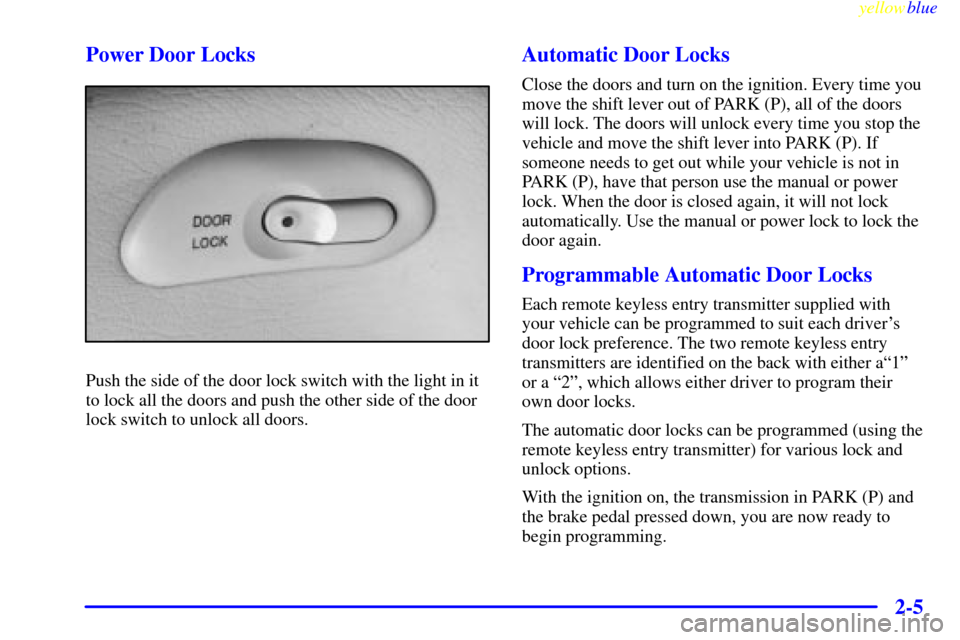
2-5 Power Door Locks
Push the side of the door lock switch with the light in it
to lock all the doors and push the other side of the door
lock switch to unlock all doors.
Automatic Door Locks
Close the doors and turn on the ignition. Every time you
move the shift lever out of PARK (P), all of the doors
will lock. The doors will unlock every time you stop the
vehicle and move the shift lever into PARK (P). If
someone needs to get out while your vehicle is not in
PARK (P), have that person use the manual or power
lock. When the door is closed again, it will not lock
automatically. Use the manual or power lock to lock the
door again.
Programmable Automatic Door Locks
Each remote keyless entry transmitter supplied with
your vehicle can be programmed to suit each driver's
door lock preference. The two remote keyless entry
transmitters are identified on the back with either aª1º
or a ª2º, which allows either driver to program their
own door locks.
The automatic door locks can be programmed (using the
remote keyless entry transmitter) for various lock and
unlock options.
With the ignition on, the transmission in PARK (P) and
the brake pedal pressed down, you are now ready to
begin programming.
Page 83 of 328
yellowblue
2-21
Automatic Transmission Operation
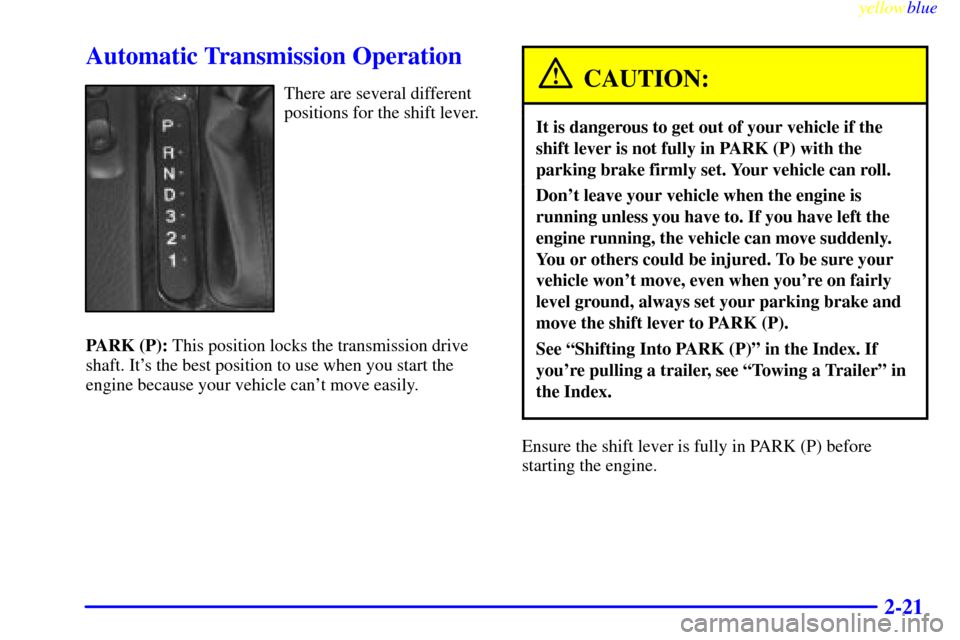
There are several different
positions for the shift lever.
PARK (P): This position locks the transmission drive
shaft. It's the best position to use when you start the
engine because your vehicle can't move easily.CAUTION:
It is dangerous to get out of your vehicle if the
shift lever is not fully in PARK (P) with the
parking brake firmly set. Your vehicle can roll.
Don't leave your vehicle when the engine is
running unless you have to. If you have left the
engine running, the vehicle can move suddenly.
You or others could be injured. To be sure your
vehicle won't move, even when you're on fairly
level ground, always set your parking brake and
move the shift lever to PARK (P).
See ªShifting Into PARK (P)º in the Index. If
you're pulling a trailer, see ªTowing a Trailerº in
the Index.
Ensure the shift lever is fully in PARK (P) before
starting the engine.
Page 85 of 328
yellowblue
2-23
DRIVE (D): Use this for normal driving. If you need
more power for passing, and you're:
�Going less than 35 mph (55 km/h), push the
accelerator pedal about halfway down.
�Going about 35 mph (55 km/h) or more, push the
accelerator all the way down.
The transmission will shift down to the next gear.
THIRD (3): This position is not used for normal
driving. It offers more power and lower fuel economy
than DRIVE (D).
Here are some times you might choose THIRD (3)
instead of DRIVE (D):
�When driving on hilly, winding roads.
�When towing a trailer, so there is less shifting
between gears.
�When going down a steep hill.
SECOND (2): Driving in this position gives you more
power than driving in THIRD (3). Use it on hills. It can help
control your speed as you go down steep mountain roads, but
then you would also want to use the brakes off and on.
FIRST (1): This position gives you more power (but
lower fuel economy) than SECOND (2). You can use it
on very steep hills. If the shift lever is put in FIRST (1),
the transmission won't shift into first gear until the
vehicle is going slowly enough.
NOTICE:
If the rear wheels can't rotate, don't try to drive.
This might happen if you were stuck in very deep
sand or mud or you were up against a solid
object. You could damage the transmission.
Also, if you stop when going uphill, don't hold
your vehicle there with only the accelerator
pedal. This could overheat and damage the
transmission. Use the brakes to hold your vehicle
in position on a hill.
Note: When you start your vehicle and the engine
temperature is below 86�F (30� C), upshifting of the
transmission will be delayed for about one minute. This
is normal. The engine's catalytic converter is warming
up during this time.
Upshifting and downshifting of the transmission is
automatically modified to prevent undesired shifting when
your vehicle is towing a trailer or when you are driving in
hilly or mountainous terrain. This is also normal.
Page 86 of 328
yellowblue
2-24 Sport Mode Button
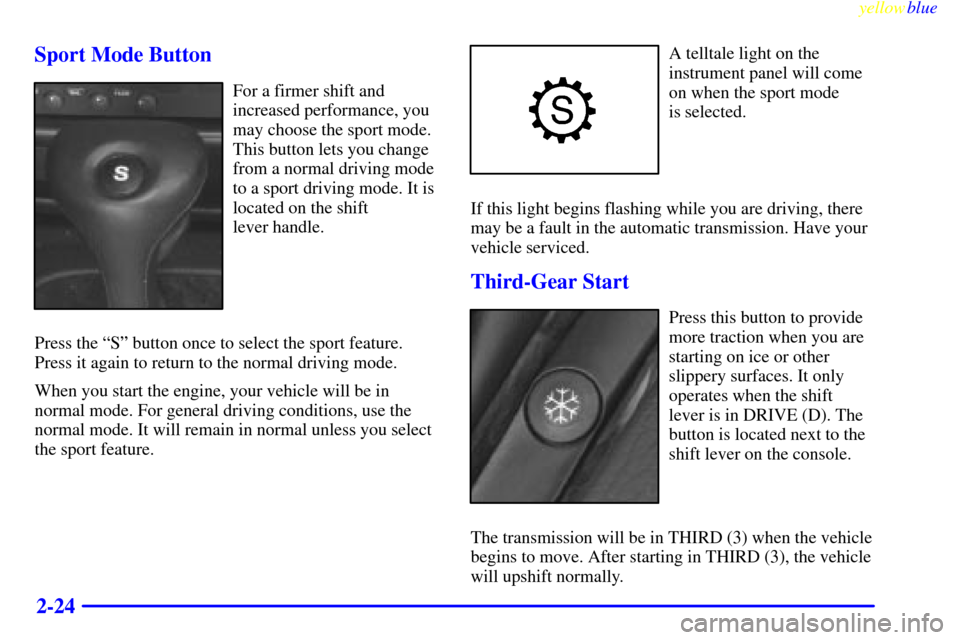
For a firmer shift and
increased performance, you
may choose the sport mode.
This button lets you change
from a normal driving mode
to a sport driving mode. It is
located on the shift
lever handle.
Press the ªSº button once to select the sport feature.
Press it again to return to the normal driving mode.
When you start the engine, your vehicle will be in
normal mode. For general driving conditions, use the
normal mode. It will remain in normal unless you select
the sport feature.
A telltale light on the
instrument panel will come
on when the sport mode
is selected.
If this light begins flashing while you are driving, there
may be a fault in the automatic transmission. Have your
vehicle serviced.
Third-Gear Start
Press this button to provide
more traction when you are
starting on ice or other
slippery surfaces. It only
operates when the shift
lever is in DRIVE (D). The
button is located next to the
shift lever on the console.
The transmission will be in THIRD (3) when the vehicle
begins to move. After starting in THIRD (3), the vehicle
will upshift normally.
Page 87 of 328
yellowblue
2-25
This feature is for improved traction only when the road
surface is slippery and is not intended for continuous use
or when the vehicle is stuck in sand, mud, ice, snow or
gravel. Drive as usual for normal road conditions.
This feature automatically turns off when any of the
following conditions occur:
�When the ignition is turned off.
�If the shift lever is placed in PARK (P), THIRD (3),
SECOND (2), or FIRST (1).
�If you press and hold the accelerator pedal past its
resistance point for more than two seconds.
�When speed falls below 25 mph (40 km/h).
�Once the vehicle reaches 67 mph (108 km/h).
To turn this feature off, press the button again.
Whenever you start your vehicle, the transmission is in
the normal mode.Parking Brake
To set the parking brake, hold the regular brake pedal
down with your foot and pull up on the parking brake
lever. If the ignition is on, the brake system warning
light will come on.
Page 90 of 328
yellowblue
2-28
If you have to leave your vehicle with the engine
running, be sure your vehicle is in PARK (P) and the
parking brake is firmly set before you leave it. After
you've moved the shift lever into PARK (P), hold the
regular brake pedal down. Then, see if you can move the
shift lever away from PARK (P) without pressing the
button on the shift lever handle. If you can, it means that
the shift lever wasn't fully locked into PARK (P).
Torque Lock
If you are parking on a hill and you don't shift your
transmission into PARK (P) properly, the weight of the
vehicle may put too much force on the parking pawl in
the transmission. You may find it difficult to pull the
shift lever out of PARK (P). This is called ªtorque lock.º
To prevent torque lock, set the parking brake and then
shift into PARK (P) properly before you leave the
driver's seat. To find out how, see ªShifting Into
PARK (P)º in the Index.
If torque lock does occur, you may need to have another
vehicle push yours a little uphill to take some of the
pressure from the parking pawl in the transmission, so
you can pull the shift lever out of PARK (P).
Shifting Out of PARK (P)
CAUTION:
Before shifting out of PARK (P) you must fully
apply your regular brakes. Your vehicle can roll.
If you have left the engine running, the vehicle
can move suddenly. You or others could
be injured.
If you're pulling a trailer, see ªTowing a Trailerº
in the Index.
Your vehicle has a Brake-Transmission Shift Interlock
(BTSI). You have to fully apply the regular brakes
before you can shift from PARK (P) when the ignition is
in ON. See ªAutomatic Transmissionº in the Index.
Page 138 of 328
yellowblue
2-76 Automatic Transmission Warning Light
(If Equipped)
This light comes on briefly
when the ignition is turned
on. If the light remains on
or lights up while driving,
there may be a fault in the
automatic transmission.
Have your vehicle serviced.
Leveling Indicator Light
This light comes on steady
when the rear load level in
your vehicle changes.Do not drive your vehicle when this light is on. The rear
of your vehicle is too low and part of the body or the
rear axle may be damaged when driving over bumpy
roads. When the light goes out, leveling is complete.
This procedure is automatic
-- you don't have to
do anything.
If the light comes on flashing, there may be a problem
with the leveling system. You should reduce your
vehicle speed and have your vehicle serviced soon.
Brake Pad Wear Indicator Light
This light comes on when
the brake pads on your
vehicle have significantly
worn. The pads will have to
be replaced, so have your
vehicle serviced soon.