Page 35 of 400
yellowblue
1-29
Lap-Shoulder Belt
The positions next to the windows have lap
-shoulder
belts. Here's how to wear one properly.
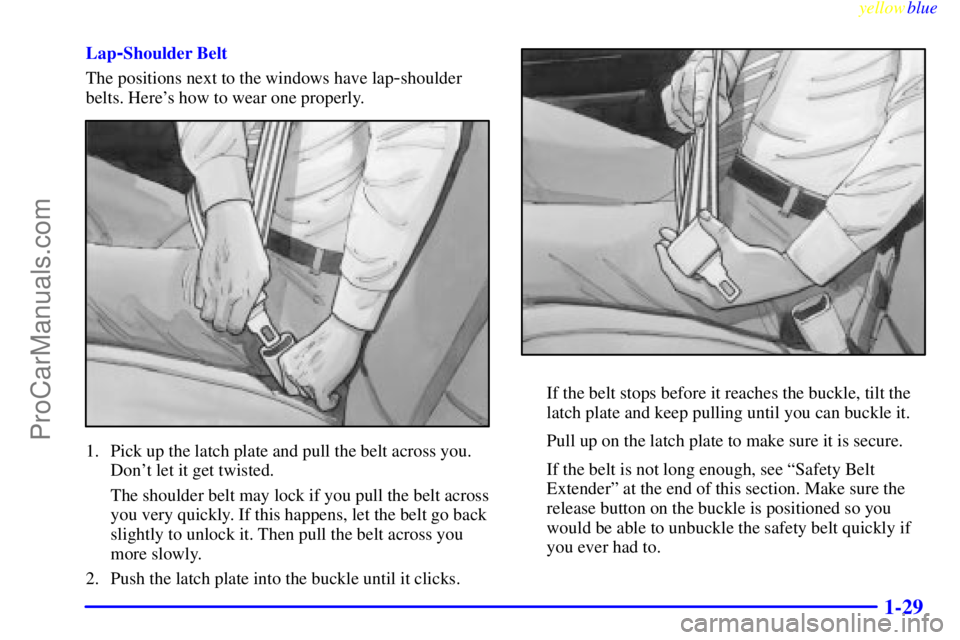
1. Pick up the latch plate and pull the belt across you.
Don't let it get twisted.
The shoulder belt may lock if you pull the belt across
you very quickly. If this happens, let the belt go back
slightly to unlock it. Then pull the belt across you
more slowly.
2. Push the latch plate into the buckle until it clicks.
If the belt stops before it reaches the buckle, tilt the
latch plate and keep pulling until you can buckle it.
Pull up on the latch plate to make sure it is secure.
If the belt is not long enough, see ªSafety Belt
Extenderº at the end of this section. Make sure the
release button on the buckle is positioned so you
would be able to unbuckle the safety belt quickly if
you ever had to.
ProCarManuals.com
Page 36 of 400
yellowblue
1-30
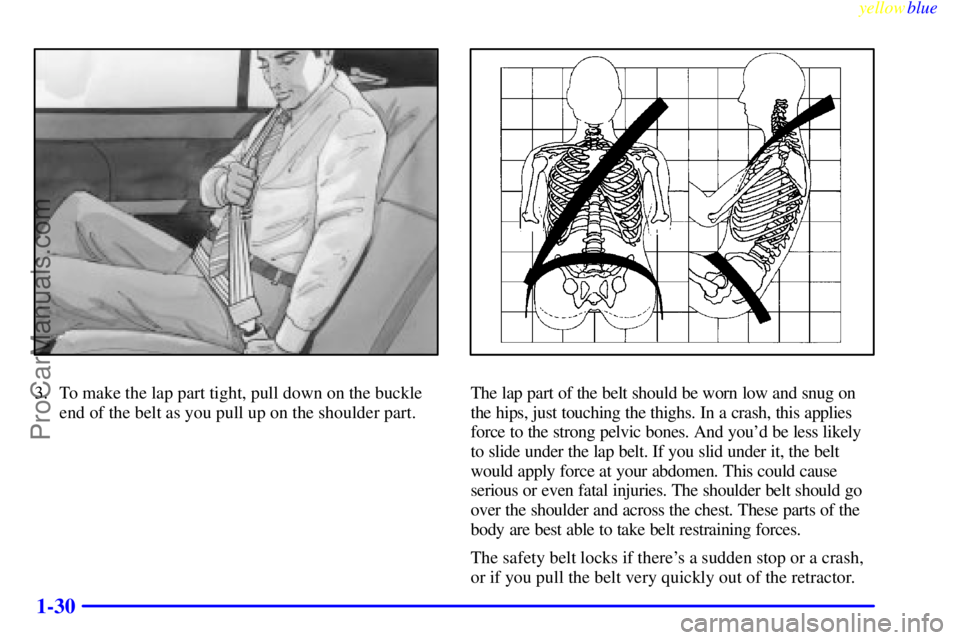
3. To make the lap part tight, pull down on the buckle
end of the belt as you pull up on the shoulder part.The lap part of the belt should be worn low and snug on
the hips, just touching the thighs. In a crash, this applies
force to the strong pelvic bones. And you'd be less likely
to slide under the lap belt. If you slid under it, the belt
would apply force at your abdomen. This could cause
serious or even fatal injuries. The shoulder belt should go
over the shoulder and across the chest. These parts of the
body are best able to take belt restraining forces.
The safety belt locks if there's a sudden stop or a crash,
or if you pull the belt very quickly out of the retractor.
ProCarManuals.com
Page 54 of 400
yellowblue
1-48
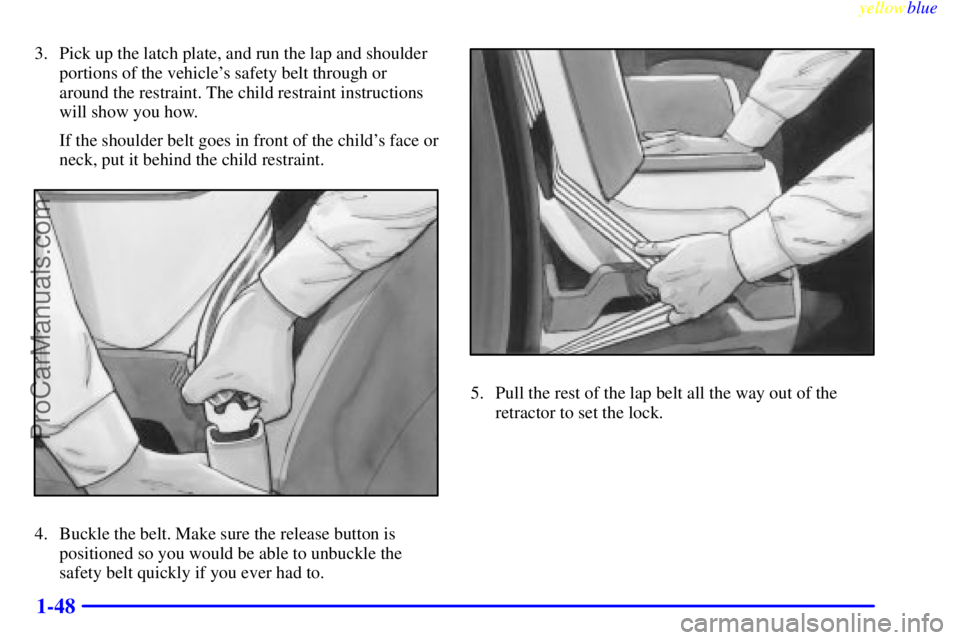
3. Pick up the latch plate, and run the lap and shoulder
portions of the vehicle's safety belt through or
around the restraint. The child restraint instructions
will show you how.
If the shoulder belt goes in front of the child's face or
neck, put it behind the child restraint.
4. Buckle the belt. Make sure the release button is
positioned so you would be able to unbuckle the
safety belt quickly if you ever had to.
5. Pull the rest of the lap belt all the way out of the
retractor to set the lock.
ProCarManuals.com
Page 59 of 400
2-
yellowblue
2-1
Section 2 Features and Controls
Here you can learn about the many standard and optional features on your vehicle, and information on starting,
shifting and braking. Also explained are the instrument panel and the warning systems that tell you if everything is
working properly
-- and what to do if you have a problem.
2
-2 Keys
2
-4 Door Locks
2
-9 Remote Keyless Entry System
2
-14 Trunk
2
-15 Theft
2
-16 Content Theft-Deterrent System
2
-18 PASS-Key� III
2
-20 New Vehicle ªBreak-Inº
2
-20 Ignition Positions
2
-22 Starting Your Engine
2
-23 Engine Coolant Heater (If Equipped)
2
-24 Automatic Transaxle Operation
2
-28 Parking Brake
2
-29 Shifting Into PARK (P)
2
-31 Shifting Out of PARK (P)
2
-32 Parking Over Things That Burn
2
-33 Engine Exhaust2
-33 Running Your Engine While You're Parked
2
-34 Windows
2
-35 Tilt Wheel
2
-36 Turn Signal/Multifunction Lever
2
-43 Exterior Lamps
2
-46 Interior Lamps
2
-49 Mirrors
2
-54 Storage Compartments
2
-62 OnStar System (Option)
2
-63 Astroroof (If Equipped)
2
-64 Universal Transmitter (If Equipped)
2
-68 The Instrument Panel - Your Information
System
2
-73 Warning Lights, Gages and Indicators
2
-82 Head-Up Display (HUD) (If Equipped)
2
-84 Driver Information Center (DIC)
(If Equipped)
ProCarManuals.com
Page 61 of 400
yellowblue
2-3
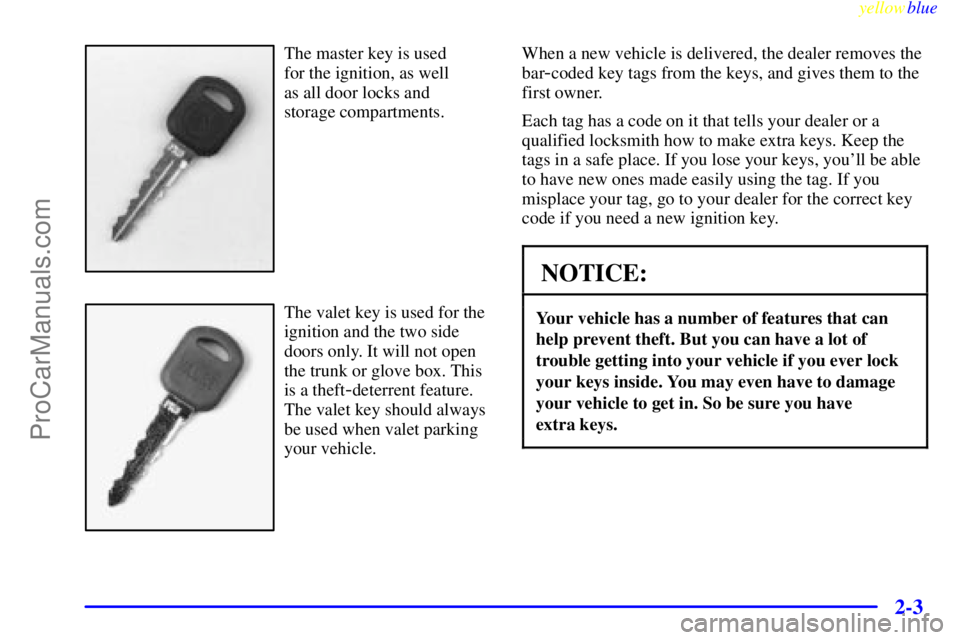
The master key is used
for the ignition, as well
as all door locks and
storage compartments.
The valet key is used for the
ignition and the two side
doors only. It will not open
the trunk or glove box. This
is a theft
-deterrent feature.
The valet key should always
be used when valet parking
your vehicle.When a new vehicle is delivered, the dealer removes the
bar
-coded key tags from the keys, and gives them to the
first owner.
Each tag has a code on it that tells your dealer or a
qualified locksmith how to make extra keys. Keep the
tags in a safe place. If you lose your keys, you'll be able
to have new ones made easily using the tag. If you
misplace your tag, go to your dealer for the correct key
code if you need a new ignition key.
NOTICE:
Your vehicle has a number of features that can
help prevent theft. But you can have a lot of
trouble getting into your vehicle if you ever lock
your keys inside. You may even have to damage
your vehicle to get in. So be sure you have
extra keys.
ProCarManuals.com
Page 62 of 400
yellowblue
2-4
Door Locks
CAUTION:
Unlocked doors can be dangerous.
Passengers -- especially children -- can easily
open the doors and fall out. When a door is
locked, the inside handle won't open it.
Outsiders can easily enter through an unlocked
door when you slow down or stop your vehicle.
This may not be so obvious: You increase the
chance of being thrown out of the vehicle in a
crash if the doors aren't locked. Wear safety belts
properly, lock your doors, and you will be far
better off whenever you drive your vehicle.
There are several ways to lock and unlock your vehicle.
From the outside, use your door key or remote keyless
entry transmitter.
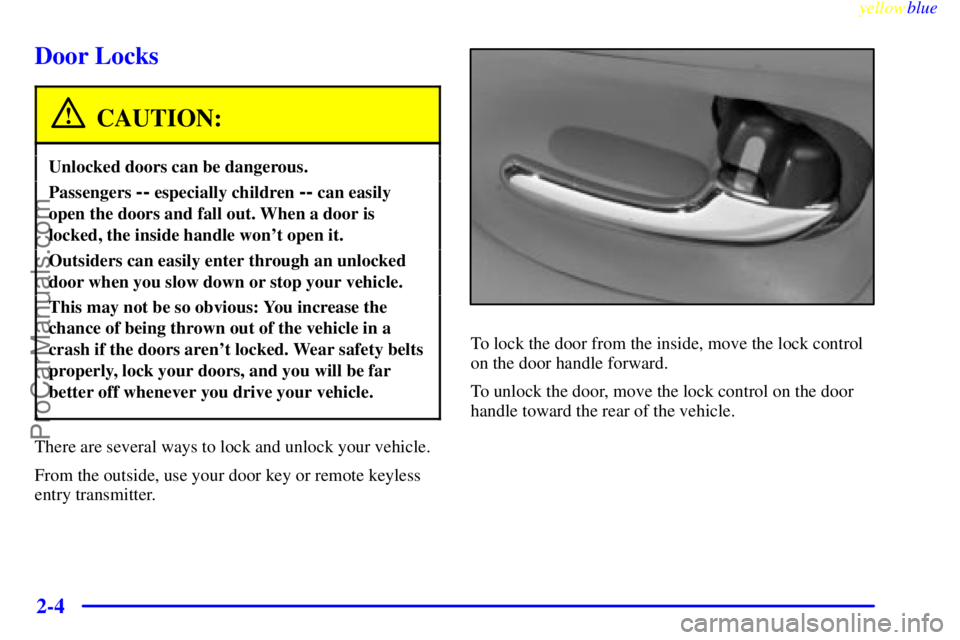
To lock the door from the inside, move the lock control
on the door handle forward.
To unlock the door, move the lock control on the door
handle toward the rear of the vehicle.
ProCarManuals.com
Page 63 of 400

yellowblue
2-5 Central Door Unlocking System
From outside the vehicle, if the driver's door key is held
in the unlock position for more than two seconds, or, if
the key is turned to the unlock position twice within
three seconds, all doors will unlock.
Power Door Locks
With power door locks, you
can lock or unlock all doors
of your vehicle by using
either the driver or front
passenger power door
lock switch.
Door Ajar Reminder (If Equipped)
If your vehicle is equipped with the Driver Information
Center (DIC), and a door is not fully closed, the DIC
will display a DOOR AJAR message. See ªDriver
Information Centerº in the Index.
Memory Door Locks
Close the doors and turn on the ignition. Every time you
move the shift lever out of PARK (P), all of the doors
will lock. And, every time you stop and move the shift
lever into PARK (P), the doors will unlock. If someone
needs to get out while you're not in PARK (P), have that
person use the manual or power lock. When the door is
closed again, it will not lock automatically. Just use the
manual or power lock to lock the door again. If you
need to lock the doors before shifting out of PARK (P),
just use the manual or power lock button to lock
the doors.
ProCarManuals.com
Page 64 of 400

yellowblue
2-6
Customizing Your Memory Door Locks Feature
You can program the memory door locks feature to one
of the following modes:
Mode 0: No automatic door lock or unlock.
Mode 1: All doors automatically lock when shifted out
of PARK (P). No automatic door unlock.
Mode 2: All doors automatically lock when shifted out
of PARK (P). Only the driver's door automatically
unlocks when shifted into PARK (P).
Mode 3: All doors automatically lock when shifted out
of PARK (P). All doors automatically unlock when
shifted into PARK (P).
Vehicles are delivered programmed in Mode 3;
however, each remote keyless entry transmitter can
be programmed to a different mode according to the
user's preference.To change modes:
1. Close all the doors and turn the ignition on. Keep all
doors closed throughout this procedure.
2. Press and hold LOCK on the power door lock switch
on the driver's door through Step 4.
3. Press the LOCK button on the remote keyless
entry transmitter to enter the programming mode.
The memory door lock mode will remain in the
current mode.
4. Press the LOCK button on the transmitter again.
Each time the transmitter's LOCK button is pressed,
the mode will advance by one, going from Mode 3 to
Mode 0 to Mode 1, etc.
For each press of the LOCK button, the door locks
will activate in the same manner they would activate
in the corresponding memory door lock mode. For
example, pressing the LOCK button on the
transmitter to advance to Mode 2 would result in all
doors locking and then, only the driver's door would
unlock. For Mode 0, no locking or unlocking
will occur.
5. Release the power door lock switch and turn the
ignition off. The automatic door locks will remain in
the most recent mode selected.
ProCarManuals.com