Page 86 of 368

yellowblue
2-30 Torque Lock
If you are parking on a hill and you don't shift your
transaxle into PARK (P) properly, the weight of the
vehicle may put too much force on the parking pawl in
the transaxle. You may find it difficult to pull the shift
lever out of PARK (P). This is called ªtorque lock.º To
prevent torque lock, set the parking brake and then shift
into PARK (P) properly before you leave the driver's
seat. To find out how, see ªShifting Into PARK (P)º in
the Index.
When you are ready to drive, move the shift lever out of
PARK (P) before you release the parking brake.
If torque lock does occur, you may need to have another
vehicle push yours a little uphill to take some of the
pressure from the parking pawl in the transaxle, so you
can pull the shift lever out of PARK (P).
Shifting Out of PARK (P)
CAUTION:
Before shifting out of PARK (P) you must fully
apply your regular brakes. Your vehicle can roll.
CAUTION: (Continued)
CAUTION: (Continued)
If you have left the engine running the vehicle
can move suddenly. You or others could be
injured. If you're pulling a trailer, see ªPulling
a Trailerº in the Index.
Your vehicle has a Brake-Transaxle Shift Interlock
(BTSI). You have to fully apply your regular brake
before you can shift from PARK (P) when the ignition is
in RUN. See ªAutomatic Transaxleº in the Index.
If you cannot shift out of PARK (P), ease pressure on
the shift lever
-- push the shift lever all the way into
PARK (P) as you maintain brake application. Then
move the shift lever into the gear you want. If you ever
hold the brake pedal down but still can't shift out of
PARK (P), try this:
1. Turn the key to the OFF ignition position.
2. Apply and hold the brake until the end of Step 4.
3. Shift to NEUTRAL (N).
4. Start the vehicle and then shift to the drive gear you want.
5. Take your vehicle to an authorized service center as
soon as you can.
Page 89 of 368
yellowblue
2-33
Windows
Power Windows
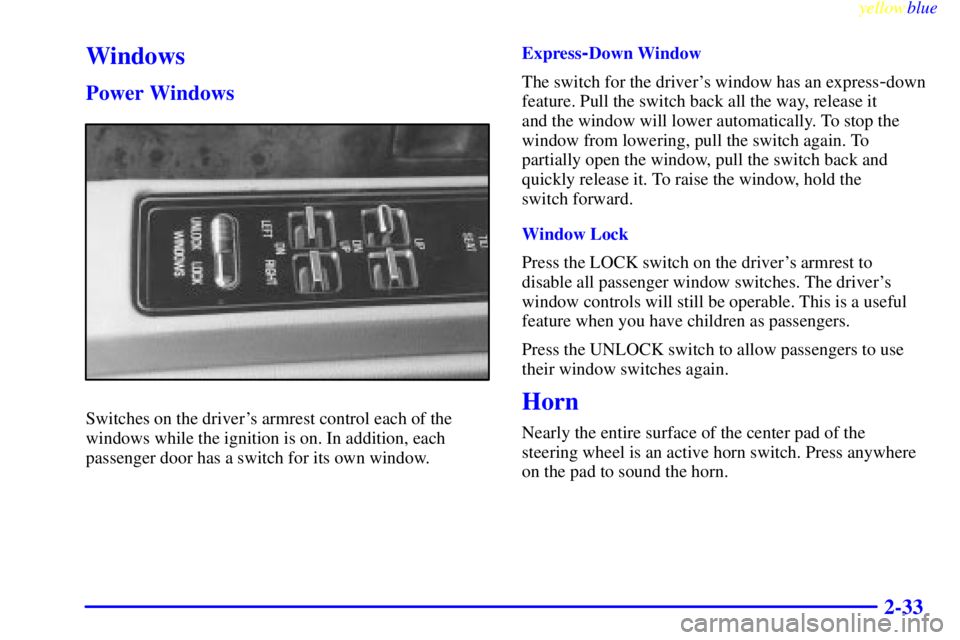
Switches on the driver's armrest control each of the
windows while the ignition is on. In addition, each
passenger door has a switch for its own window.Express
-Down Window
The switch for the driver's window has an express
-down
feature. Pull the switch back all the way, release it
and the window will lower automatically. To stop the
window from lowering, pull the switch again. To
partially open the window, pull the switch back and
quickly release it. To raise the window, hold the
switch forward.
Window Lock
Press the LOCK switch on the driver's armrest to
disable all passenger window switches. The driver's
window controls will still be operable. This is a useful
feature when you have children as passengers.
Press the UNLOCK switch to allow passengers to use
their window switches again.
Horn
Nearly the entire surface of the center pad of the
steering wheel is an active horn switch. Press anywhere
on the pad to sound the horn.
Page 90 of 368
yellowblue
2-34
Tilt Wheel
A tilt steering wheel allows you to adjust the steering
wheel before you drive.
You can also raise it to the highest level to give your
legs more room when you exit and enter the vehicle.
To tilt the wheel, hold the steering wheel and pull the
lever toward you. Move the steering wheel to a
comfortable level, then release the lever to lock the
wheel in place.
Turn Signal/Multifunction Lever
The lever on the left side of the steering column
includes your:
�Turn Signal and Lane Change Indicator
�Headlamp High/Low Beam Changer and
Passing Signal
�Windshield Wipers and Washer
�Cruise Control
Page 93 of 368
yellowblue
2-37
CAUTION:
In freezing weather, don't use your washer until
the windshield is warmed. Otherwise the washer
fluid can form ice on the windshield, blocking
your vision.
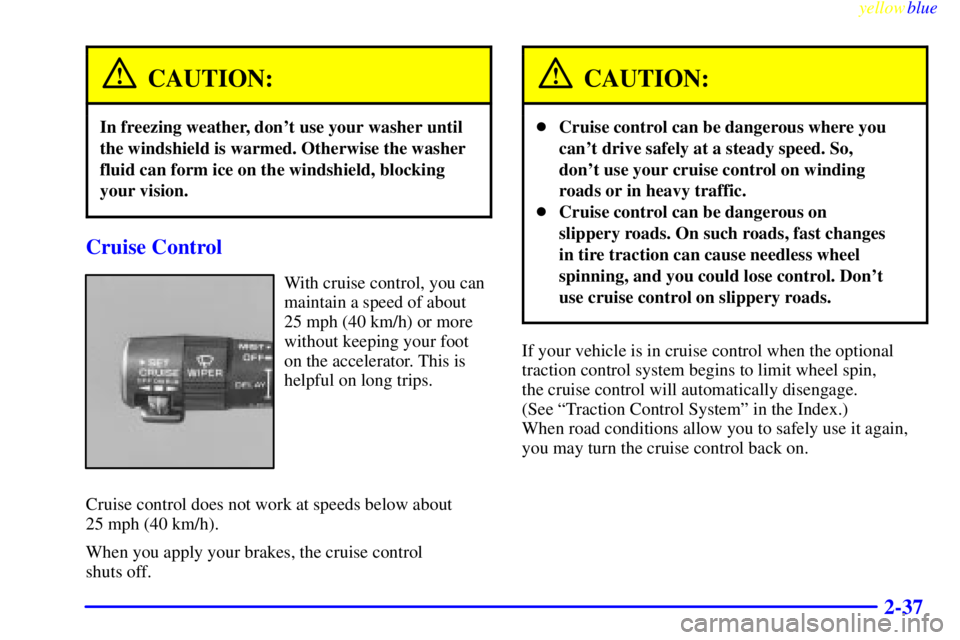
Cruise Control
With cruise control, you can
maintain a speed of about
25 mph (40 km/h) or more
without keeping your foot
on the accelerator. This is
helpful on long trips.
Cruise control does not work at speeds below about
25 mph (40 km/h).
When you apply your brakes, the cruise control
shuts off.
CAUTION:
�Cruise control can be dangerous where you
can't drive safely at a steady speed. So,
don't use your cruise control on winding
roads or in heavy traffic.
�Cruise control can be dangerous on
slippery roads. On such roads, fast changes
in tire traction can cause needless wheel
spinning, and you could lose control. Don't
use cruise control on slippery roads.
If your vehicle is in cruise control when the optional
traction control system begins to limit wheel spin,
the cruise control will automatically disengage.
(See ªTraction Control Systemº in the Index.)
When road conditions allow you to safely use it again,
you may turn the cruise control back on.
Page 99 of 368

yellowblue
2-43 Illuminated Entry (If Equipped)
Press the UNLOCK button on the remote keyless entry
transmitter (if equipped) and the interior courtesy lamps
will turn on and stay on for up to one minute. The lamps
will turn off immediately by pressing the LOCK button
on the remote keyless entry transmitter, starting the
engine or activating the power door locks.
Delayed Entry Lighting
When you open the door, the interior lamps will turn on.
When you close the door with the ignition off, the
interior lamps will stay on for 25 seconds or until the
ignition is turned to an on position. Note that locking the
doors will override the delayed entry lighting feature
and the lamps will turn off right away.
Theater Dimming
This feature allows for a three to five-second fade out of
the courtesy lamps instead of immediate turn off.
Delayed Exit Lighting
With this feature, the interior lamps will turn on and stay
on for up to 25 seconds after you remove the key from
the ignition. This will give you time to find the door pull
handle or lock switches.
Perimeter Lighting (If Equipped)
When the UNLOCK button on the remote keyless entry
transmitter is pressed, the headlamps, parking lamps,
back
-up lamps and cornering lamps will turn on if it is
dark enough outside according to the twilight sentinel.
If your vehicle is not equipped with twilight sentinel
and perimeter lighting is active, the lights will turn on
whenever the UNLOCK button on the transmitter
is pressed.
Personal Choice Programming
This feature can be programmed in the on or off mode
for each transmitter.
To turn the feature off:
1. Turn the ignition key to OFF.
2. Press and hold LOCK on the power door lock switch
throughout this procedure. All the doors will lock.
3. Press the instant alarm on the remote keyless entry
transmitter. Perimeter lighting remains on at this
time and the horn will chirp two times.
Page 100 of 368
yellowblue
2-44
4. Press the instant alarm on the remote keyless entry
transmitter again. Perimeter lighting is disabled and
the horn will chirp one time.
5. Release the door lock switch. The perimeter lighting
feature is now off.
To turn the feature on:
1. Turn the ignition key to OFF.
2. Press and hold LOCK on the power door lock switch
throughout this procedure. All the doors will lock.
3. Press the instant alarm on the transmitter again.
Perimeter lighting is now enabled and the horn will
chirp one time.
4. Press the instant alarm on the transmitter again.
Perimeter lighting is now enabled and the horn will
chirp two times.
5. Release the door lock switch. The perimeter lighting
feature is now on.
This procedure only changes the mode for the
transmitter used to change this setting. The procedure
will need to be repeated for the second transmitter.Front Reading Lamps (If Equipped)
Front seat reading lamps are turned on or off by pressing
the LAMP switch.
Page 107 of 368

yellowblue
2-51
Storage Compartments
Glove Box
Use the door key to lock and unlock the glove box. To
open, lift the latch release on the left side of the glove
box door.
Center Console Cupholder/Coinholder
The armrest between the front seats opens into a storage
area. To open it, press the lever at the front edge of the
armrest upward.Inside, a cupholder flips forward and unfolds to hold
two cups. The cupholder is designed to break away
should it receive excessive pressure. If it breaks away,
snap the edges back into place.
There is also a removable coinholder, cassette tape and
compact disc storage area.
Convenience Net (If Equipped)
Your vehicle may have a convenience net. You'll see it
just inside the back wall of the trunk.
Put small loads, like grocery bags, behind the net. It can
help keep them from falling over during sharp turns or
quick starts and stops. For heavier loads, store them in
the trunk as far forward as you can.
You can unhook the net so that it will lie flat when
you're not using it.
Ashtrays and Cigarette Lighter
The front center and rear ashtrays may be removed for
cleaning. Hold the sides of the ashtray and then pull the
ashtray up and out.
Page 109 of 368
yellowblue
2-53
OnStar� System (Option)
Your vehicle may be equipped with the OnStar
Communications service. The following services are
available 24 hours a day from an OnStar representative:
�Roadside Service with Location
�Emergency Services Button
�Remote Door Unlock
�Theft Detection/Notification and Stolen
Vehicle Tracking
�Automatic Notification of Air Bag Deployment
�Concierge/Customer Conveniences Services
NOTE: Installation of aftermarket equipment is
possible, however, the features described above will not
be compatible with any portable phone other than the
OnStar cellular phone available from your dealer.
For more information, contact your dealer.