1998 OLDSMOBILE SILHOUETTE brake light
[x] Cancel search: brake lightPage 11 of 444
Vehicle Symbols
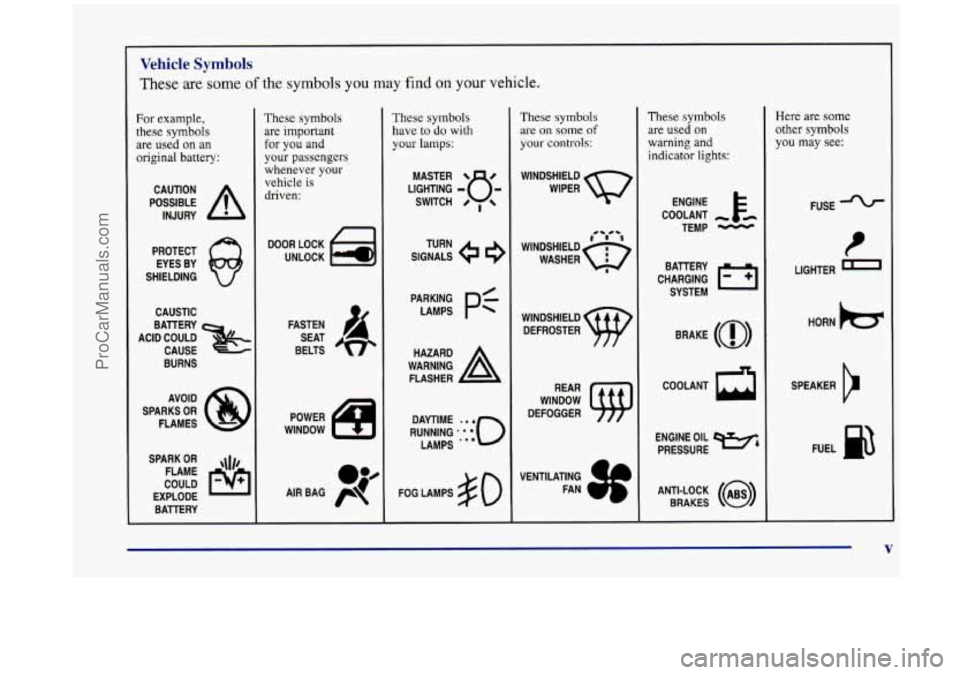
These are some of the symbols you may find on your vehicle.
For example,
these symbols are used on an
original battery:
POSSIBLE A
CAUTION
INJURY
PROTECT EYES BY
SHIELDING
CAUSTIC
ACID COULD BAllERY
CAUSE
BURNS
AVOID
SPARKS
OR
FLAMES
SPARK
OR ,\I/,
COULD FLAME
EXPLODE BAllERY
These symbols
are important
for you and
your passengers
whenever
your
vehicle is
driven:
DOOR LOCK
UNLOCK
FASTEN SEAT
BELTS
These symbols
have to do with
your lamps:
SIGNALS e
TURN
WARNING
A
HAZARD
FLASHER
FOG LAMPS
$0
These symbols
are on some of
your controls:
WINDSHIELD
WIPER
WINDSHIELD DEFROSTER
WINDOW
DEFOGGER
These symbols
are used on
warning and indicator lights:
ENGINE E*
COOLANT
TEMP
-
CHARGING I-1
BATTERY
SYSTEM
BRAKE
(a)
COOLANT a
ENGINE OIL e,
PRESSURE
ANTI-LOCK
(@)
BRAKES
Here are some other symbols you may see:
FUSE
LIGHTER
m
HORN )cr
SPEAKER
b
FUEL e3
ProCarManuals.com
Page 103 of 444
Section 2 Features and Controls
Here you can learn about the many standard and optional features on your vehicle, and information on starting,
shifting and braking. Also explained are the instrument panel and the warning systems that tell you if everything is
working properly
-- and what to do if you have a problem.
2-2
2-4
2-8
2-13
2-
14
2-15
2-20
2-22
2-23
2-25
2-26
2-27
2-29
2-30
2-34 2-35
2-37 Keys
Door Locks
Remote Lock Control (Option)
Switchbanks
Sliding Door
Power Sliding Door (Option)
Liftgate
Theft
Content Theft-Deterrent (Option)
New Vehicle “Break-In”
Ignition Positions
Starting Your Engine
Engine Coolant Heater
(If Equipped)
Automatic Transaxle Operation
Parking Brake
Shifting Into PARK
(P)
Shifting Out of PARK (P)
2-38
2-38
2-39
2-40
2-50
2-52
2-59
2-6
1
2-64
2-65
2-78
2-78
2-8
1
2-82
2-86 2-99 Parking Over Things
That Burn
Engine Exhaust
Running Your Engine While You’re Parked
Locks and Lighting Choices
Windows
Turn SignalMultifunction Lever
Exterior Lamps
Interior Lamps
Mirrors Storage Compartments
Sun Visors
Accessory Inflator System (Option)
Accessory Power Outlet
Instrument Panel
Warning Lights, Gages and Indicators
Driver Information Center (DIC) (Option)
2-1
ProCarManuals.com
Page 127 of 444
Nuisance Alarms New Vehicle “Break-In”
If you experience nuisance alarms (alarms which are not
caused by the opening of a door or the liftgate and are
not desirable), you may need to reduce the damage
detection sensitivity. Try programming the Content
Theft-Deterrent to Mode
1.
If you continue to experience nuisance alarms, you may
want to try turning
off damage detection by
programming your Content Theft-Deterrent to Mode
2.
If you are still having trouble with nuisance alarms, you
can
turn off the Content Theft-Deterrent system by
programming your Content Theft-Deterrent to Mode
3.
See “Locks and Lighting Choices” in the Index for more
information. See
your retailer or qualified technician
for service.
NOTICE:
Your vehicle doesn’t need an elaborate
“break-in.” But
it will perform better in the long
run
if you follow these guidelines:
0 Don’t drive at any one speed -- fast or
slow
-- for the first 500 miles (805 km).
Don’t make full-throttle starts.
200 miles (322 km) or so. During this time
your new brake linings aren’t yet broken
in. Hard stops with new linings can mean
premature wear and earlier replacement.
Follow
this breaking-in guideline every
time you get new brake linings.
See “Towing
a Trailer’’ in the Index for
more information.
Avoid making hard stops for the first
0 Don’t tow a trailer during break-in.
2-25
ProCarManuals.com
Page 136 of 444
Parking Brake
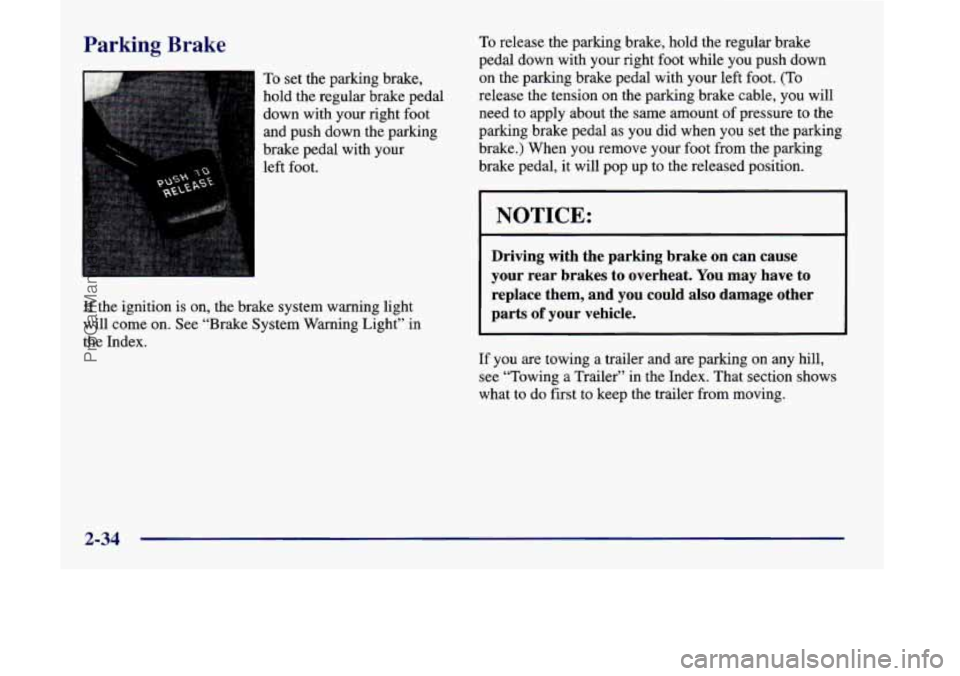
To set the parking brake,
hold the regular brake pedal
down with your right foot
and push down the parking
brake pedal with your
left foot.
If the ignition is on, the brake system warning light
will come on. See “Brake System Warning Light” in
the Index.
To release the parking brake, hold the regular brake
pedal down with your right foot while you push down
on the parking brake pedal with your left foot.
(To
release the tension on the parking brake cable, you will
need to apply about the same amount of pressure to the
parking brake pedal as you did when you set the parking
brake.) When you remove your foot from the parking
brake pedal,
it will pop up to the released position.
NOTICE:
Driving with the parking brake on can cause
your rear brakes to overheat. You may have to
replace them, and you could also damage other
parts
of your vehicle.
If you are towing a trailer and are parking on any hill,
see “Towing a Trailer” in the Index. That section shows
what to do first to keep the trailer from moving.
2-34
ProCarManuals.com
Page 160 of 444
Increasing Speed While Using Cruise Control
There are two ways to go to a higher speed:
0 Use the accelerator pedal to get to the higher speed.
Push the
SET button at the end of the lever, then
release the button and the accelerator pedal. You’ll
now cruise at the higher speed.
Move the cruise switch from ON to WA. Hold it
there until you get up to the speed you want, and
then release the switch.
(To increase your speed in
very small amounts, move the switch
to WA for
less than half a second and then release it. Each time
you do this, your vehicle will go about
1 mph
(1.6 krn/h) faster.)
The accelerate feature will work whether or not you
have set an initial cruise control speed.
Reducing Speed While Using Cruise Control
There are two ways to reduce speed while using
cruise control:
0 Push in the button at the end of the lever until you
reach the lower speed you want, then release
it.
0 To slow down in very small amounts, push the
button for less than half a second. Each time you do
this, you’ll go
1 mph (1.6 km/h) slower.
Passing Another Vehicle While Using Cruise Control
Use the accelerator pedal to increase your speed. When
you take your foot off the pedal, your vehicle will slow
down to the cruise control speed you set earlier.
Using Cruise Control on Hills
How well your cruise control will work on hills depends
upon your speed, load and the steepness of the hills.
When going up steep hills, you may have to step on the
accelerator pedal to maintain your speed. When going
downhill, you may have to brake or shift to a lower gear
to keep your speed down. Of course, applying the brake
takes you out of cruise control. Many drivers find this to
be too much trouble and don’t use cruise control on
steep hills.
Ending Cruise Control
There are two ways to turn off the cruise control:
Step lightly on the brake pedal; or
Move the cruise switch to OFF.
Erasing Cruise Speed Memory
When you turn off the cruise control or the ignition,
your cruise control set speed memory is erased.
2-58
ProCarManuals.com
Page 162 of 444

A light sensor on top of the instrument panel makes the
DRL work, so be sure it isn’t covered. The DRL system
will make your front parking and turn signal lamps
come on in daylight when:
The ignition is on,
the headlamp switch is off and
the parking brake is released.
When the DRL are on, only your front parking and turn
signal lamps will be
on. Your instrument panel won’t be
lit up.
When it’s dark enough outside, the exterior lamps will
come on automatically. When it’s bright enough outside,
the exterior lamps will
go out and the DRL will turn on.
Of course, you may still turn on the headlamps any time
you need to.
To idle your vehicle with the DRL or exterior lamps off,
set the parking brake while the ignition is in
OFF or
LOCK. Then start the vehicle. The DRL will stay
off
until you release the parking brake.
As with any vehicle, you should turn on the regular
headlamp system when you need it.
Fog Lamps
The fog lamps switch is
located in the instrument
panel switchbank. Push the
fog lamp symbol on the
rocker button to turn on
the lamps.
The green indicator light will glow. Push the ribbed
part of
the switch to turn them off. The indicator light will go off.
Your parking lamps or headlamps must be on for your
fog lamps to go on.
When your DRL are on, the headlamps switch must first
be turned from the off position before the fog lamps can
be turned on. At night, when DRL automatically turns
on your headlamps, the fog lamps can be turned on
when the headlamps switch is in any position.
Your fog lamps will go off when you switch to high
beams. Using your high beams in fog is not recommended.
2-60
ProCarManuals.com
Page 190 of 444
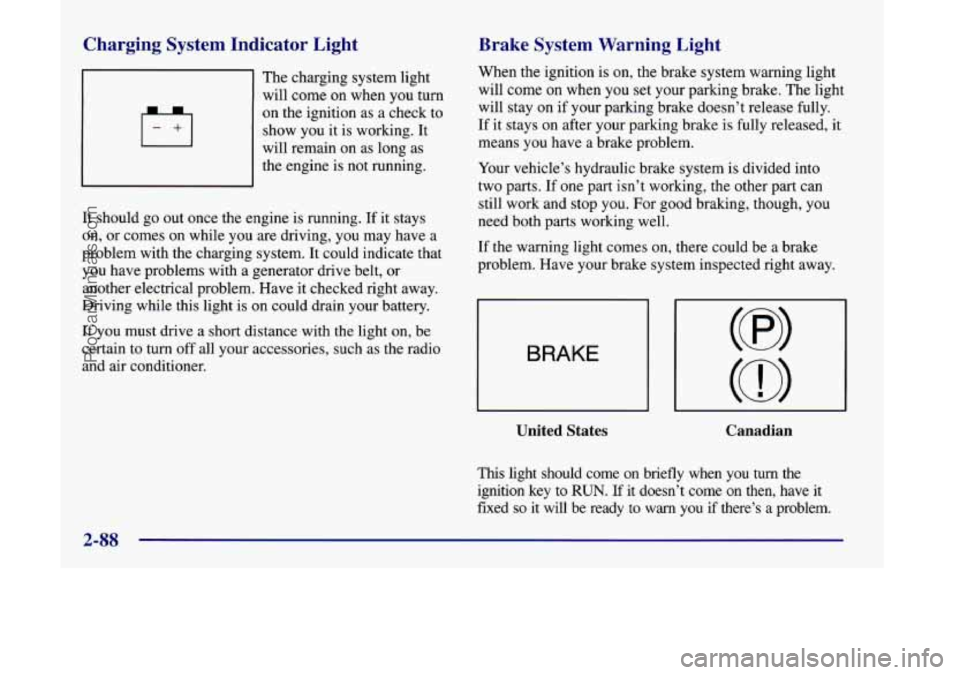
Charging System Indicator Light
The charging system light
will come on when you turn
on the ignition as a check to
show you it is working. It
will remain on as long as
the engine is not running.
It should go out once the engine is running.
If it stays
on, or comes on while you
are driving, you may have a
problem with the charging system. It could indicate that
you have problems with a generator drive belt, or
another electrical problem. Have it checked right away.
Driving while this light is on could drain your battery.
If you must drive a short distance
with the light on, be
certain to turn off all your accessories, such as the radio
and air conditioner.
Brake System Warning Light
When the ignition is on, the brake system warning light
will come on when you set your parking brake.
The light
will stay on if your parking brake doesn’t release fully.
If
it stays on after your parking brake is fully released, it
means you have
a brake problem.
Your vehicle’s hydraulic brake system is divided into
two parts. If one part isn’t working, the other part can
still work and stop you. For good braking, though, you
need both
parts working well.
If the warning light comes on, there could be a brake
problem. Have your brake system inspected right away.
BRAKE
United States Canadian
This light should come on briefly when you turn the
ignition key to
RUN. If it doesn’t come on then, have it
fixed
so it will be ready to warn you if there’s a problem.
2-88
ProCarManuals.com
Page 191 of 444
If the light comes on while you are driving, pull off the
road and stop carefully. You may notice that the pedal is
harder to push. Or, the pedal may go closer to the floor.
It may take longer to stop. If the light is still on, or if the
anti-lock brake system warning light is flashing, have
the vehicle towed for service. (See “Anti-Lock Brake
System Warning Light” and “Towing Your Vehicle” in
the Index
.)
I A CAUTION:
Your brake system may not be working properly
if the brake system warning light
is on. Driving
with the brake system warning light on can lead
to an accident.
If the light is still on or if the
anti-lock brake system warning light
is flashing
after you’ve pulled
off the road and stopped
carefully, have the vehicle towed for service.
Anti-Lock Brake System Warning Light
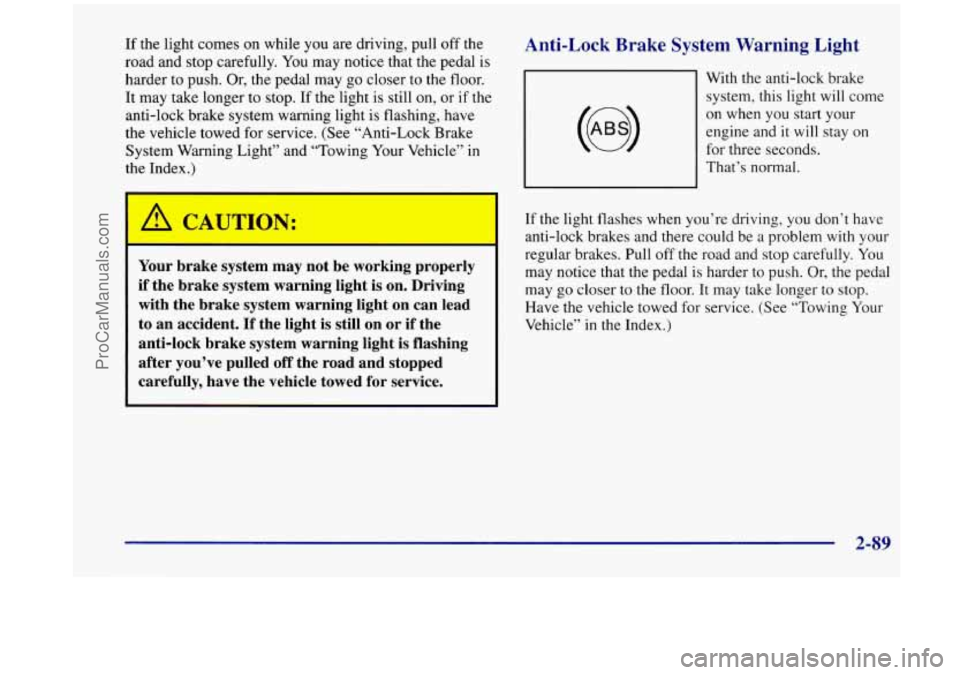
With the anti-lock brake
system, this light will come
on when you start your
engine and it will stay on
for three seconds.
That’s normal.
If the light flashes when you’re driving, you don’t have
anti-lock brakes and there could be a problem with
your
regular brakes. Pull off the road and stop carefully. You
may notice that the pedal is harder to push. Or, the pedal
may go closer to the floor. It may take longer to stop.
Have the vehicle towed for service. (See “Towing Your
Vehicle” in the Index.)
2-89
ProCarManuals.com