Page 185 of 444
Your instrument panel is designed to let you know at a glance how your vehicle is running. You’ll know how fast
you’re going, how much fuel you’re using, and many other things you’ll need to drive safely
and economically.
Refer to the accompanying diagram of your instrument panel to locate the components listed below.
A. Side Vents
B. Front Vent
C. Turn SignalMultifunction Lever
D. Hazard Warning Flashers Switch
E. Instrument Cluster
F. Center Vents
G. Audio System
H. Side Vents
I. Lamps Switch
J. Hood Release
K. Steering Wheel Touch Controls (Option)
L. Horn
M. Ignition Switch
N. Steering Wheel Touch Controls (Option)
0. Climate Controls
P. Rear Fan Controls (Option)
Q. Accessory Power Outlet
R. Storage Bin
S. Remote CD Player (Option)
T. Instrument Panel Switchbank
U. LightedAshtray
V. Glove Box
W. Front Vents
X, Fuse Panel
2-83
ProCarManuals.com
Page 192 of 444

A CAUTION:
Your regular brake system may not be working
properly if the anti-lock brake system warning
light is flashing. Driving with the anti-lock brake
system warning light flashing can lead to an
accident. After you’ve pulled off the road and
stopped carefully, have the vehicle towed
for service.
If the anti-lock brake system warning light stays on
longer than normal after you’ve started your engine, turn
the ignition off. Or, if the light comes on and stays on
when you’re driving, stop
as soon as possible and turn
the ignition off. Then start the engine again to reset the
system.
If the light still stays on, or comes on again
while you’re driving, your vehicle needs service.
If the
light is on but not flashing and the regular brake system
warning light isn’t on, you still have brakes, but
you
don’t have anti-lock brakes.
The anti-lock brake system warning light should come
on briefly when you turn the ignition key to
RUN. If the
light doesn’t come on then, have
it fixed so it will be
ready to warn you if there
is a problem.
Traction Control System Warning Light
(Option)
This warning light should
come on briefly as you start
the engine.
If the warning
light doesn’t come on then,
have
it fixed so it will be
ready
to warn you if there’s
a problem.
If it stays
on, or comes on when you’re driving, there
may be
a problem with your traction control system and
your vehicle may need service. When this warning light
is on,
the system will not limit wheel spin. Adjust your
driving accordingly.
2-90
ProCarManuals.com
Page 193 of 444
The traction control system warning light may come on
for the following reasons:
If there’s a brake system problem that is specifically
related to traction control, the traction control system
will turn
off and the warning light will come on. If
your brakes begin to overheat, the traction control
system will turn off and the warning light will come
on until your brakes cool down.
If the traction control system is affected by an
engine-related problem, the system will turn off and
the warning light will come on.
If the traction control system warning light comes on
and stays
on for an extended period of time when the
system
is turned on, your vehicle needs service.
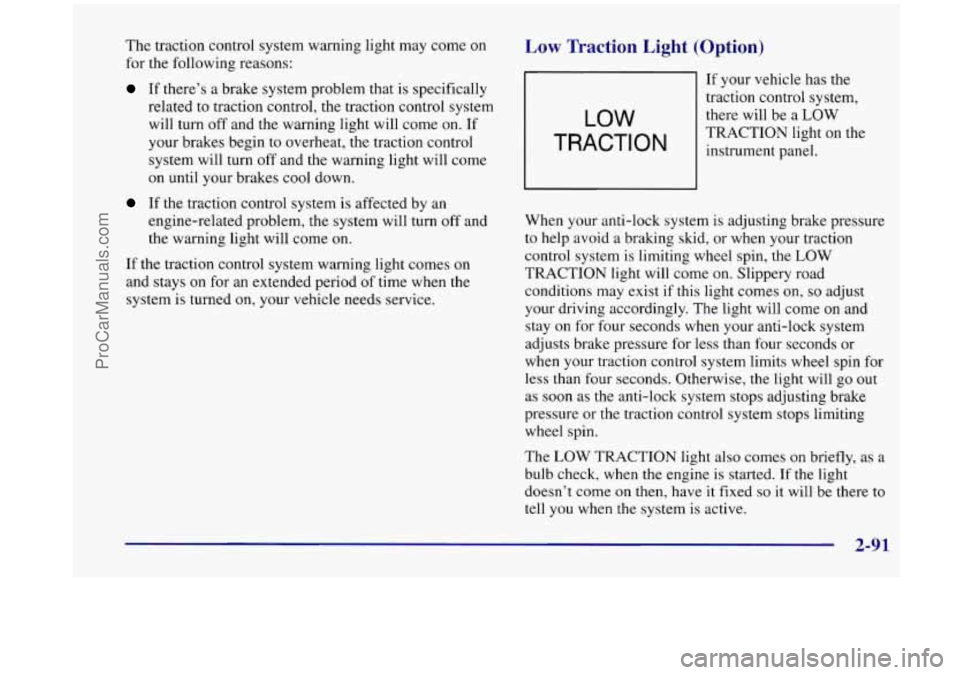
Low Traction Light (Option)
LOW
TRACTION
If your vehicle has the
traction control system,
there will be a
LOW
TRACTION light on the
instrument panel.
When your anti-lock system is adjusting brake pressure
to help avoid a braking skid, or when your traction
control system is limiting wheel spin, the
LOW
TRACTION light will come on. Slippery road
conditions may exist if this light comes on,
so adjust
your driving accordingly. The light will come on and
stay
on for four seconds when your anti-lock system
adjusts brake pressure for less than four seconds or
when your traction control system limits wheel spin for
less than four seconds. Otherwise, the light will
go out
as soon as the anti-lock system
stops adjusting brake
pressure or the traction control system stops limiting
wheel spin.
The
LOW TRACTION light also comes on briefly, as a
bulb check, when the engine is started. If the light
doesn’t come on then, have it fixed
so it will be there to
tell you when
the system is active.
2-91
ProCarManuals.com
Page 205 of 444
Section 3 Comfort Controls and Audio Systc-;
In this section, you’ll find out how to operate the comfort control and audio systems offered with your vehicle. Be
sure to read about the particular systems supplied with your vehicle.
3-2
3-3
3-4
3-4
3-5
3-6
3-8
3-9 3-10
3- 14 Comfort Controls
Air Conditioning
Heating
Defogging and Defrosting
Rear Window Defogger
Rear Climate Control (If Equipped)
Ventilation System
Setting the Clock for All Systems
AM-FM Stereo with Cassette Tape Player and
Automatic Tone Control
AM-FM Stereo with Compact Disc Player and
Automatic Tone Control
(If Equipped) 3-18
3 -20
3-21
3 -24
3 -25
3 -25
3-26
3-27
3 -27
3-27 Rear Seat
Audio
(If Equipped)
Remote Compact Disc Player (If Equipped)
Theft-Deterrent Feature Audio Steering Wheel Controls
(If Equipped)
Understanding Radio Reception
Tips About Your Audio System
Care of Your Cassette Tape Player
Care of Your Compact Discs
Care of Your Compact Disc Player
Integrated Windshield Antenna
3-1
ProCarManuals.com
Page 212 of 444
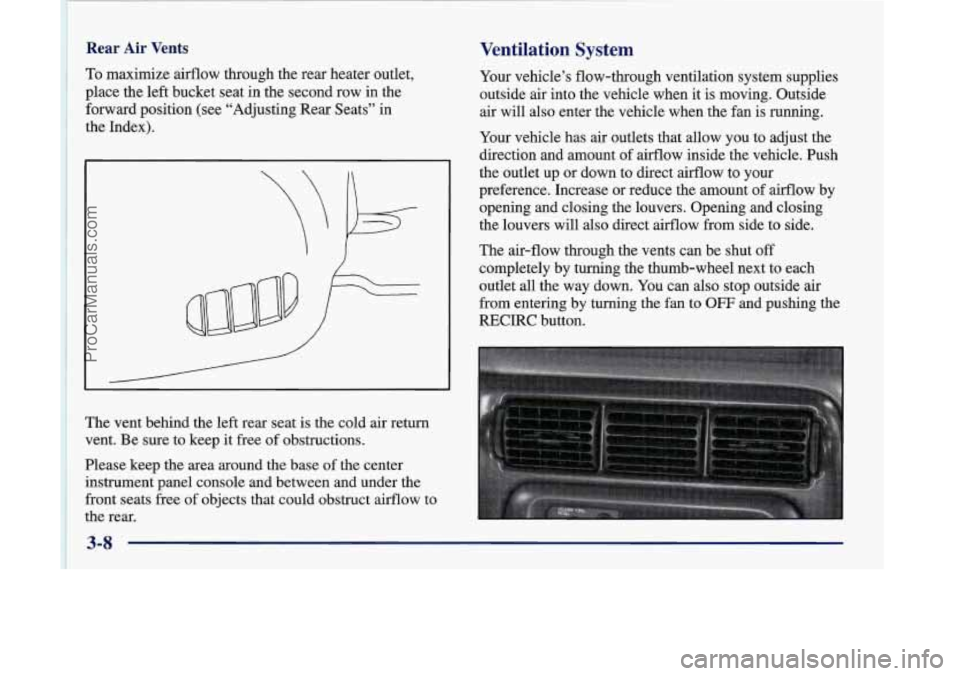
~ 1 To maximize airflow through the rear heater outlet,
i place the
left bucket seat in the second row in the
~ forward position (see “Adjusting Rear Seats” in
1 the Index).
Rear Air Vents
I
~
1 ~ vent. Be sure to keep it free of obstructions.
~ Please keep the area around the base of the center ’ instrument panel console and between and under the
~ front seats free of objects that could obstruct airflow to
~ the rear.
The
vent behind
the left rear seat is the cold air return
~
Ventilation System
Your vehicle’s flow-through ventilation system supplies
outside air into the vehicle when it is moving. Outside
air will also enter the vehicle when the fan
is running.
Your vehicle has
air outlets that allow you to adjust the
direction and amount
of airflow inside the vehicle. Push
the outlet up or down to direct airflow to your
preference. Increase or reduce the amount of airflow by
opening and closing the louvers. Opening and closing
the louvers will
also direct airflow from side to side.
The air-flow through the vents can be shut
off
completely by turning the thumb-wheel next to each
outlet all the way down. You can also stop outside air
from entering by turning the fan
to OFF and pushing the
RECIRC button.
ProCarManuals.com
Page 228 of 444
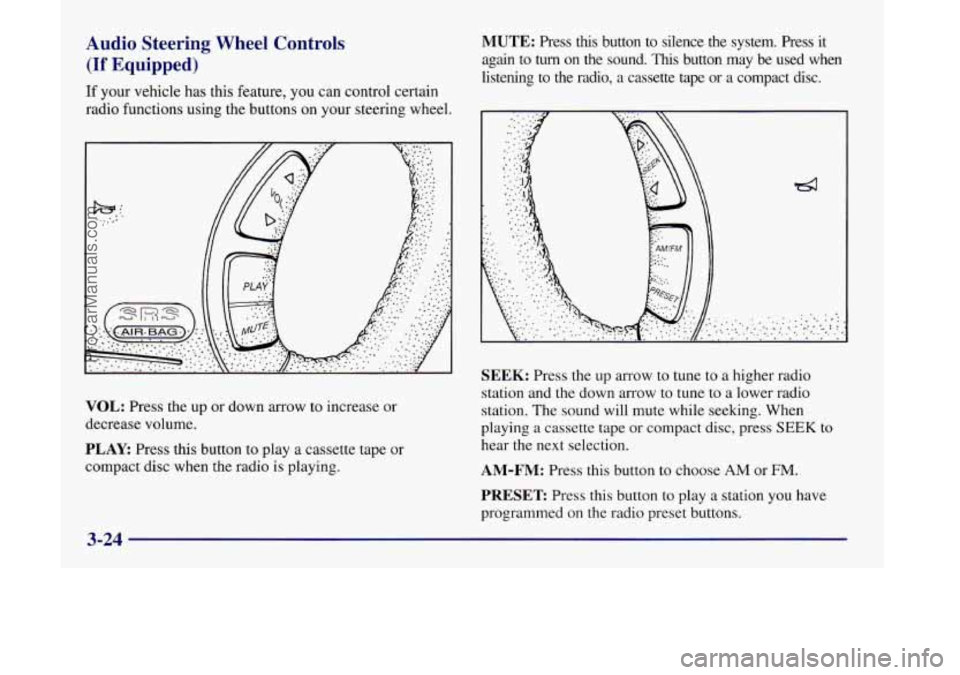
Audio Steering Wheel Controls
(If Equipped)
If your vehicle has this feature, you can control certain
radio functions using the buttons on your steering wheel.
VOL: Press the up or down arrow to increase or
decrease volume.
PLAY: Press this button to play a cassette tape or
compact disc when the radio
is playing.
MUTE: Press this button to silence the system. Press it
again to
turn on the sound. This button may be used when
listening to the radio,
a cassette tape or a compact disc.
SEEK: Press the up arrow to tune to a higher radio
station and the down arrow to tune to a lower radio
station. The sound will mute while seeking. When
playing
a cassette tape or compact disc, press SEEK to
hear the next selection.
AM-FM: Press this button to choose AM or FM.
PRESET Press this button to play a station you have
programmed on the radio preset buttons.
3-24
ProCarManuals.com
Page 240 of 444
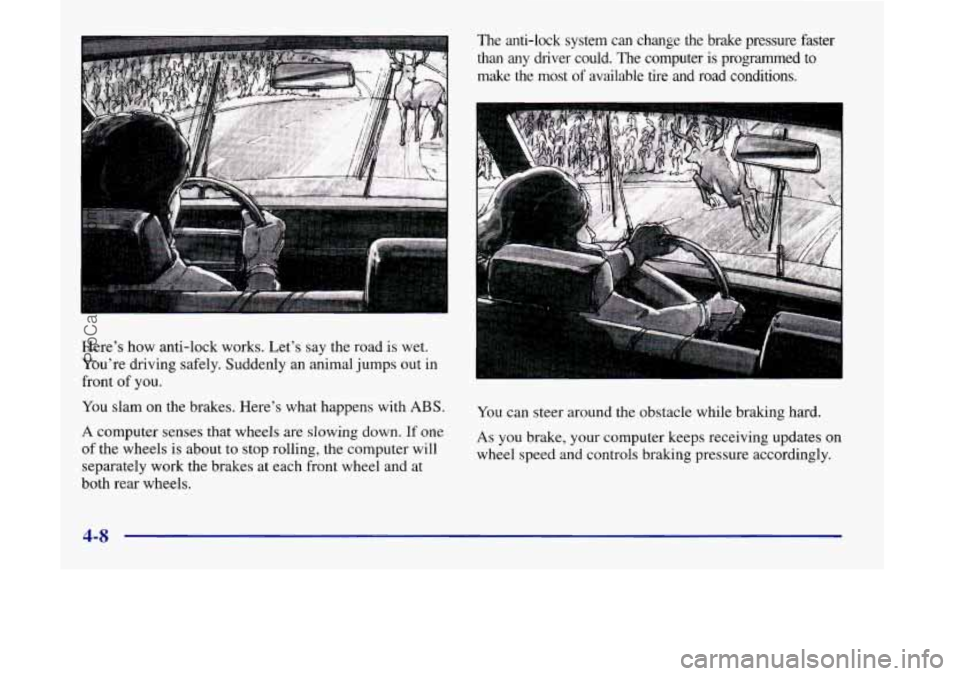
Here's how anti-lock works. Let's say the road is wet.
You're driving safely. Suddenly an animal jumps
out in
front of you.
You slam on the brakes. Here's what happens with ABS.
A computer senses that wheels are slowing down. If one
of the wheels
is about to stop rolling, the computer will
separately work the brakes at each front wheel and at
both rear wheels. The anti-lock system can change the brake pressure faster
than
any driver could. The computer is programmed to
make the most
of available tire and road conditions.
You can steer around
the obstacle while braking hard.
As you brake, your computer keeps receiving updates on
wheel speed and controls braking pressure accordingly.
4-8
ProCarManuals.com
Page 241 of 444
Remember: Anti-lock doesn’t change the time you need
to get your foot up to the brake pedal or always decrease
stopping distance. If you get too close to the vehicle in
front of you, you won’t have time to apply your brakes
if that vehicle suddenly slows or stops. Always leave
enough room up ahead to stop, even though you have
anti-lock brakes.
Using Anti-Lock
Don’t pump the brakes. Just hold the brake pedal down
firmly and
let anti-lock work for you. You may feel a
slight brake pedal pulsation or notice some noise, but
this is normal.
If your vehicle has the
traction control system, this
LOW light will come on when
your anti-lock system is
help avoid a braking
skid.
TRACTI adjusting brake pressure to
See “Low Traction Light” in the Index.
Traction Control System (If Equipped)
Your vehicle may have a traction control system that
limits wheel spin. This is especially useful
in slippery
road conditions. The system operates only if it senses
that
one or both of the front wheels are spinning or
beginning to lose traction. When this happens, the
system works the front brakes and reduces engine power
to limit wheel spin.
This light will come on
when the traction control
system is limiting wheel
spin. See “Low Traction
Light” in the Index.
LOW
TRACTION
You may feel or hear the system working, but this
is normal.
If your vehicle is in cruise control when the traction
control system begins to limit wheel spin, the cruise
control will automatically disengage. When road
conditions allow you to safely
use it again, you may
reengage the cruise control. (See “Cruise Control”
in the Index.)
ProCarManuals.com