1998 Oldsmobile Cutlass CD player
[x] Cancel search: CD playerPage 142 of 348

RCL: Press this button to see which track is playing.
Press it again within five seconds to see how long it has
been playing. To change what
is normally shown on the
display (track or elapsed time), press the button until
you see the display you want, then hold the button until
the display flashes.
While elapsed time is showing,
EL TM will appear on the display.
AM-FM: Press this button to play the radio when a disc
is in the player.
TAPE-CD: Press this button to change to the tape or
disc function when the radio is on and either a tape or
CD is inserted. Press AM-FM to return to the radio
while a CD or tape is playing. The inactive tape or CD
will remain safely inside the radio for future listening.
If
you have the optional CD changer and the CD changer
is loaded, the TAPE-CD button will activate the changer
and a box will be lighted around CDC in the display.
EJECT: Press this button to remove the compact disc or
cassette tape. The icon with the box around it on the
display will eject and the radio will play. EJECT may be
activated with either the ignition or radio
off. Cassettes
and compact discs may be loaded with the radio and
ignition
off if this button is pressed first.
Theft-Deterrent Feature
THEFTLOCK@ is designed to discourage theft of your
radio. It works by
using a secret code to disable all radio
functions whenever battery power is removed.
The THEFTLOCK feature for the radio may be used or
ignored.
If ignored, the system plays normally and the
radio is not protected by the feature. If THEFTLOCK
is
activated, your radio will not operate if stolen.
When THEFTLOCK is activated, the radio will display
LOC to indicate a locked condition anytime battery
power is removed.
If your battery loses power for any
reason, you must unlock the radio with the secret code
before it will operate.
Activating the Theft-Deterrent Feature
The instructions which follow explain how to enter your
secret code to activate the THEFTLOCK system. It
is
recommended that you read through all nine steps
before starting the procedure.
NOTE: If you allow more than 15 seconds to elapse
between any steps, the radio automatically reverts to
time and you must start the procedure over at Step
4.
1. Write down any three or four-digit number from
000 to 1999 and keep it in a safe place separate from
the vehicle.
Page 145 of 348

To help avoid hearing loss or darnage:
0 Adjust the volume control to the lowest setting.
0 Increase volume slowly until you hear comfortably
and clearly.
NOTICE:
Before you add any sound equipment to your
vehicle
-- like a tape player, CB radio, mobile
telephone or two-way radio
-- be sure you can
add what you want.
If you can, it’s very
important to do
it properly. Added sound
equipment may interfere with the operation of
your vehicle’s engine, Delco Electronics radio
or
other systems, and even damage them. Your
vehicle’s systems may interfere with the
operation of sound equipment that has been
added improperly.
So, before adding sound equipment, check with
your retailer and be sure to check Federal rules
covering mobile radio and telephone units.
Care of Your Cassette Tape Player
A tape player that is not cleaned regularly can cause
reduced sound quality, ruined cassettes or a damaged
mechanism. Cassette tapes should be stored
in their
cases away from contaminants, direct sunlight and
extreme heat.
If they aren’t, they.may not operate
properly or may cause failure of the tape player.
Your tape player should be cleaned regularly after every
50 hours of use. Your radio may display CLN to indicate
that you have used your tape player for
50 hours without
resetting the tape clean timer.
If this message appears on
the display, your cassette tape player needs to be
cleaned. It will
still play tapes, but you should clean it as
soon as possible to prevent damage to your tapes and
player.
If you notice a reduction in sound quality, try a
known good cassette to see
if it is the tape or the tape
player at fault.
If this other cassette has no improvement
in sound quality, clean the tape player.
The recommended cleaning method for your cassette
tape player is the use of a scrubbing action,
non-abrasive cleaning cassette with pads which scrub
the tape head as the hubs of the cleaner cassette
turn.
The recommended cleaning cassette is available through
your retail facility
(GM Part No. 12344789).
3-21
Page 146 of 348

When using a scrubbing action, non-abrasive cleaning cassette, it is normal for the cassette to eject because
your unit is equipped with a cut tape detection feature and a cleaning cassette may appear as a broken tape.
If
the cleaning cassette ejects, insert the cassette at least
three times to ensure thorough cleaning.
You may also choose a non-scrubbing action, wet-type
cleaner which uses a cassette with a fabric belt
to clean
the tape head. This type of cleaning cassette will not
eject on its own. A non-scrubbing action cleaner may
not clean as thoroughly as the scrubbing type cleaner.
The use of a non-scrubbing action, dry-type cleaning
cassette is not recommended.
After you clean the player, press and hold EJECT for
five seconds to reset the CLN indicator. The radio will
display
--- to show the indicator was reset.
Cassettes are subject to wear and the sound quality
may degrade over time. Always make sure the cassette
tape is in good condition before you have your tape
player serviced.
Care of Your Compact Discs
Handle discs carefully. Store them in their original cases
or other protective cases and away Erom direct sunlight
and dust. If the surface
of a disc is soiled, dampen a
clean, soft cloth in a mild, neutral detergent solution and
clean it, wiping from the center to the edge.
Be sure never to touch the signal surface when handling discs. Pick up discs by grasping the outer edges or the
edge of the hole and the outer edge.
Care of Your Compact Disc Player
The use of CD lens cleaner discs is not advised, due to
the risk of contaminating the lens
of the CD optics with
lubricants internal to the CD mechanism.
Fixed Mast Antenna
The fixed mast antenna can withstand most car washes
without being damaged. If the mast should ever become
slightly bent, you can straighten it out by hand.
If the
mast is badly bent, as it might be by vandals, you should
replace it.
Check every once in a' while to be sure the mast is still
tightened to the fender.
3-22
Page 340 of 348
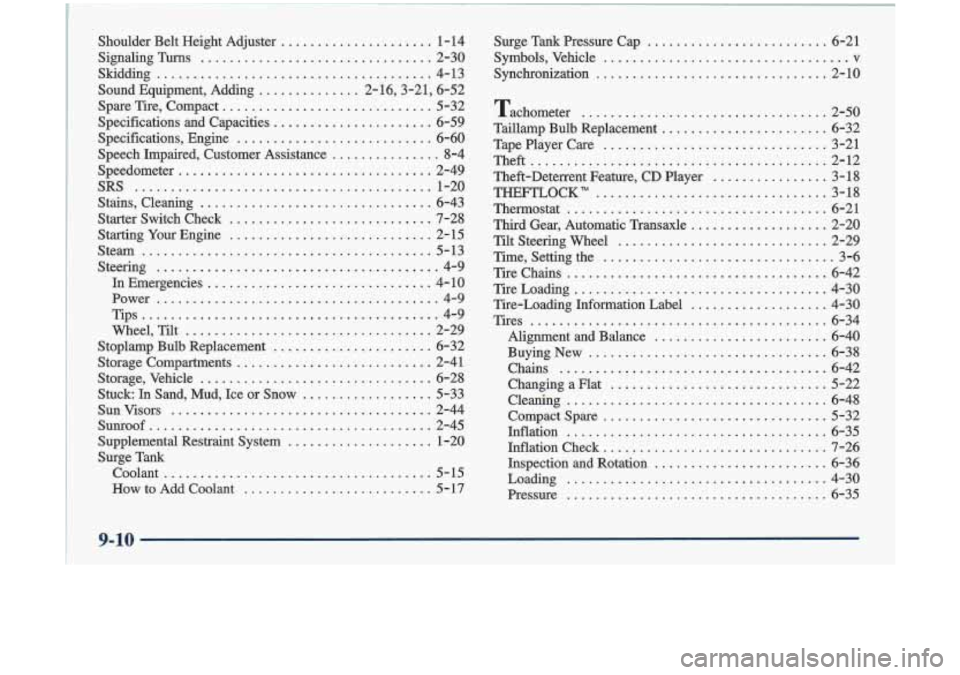
Shoulder Belt Height Adjuster ..................... 1-14
SignalingTurns
................................ 2-30
Sound Equipment, Adding
.............. 2-16,3-21, 6-52
Spare Tire, Compact
............................. 5-32
Specifications and Capacities
...................... 6-59
Specifications, Engine
........................... 6-60
Speech Impaired, Customer Assistance
............... 8-4
Speedometer
................................... 2-49
SRS
......................................... 1-20
Stains, Cleaning
................................ 6-43
Starter Switch Check
............................ 7-28
Starting Your Engine
............................ 2-15
Stem
........................................ 5-13
Steering
....................................... 4-9
In Emergencies
............................... 4- 10
Power
....................................... 4-9
Tips ......................................... 4-9
Wheel, Tilt
.................................. 2-29
Stoplamp Bulb Replacement
...................... 6-32
Storage Compartments
........................... 2-41
Storage, Vehicle
................................ 6-28
Stuck In Sand, Mud, Ice or Snow
.................. 5-33
SunVisors
.................................... 2-44
Sunroof ....................................... 2-45
Supplemental Restraint System
.................... 1-20
Surge Tank coolant
..................................... 5-15
How to Add Coolant
.......................... 5- 17
Skidding
...................................... 4-13
Surge
Tank Pressure Cap ......................... 6-21
Symbols. Vehicle
.................................. v
Synchronization ................................ 2-10
Tachometer
.................................. 2-50
Taillamp Bulb Replacement
....................... 6-32
Tape Player Care
............................... 3-21
Theft
......................................... 2-12
Theft-Deterrent Feature.
CD Player ................ 3-18
THEFTLOCK"
................................ 3-18
Thermostat
.................................... 6-21
Third Gear. Automatic Transaxle
................... 2-20
Tilt Steering Wheel
............................. 2-29
Time. Setting the
................................ 3-6
Tire Chains
.................................... 6-42
TireLoading
................................... 4-30
Tire-Loading Information Label
................... 4-30
Tires
......................................... 6-34
Alignment and Balance
........................ 6-40
Buying New
................................. 6-38
Chains
..................................... 6-42
ChangingaFlat
.............................. 5-22
Cleaning
.................................... 6-48
Compact Spare
............................... 5-32
Inflation
.................................... 6-35
Inflation Check
............................... 7-26
Inspection and Rotation
........................ 6-36
Loading
.................................... 4-30
Pressure
.................................... 6-35
9-10
I