Page 51 of 176

Optional password selection/false activations
At the time of your registration, you will be given the option of
establishing a user password. All aspects of your service will be identical
regardless of your password decision except the way false emergency
activations are handled. If established, the password will be requested by
the operator to confirm an emergency activation was initialed in error. If
no password or an incorrect password is given, the response center's
operator will seemingly terminate the call but actually stays on the line
and sends police to the last calculated vehicle location (this could be
very useful in duress situations). It is very important that you remember
your password to prevent false dispatches. Similarly, it is also important
to provide the password to any other individuals who will be driving the
vehicle or who may have need to activate the system.
If you decide not to establish a password, simply indicate to the operator
that the emergency assistance request was initiated in error and the call
will be terminated.
In either case, if an activation (roadside or emergency) occurs and the
operator cannot establish voice communication, police assistance will be
dispatched to the vehicle.
Information regarding changing or retrieving lost passwords can be
obtained by contacting the Lincoln Security Response Center at
1±800±334±1327.
Acquaintance activations
It is required that you initiate an acquaintance activation shortly after
receiving your vehicle and having your phone activated. An acquaintance
activation is initiated by pressing either the roadside or emergency
control. When voice communication is established with the Lincoln
Security Response Center, indicate that you are a new user and the
operator will follow special acquaintance period support procedures
which are intended to familiarize you with your Lincoln RESCU System.
As described previously, the acquaintance call can also be used to
complete the registration for new customers.
Service charges
For four years, beginning with your vehicle's warranty period, you will be
entitled to unlimited activations without facing service charges. (These
activations should be made only when emergency or roadside assistance
is required.) You will be responsible, however, for any charges imposed
by your cellular phone carrier for the 1±800 phone call to the Lincoln
Controls and features
51
Page 52 of 176
Security Response Center. After your initial service period expires, you
may be requires to pay a monitoring service fee. Your dealer can provide
you with specific information regarding post-initial service period fees.
Relinquishing your vehicle
At the time you relinquish your vehicle, it is important that you contact
the Lincoln Security Response Center at 1±800±223±1327 and cancel
your security service. Personal information provided to the response
center at the time of your registration will be removed from the vehicle's
file.
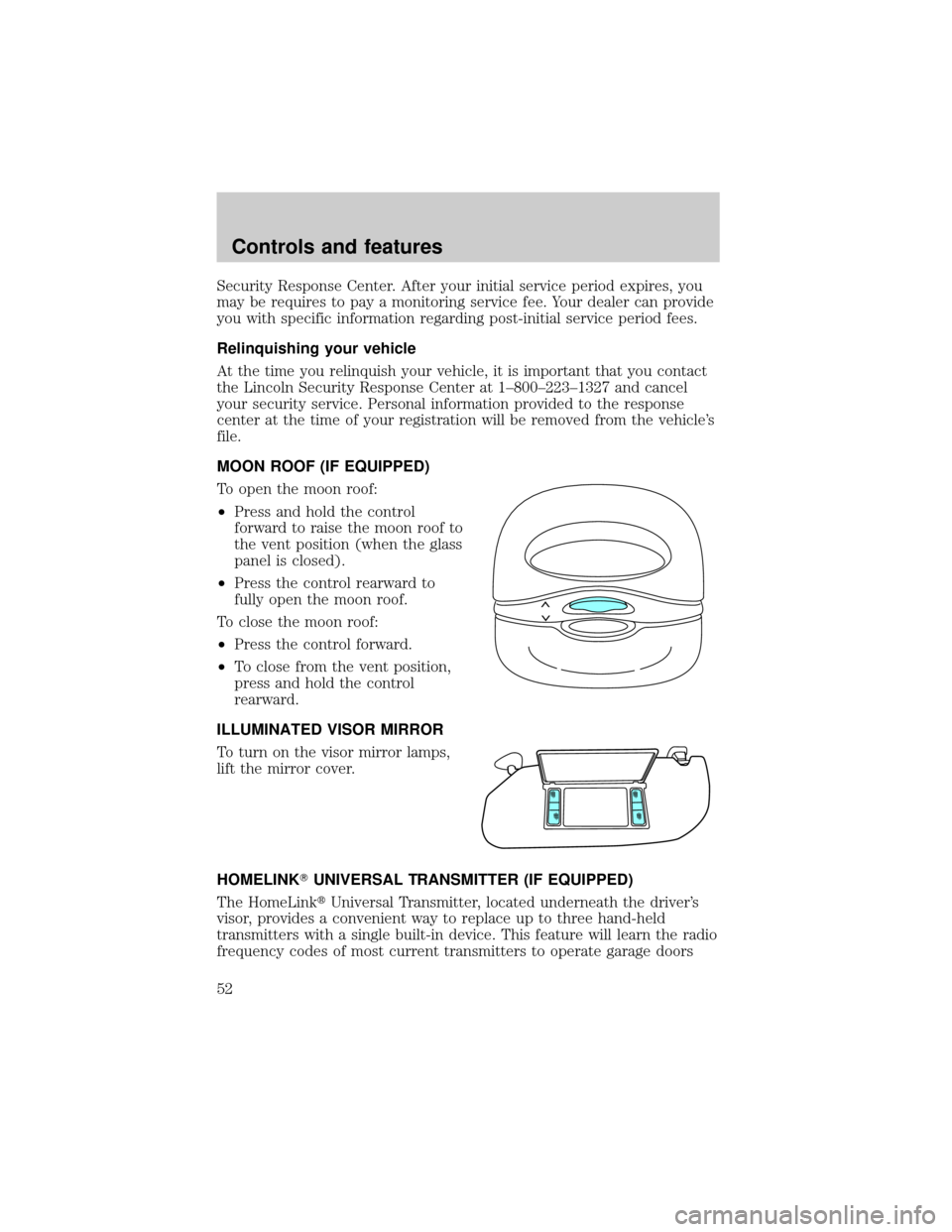
MOON ROOF (IF EQUIPPED)
To open the moon roof:
²Press and hold the control
forward to raise the moon roof to
the vent position (when the glass
panel is closed).
²Press the control rearward to
fully open the moon roof.
To close the moon roof:
²Press the control forward.
²To close from the vent position,
press and hold the control
rearward.
ILLUMINATED VISOR MIRROR
To turn on the visor mirror lamps,
lift the mirror cover.
HOMELINKTUNIVERSAL TRANSMITTER (IF EQUIPPED)
The HomeLinktUniversal Transmitter, located underneath the driver's
visor, provides a convenient way to replace up to three hand-held
transmitters with a single built-in device. This feature will learn the radio
frequency codes of most current transmitters to operate garage doors
Controls and features
52
Page 53 of 176
and gates, and can also control home or office lighting and security
systems (with the available accessory package).
When programming your HomeLinktUniversal Transmitter, you
will be operating the garage door or gate. Be sure that people
and objects are out to the way to prevent potential harm or damage.
Do not use the HomeLinktUniversal Transmitter with any garage door
opener that lacks safety stop and reverse features as required by U.S.
federal safety standards (this includes any garage door opener model
manufactured before April 1, 1982). A garage door which cannot detect
an object, signaling the door to stop and reverse, does not meet current
U.S. federal safety standards. For more information on this matter, call
toll-free: 1±800±355±3515.
Programming
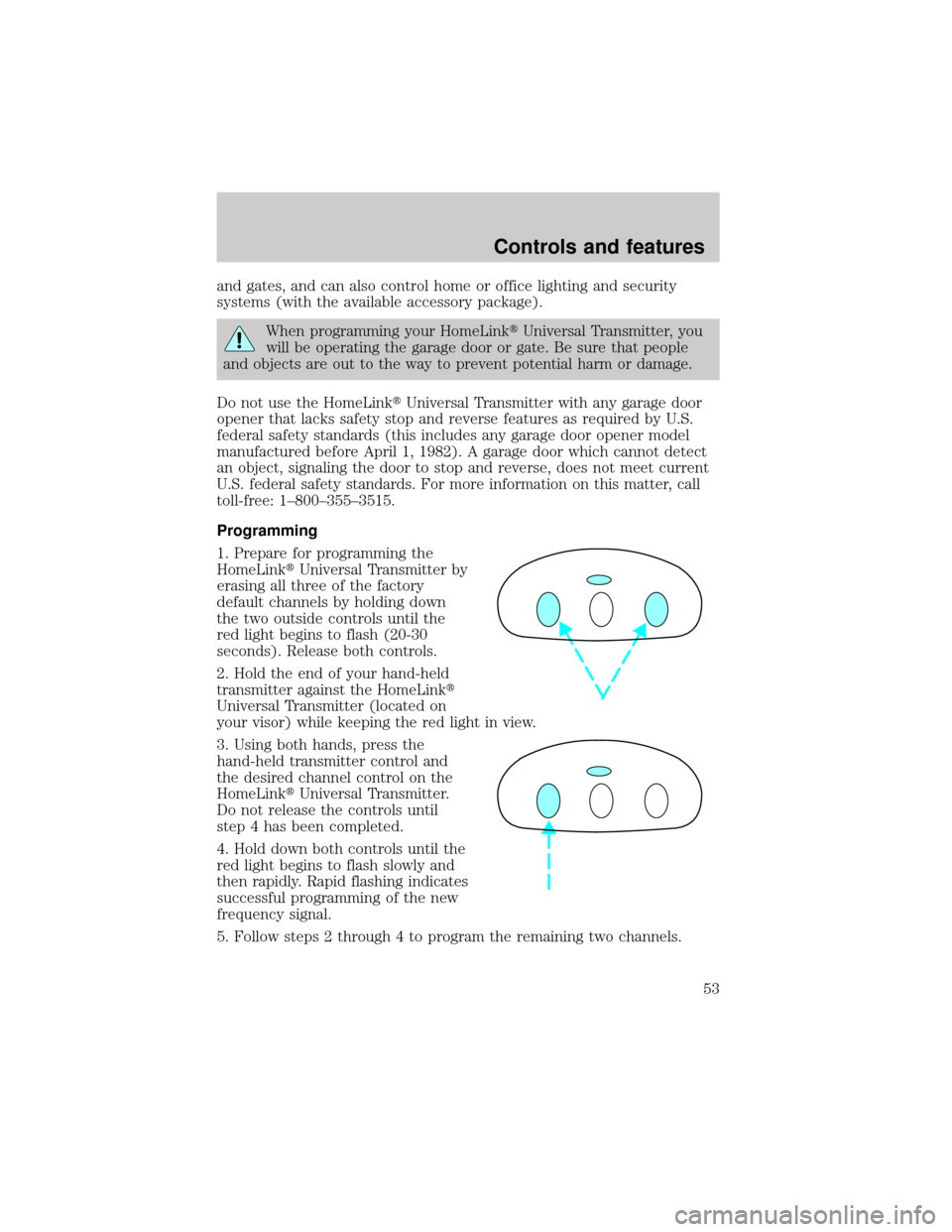
1. Prepare for programming the
HomeLinktUniversal Transmitter by
erasing all three of the factory
default channels by holding down
the two outside controls until the
red light begins to flash (20-30
seconds). Release both controls.
2. Hold the end of your hand-held
transmitter against the HomeLinkt
Universal Transmitter (located on
your visor) while keeping the red light in view.
3. Using both hands, press the
hand-held transmitter control and
the desired channel control on the
HomeLinktUniversal Transmitter.
Do not release the controls until
step 4 has been completed.
4. Hold down both controls until the
red light begins to flash slowly and
then rapidly. Rapid flashing indicates
successful programming of the new
frequency signal.
5. Follow steps 2 through 4 to program the remaining two channels.
Controls and features
53
Page 61 of 176
3. Return to the center position to lock mirrors in place.
Heated outside mirrors
Both mirrors are heated
automatically to remove ice, mist
and fog when the rear window
defrost is activated.
Do not remove ice from the mirrors
with a scraper or attempt to
readjust the mirror glass if it is
frozen in place. These actions could
cause damage to the glass and
mirrors.
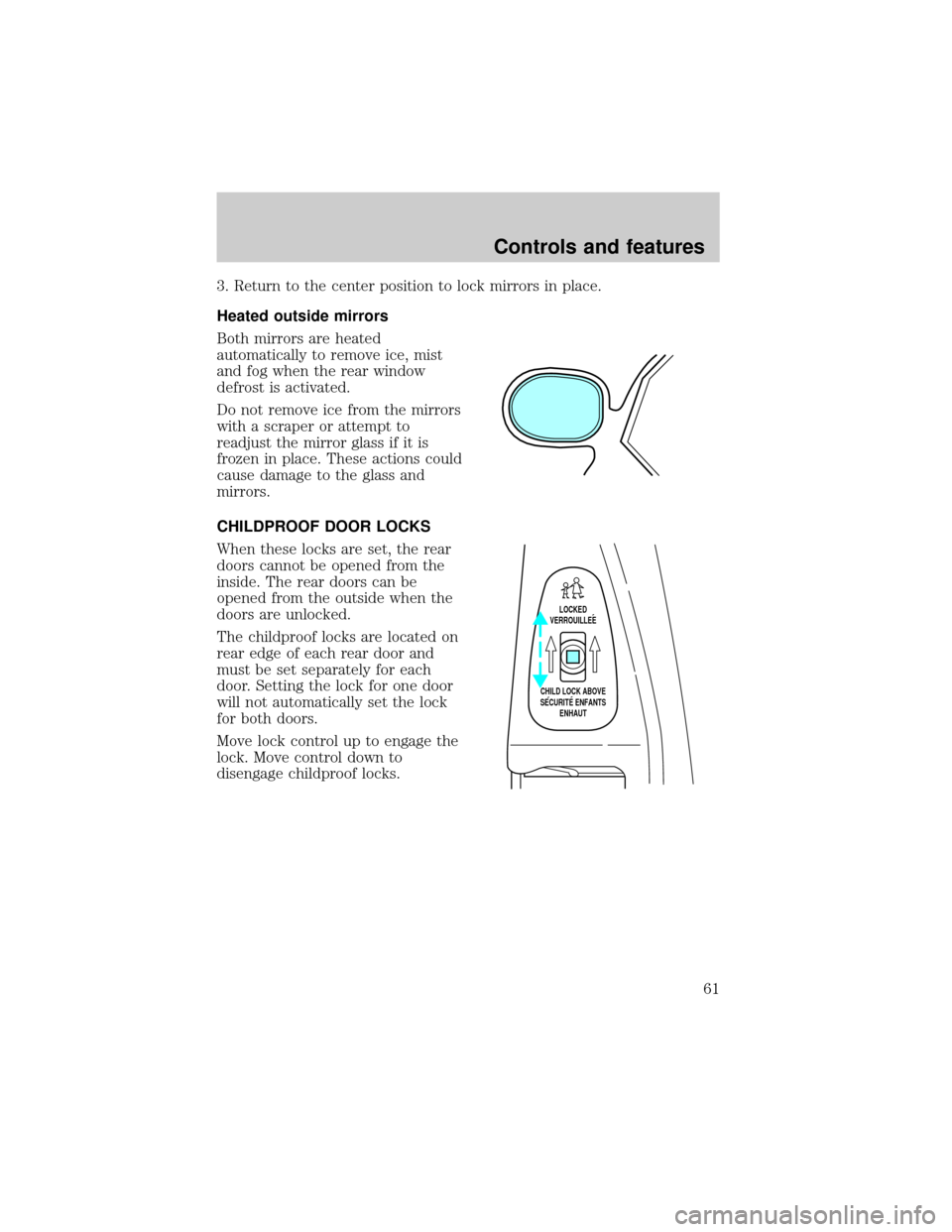
CHILDPROOF DOOR LOCKS
When these locks are set, the rear
doors cannot be opened from the
inside. The rear doors can be
opened from the outside when the
doors are unlocked.
The childproof locks are located on
rear edge of each rear door and
must be set separately for each
door. Setting the lock for one door
will not automatically set the lock
for both doors.
Move lock control up to engage the
lock. Move control down to
disengage childproof locks.
LOCKED
VERROUILLEE
CHILD LOCK ABOVE
SECURITE ENFANTS
ENHAUT
Controls and features
61
Page 64 of 176

If a door is open, the system is prearmed and is waiting for the door to
close. The anti-theft indicator on the instrument panel will be lit
continuously when the system is prearmed.
Once the doors are closed, the system will arm in 30 seconds.
Disarming the system
You can disarm the system by any of the following actions:
²Unlock the doors by using your
remote entry transmitter.
²Unlock the doors by using your
keyless entry keypad.
²Unlock the doors with a key. Turn
the key full travel (toward the
front of the vehicle) to make sure
the alarm disarms.
²Turn ignition to ACC or ON.
SecuriLockYanti-theft system
The SecuriLockyanti-theft system provides an advanced level of vehicle
theft protection. Your vehicle's engine can only be started with the two
special SecuriLockyelectronically coded keys provided with your
vehicle. Each time you start your vehicle, the SecuriLockykey is read
by the SecuriLockyanti-theft system. If the SecuriLockykey
identification code matches the code stored in the SecuriLocky
anti-theft system, the vehicle's engine is allowed to start. If the
SecuriLockykey identification code does not match the code stored in
the system or if a SecuriLockykey is not detected (vehicle theft
situation), the vehicle's engine will not operate.
Spare SecuriLockykeys can be purchased from your dealership and
programmed to your SecuriLockyanti-theft system. Refer to
Programming spare SecuriLockykeysfor more information.
123
45678
90
Controls and features
64
Page 65 of 176
If one or both of your SecuriLockykeys are lost or stolen and you want
to ensure the lost or stolen key will not operate your vehicle, bring your
vehicle and all available SecuriLockykeys to your dealership for
reinitialization.
REMOTE ENTRY SYSTEM
The remote entry system allows you to lock or unlock all vehicle doors
without a key.
The remote entry features only operate with the ignition in the OFF
position.
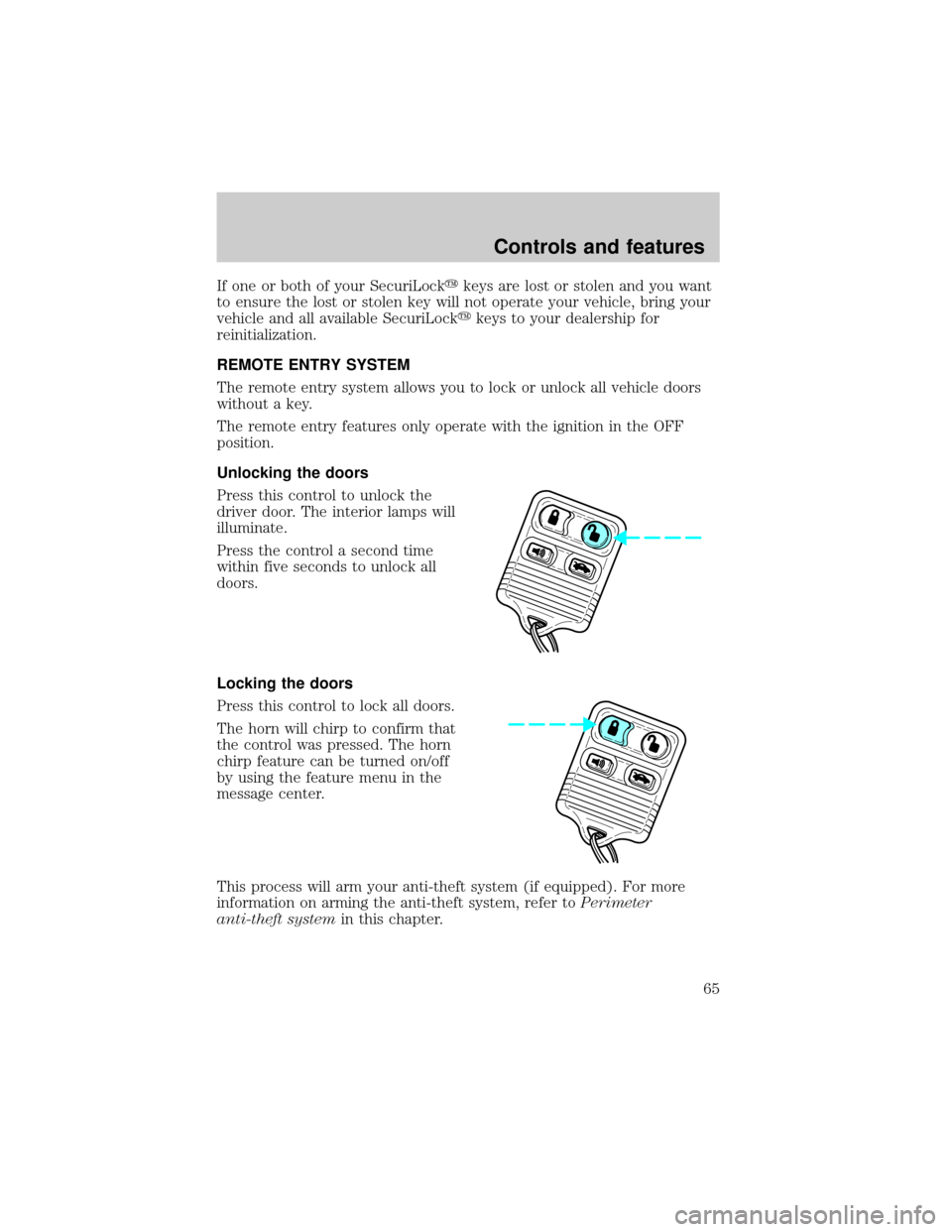
Unlocking the doors
Press this control to unlock the
driver door. The interior lamps will
illuminate.
Press the control a second time
within five seconds to unlock all
doors.
Locking the doors
Press this control to lock all doors.
The horn will chirp to confirm that
the control was pressed. The horn
chirp feature can be turned on/off
by using the feature menu in the
message center.
This process will arm your anti-theft system (if equipped). For more
information on arming the anti-theft system, refer toPerimeter
anti-theft systemin this chapter.
Controls and features
65
Page 85 of 176
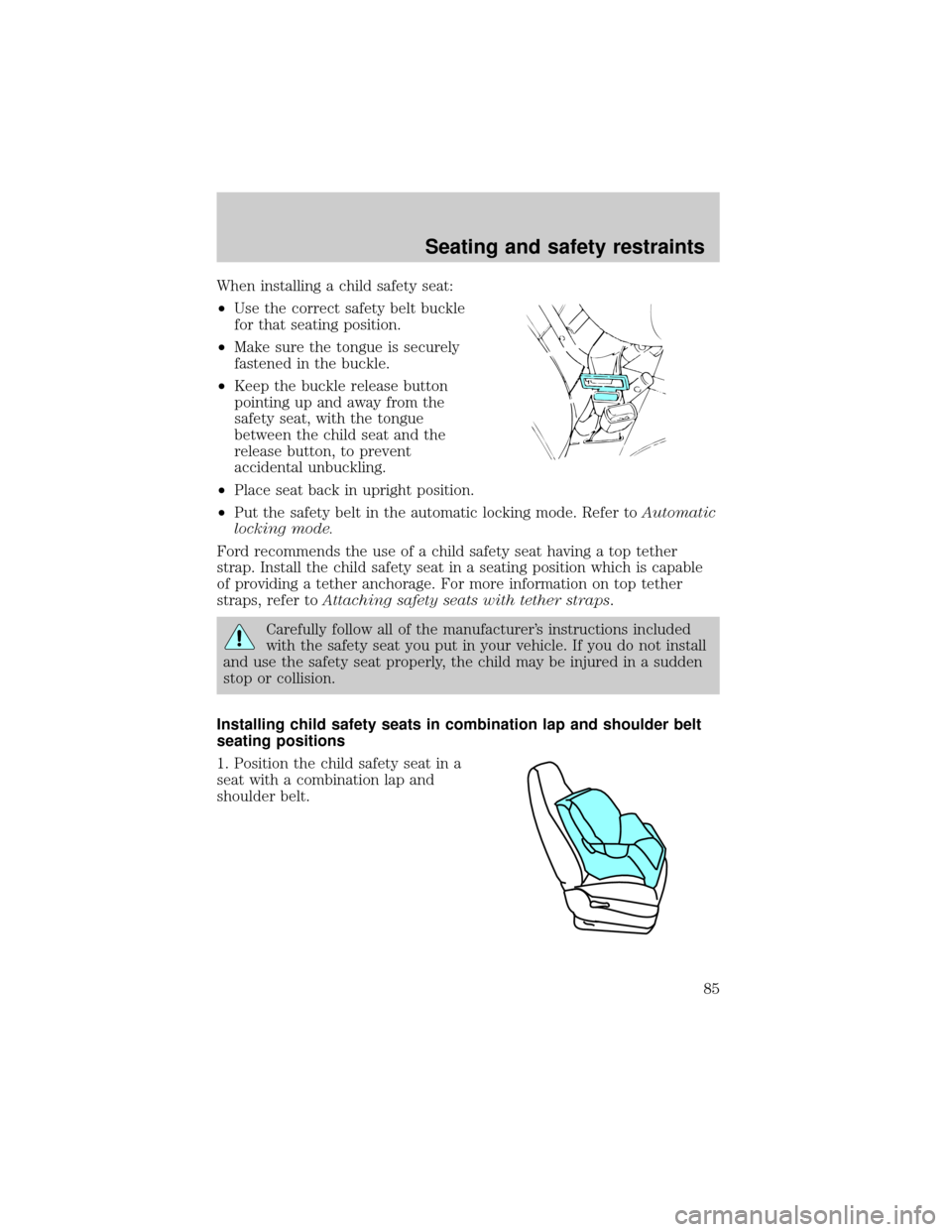
When installing a child safety seat:
²Use the correct safety belt buckle
for that seating position.
²Make sure the tongue is securely
fastened in the buckle.
²Keep the buckle release button
pointing up and away from the
safety seat, with the tongue
between the child seat and the
release button, to prevent
accidental unbuckling.
²Place seat back in upright position.
²Put the safety belt in the automatic locking mode. Refer toAutomatic
locking mode.
Ford recommends the use of a child safety seat having a top tether
strap. Install the child safety seat in a seating position which is capable
of providing a tether anchorage. For more information on top tether
straps, refer toAttaching safety seats with tether straps.
Carefully follow all of the manufacturer's instructions included
with the safety seat you put in your vehicle. If you do not install
and use the safety seat properly, the child may be injured in a sudden
stop or collision.
Installing child safety seats in combination lap and shoulder belt
seating positions
1. Position the child safety seat in a
seat with a combination lap and
shoulder belt.
Seating and safety restraints
85
Page 86 of 176
Air bag can kill or injure a child in a child seat. If you must use a
forward-facing child seat in the front seat, move seat all the way
back.
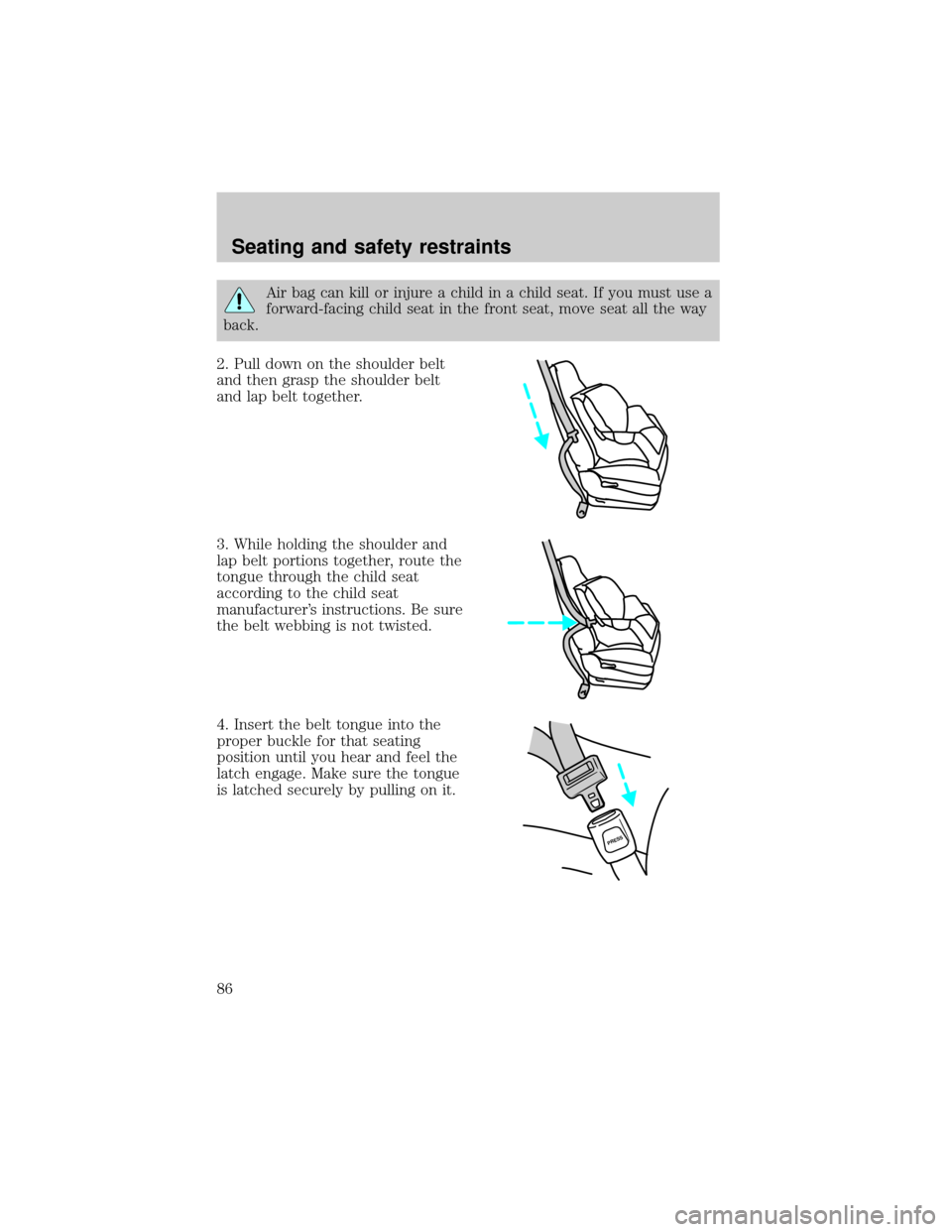
2. Pull down on the shoulder belt
and then grasp the shoulder belt
and lap belt together.
3. While holding the shoulder and
lap belt portions together, route the
tongue through the child seat
according to the child seat
manufacturer's instructions. Be sure
the belt webbing is not twisted.
4. Insert the belt tongue into the
proper buckle for that seating
position until you hear and feel the
latch engage. Make sure the tongue
is latched securely by pulling on it.
PRESS
Seating and safety restraints
86