1998 HONDA CIVIC COUPE set clock
[x] Cancel search: set clockPage 74 of 251
Keys and Locks
Reinstall the 0-ring. Align the
mark on the cover with the mark on the transmitter,
then set the cover in place and turn it
clockwise.
After the battery is changed, the transmitter must be synchronized
with the main unit. With the doors and trunk lid closed, press either theLOCK or UNLOCK button six times.
Test the transmitter by locking and unlocking the doors several times. Transmitter Care
Avoid severe shock to the trans- mitter, such as dropping or throwing
it. Also, protect it from extreme hotor cold temperatures.
Clean the transmitter case with a
soft cloth. Do not use strong
cleaners or solvents that could harm
the case. Immersing the transmitter in any liquid will harm the trans-
mitter and cause it to not function
properly.
Use the ring on the transmitter to
attach it to your main key ring. You
could damage the transmitter if you
try to use its ring as a key ring. If you lose a transmitter, you will
need to have the replacement
programmed to your vehicle's
system by your Honda dealer. Any
other transmitters you have will also
need to be reprogrammed.
As required by the FCC: This device complies with Part 15 of the
FCC rules. Operation is subject to the
following two conditions: (1) This device may not cause harmful interference, and (2) this device must accept any
interference received, including
interference that may cause undesired operation.
Changes or modifications not expressly
approved by the party responsible for
compliance could void the user's
authority to operate the equipment.
Instruments and ControlsMain Menu Table of Contents s t
Page 87 of 251
Comfort and Convenience Features
The heating and air conditioning* systems in your Honda provide a
comfortable driving environment in
all weather conditions.
The standard audio system has many features. This section de-
scribes those features and how to
use them. (If you selected an optional audio system, refer to the
operating instructions that came
with it.)
* Air conditioning is standard on the
EX model in the U.S. It is optional on
other models.
Heating and Cooling........................ 86
What Each Control Does............ 86How to Use the System............... 88
To Turn Everything Off............. 93
Audio System................................... 94 Operating the Radio.................... 94
Adjusting the Sound.................... 96 Radio Frequencies....................... 97
Radio Reception........................... 97
Digital Clock................................. 99Operating the Cassette Player...................................... 100
Tape Search Functions............. 100 Caring for the Cassette Player...................................... 102
Operating the Optional
CD Player/Changer.............. 103
Protecting Compact Discs........ 105
CD Changer Error Indications.............................. 106
Comfort and Convenience FeaturesMain Menu s t
Page 101 of 251
Audio System
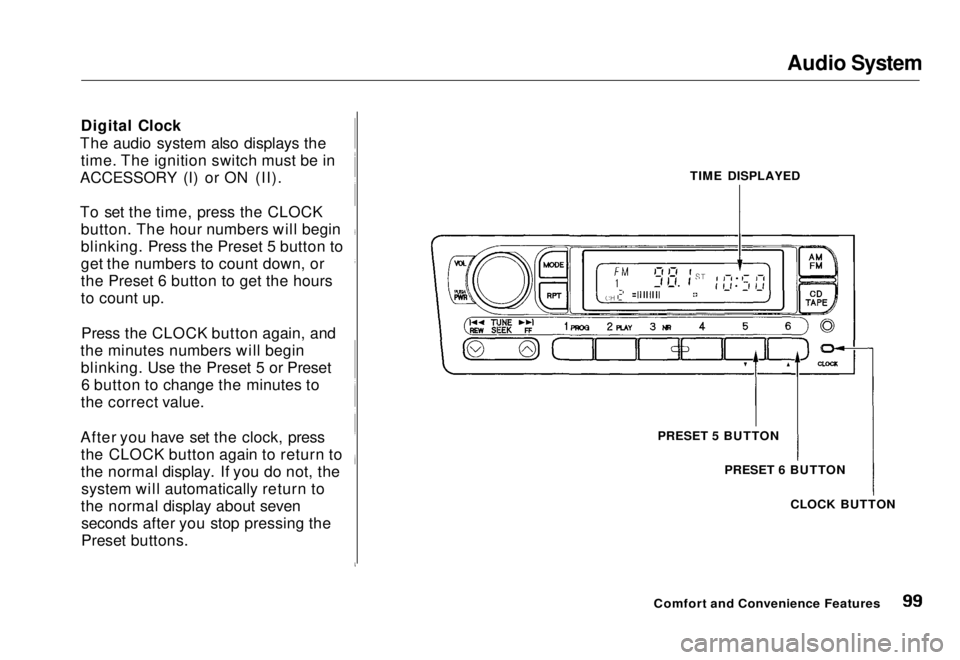
Digital Clock
The audio system also displays the time. The ignition switch must be in
ACCESSORY (I) or ON (II).
To set the time, press the CLOCK button. The hour numbers will begin
blinking. Press the Preset 5 button to
get the numbers to count down, or
the Preset 6 button to get the hours
to count up.
Press the CLOCK button again, and
the minutes numbers will begin blinking. Use the Preset 5 or Preset6 button to change the minutes to
the correct value.
After you have set the clock, press the CLOCK button again to return to
the normal display. If you do not, thesystem will automatically return to
the normal display about seven seconds after you stop pressing the
Preset buttons. TIME DISPLAYED
PRESET 5 BUTTON PRESET 6 BUTTON
CLOCK BUTTON
Comfort and Convenience FeaturesMain Menu Table of Contents s t
Page 194 of 251
Lights
8. Reset the fastener by pushing on the pointed end until it pops backalmost flush with the fingers on
the housing.
9. Put the fastener in the hole of the side of the trunk lining and push
on the center until it locks (the
center is flush with the head).
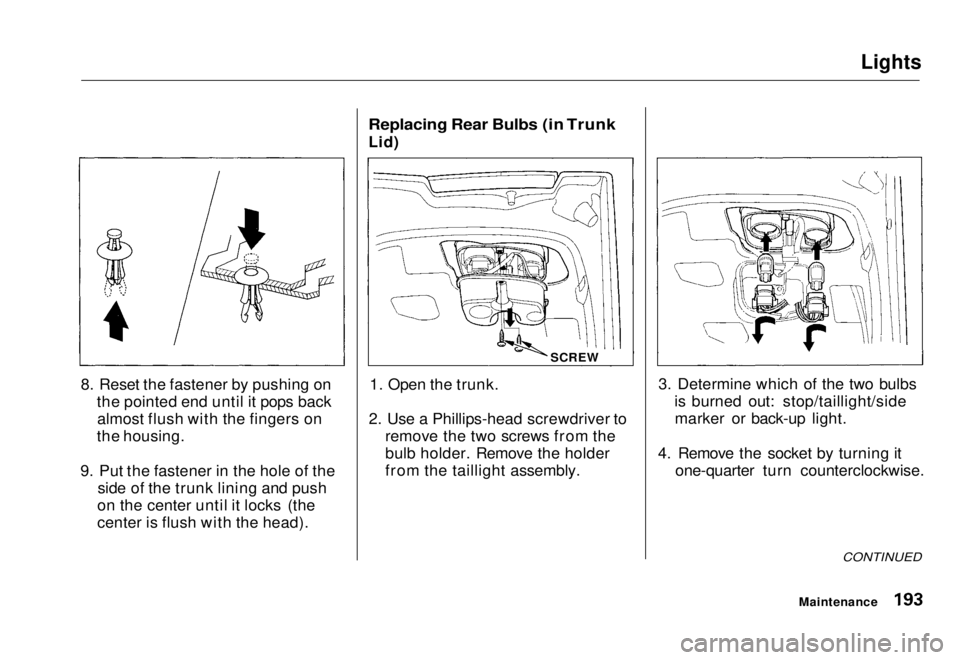
Replacing Rear Bulbs (in Trunk
Lid)
1. Open the trunk.
2. Use a Phillips-head screwdriver to remove the two screws from the
bulb holder. Remove the holder
from the taillight assembly. 3. Determine which of the two bulbs
is burned out: stop/taillight/sidemarker or back-up light.
4. Remove the socket by turning it one-quarter turn counterclockwise.
CONTINUED
Maintenance
SCREWMain Menu Table of Contents s t
Page 216 of 251
If Your Engine Overheats
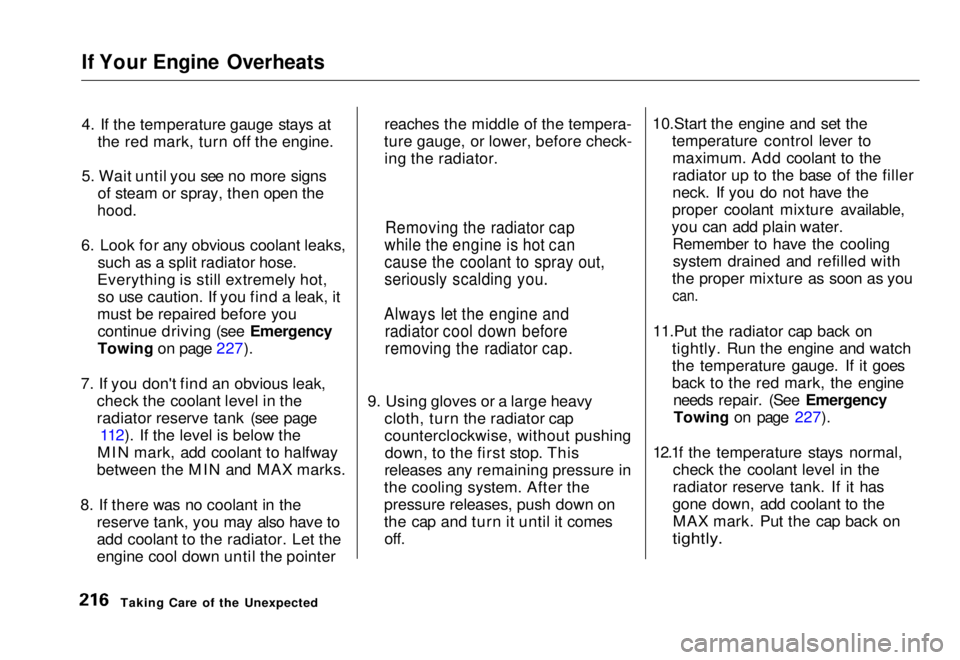
4. If the temperature gauge stays at
the red mark, turn off the engine.
5. Wait until you see no more signs of steam or spray, then open the
hood.
6. Look for any obvious coolant leaks, such as a split radiator hose.
Everything is still extremely hot, so use caution. If you find a leak, it
must be repaired before you continue driving (see Emergency
Towing on page 227).
7. If you don't find an obvious leak, check the coolant level in the
radiator reserve tank (see page112). If the level is below the
MIN mark, add coolant to halfway
between the MIN and MAX marks.
8. If there was no coolant in the reserve tank, you may also have to
add coolant to the radiator. Let the
engine cool down until the pointer reaches the middle of the tempera-
ture gauge, or lower, before check- ing the radiator.
9. Using gloves or a large heavy cloth, turn the radiator cap
counterclockwise, without pushingdown, to the first stop. This
releases any remaining pressure in
the cooling system. After the
pressure releases, push down on
the cap and turn it until it comes off. 10.Start the engine and set the
temperature control lever tomaximum. Add coolant to the
radiator up to the base of the filler
neck. If you do not have the
proper coolant mixture available,
you can add plain water. Remember to have the coolingsystem drained and refilled with
the proper mixture as soon as you
can.
11.Put the radiator cap back on tightly. Run the engine and watch
the temperature gauge. If it goes
back to the red mark, the engineneeds repair. (See EmergencyTowing on page 227).
12.1f the temperature stays normal, check the coolant level in the
radiator reserve tank. If it has
gone down, add coolant to the MAX mark. Put the cap back on
tightly.
Taking Care of the Unexpected
Removing the radiator cap
while the engine is hot can
cause the coolant to spray out,
seriously scalding you.
Always let the engine and radiator cool down before
removing the radiator cap.Main Menu Table of Contents s t
Page 248 of 251
Index
Before Driving............................... 107
Belts, Seat........................................... 6
Beverage Holder.............................. 82
Body Repair.................................... 200
Brakes
Anti-lock System (ABS)............ 135Break-in, New Linings .............. 108
Fluid............................................ 166Light, Burned-out...................... 192
Parking..........................................80
System Indicator.......................... 53
Wear Indicators......................... 134
Brakes, ABS Operation.................................... 134
System Indicator..................
53, 13 7
Braking System............................. .
134
Break-in, New Car......................... 108
Brightness Control, Instruments... 60
Brights, Headlights......................... 59
Bulb Replacement Back-up Lights........................... 193
Brake Lights............................... 192
Front Parking Lights................. 191
Front Side Marker Lights......... 191
Headlights.................................. 189
High-mount Brake Light.......... 194 Interior Light.............................. 195
License Plate Lights.................. 194
Rear Side Marker Lights.......... 193
Specifications............................. 234
Trunk Light................................ 196
Turn Signal Lights..................... 191
Bulbs, Halogen............................... 185
Cables, Jump Starting With.......... 213
Capacities Chart............................. 233 Carbon Monoxide Hazard.............. 47
Carrying Cargo.............................. 116
Cassette Player
Care............................................. 102
Operation.................................... 100
CAUTION, Explanation of............... ii
CD Changer.................................... 103
CD Player........................................ 103
Certification Label......................... 230
Chains............................................. 185
Change Oil
How to......................................... 157
When to....................................... 146
Changing a Flat Tire..................... 207 Changing Engine Coolant............. 161
Charging System Indicator .... 53,
218
Checking
Automatic Transmissio
n
Fluid........................................ 164
Battery Condition...................... 173
Brake Fluid................................. 167
Clutch Fluid................................ 167
Drive Belts.................................. 178
Engine Coolant........................... 112
Engine Oil..............................
111
Fuses........................................... 22 2
Manua
l Transmission Fluid..... 166
Power Steering Fluid................. 168
Checklist, Before Driving............. 120
Cleaner, Air.................................... 169
Cleaning Exterior....................................... 200
Interior........................................ 202
Seat Belts.................................... 202
Vinyl............................................202
Windows..................................... 203
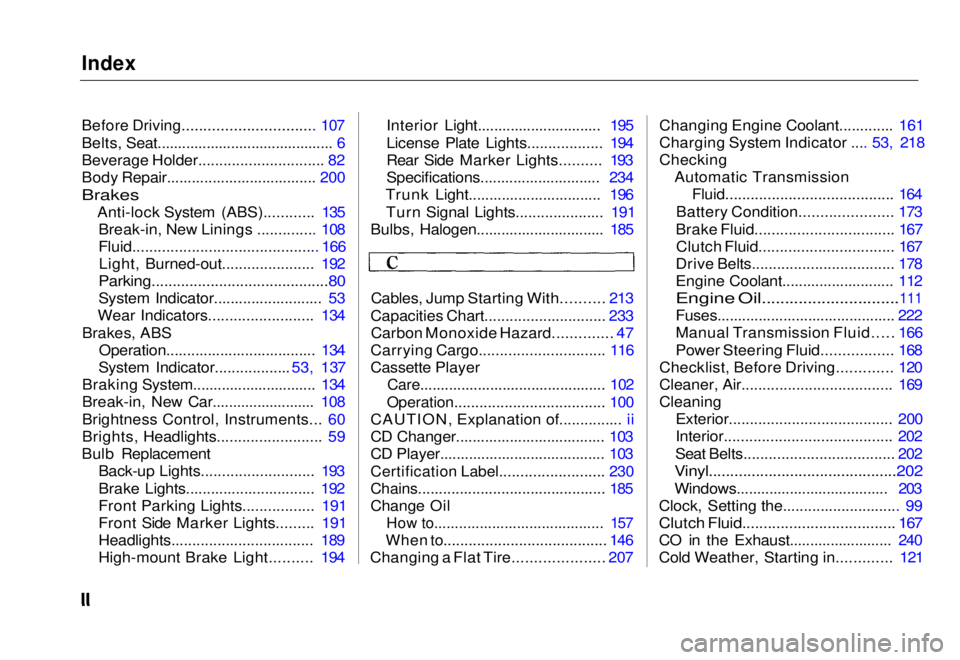
Clock, Setting the............................ 99
Clutch Fluid.................................... 167
CO in the Exhaust......................... 240
Cold Weather, Starting in............. 121Main Menu s t