Page 47 of 192
1. Twist a thin coin
between the two halves
of the transmitter near
the key ring. DO NOT
TAKE THE FRONT
PART OF THE
TRANSMITTER
APART.
2. Place the positive (+)
side of new battery in
the same orientation.
Refer to the diagram inside the transmitter unit.
3. Snap the two halves back together.
Replacement of the battery willnotcause the
remote transmitter to become deprogrammed from
your vehicle. The remote transmitter should operate
normally after battery replacement.
PERIMETER ALARM SYSTEM (IF EQUIPPED)
Arming the system
When armed, this system will help protect your
vehicle from unauthorized entry. When unauthorized
entry occurs, the system will flash the headlamps
and/or parking lamps, and the theft indicator lamp
and will chirp the horn.
The system is ready to arm whenever the ignition is
turned OFF. Any of the following actions will prearm
the alarm system:
²Press the remote
entry lock control
(doors opened or
closed).
Controls and features
47
Page 48 of 192
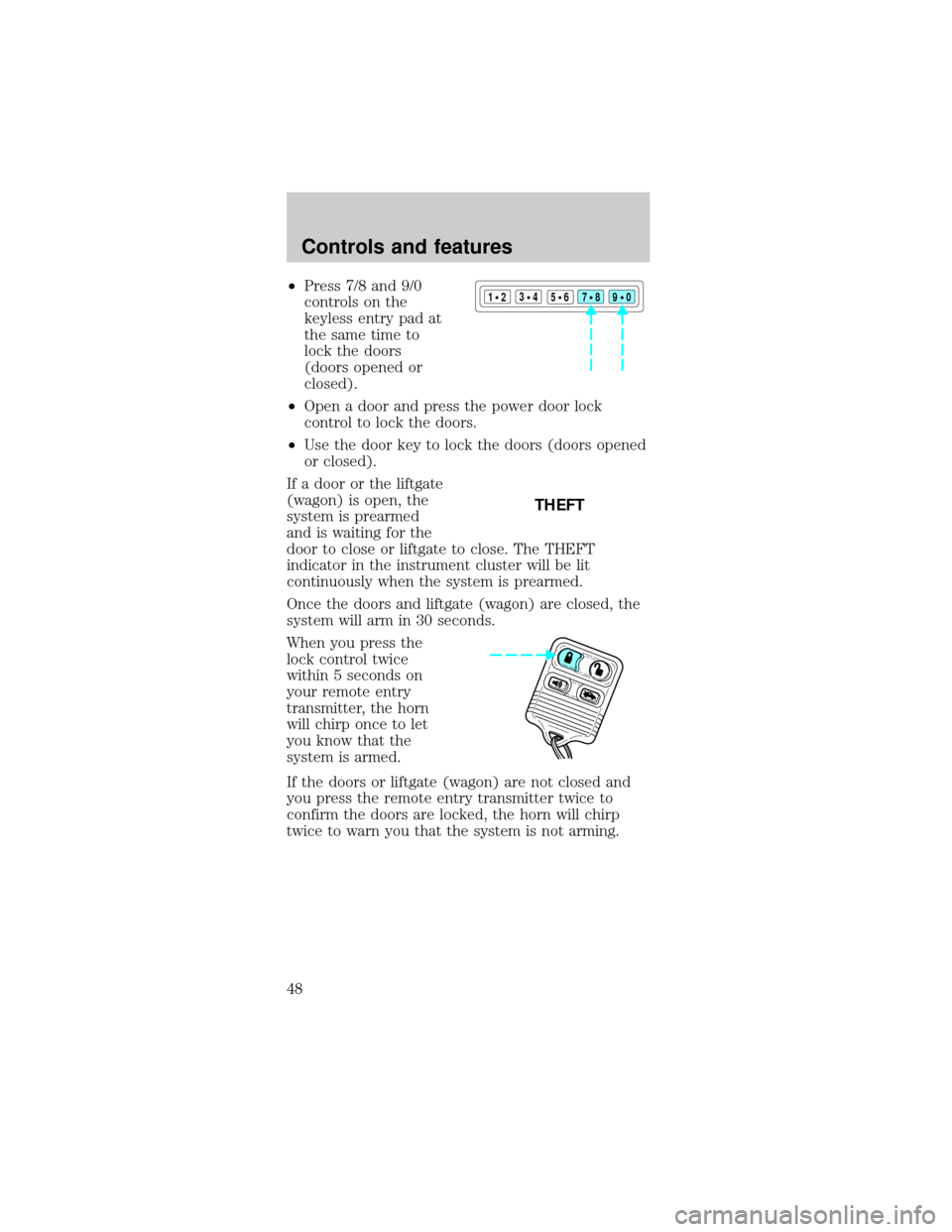
²Press 7/8 and 9/0
controls on the
keyless entry pad at
the same time to
lock the doors
(doors opened or
closed).
²Open a door and press the power door lock
control to lock the doors.
²Use the door key to lock the doors (doors opened
or closed).
If a door or the liftgate
(wagon) is open, the
system is prearmed
and is waiting for the
door to close or liftgate to close. The THEFT
indicator in the instrument cluster will be lit
continuously when the system is prearmed.
Once the doors and liftgate (wagon) are closed, the
system will arm in 30 seconds.
When you press the
lock control twice
within 5 seconds on
your remote entry
transmitter, the horn
will chirp once to let
you know that the
system is armed.
If the doors or liftgate (wagon) are not closed and
you press the remote entry transmitter twice to
confirm the doors are locked, the horn will chirp
twice to warn you that the system is not arming.123
45678
90
THEFT
Controls and features
48
Page 49 of 192
Disarming the system
You can disarm the system by any of the following
actions:
²Unlock the doors by
using your remote
entry transmitter.
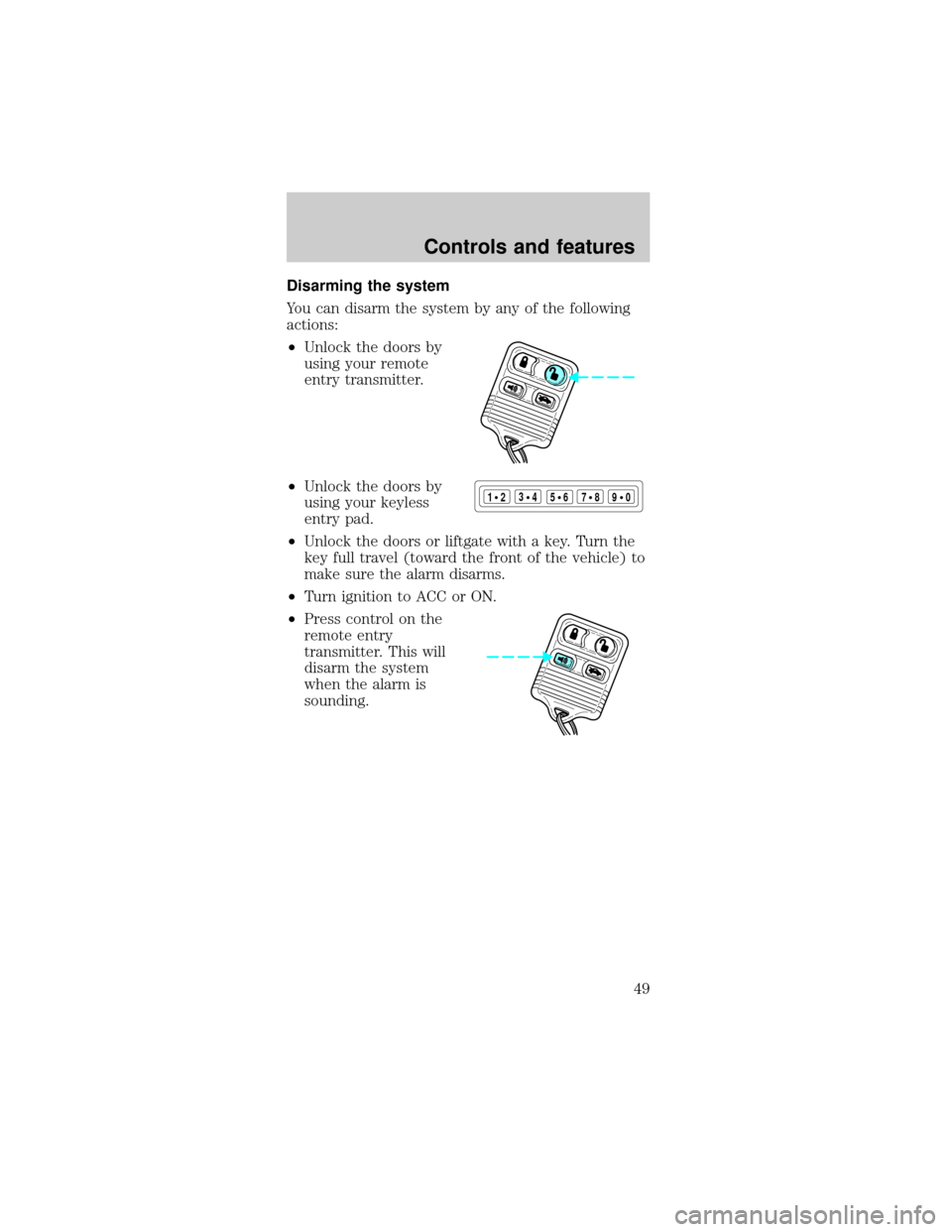
²Unlock the doors by
using your keyless
entry pad.
²Unlock the doors or liftgate with a key. Turn the
key full travel (toward the front of the vehicle) to
make sure the alarm disarms.
²Turn ignition to ACC or ON.
²Press control on the
remote entry
transmitter. This will
disarm the system
when the alarm is
sounding.
123
45678
90
Controls and features
49
Page 50 of 192

KEYLESS ENTRY SYSTEM
With the keyless entry
keypad, you can:
²lock or unlock the
vehicle doors and liftgate (wagons) without using
the key.
²arm and disarm the perimeter alarm system
(if equipped)
See alsoRemote entry systemandPerimeter
alarm systemin this chapter for more information.
Your vehicle has a factory-set 5±digit code that
operates the keyless entry system. You can also
program your own 5±digit personal entry code.
The factory-set code is located:
²on the owner's wallet card in the glove
compartment
²taped to the computer module
When pressing the controls on the keyless entry
keypad, press the middle of the controls to ensure a
good activation.
Programming your own personal entry code
1. Enter the factory-set code (keypad will illuminate
when pressed).
2. Press the 1/2 control
within five seconds of
step 1.
3. Enter your personal
5 digit code. Enter
each digit within five
seconds of the previous one.
Do not set a code that includes five of the same
number or presents them in sequential order.
Thieves can easily figure out these types of codes.
123
45678
90
123
45678
90
Controls and features
50
Page 51 of 192
Your personal code does not replace the permanent
code that the dealership gave you. You can use
either code to unlock your vehicle. If a second
personal code is entered, the module will erase the
first personal code in favor of the new code.
If you wish to erase your personal code, use the
following instructions:
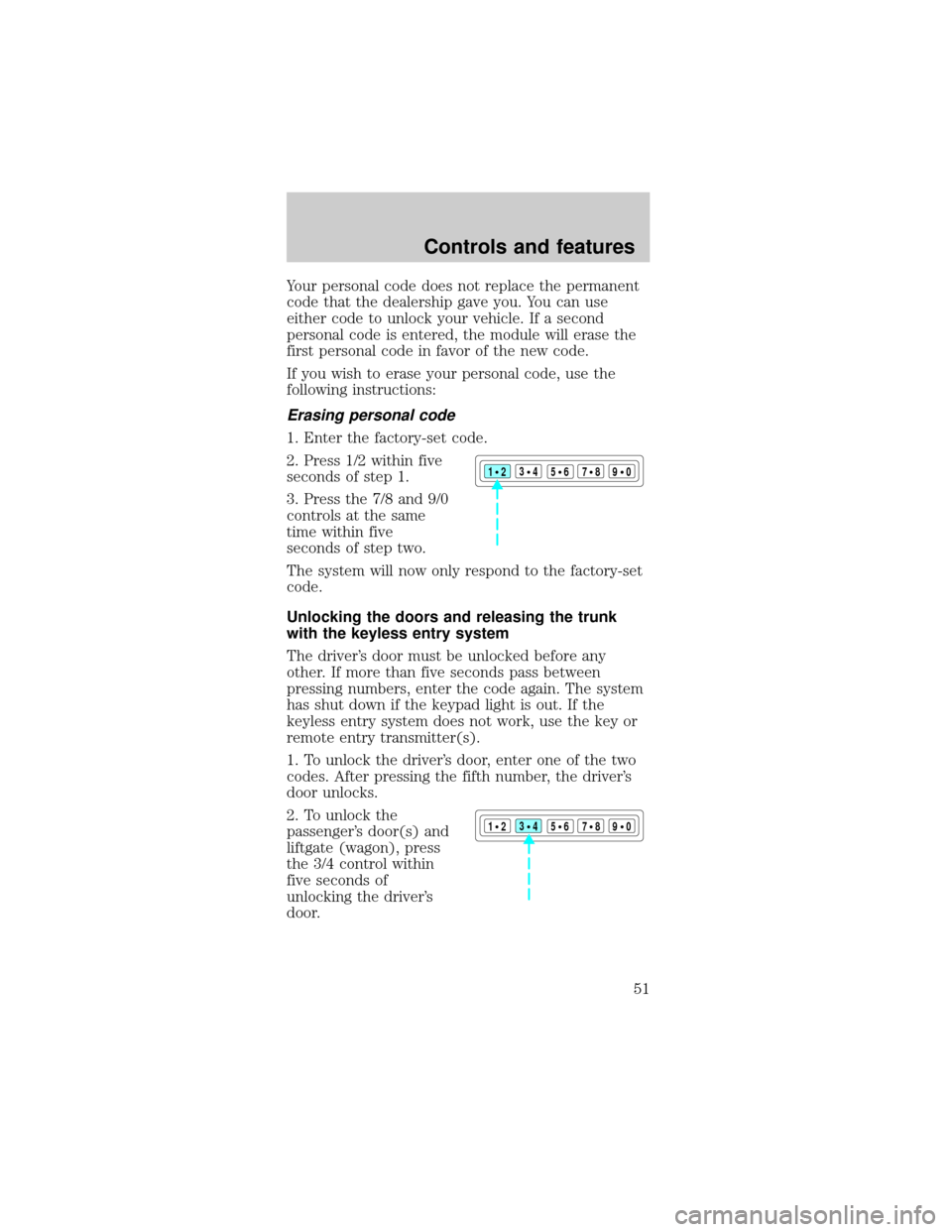
Erasing personal code
1. Enter the factory-set code.
2. Press 1/2 within five
seconds of step 1.
3. Press the 7/8 and 9/0
controls at the same
time within five
seconds of step two.
The system will now only respond to the factory-set
code.
Unlocking the doors and releasing the trunk
with the keyless entry system
The driver's door must be unlocked before any
other. If more than five seconds pass between
pressing numbers, enter the code again. The system
has shut down if the keypad light is out. If the
keyless entry system does not work, use the key or
remote entry transmitter(s).
1. To unlock the driver's door, enter one of the two
codes. After pressing the fifth number, the driver's
door unlocks.
2. To unlock the
passenger's door(s) and
liftgate (wagon), press
the 3/4 control within
five seconds of
unlocking the driver's
door.
123
45678
90
123
45678
90
Controls and features
51
Page 52 of 192
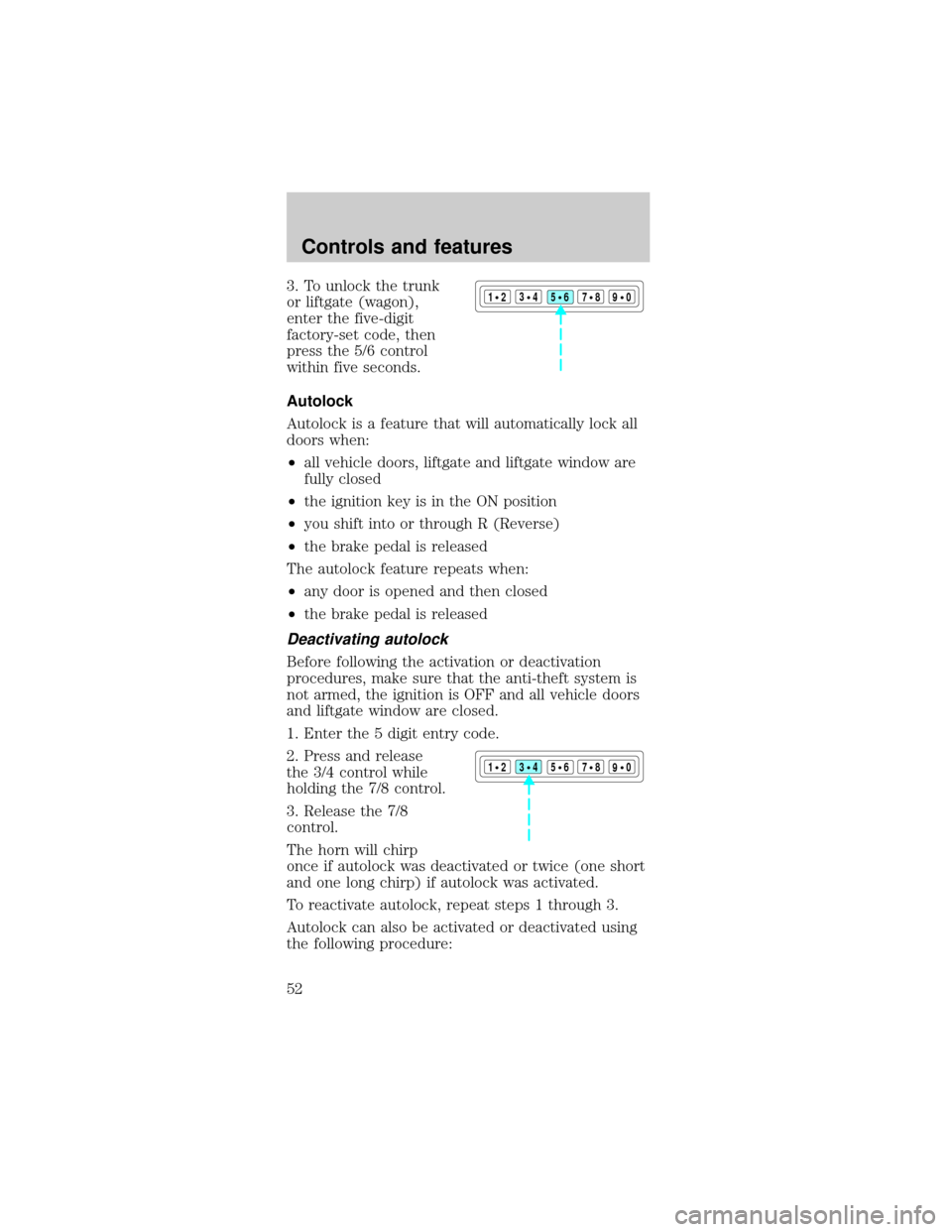
3. To unlock the trunk
or liftgate (wagon),
enter the five-digit
factory-set code, then
press the 5/6 control
within five seconds.
Autolock
Autolock is a feature that will automatically lock all
doors when:
²all vehicle doors, liftgate and liftgate window are
fully closed
²the ignition key is in the ON position
²you shift into or through R (Reverse)
²the brake pedal is released
The autolock feature repeats when:
²any door is opened and then closed
²the brake pedal is released
Deactivating autolock
Before following the activation or deactivation
procedures, make sure that the anti-theft system is
not armed, the ignition is OFF and all vehicle doors
and liftgate window are closed.
1. Enter the 5 digit entry code.
2. Press and release
the 3/4 control while
holding the 7/8 control.
3. Release the 7/8
control.
The horn will chirp
once if autolock was deactivated or twice (one short
and one long chirp) if autolock was activated.
To reactivate autolock, repeat steps 1 through 3.
Autolock can also be activated or deactivated using
the following procedure:
123
45678
90
123
45678
90
Controls and features
52
Page 53 of 192

You must complete steps 1 through 5 within 30
seconds or the procedure will have to be repeated. If
the procedure needs to be repeated, you must wait
30 seconds.
1. Turn the ignition key from OFF to RUN/ACC.
2. Press the power door UNLOCK control three
times.
3. Turn the ignition key from RUN/ACC to OFF.
4. Press the power door UNLOCK control three
times.
5. Turn the ignition key from OFF to RUN/ACC. A
horn chirp indicates the enable/disable feature is
entered.
6. Press the power door UNLOCK control one time.
7. Press the power door LOCK control to toggle the
Autolock/Relock state. You will receive a horn chirp
followed by either a long honk, autolock/relock is
enabled, or no honk, autolock/relock is disabled.
8. Turn ignition to OFF.
If autolock/relock has been changed, the horn will
chirp to confirm procedure is complete.
SECURILOCKYANTI-THEFT SYSTEM
The SecuriLockyanti-theft system provides an
advanced level of vehicle theft protection. Your
vehicle's engine can only be started with the two
special SecuriLockyelectronically coded keys
provided with your vehicle. Each time you start your
vehicle, the SecuriLockykey is read by the
SecuriLockyanti-theft system. If the SecuriLocky
key identification code matches the code stored in
the SecuriLockyanti-theft system, the vehicle's
engine is allowed to start. If the SecuriLockykey
identification code does not match the code stored
in the system or if a SecuriLockykey is not
detected (vehicle theft situation), the vehicle's
engine will not operate.
Controls and features
53
Page 54 of 192
Spare SecuriLockykeys can be purchased from
your dealership and programmed to your
SecuriLockyanti-theft system. Refer to
Programming spare SecuriLockykeysfor more
information.
If one or both of your SecuriLockykeys are lost or
stolen and you want to ensure the lost or stolen key
will not operate your vehicle, bring your vehicle and
all available SecuriLockykeys to your dealership for
reinitialization.
Controls and features
54