Page 59 of 210
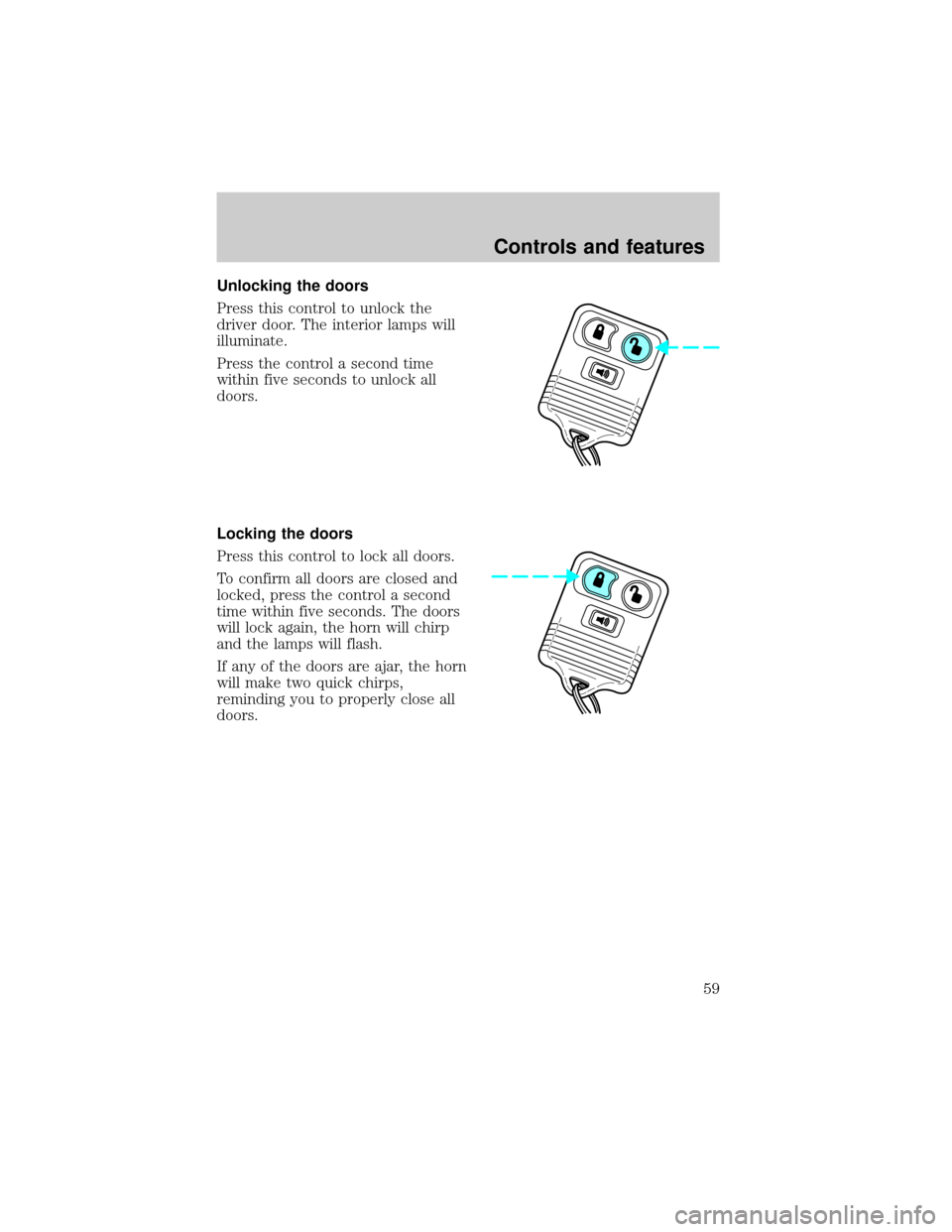
Unlocking the doors
Press this control to unlock the
driver door. The interior lamps will
illuminate.
Press the control a second time
within five seconds to unlock all
doors.
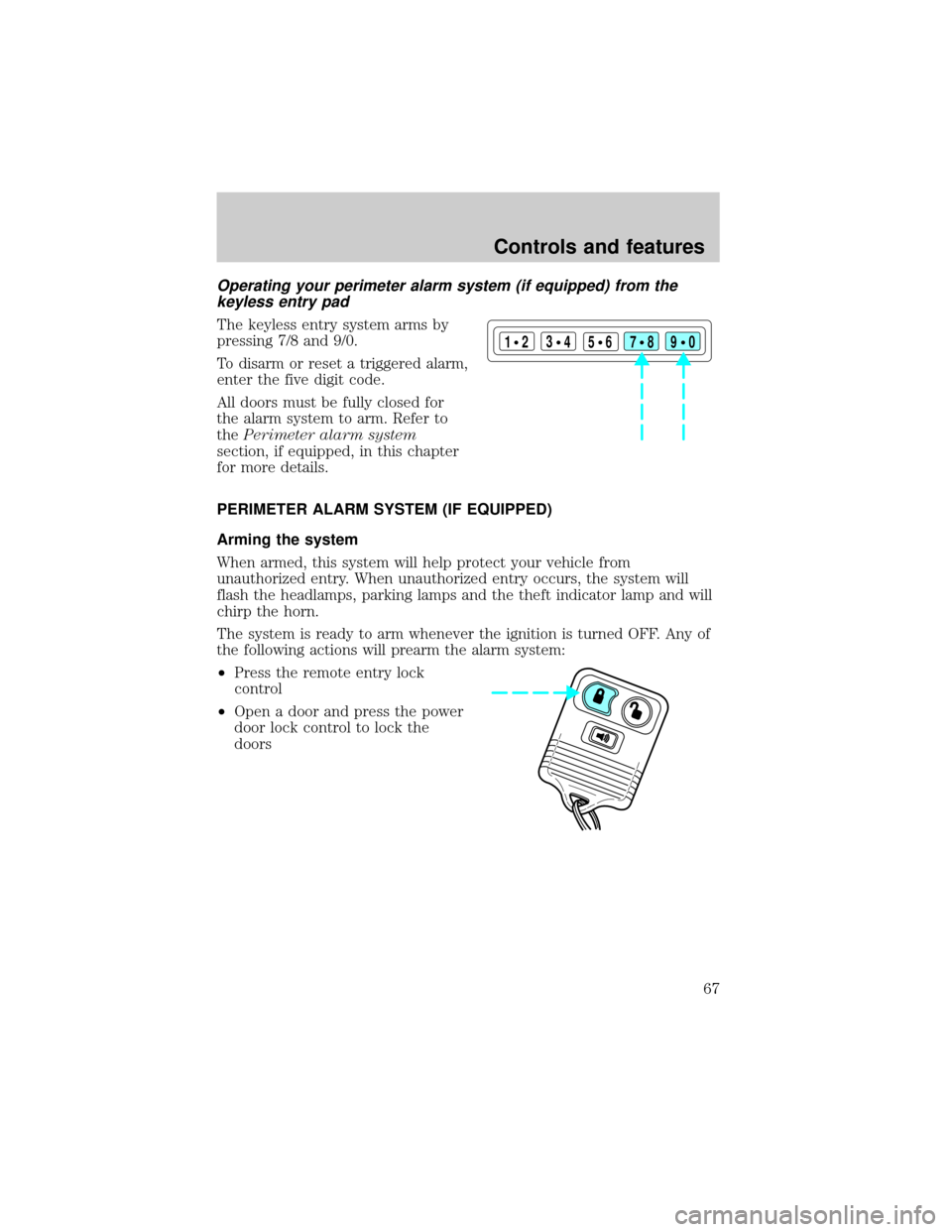
Locking the doors
Press this control to lock all doors.
To confirm all doors are closed and
locked, press the control a second
time within five seconds. The doors
will lock again, the horn will chirp
and the lamps will flash.
If any of the doors are ajar, the horn
will make two quick chirps,
reminding you to properly close all
doors.
Controls and features
59
Page 61 of 210

Press the control once to unlock the
driver's door and move the memory
seat feature to the corresponding
memory position, just as if you had
pressed the memory control in the
vehicle.
When your dealer programs new
transmitters:
²the first transmitter programmed
will recall memory position one.
²the second transmitter
programmed will recall memory
position two.
²the third transmitter programmed recall memory position three.
²the fourth transmitter programmed will not recall a memory position.
Memory positions can be changed at any time. The memory feature can
be deactivated or reactivated by performing the following:
1. Make sure the alarm system (if equipped) is not armed or triggered,
the ignition is off and all doors and the liftgate window are closed.
2. Turn the ignition key from OFF to ON.
3. Press the power door unlock control three times.
4. Turn the ignition key from ON to OFF.
5. Press the power door unlock control three times.
6. Turn the ignition switch back to ON. The horn will chirp.
7. Press the power door unlock switch twice.
8. Press the unlock control two times, then press the lock control. The
horn will chirp twice if the remote memory seat feature was deactivated
or will sound three times (two short chirps followed by one long chirp) if
the feature was activated.
9. Turn the ignition to OFF. The horn will chirp once to confirm that you
activated or deactivated the remote memory seat feature.
The memory feature will continue to work from the door switch even
when deactivated at the remote entry module.
Controls and features
61
Page 64 of 210
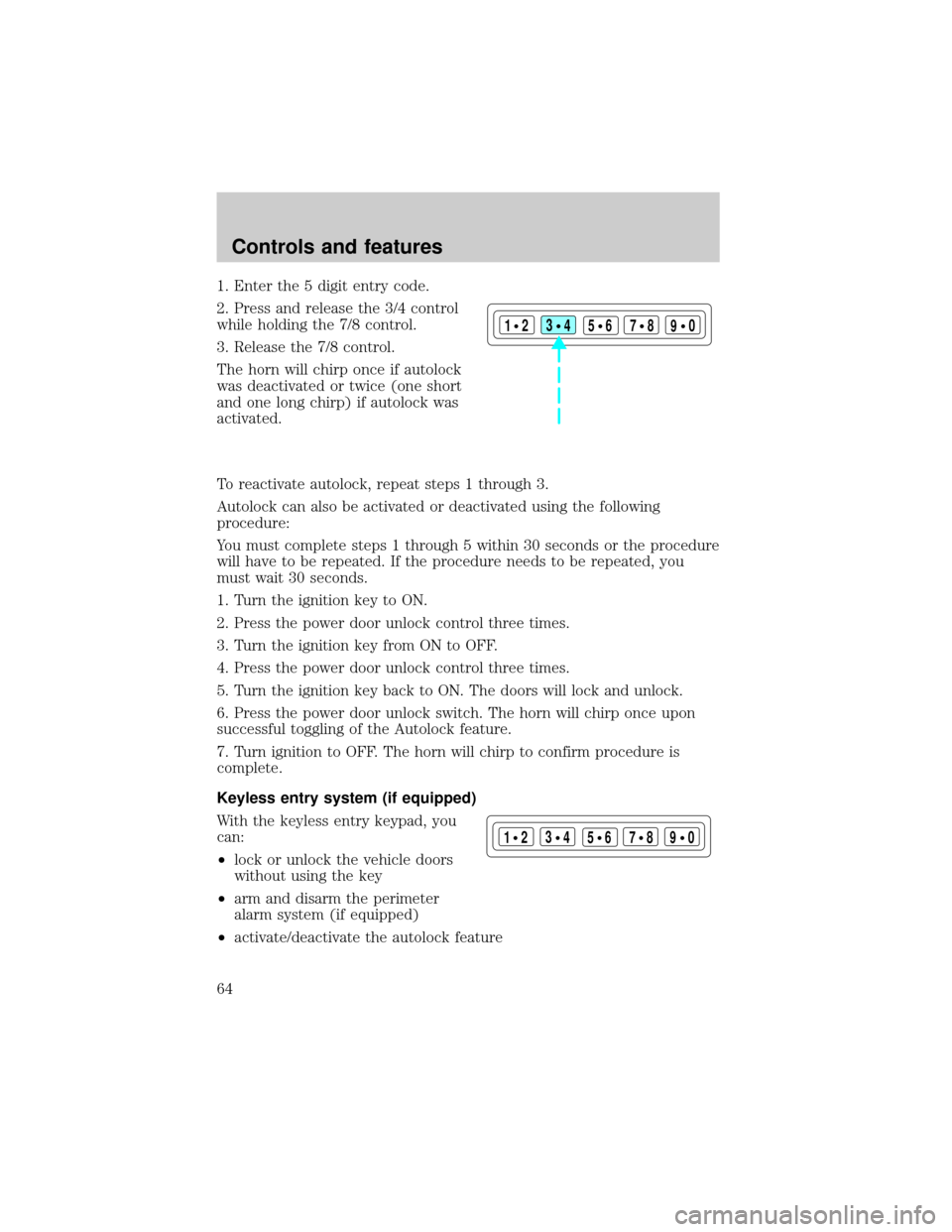
1. Enter the 5 digit entry code.
2. Press and release the 3/4 control
while holding the 7/8 control.
3. Release the 7/8 control.
The horn will chirp once if autolock
was deactivated or twice (one short
and one long chirp) if autolock was
activated.
To reactivate autolock, repeat steps 1 through 3.
Autolock can also be activated or deactivated using the following
procedure:
You must complete steps 1 through 5 within 30 seconds or the procedure
will have to be repeated. If the procedure needs to be repeated, you
must wait 30 seconds.
1. Turn the ignition key to ON.
2. Press the power door unlock control three times.
3. Turn the ignition key from ON to OFF.
4. Press the power door unlock control three times.
5. Turn the ignition key back to ON. The doors will lock and unlock.
6. Press the power door unlock switch. The horn will chirp once upon
successful toggling of the Autolock feature.
7. Turn ignition to OFF. The horn will chirp to confirm procedure is
complete.
Keyless entry system (if equipped)
With the keyless entry keypad, you
can:
²lock or unlock the vehicle doors
without using the key
²arm and disarm the perimeter
alarm system (if equipped)
²activate/deactivate the autolock feature
123
45678
90
123
45678
90
Controls and features
64
Page 67 of 210
Operating your perimeter alarm system (if equipped) from the
keyless entry pad
The keyless entry system arms by
pressing 7/8 and 9/0.
To disarm or reset a triggered alarm,
enter the five digit code.
All doors must be fully closed for
the alarm system to arm. Refer to
thePerimeter alarm system
section, if equipped, in this chapter
for more details.
PERIMETER ALARM SYSTEM (IF EQUIPPED)
Arming the system
When armed, this system will help protect your vehicle from
unauthorized entry. When unauthorized entry occurs, the system will
flash the headlamps, parking lamps and the theft indicator lamp and will
chirp the horn.
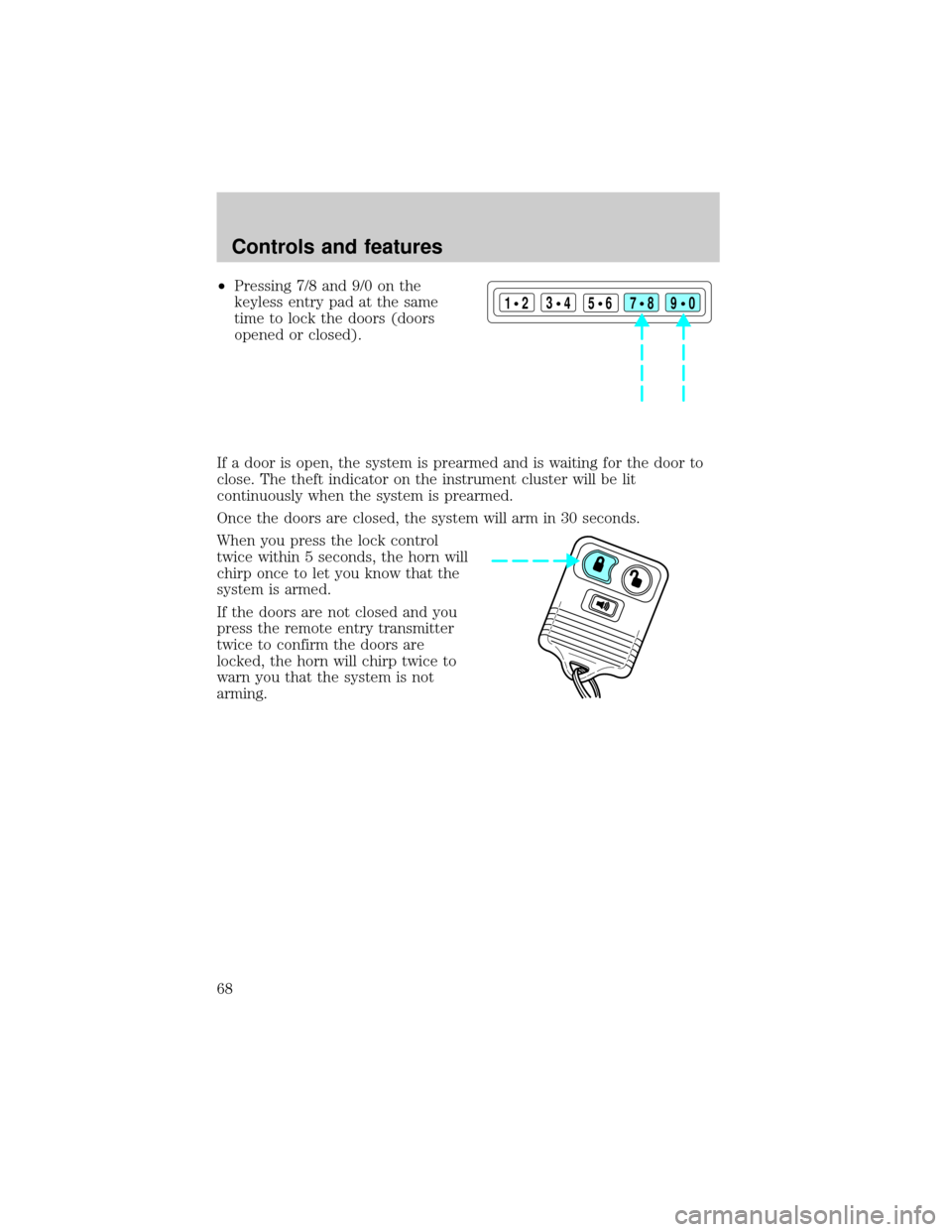
The system is ready to arm whenever the ignition is turned OFF. Any of
the following actions will prearm the alarm system:
²Press the remote entry lock
control
²Open a door and press the power
door lock control to lock the
doors
123
45678
90
Controls and features
67
Page 68 of 210
²Pressing 7/8 and 9/0 on the
keyless entry pad at the same
time to lock the doors (doors
opened or closed).
If a door is open, the system is prearmed and is waiting for the door to
close. The theft indicator on the instrument cluster will be lit
continuously when the system is prearmed.
Once the doors are closed, the system will arm in 30 seconds.
When you press the lock control
twice within 5 seconds, the horn will
chirp once to let you know that the
system is armed.
If the doors are not closed and you
press the remote entry transmitter
twice to confirm the doors are
locked, the horn will chirp twice to
warn you that the system is not
arming.
123
45678
90
Controls and features
68
Page 143 of 210
Fuse/Relay
LocationFuse Amp
RatingDescription
2 - NOT USED
3 30A* Heated Backlight
4 15A* Fog Lamps and Daytime Running Lamps
5 10A* Air Bag Diagnostic Monitor
6 10A* Powertrain Control Module
7 30A* 4 Wheel Anti-Lock System (4WABS)
Module
8 15A* Rear Wiper Motor
9 20A* Fuel Pump Relay and RAP Module
10 15A* Horn Relay
11 15A* Parklamps Relay and Mainlight Switch
12 30A* Mainlight Switch and Multifunction Switch
13 15A* Heated Oxygen Sensor, EGR Vacuum
Regulator, EVR Solenoid, Camshaft Position
(CMP) Sensor, Canister Vent Solenoid
14 30A* Generator/Voltage Regulator
15 - NOT USED
1 - Wiper Park Relay
2 - A/C Relay
3 - Wiper High/Low Relay
4 - PCM Power Relay
5 - Fuel Pump Relay
6 - Starter Relay
7 - Horn Relay
8 - Rear Wipe Down Relay
9 - Blower Motor Relay
10 - Rear Wipe Up Relay
1 - NOT USED
1 - NOT USED
2 - Electronic Engine Controls Diode
* Mini Fuses ** Maxi Fuses
15.0L Engines Only
Roadside emergencies
143