Page 58 of 210

2. Wrap the vinyl around the roller
tube twice. Tuck the edges of the
vinyl inside the end cap with each
wrap.
3. Fold the edges of the vinyl
towards the center, making sure
that the edges clear the end cap
slots. Use tape or a rubber band to
hold the vinyl to the left side of the
tube.
4. Push in the right end cap
(marked RH) about
1¤4of the total
length to disengage the clutch and
hold the end cap in while turning
the roller tube toward you 14 times.
5. Let go of the right end cap. The
clutch will now engage and stop the
shade from losing its spring tension.
6. Unfold the vinyl and place it into
the end cap slots.
7. Insert the shade into the side
mounting brackets and check to
make sure that it operates properly.
The cover may cause injury in a sudden stop or accident if it is
not securely installed.
REMOTE ENTRY SYSTEM
The remote entry system allows you to lock or unlock all vehicle doors
without a key.
The remote entry features only operate with the ignition in the OFF
position.
Controls and features
58
Page 61 of 210

Press the control once to unlock the
driver's door and move the memory
seat feature to the corresponding
memory position, just as if you had
pressed the memory control in the
vehicle.
When your dealer programs new
transmitters:
²the first transmitter programmed
will recall memory position one.
²the second transmitter
programmed will recall memory
position two.
²the third transmitter programmed recall memory position three.
²the fourth transmitter programmed will not recall a memory position.
Memory positions can be changed at any time. The memory feature can
be deactivated or reactivated by performing the following:
1. Make sure the alarm system (if equipped) is not armed or triggered,
the ignition is off and all doors and the liftgate window are closed.
2. Turn the ignition key from OFF to ON.
3. Press the power door unlock control three times.
4. Turn the ignition key from ON to OFF.
5. Press the power door unlock control three times.
6. Turn the ignition switch back to ON. The horn will chirp.
7. Press the power door unlock switch twice.
8. Press the unlock control two times, then press the lock control. The
horn will chirp twice if the remote memory seat feature was deactivated
or will sound three times (two short chirps followed by one long chirp) if
the feature was activated.
9. Turn the ignition to OFF. The horn will chirp once to confirm that you
activated or deactivated the remote memory seat feature.
The memory feature will continue to work from the door switch even
when deactivated at the remote entry module.
Controls and features
61
Page 62 of 210

Replacing the battery
The transmitter is powered by one coin type three-volt lithium battery
CR2032 or equivalent. Typical operating range will allow you to be up to
10 meters (33 feet) away from your vehicle. A decrease in operating
range can be caused by:
²battery weakness due to time and use
²weather conditions
²nearby radio towers
²structures around the vehicle
²other vehicles parked next to the vehicle
To replace the battery:
1. Twist a thin coin between the two halves of the transmitter near the
key ring. DO NOT TAKE THE FRONT PART OF THE TRANSMITTER
APART.
2. Place the positive (+ ) side of new battery in the same orientation.
Refer to the diagram inside the transmitter unit.
3. Snap the two halves back together.
Replacing lost transmitters
Take all your vehicle's transmitters
to your dealer for reprogramming if:
²a transmitter is lost or
²you want to purchase additional
transmitters (up to four may be
programmed).
To reprogram the transmitters, place
the key in the ignition and switch
from OFF to ON five times in rapid
succession (within 10 seconds).
After doors lock/unlock, press any
button on all transmitters (up to
four). When completed, switch the ignition to OFF.
All transmitters must be programmed at the same time.
Controls and features
62
Page 63 of 210

Reprogramming transmitters
To reprogram all transmitters, place the key in the ignition and switch
from OFF to ON eight times in a row (within 10 seconds). After doors
lock/unlock, press any button on all transmitters (up to four). When
completed, switch the ignition to OFF.
All transmitters must be reprogrammed at the same time.
Illuminated entry
The interior lamps and the puddle lamps (located on the bottom of the
exterior rear view mirrors) illuminate when the remote entry system is
used to unlock the door(s) or sound the personal alarm.
The system automatically turns off after 25 seconds or when the ignition
is turned to the START or ACC position. The dome lamp switch (if
equipped) mustnotbe set to the OFF position for the illuminated entry
system to operate.
The inside lights will not turn off if:
²they have been turned on with the dimmer control or
²any door is open.
Battery saver will shut off the interior lamps 45 minutes after the last
door is closed.
Autolock
Autolock is a feature that will automatically lock all doors when:
²all vehicle doors, liftgate and liftgate window are fully closed
²the ignition key is in the ON position
²you shift into or through R (Reverse)
²the brake pedal is released
The autolock feature repeats when:
²any door is opened and then closed
²the brake pedal is released
Deactivating autolock
Before following the activation or deactivation procedures, make sure
that the anti-theft system is not armed, the ignition is OFF and all
vehicle doors and liftgate window are closed.
Controls and features
63
Page 64 of 210
1. Enter the 5 digit entry code.
2. Press and release the 3/4 control
while holding the 7/8 control.
3. Release the 7/8 control.
The horn will chirp once if autolock
was deactivated or twice (one short
and one long chirp) if autolock was
activated.
To reactivate autolock, repeat steps 1 through 3.
Autolock can also be activated or deactivated using the following
procedure:
You must complete steps 1 through 5 within 30 seconds or the procedure
will have to be repeated. If the procedure needs to be repeated, you
must wait 30 seconds.
1. Turn the ignition key to ON.
2. Press the power door unlock control three times.
3. Turn the ignition key from ON to OFF.
4. Press the power door unlock control three times.
5. Turn the ignition key back to ON. The doors will lock and unlock.
6. Press the power door unlock switch. The horn will chirp once upon
successful toggling of the Autolock feature.
7. Turn ignition to OFF. The horn will chirp to confirm procedure is
complete.
Keyless entry system (if equipped)
With the keyless entry keypad, you
can:
²lock or unlock the vehicle doors
without using the key
²arm and disarm the perimeter
alarm system (if equipped)
²activate/deactivate the autolock feature
123
45678
90
123
45678
90
Controls and features
64
Page 65 of 210
See alsoRemote entry systemandPerimeter alarm systemin this
chapter for more information.
Your vehicle has a factory-set 5 digit code that operates the keyless entry
system. You can also program your own 5 digit personal entry code.
The factory-set code is located:
²on the owner's wallet card in the glove compartment
²taped to the computer module
When pressing the controls on the keyless entry keypad, press the
middle of the buttons to ensure a good activation.
Programming your own personal entry code
1. Enter the factory-set code (keypad will illuminate when pressed).
2. Press the 1/2 control within five
seconds of step 1.
3. Enter your personal 5 digit code.
Enter each digit within five seconds
of the previous one.
Do not set a code that includes five of the same number or presents
them in sequential order. Thieves can easily figure out these types of
codes.
Your personal code does not replace the permanent code that the
dealership gave you. You can use either code to unlock your vehicle. If a
second personal code is entered, the module will erase the first personal
code in favor of the new code.
If you wish to erase your personal code, use the following instructions:
123
45678
90
Controls and features
65
Page 66 of 210
Erasing personal code
1. Enter the factory-set code.
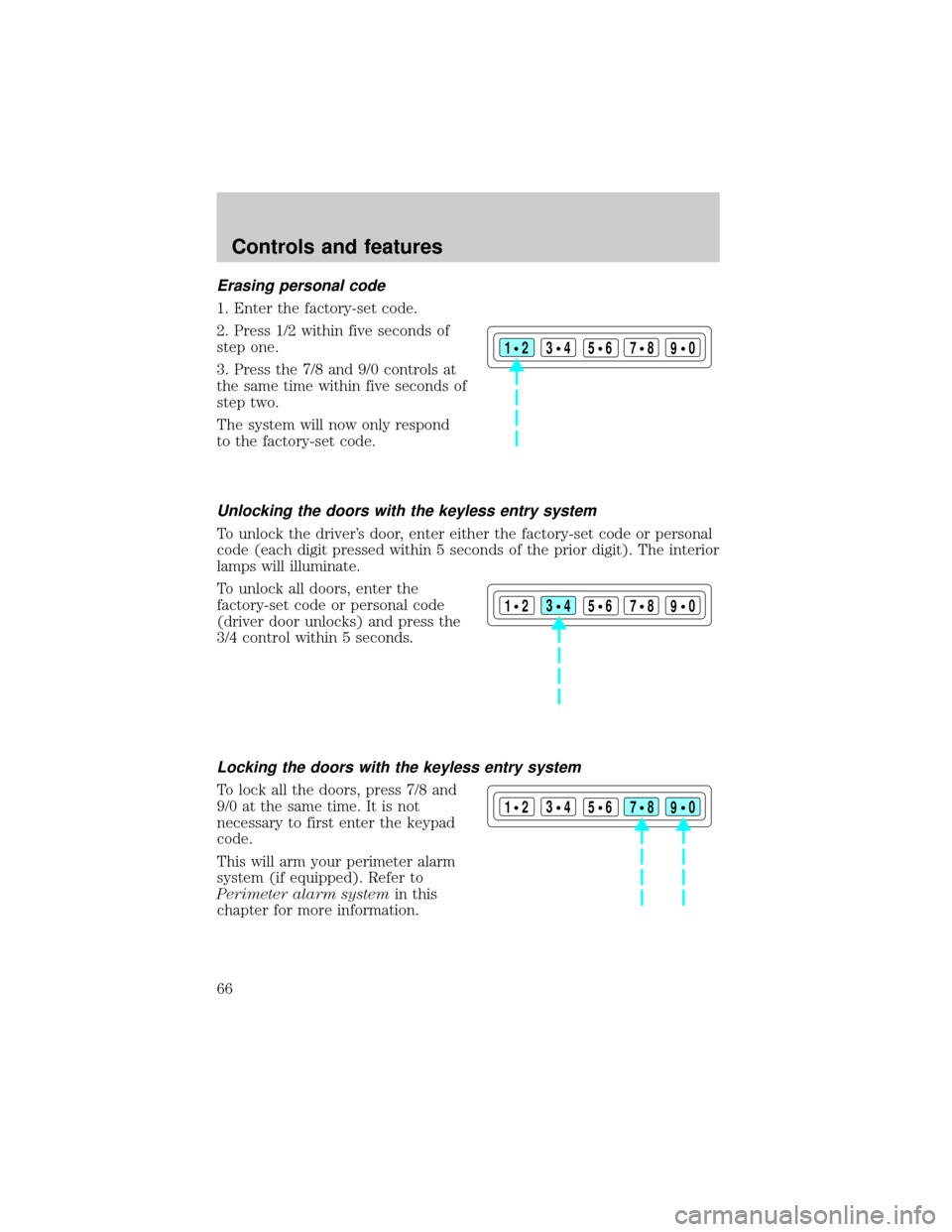
2. Press 1/2 within five seconds of
step one.
3. Press the 7/8 and 9/0 controls at
the same time within five seconds of
step two.
The system will now only respond
to the factory-set code.
Unlocking the doors with the keyless entry system
To unlock the driver's door, enter either the factory-set code or personal
code (each digit pressed within 5 seconds of the prior digit). The interior
lamps will illuminate.
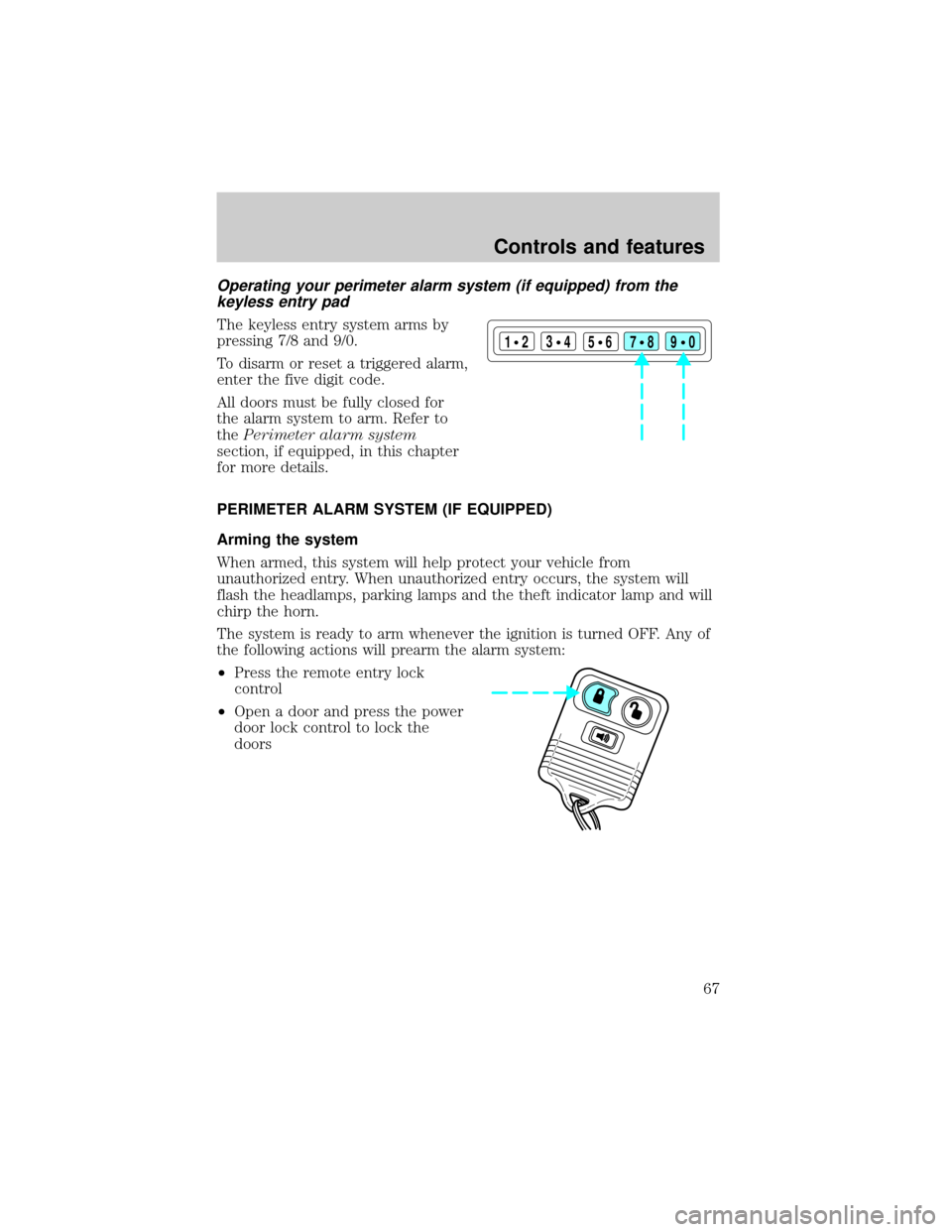
To unlock all doors, enter the
factory-set code or personal code
(driver door unlocks) and press the
3/4 control within 5 seconds.
Locking the doors with the keyless entry system
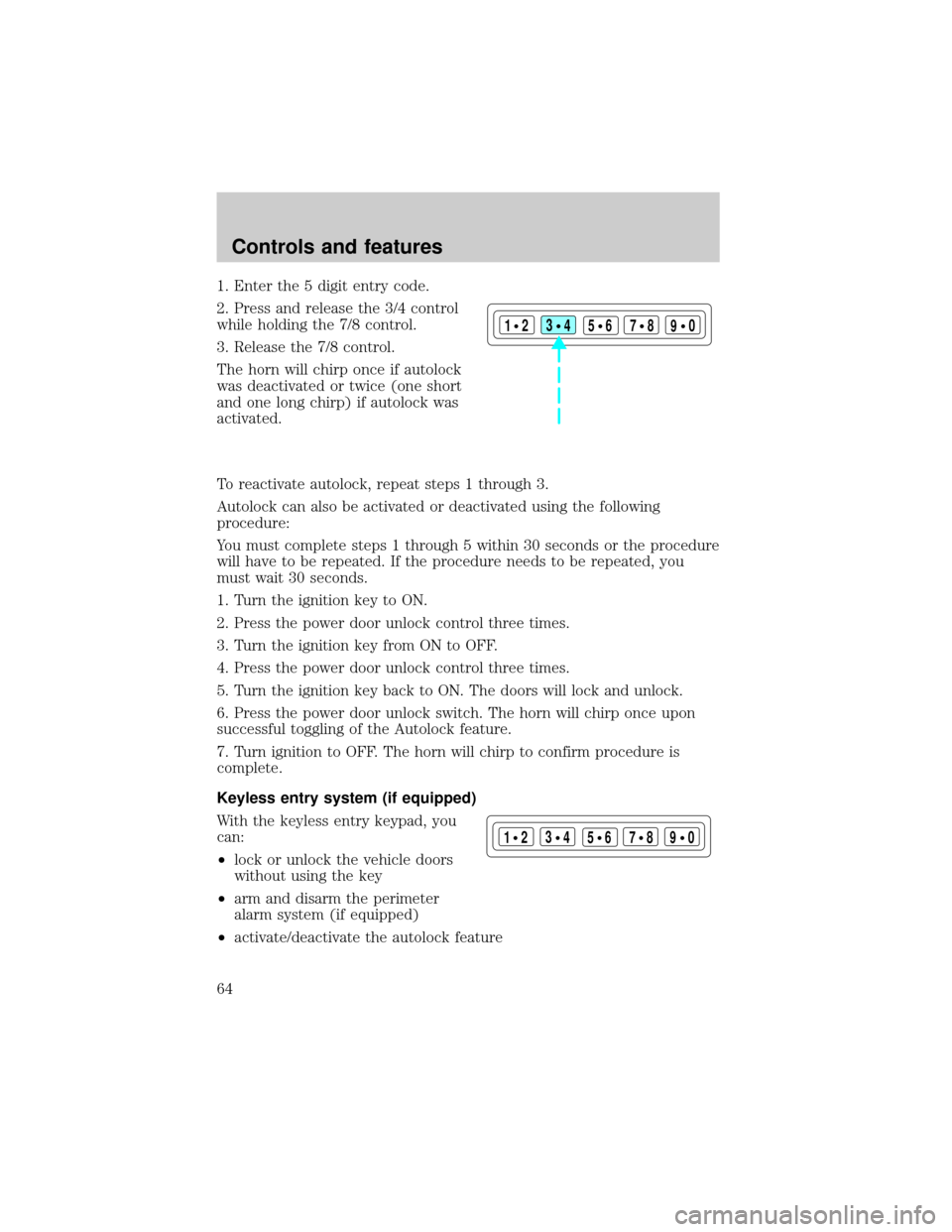
To lock all the doors, press 7/8 and
9/0 at the same time. It is not
necessary to first enter the keypad
code.
This will arm your perimeter alarm
system (if equipped). Refer to
Perimeter alarm systemin this
chapter for more information.
123
45678
90
123
45678
90
123
45678
90
Controls and features
66
Page 67 of 210
Operating your perimeter alarm system (if equipped) from the
keyless entry pad
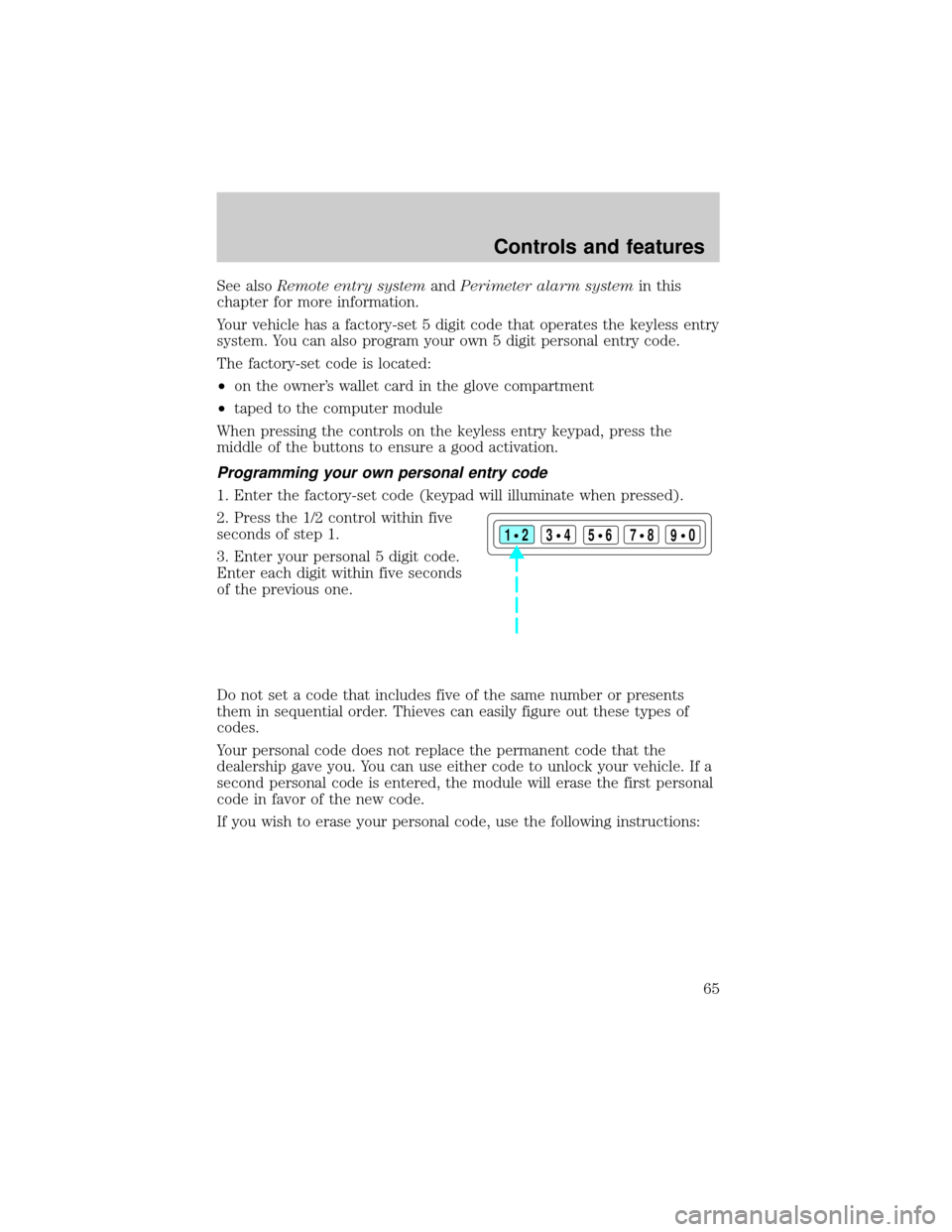
The keyless entry system arms by
pressing 7/8 and 9/0.
To disarm or reset a triggered alarm,
enter the five digit code.
All doors must be fully closed for
the alarm system to arm. Refer to
thePerimeter alarm system
section, if equipped, in this chapter
for more details.
PERIMETER ALARM SYSTEM (IF EQUIPPED)
Arming the system
When armed, this system will help protect your vehicle from
unauthorized entry. When unauthorized entry occurs, the system will
flash the headlamps, parking lamps and the theft indicator lamp and will
chirp the horn.
The system is ready to arm whenever the ignition is turned OFF. Any of
the following actions will prearm the alarm system:
²Press the remote entry lock
control
²Open a door and press the power
door lock control to lock the
doors
123
45678
90
Controls and features
67