Page 88 of 211
87n
RepairsIndexOverview Controls Car care Technology Data
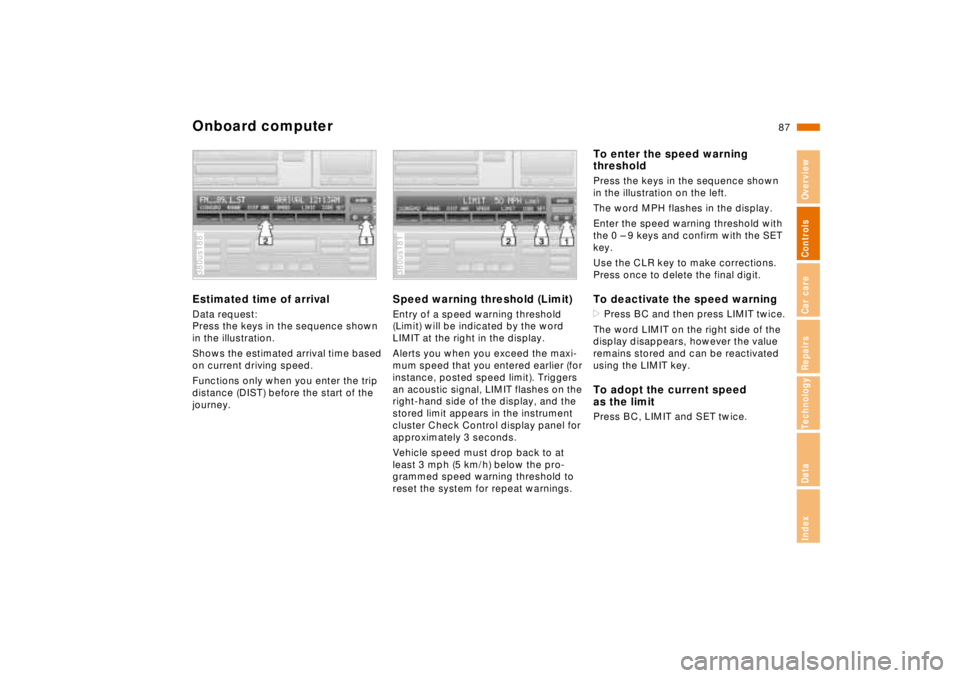
Onboard computerEstimated time of arrivalData request:
Press the keys in the sequence shown
in the illustration.
Shows the estimated arrival time based
on current driving speed.
Functions only when you enter the trip
distance (DIST) before the start of the
journey.380us188
Speed warning threshold (Limit)Entry of a speed warning threshold
(Limit) will be indicated by the word
LIMIT at the right in the display.
Alerts you when you exceed the maxi-
mum speed that you entered earlier (for
instance, posted speed limit). Triggers
an acoustic signal, LIMIT flashes on the
right-hand side of the display, and the
stored limit appears in the instrument
cluster Check Control display panel for
approximately 3 seconds.
Vehicle speed must drop back to at
least 3 mph (5 km/h) below the pro-
grammed speed warning threshold to
reset the system for repeat warnings.380us181
To enter the speed warning
thresholdPress the keys in the sequence shown
in the illustration on the left.
The word MPH flashes in the display.
Enter the speed warning threshold with
the 0 – 9 keys and confirm with the SET
key.
Use the CLR key to make corrections.
Press once to delete the final digit.To deactivate the speed warning>Press BC and then press LIMIT twice.
The word LIMIT on the right side of the
display disappears, however the value
remains stored and can be reactivated
using the LIMIT key.To adopt the current speed
as the limitPress BC, LIMIT and SET twice.
Page 89 of 211
88n
Onboard computerCodeYou can program a code into the on-
board computer for supplementary pro-
tection against unauthorized attempts
to start the engine or tamper with the
vehicle. This feature provides you with
an extra measure of security extending
beyond that furnished by the vehicle im-
mobilization system (refer to page 31).
The system prevents the engine from
starting.
A code number is used to arm the sys-
tem. The code is then required for sub-
sequent starting attempts. Therefore:
Always remember the code number.
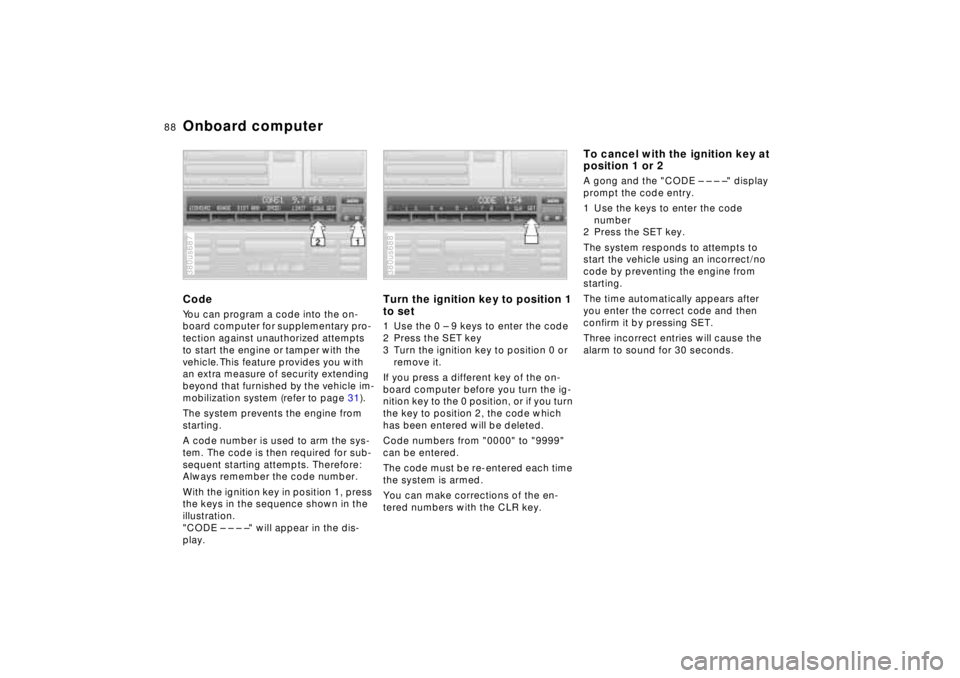
With the ignition key in position 1, press
the keys in the sequence shown in the
illustration.
"CODE – – – –" will appear in the dis-
play.380us687
Turn the ignition key to position 1
to set1 Use the 0 – 9 keys to enter the code
2 Press the SET key
3 Turn the ignition key to position 0 or
remove it.
If you press a different key of the on-
board computer before you turn the ig-
nition key to the 0 position, or if you turn
the key to position 2, the code which
has been entered will be deleted.
Code numbers from "0000" to "9999"
can be entered.
The code must be re-entered each time
the system is armed.
You can make corrections of the en-
tered numbers with the CLR key.380us688
To cancel with the ignition key at
position 1 or 2A gong and the "CODE – – – –" display
prompt the code entry.
1 Use the keys to enter the code
number
2 Press the SET key.
The system responds to attempts to
start the vehicle using an incorrect/no
code by preventing the engine from
starting.
The time automatically appears after
you enter the correct code and then
confirm it by pressing SET.
Three incorrect entries will cause the
alarm to sound for 30 seconds.
Page 90 of 211
89n
RepairsIndexOverview Controls Car care Technology Data
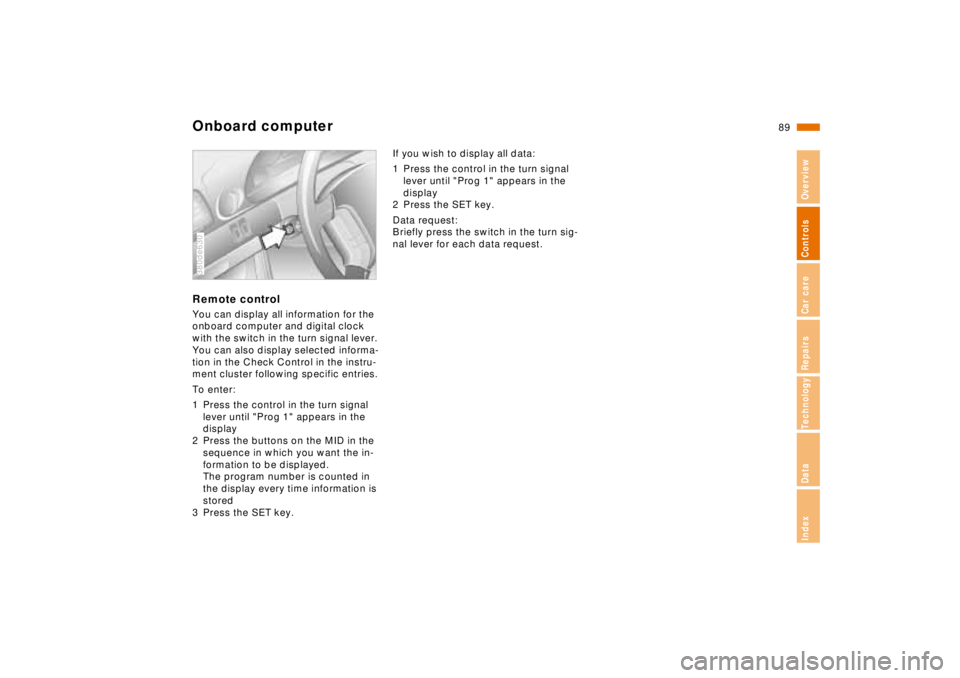
Onboard computerRemote controlYou can display all information for the
onboard computer and digital clock
with the switch in the turn signal lever.
You can also display selected informa-
tion in the Check Control in the instru-
ment cluster following specific entries.
To enter:
1 Press the control in the turn signal
lever until "Prog 1" appears in the
display
2 Press the buttons on the MID in the
sequence in which you want the in-
formation to be displayed.
The program number is counted in
the display every time information is
stored
3 Press the SET key.380de630
If you wish to display all data:
1 Press the control in the turn signal
lever until "Prog 1" appears in the
display
2 Press the SET key.
Data request:
Briefly press the switch in the turn sig-
nal lever for each data request.
Page 91 of 211
90n
Park Distance Control (PDC)
*
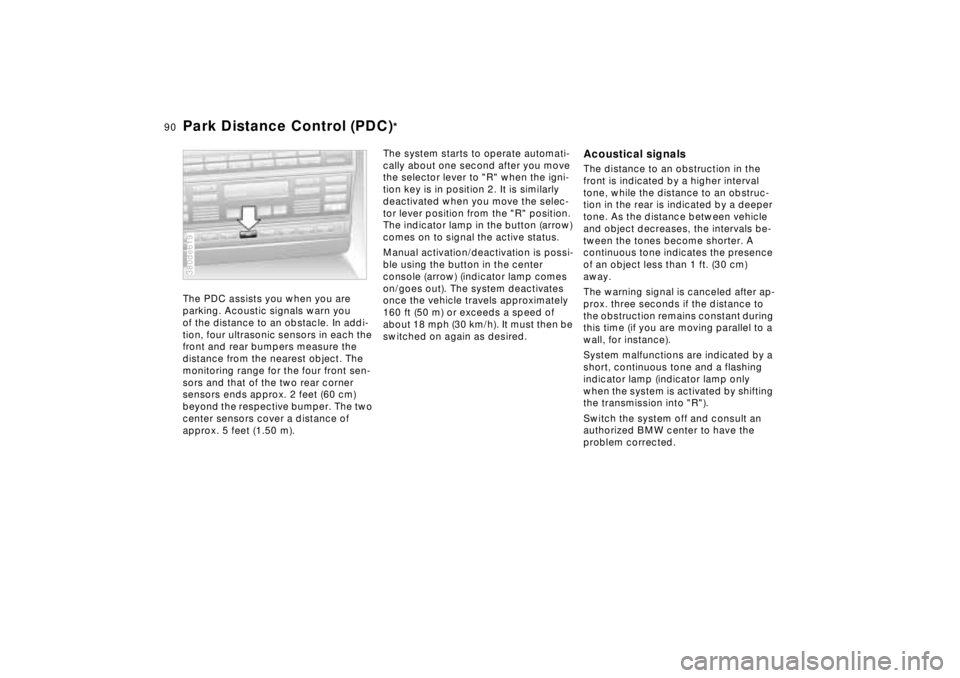
The PDC assists you when you are
parking. Acoustic signals warn you
of the distance to an obstacle. In addi-
tion, four ultrasonic sensors in each the
front and rear bumpers measure the
distance from the nearest object. The
monitoring range for the four front sen-
sors and that of the two rear corner
sensors ends approx. 2 feet (60 cm)
beyond the respective bumper. The two
center sensors cover a distance of
approx. 5 feet (1.50 m).380de619
The system starts to operate automati-
cally about one second after you move
the selector lever to "R" when the igni-
tion key is in position 2. It is similarly
deactivated when you move the selec-
tor lever position from the "R" position.
The indicator lamp in the button (arrow)
comes on to signal the active status.
Manual activation/deactivation is possi-
ble using the button in the center
console (arrow) (indicator lamp comes
on/goes out). The system deactivates
once the vehicle travels approximately
160 ft (50 m) or exceeds a speed of
about 18 mph (30 km/h). It must then be
switched on again as desired.
Acoustical signalsThe distance to an obstruction in the
front is indicated by a higher interval
tone, while the distance to an obstruc-
tion in the rear is indicated by a deeper
tone. As the distance between vehicle
and object decreases, the intervals be-
tween the tones become shorter. A
continuous tone indicates the presence
of an object less than 1 ft. (30 cm)
away.
The warning signal is canceled after ap-
prox. three seconds if the distance to
the obstruction remains constant during
this time (if you are moving parallel to a
wall, for instance).
System malfunctions are indicated by a
short, continuous tone and a flashing
indicator lamp (indicator lamp only
when the system is activated by shifting
the transmission into "R").
Switch the system off and consult an
authorized BMW center to have the
problem corrected.
Page 94 of 211
93n
RepairsIndexOverview Controls Car care Technology Data
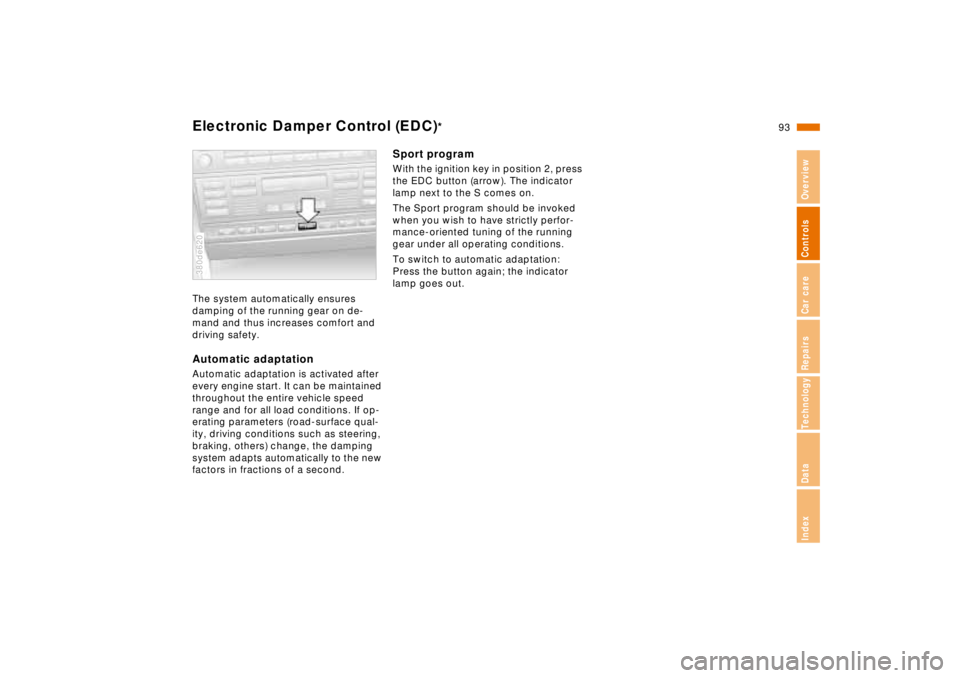
Electronic Damper Control (EDC)
*
The system automatically ensures
damping of the running gear on de-
mand and thus increases comfort and
driving safety.Automatic adaptationAutomatic adaptation is activated after
every engine start. It can be maintained
throughout the entire vehicle speed
range and for all load conditions. If op-
erating parameters (road-surface qual-
ity, driving conditions such as steering,
braking, others) change, the damping
system adapts automatically to the new
factors in fractions of a second.380de620
Sport programWith the ignition key in position 2, press
the EDC button (arrow). The indicator
lamp next to the S comes on.
The Sport program should be invoked
when you wish to have strictly perfor-
mance-oriented tuning of the running
gear under all operating conditions.
To switch to automatic adaptation:
Press the button again; the indicator
lamp goes out.
Page 95 of 211
94n
Tire Pressure Control (RDC)
*
The conceptRDC monitors the tire pressures at all
four wheels, even when the vehicle is
moving. The system provides an alert
whenever the inflation pressure drops
significantly below the specified pres-
sure in one or more tires.
In order for the RDC to "learn" the cor-
rect tire inflation pressure, check the in-
flation pressure in all tires. Refer to the
table of "Tire inflation pressures" on
page 26 and make corrections if neces-
sary. Then activate the system.
The Check Control will inform you if the
tire pressure is not correct.
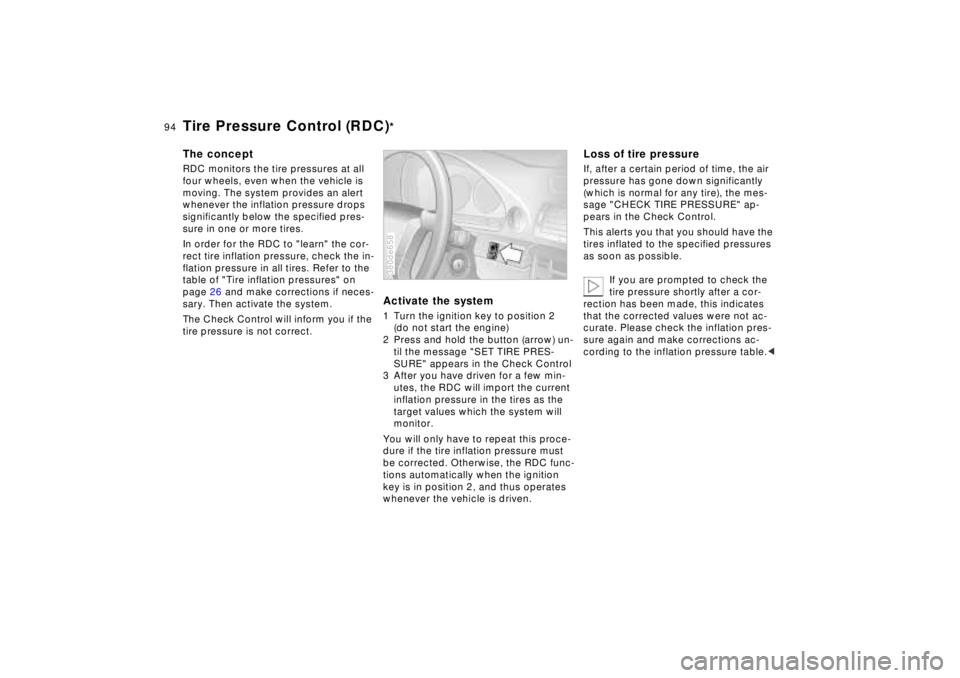
Activate the system1 Turn the ignition key to position 2
(do not start the engine)
2 Press and hold the button (arrow) un-
til the message "SET TIRE PRES-
SURE" appears in the Check Control
3 After you have driven for a few min-
utes, the RDC will import the current
inflation pressure in the tires as the
target values which the system will
monitor.
You will only have to repeat this proce-
dure if the tire inflation pressure must
be corrected. Otherwise, the RDC func-
tions automatically when the ignition
key is in position 2, and thus operates
whenever the vehicle is driven.380de658
Loss of tire pressureIf, after a certain period of time, the air
pressure has gone down significantly
(which is normal for any tire), the mes-
sage "CHECK TIRE PRESSURE" ap-
pears in the Check Control.
This alerts you that you should have the
tires inflated to the specified pressures
as soon as possible.
If you are prompted to check the
tire pressure shortly after a cor-
rection has been made, this indicates
that the corrected values were not ac-
curate. Please check the inflation pres-
sure again and make corrections ac-
cording to the inflation pressure table.<
Page 97 of 211
96n
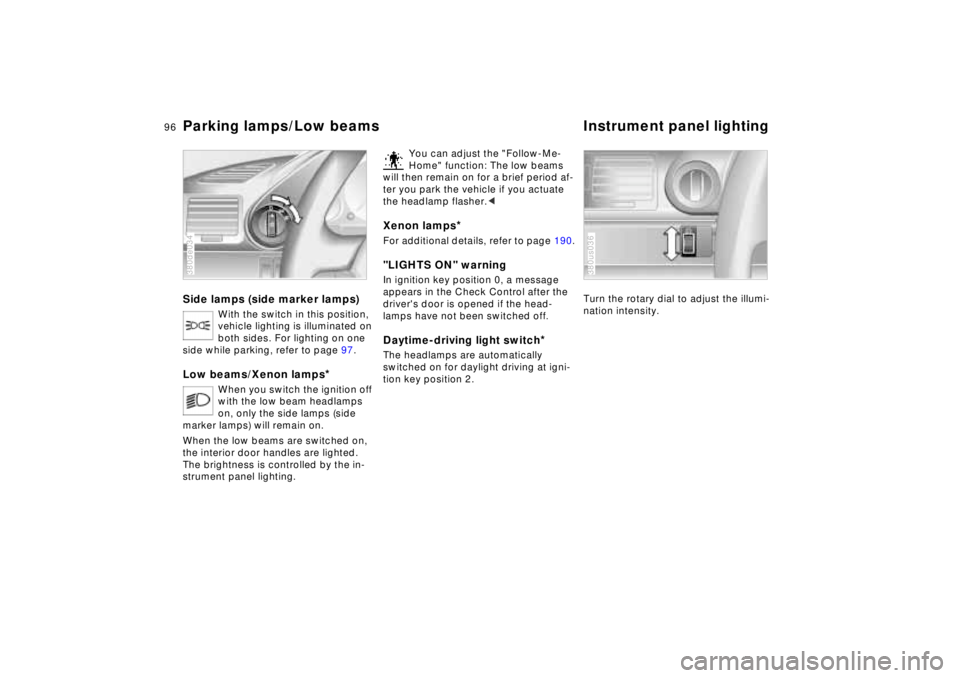
Parking lamps/Low beams Instrument panel lightingSide lamps (side marker lamps)
With the switch in this position,
vehicle lighting is illuminated on
both sides. For lighting on one
side while parking, refer to page 97.
Low beams/Xenon lamps
*
When you switch the ignition off
with the low beam headlamps
on, only the side lamps (side
marker lamps) will remain on.
When the low beams are switched on,
the interior door handles are lighted.
The brightness is controlled by the in-
strument panel lighting.
380de034
You can adjust the "Follow-Me-
Home" function: The low beams
will then remain on for a brief period af-
ter you park the vehicle if you actuate
the headlamp flasher.<
Xenon lamps
*
For additional details, refer to page 190."LIGHTS ON" warningIn ignition key position 0, a message
appears in the Check Control after the
driver's door is opened if the head-
lamps have not been switched off
.
Daytime-driving light switch
*
The headlamps are automatically
switched on for daylight driving at igni-
tion key position 2.
Turn the rotary dial to adjust the illumi-
nation intensity.380us036
Page 98 of 211
97n
RepairsIndexOverview Controls Car care Technology Data
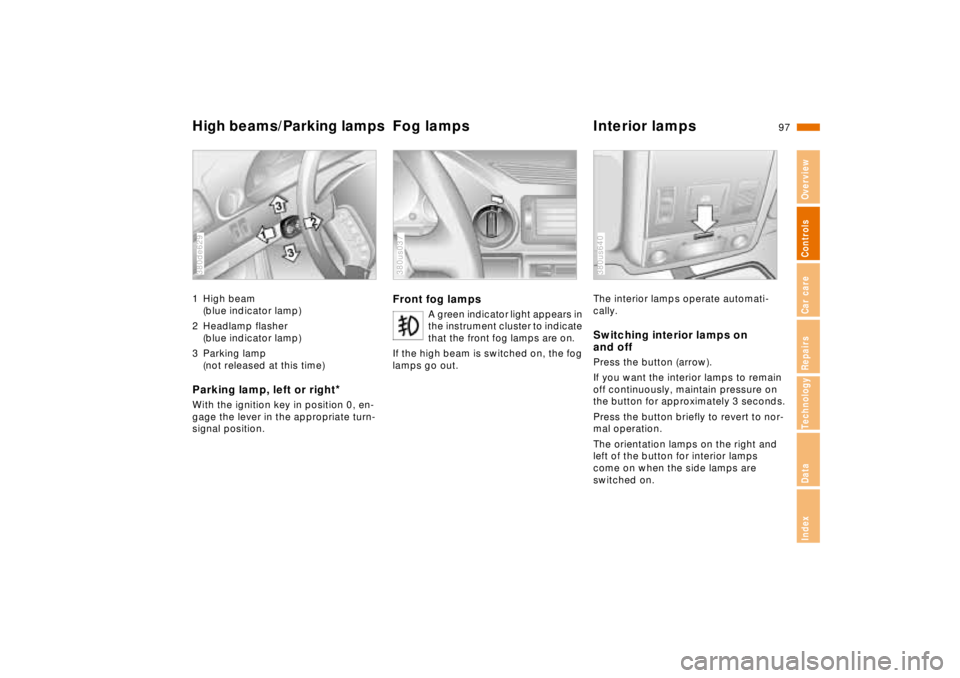
High beams/Parking lampsFog lamps Interior lamps1 High beam
(blue indicator lamp)
2 Headlamp flasher
(blue indicator lamp)
3 Parking lamp
(not released at this time)Parking lamp, left or right
*
With the ignition key in position 0, en-
gage the lever in the appropriate turn-
signal position.380de629
Front fog lamps
A green indicator light appears in
the instrument cluster to indicate
that the front fog lamps are on.
If the high beam is switched on, the fog
lamps go out.
380us037
The interior lamps operate automati-
cally.Switching interior lamps on
and offPress the button (arrow).
If you want the interior lamps to remain
off continuously, maintain pressure on
the button for approximately 3 seconds.
Press the button briefly to revert to nor-
mal operation.
The orientation lamps on the right and
left of the button for interior lamps
come on when the side lamps are
switched on.380us640