1998 BMW 740I warning
[x] Cancel search: warningPage 79 of 211
78n
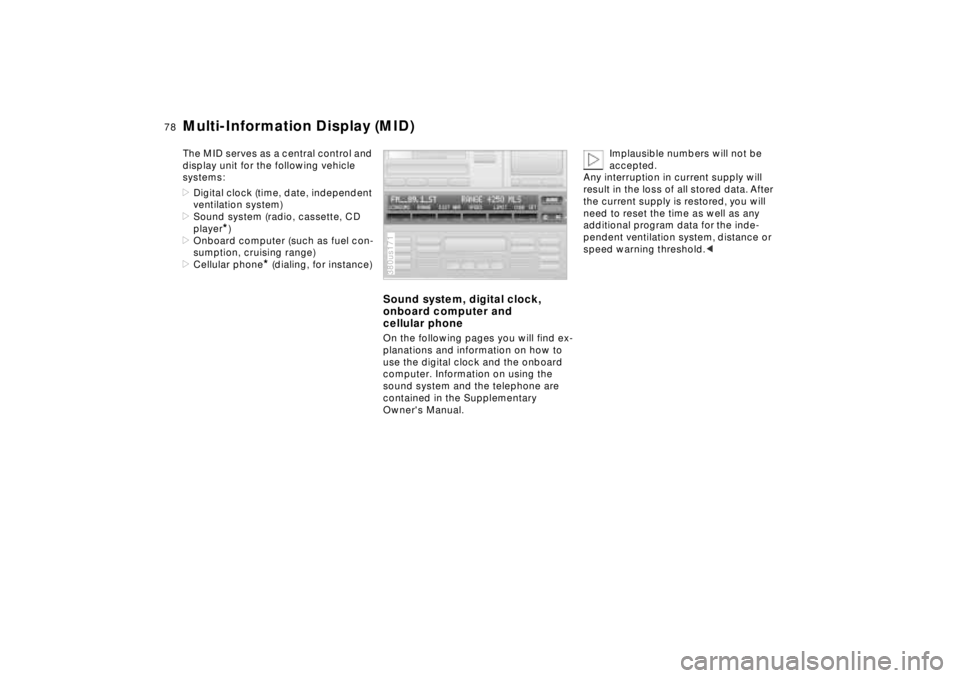
Multi-Information Display (MID)The MID serves as a central control and
display unit for the following vehicle
systems:
>Digital clock (time, date, independent
ventilation system)
>Sound system (radio, cassette, CD
player
*)
>Onboard computer (such as fuel con-
sumption, cruising range)
>Cellular phone
* (dialing, for instance)
Sound system, digital clock,
onboard computer and
cellular phoneOn the following pages you will find ex-
planations and information on how to
use the digital clock and the onboard
computer. Information on using the
sound system and the telephone are
contained in the Supplementary
Owner's Manual.380us171
Implausible numbers will not be
accepted.
Any interruption in current supply will
result in the loss of all stored data. After
the current supply is restored, you will
need to reset the time as well as any
additional program data for the inde-
pendent ventilation system, distance or
speed warning threshold.<
Page 85 of 211
84n
Onboard computerThe onboard computer operates at igni-
tion key positions 1 and 2.
Information for safe and economical
driving can be called up for display.
You can use the key with the clock
symbol to
>display the time and date
>program an hourly reminder signal
(Memo), to remind you of the next
news broadcast, for instance
>operate the independent ventilation
system.
Refer to page 79 for information and
details on using the digital clock.380us178
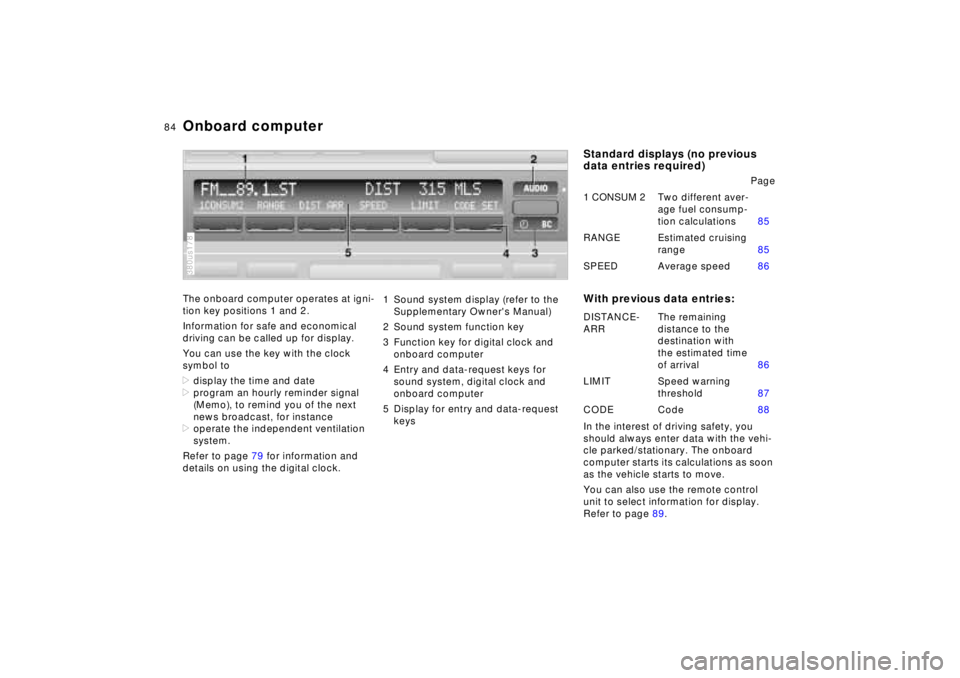
1 Sound system display (refer to the
Supplementary Owner's Manual)
2 Sound system function key
3 Function key for digital clock and
onboard computer
4 Entry and data-request keys for
sound system, digital clock and
onboard computer
5 Display for entry and data-request
keys
Standard displays (no previous
data entries required)
With previous data entries:In the interest of driving safety, you
should always enter data with the vehi-
cle parked/stationary. The onboard
computer starts its calculations as soon
as the vehicle starts to move.
You can also use the remote control
unit to select information for display.
Refer to page 89.Page
1 CONSUM 2Two different aver-
age fuel consump-
tion calculations85
RANGE Estimated cruising
range85
SPEED Average speed86
DISTANCE-
ARRThe remaining
distance to the
destination with
the estimated time
of arrival86
LIMIT Speed warning
threshold87
CODE Code88
Page 86 of 211
85n
RepairsIndexOverview Controls Car care Technology Data
Onboard computerAverage fuel consumptionThe computer can calculate average
fuel consumption rates for two different
distances at the same time (simulta-
neous data for an entire journey and for
a single segment of it, for instance).
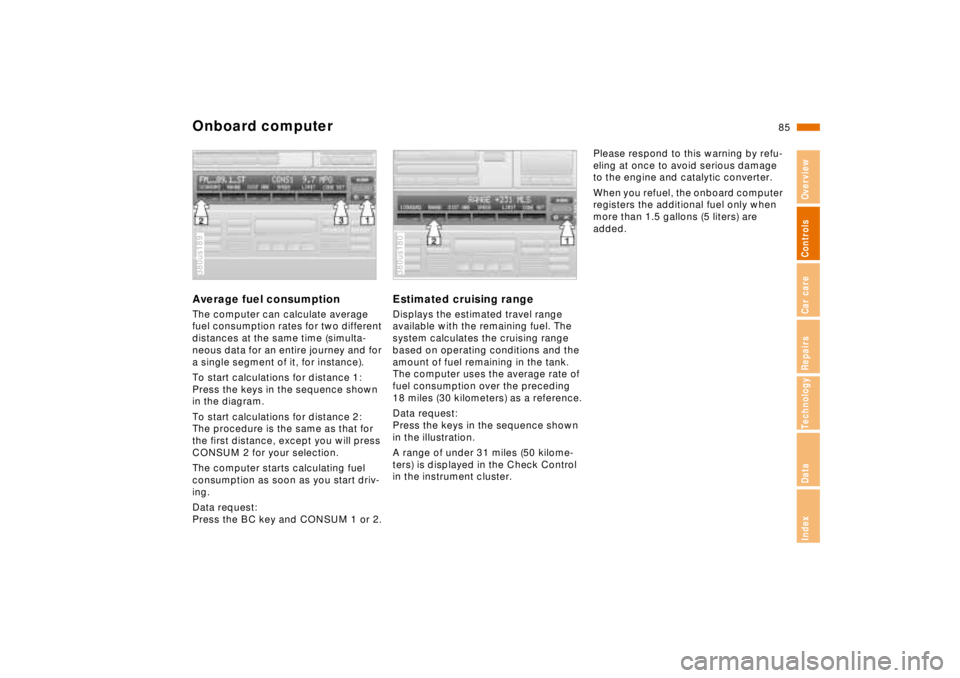
To start calculations for distance 1:
Press the keys in the sequence shown
in the diagram.
To start calculations for distance 2:
The procedure is the same as that for
the first distance, except you will press
CONSUM 2 for your selection.
The computer starts calculating fuel
consumption as soon as you start driv-
ing.
Data request:
Press the BC key and CONSUM 1 or 2.380us189
Estimated cruising rangeDisplays the estimated travel range
available with the remaining fuel. The
system calculates the cruising range
based on operating conditions and the
amount of fuel remaining in the tank.
The computer uses the average rate of
fuel consumption over the preceding
18 miles (30 kilometers) as a reference.
Data request:
Press the keys in the sequence shown
in the illustration.
A range of under 31 miles (50 kilome-
ters) is displayed in the Check Control
in the instrument cluster.380us180
Please respond to this warning by refu-
eling at once to avoid serious damage
to the engine and catalytic converter.
When you refuel, the onboard computer
registers the additional fuel only when
more than 1.5 gallons (5 liters) are
added.
Page 88 of 211
87n
RepairsIndexOverview Controls Car care Technology Data
Onboard computerEstimated time of arrivalData request:
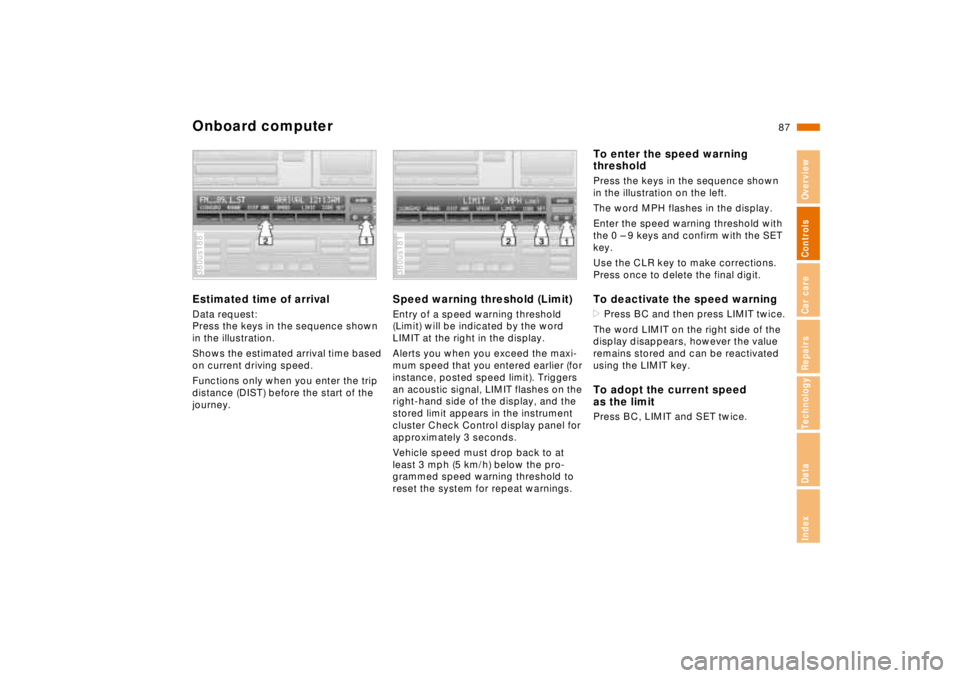
Press the keys in the sequence shown
in the illustration.
Shows the estimated arrival time based
on current driving speed.
Functions only when you enter the trip
distance (DIST) before the start of the
journey.380us188
Speed warning threshold (Limit)Entry of a speed warning threshold
(Limit) will be indicated by the word
LIMIT at the right in the display.
Alerts you when you exceed the maxi-
mum speed that you entered earlier (for
instance, posted speed limit). Triggers
an acoustic signal, LIMIT flashes on the
right-hand side of the display, and the
stored limit appears in the instrument
cluster Check Control display panel for
approximately 3 seconds.
Vehicle speed must drop back to at
least 3 mph (5 km/h) below the pro-
grammed speed warning threshold to
reset the system for repeat warnings.380us181
To enter the speed warning
thresholdPress the keys in the sequence shown
in the illustration on the left.
The word MPH flashes in the display.
Enter the speed warning threshold with
the 0 – 9 keys and confirm with the SET
key.
Use the CLR key to make corrections.
Press once to delete the final digit.To deactivate the speed warning>Press BC and then press LIMIT twice.
The word LIMIT on the right side of the
display disappears, however the value
remains stored and can be reactivated
using the LIMIT key.To adopt the current speed
as the limitPress BC, LIMIT and SET twice.
Page 91 of 211
90n
Park Distance Control (PDC)
*
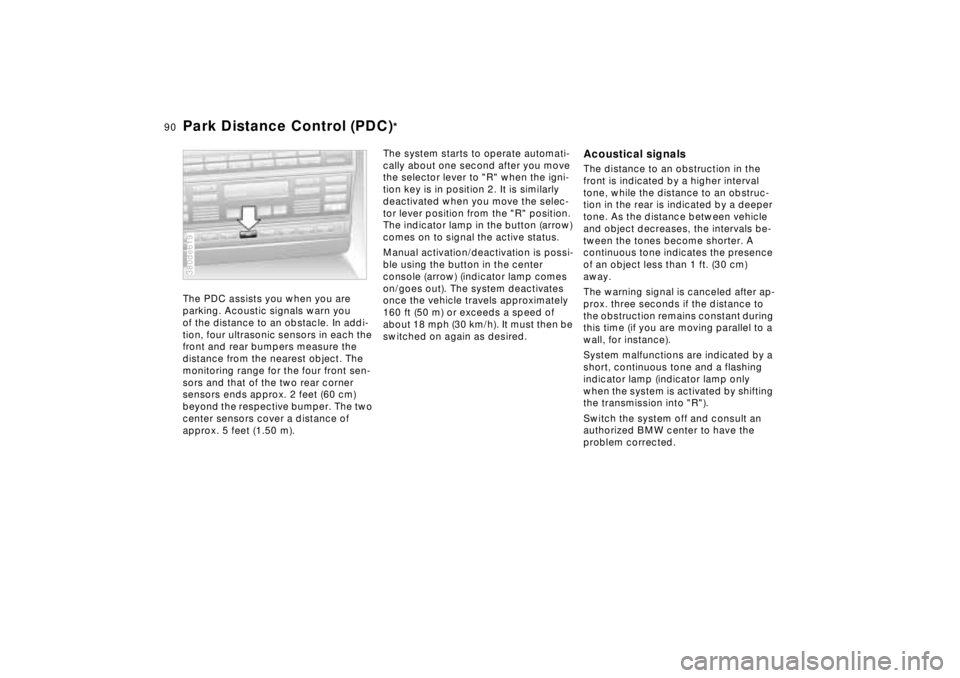
The PDC assists you when you are
parking. Acoustic signals warn you
of the distance to an obstacle. In addi-
tion, four ultrasonic sensors in each the
front and rear bumpers measure the
distance from the nearest object. The
monitoring range for the four front sen-
sors and that of the two rear corner
sensors ends approx. 2 feet (60 cm)
beyond the respective bumper. The two
center sensors cover a distance of
approx. 5 feet (1.50 m).380de619
The system starts to operate automati-
cally about one second after you move
the selector lever to "R" when the igni-
tion key is in position 2. It is similarly
deactivated when you move the selec-
tor lever position from the "R" position.
The indicator lamp in the button (arrow)
comes on to signal the active status.
Manual activation/deactivation is possi-
ble using the button in the center
console (arrow) (indicator lamp comes
on/goes out). The system deactivates
once the vehicle travels approximately
160 ft (50 m) or exceeds a speed of
about 18 mph (30 km/h). It must then be
switched on again as desired.
Acoustical signalsThe distance to an obstruction in the
front is indicated by a higher interval
tone, while the distance to an obstruc-
tion in the rear is indicated by a deeper
tone. As the distance between vehicle
and object decreases, the intervals be-
tween the tones become shorter. A
continuous tone indicates the presence
of an object less than 1 ft. (30 cm)
away.
The warning signal is canceled after ap-
prox. three seconds if the distance to
the obstruction remains constant during
this time (if you are moving parallel to a
wall, for instance).
System malfunctions are indicated by a
short, continuous tone and a flashing
indicator lamp (indicator lamp only
when the system is activated by shifting
the transmission into "R").
Switch the system off and consult an
authorized BMW center to have the
problem corrected.
Page 97 of 211
96n
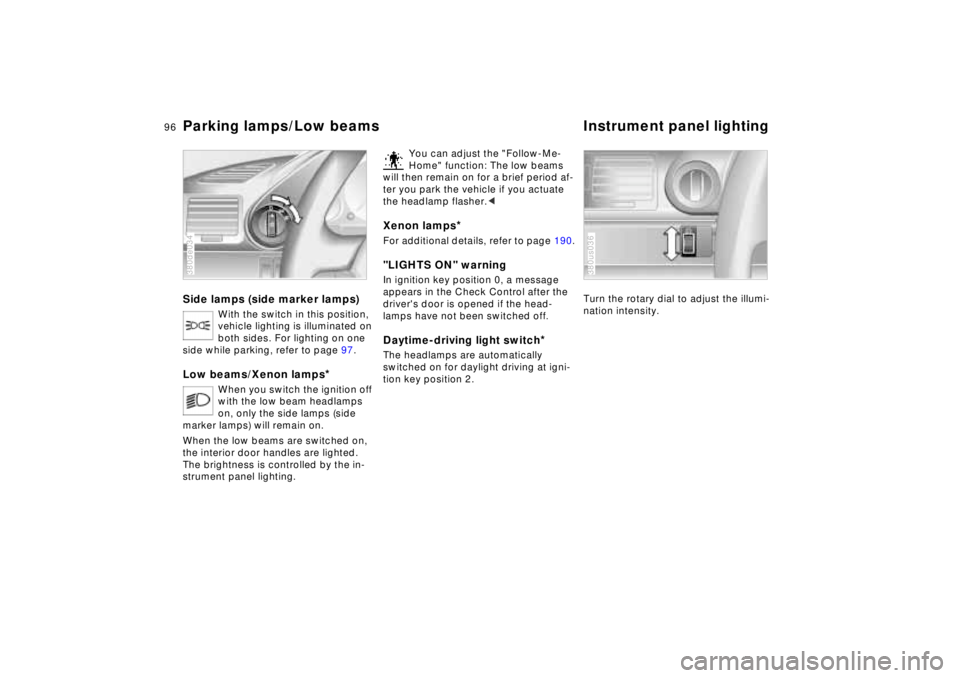
Parking lamps/Low beams Instrument panel lightingSide lamps (side marker lamps)
With the switch in this position,
vehicle lighting is illuminated on
both sides. For lighting on one
side while parking, refer to page 97.
Low beams/Xenon lamps
*
When you switch the ignition off
with the low beam headlamps
on, only the side lamps (side
marker lamps) will remain on.
When the low beams are switched on,
the interior door handles are lighted.
The brightness is controlled by the in-
strument panel lighting.
380de034
You can adjust the "Follow-Me-
Home" function: The low beams
will then remain on for a brief period af-
ter you park the vehicle if you actuate
the headlamp flasher.<
Xenon lamps
*
For additional details, refer to page 190."LIGHTS ON" warningIn ignition key position 0, a message
appears in the Check Control after the
driver's door is opened if the head-
lamps have not been switched off
.
Daytime-driving light switch
*
The headlamps are automatically
switched on for daylight driving at igni-
tion key position 2.
Turn the rotary dial to adjust the illumi-
nation intensity.380us036
Page 127 of 211
126n
Antilock Brake System (ABS) Disc brakesIn the event of a fault
If the ABS warning lamp in the
instrument cluster comes on, re-
fer to page 21. The brake sys-
tem then reverts to conventional
operation as on vehicles without
ABS. However, have the brake
system checked by your BMW center
as soon as possible. To prevent unde-
tected defects and cumulative faults
from adversely affecting the brake sys-
tem, refer any problems to your autho-
rized BMW center at the earliest oppor-
tunity.
Disc brakes furnish optimum decelera-
tion and braking control and greater
fade resistance under heavy use.
When the vehicle is driven only occa-
sionally, during extended periods when
the vehicle is not used at all, and in op-
erating conditions where brake applica-
tions are less frequent, there is an in-
creased tendency for corrosion of the
rotors and accumulation of contamina-
tion on the brake pads. This occurs be-
cause the minimal pressure which must
be exerted by the pads to clean the ro-
tors by brake applications is not
reached.
If the brake rotors are corroded, they
will tend to respond to braking with a
pulsating effect which even extended
application will fail to cure.
We recommend the use of original
BMW brake pads and compo-
nents, otherwise driving safety can be
impaired.<
Page 128 of 211
127n
RepairsIndexOverview Controls Car care Technology Data
Disc brakesDriving notesWhile driving in wet conditions and in
heavy rain, it is a good idea to apply
light pressure to the brake pedal every
few miles. Watch traffic conditions to
ensure that this maneuver does not en-
danger other road users. The heat gen-
erated in this braking process helps dry
the brake pads and rotors.
Maximum braking force is obtained
while the wheels continue to rotate,
peaking when the wheels remain on the
verge of locking without actually doing
so. ABS maintains this state automati-
cally. If the ABS fails, you should revert
to the staggered braking technique de-
scribed below (refer to page 129).
Extended or steep mountain descents
do not necessarily have to lead to re-
duced braking efficiency; downshift to a
gear in which only minimal periodic
brake applications are required - move
the selector lever to the appropriate
lower range.
You can continue to increase the brak-
ing effect of the engine by selecting a
lower gear - you can select transmis-
sion ranges as low as position 2 for ex-
treme conditions.Should engine braking prove inade-
quate, you should still avoid extended,
continuous braking. Instead of main-
taining low to moderate pressure over
an extended period of time, you should
decelerate the vehicle by applying more
substantial force on the pedal (watch
for following traffic!) and then pausing
before repeating the application. This
staggered braking technique allows the
brakes to cool in the intervals between
active braking phases, preventing over-
heating and ensuring that full braking
capacity remains available at all times.
Do not coast with the transmission
selector lever in neutral. Do not
drive with the engine shut off. The en-
gine provides no braking effect when
the transmission is in neutral, and there
is no power-assist for braking or steer-
ing when the engine is shut off.
Never allow floor mats, carpets or any
other objects to protrude into the area
around the accelerator and brake ped-
als and obstruct their movement.<
Dynamic Brake Control (DBC)
*
If you apply the brakes rapidly, this sys-
tem automatically produces the maxi-
mum braking force boost and thus
helps to achieve the shortest possible
braking distance during "panic stops."
All of the benefits of the ABS system
are exploited under these circum-
stances.
Do not reduce the pressure on the
brake pedal for the duration of the
brake application. When the brake
pedal is released, the DBC is deacti-
vated.
In the event of a malfunction, the
warning lamp comes on with a
yellow light. Conventional brak-
ing efficiency is available with-
out limitations.
Have the system checked and
repaired at your BMW center as soon
as possible.
For "Information for your safety"
covering the ABS system, refer to
page 125. This information also gener-
ally applies for DBC.<