1997 TOYOTA RAV4 brake
[x] Cancel search: brakePage 80 of 198

78With the selector lever in 2º, the vehicle
will
start in the first gear and automatically
shift to the second gear.
With the selector lever in Lº, the trans-
mission is engaged in the first gear.
NOTICE
Be careful not to overrev the en-
gine. Watch the tachometer to
keep engine rpm from going intothe red zone. The approximatemaximum allowable speed for
each position is given below foryour reference:Two-wheel drive models
2º 130 km/h (80 mph). . . . . .
Lº 72 km/h (44 mph) . . . . .
Four-wheel drive models
215/70R16 tires 2º 121 km/h (75 mph). . . . . .
Lº 67 km/h (41 mph) . . . . .
235/60R16 tires 2º 188 km/h (73 mph). . . . . .
Lº 65 km/h (40 mph) . . . . .
Do not continue hill climbing or
hard towing for a long time in the
2º or Lº position. This may
cause severe automatic transmis-sion damage from overheating.
To prevent such damage, Dºposition should be used in hillclimbing or hard towing.
(d) Backing up
1. Bring the vehicle to a complete stop.
2. With the brake pedal held down with your foot, shift the selector lever to the
Rº position.
NOTICE
Never shift into reverse while the vehicle is moving.
(e) Parking
1. Bring the vehicle to a complete stop.
2. Pull the parking brake lever up fully to securely apply the parking brake.
3. With the brake pedal pressed down, shift the selector lever to the Pº posi- tion.
While the vehicle is moving, never
attempt to move the selector lever
into Pº position under any circum-
stances. Serious mechanical dam-
age and loss of vehicle control mayresult. CAUTION
!
(f) Good driving practice If the transmission is repeatedly up-
shifted and downshifted between third
gear and overdrive when climbing a
gentle slope, the overdrive switch
should be turned off. Be sure to turn the switch on immediately afterward.
When towing a trailer, in order to main-
tain engine braking efficiency, do notuse overdrive.
Always keep your foot on the brake
pedal while stopped with the engine
running. This prevents the vehicle
from creeping. CAUTION
!
Page 81 of 198

79
NOTICE
Do not hold the vehicle on an upgrade with the accelerator pedal.
It can cause the transmission tooverheat. Always use the brake pedal or parking brake.
(g) Rocking your vehicle if stuck
To rock you vehicle if it becomes
stuck in snow, mud, sand, etc., first check that there are no objects or
people around the vehicle. During
the rocking operation the vehicle
may suddenly move forward or
backward as it becomes unstuck,
causing injury or damage to nearby
people or objects. CAUTION
!
NOTICE
If you rock your vehicle, observe the following precautions to prevent
damage to the transmission andother parts.
Do not depress the acceleratorpedal while shifting the selectorlever or before the transmission is
completely shifted to forward or reverse gear.
Do not race the engine and avoid
spinning the wheels.
If your vehicle remains stuck afterrocking the vehicle several times,
consider other ways such as tow-ing.
(h) Driving in POWERº mode In the POWERº mode, the transmission
is shifted up and down at a higher vehicle
speed than in the NORMALº mode and a
more powerful acceleration is achieved.
To set the POWERº mode, push in the
driving pattern selector button. The
POWERº mode indicator light comes on.
For ordinary driving, Toyota recommends
using the NORMALº mode to improve
fuel economy.
(i) If you cannot shift the selector lever
out of Pº position
If you cannot shift the selector lever from the Pº position even though the brake
pedal is depressed, use the shift lock
override button. For instructions, see If you cannot shift automatic transmission selector leverº in Part 4.
Page 82 of 198

80
The shift pattern is as shown above.
Press the clutch pedal down fully while
shifting, and then release it slowly. Do not
rest your foot on the pedal while driving, because it will cause clutch trouble. And do not use the clutch to hold the vehicle
when stopped on an uphill grade-use the
parking brake. Recommended shifting speeds
The transmission is fully synchronized
and upshifting or downshifting is easy.
For the best compromise between fuel
economy and vehicle performance, you
should upshift or downshift at the follow-
ing speeds: gear km/h (mph)
1 to 2 or 2 to 1 24 (15)
2 to 3 or 3 to 2 41 (25)
3 to 4 or 4 to 3 65 (40)
4 to 5 or 5 to 4 72 (45)
Downshift to the appropriate gear if accel-
eration is needed when you are cruising
below the above downshifting speeds.
Upshifting too soon or downshifting too late will cause lugging and, possibly, ping-
ing. Regularly revving the engine to maxi-
mum speed in each gear will cause exces-sive engine wear and high fuel consump- tion.
Maximum allowable speeds
To get on a highway or to pass slower traf- fic, maximum acceleration may be neces-
sary. Make sure you observe the following
maximum allowable speeds in each gear:
Two-wheel drive models
gear km/h (mph)
1 47 (29)
2 95 (59)
3 144 (89)
4 198 (114) Four-wheel drive models 215/60R16 tires
gear km/h (mph)
1 44 (27)
2 88 (53)
3 133 (83)
4 183 (114)
235/60R16 tires
gear km/h (mph)
1 43 (26)
2 86 (53)
3 121 (75)
4 165 (102)
NOTICE
Do not downshift if you are going faster than the maximum allowable
speed for the next lower gear.
Good driving practice If it is difficult to shift into reverse, put
the transmission in neutral, release
the clutch pedal momentarily, and then
try again.
Manual transmission
Page 84 of 198

82
To lock the center differential:
1. Press the brake pedal and stop thewheel spinning.
2. Put the front wheels in as straight- ahead position as possible.
3. Push the center differential lock switch
and check that the indicator light in the
instrument panel comes on.To unlock the center differential:
1. Put the front wheels in as straight- ahead a position as possible.
2. Push the center differential lock switch
once again and check that the indica-
tor light in the instrument panel goes
out and that the indicator buzzer stops sounding.
The indicator buzzer will sound while the
center differential is being unlocked. It
stops sounding when unlocking is com- pleted.
Sometimes complete unlocking of the
center differential may take longer. If unlocking of the center differential is notcompleted, check
the area around you for
safety, then accelerate or decelerate, or move the vehicle backward.
NOTICE
While the indicator buzzer is sounding, do not make turns, and
do not put the vehicle into a garage.This may damage the locking mechanism and the drive system.
Page 85 of 198

83
Type A
Type BWhen parking, firmly apply the park-
ing brake to avoid inadvertent creep- ing.
To set: Pull up the lever. For better holding
power, first depress the brake pedal and
hold it while setting the brake.
To release: Pull up the lever slightly, press
the thumb button, and lower.
To remind you that the parking brake is
set,
the parking brake reminder light in the
instrument panel remains on until you re- lease the parking brake.
Before driving, be sure the parking brake is fully released and the park-
ing brake reminder light is off. CAUTION
! The cruise control allows you to cruise
the vehicle at a desired speed over 40 km/h (25 mph) even with your foot offthe accelerator pedal.
Your cruising speed can be maintained up
or down grades within the limits of engine
performance, although a slight speed
change may occur when driving up or
down the grades. On steeper hills, a greater speed change will occur so it is
better to drive without the cruise control.
To help maintain maximum con-
trol of your vehicle, do not use the
cruise control when driving in heavy or varying traffic, or in slip-
pery (rainy, icy or snow-covered)
or winding roads.
Avoid vehicle speed increases
when driving downhill. If the ve-
hicle speed is too fast in relation to
the cruise control set speed, can-
cel the cruise control then down-
shift the transmission to use en-
gine braking to slow down. CAUTION
!
Parking brake
Cruise control
Page 86 of 198
84
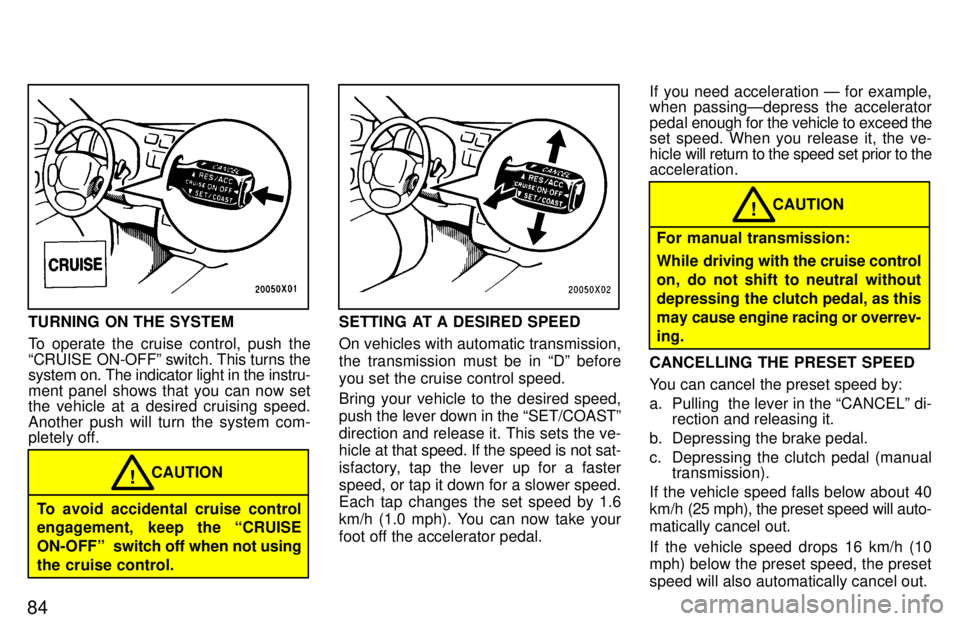
TURNING ON THE SYSTEM
To operate the cruise control, push the
CRUISE ON-OFFº switch. This turns the system on. The indicator light in the instru-
ment panel shows that you can now set
the vehicle at a desired cruising speed. Another push will turn the system com-
pletely off.
To avoid accidental cruise control
engagement, keep the CRUISE
ON-OFFº switch off when not using
the cruise control. CAUTION
!
SETTING AT A DESIRED SPEED
On vehicles with automatic transmission,
the transmission must be in Dº beforeyou set the cruise control speed.
Bring your vehicle to the desired speed, push the lever down in the SET/COASTº
direction and release it. This sets the ve-
hicle at
that speed. If the speed is not sat-
isfactory, tap the lever up for a faster
speed, or tap it down for a slower speed.
Each tap changes the set speed by 1.6
km/h (1.0 mph). You can now take your
foot off the accelerator pedal. If you need acceleration Ð for example,
when passingÐdepress the accelerator
pedal
enough for the vehicle to exceed the
set speed. When you release it, the ve-
hicle will return to the speed set prior to the
acceleration.
For manual transmission:
While driving with the cruise control
on, do not shift to neutral without
depressing the clutch pedal, as this
may cause engine racing or overrev-ing. CAUTION
!
CANCELLING THE PRESET SPEED
You can cancel the preset speed by:
a. Pulling the lever in the CANCELº di- rection and releasing it.
b. Depressing the brake pedal.
c. Depressing the clutch pedal (manual transmission).
If the vehicle speed falls below about 40
km/h (25 mph), the preset speed will auto- matically cancel out.
If the vehicle speed drops 16 km/h (10 mph) below the preset speed, the preset speed will also automatically cancel out.
Page 87 of 198

85
If the preset speed automatically cancels
out other than for the above cases or, if the
indicator light flashes several times, the
cruise control may be malfunctioning. In such
cases, have your vehicle checked by
your Toyota dealer at the earliest opportu-
nity.
RESETTING AT A FASTER SPEED Push the lever up in the RES/ACCº direc-
tion and hold it. Release the lever when
the desired speed is attained. While the
lever is held up, the vehicle will graduallygain speed.
However, a faster way to reset is to accel-
erate the vehicle and then push the lever down in the SET/COASTº direction.
RESETTING AT A SLOWER SPEED Push the lever down in the SET/COASTº
direction and hold it. Release the lever
when the desired speed is attained. While
the lever is held down, the vehicle speedwill gradually decrease.
However, a faster way to reset is to de- press the brake pedal and then push the
lever down in the SET/COASTº direction.
On vehicles with automatic transmission,
even if you turn off the overdrive switchwith the cruise control on, engine braking will
not be applied because the cruise con-
trol is not cancelled. To decrease the ve-
hicle speed, reset to a slower speed with
the cruise control lever or depress the brake pedal. If you use the brake pedal, cruise control is cancelled. RESUMING THE PRESET SPEED
If the preset speed is cancelled by pulling
the control lever or by depressing the
brake pedal or clutch pedal, pushing the
lever up in the RES/ACCº direction will
restore the speed set prior to cancellation.
However, once the vehicle speed falls be-
low about 40 km/h (25 mph), the preset
speed will not be resumed.
CRUISE CONTROL FAILURE WARN- ING
If the CRUISEº indicator light in the in-
strument cluster flashes when using the
cruise control, press the CRUISE ON-
OFFº button to turn the system off and then press it again to turn it on. If any of the following conditions then oc-
curs, there is some trouble in the cruise control system.
The indicator light does not come on.
The indicator light flashes again.
The indicator light goes out after it
comes on.
If this is the case, contact your Toyota
dealer and have your vehicle inspected.
Page 108 of 198
Part 2Off-road vehicle precautions
107
INFORMATION
BEFORE DRIVING
YOUR TOYOTA
Off-road vehicle precautions
Break-in period
Fuel
Operation in foreign countries
Three-way catalytic converter
Engine exhaust cautions
Facts about engine oil consumption
Brake system
Brake pad wear limit indicators
Luggage stowage precautions
Limited-slip differential
Your Toyota's idenitification
Theft prevention labels
Suspension and chassis
Types of tires
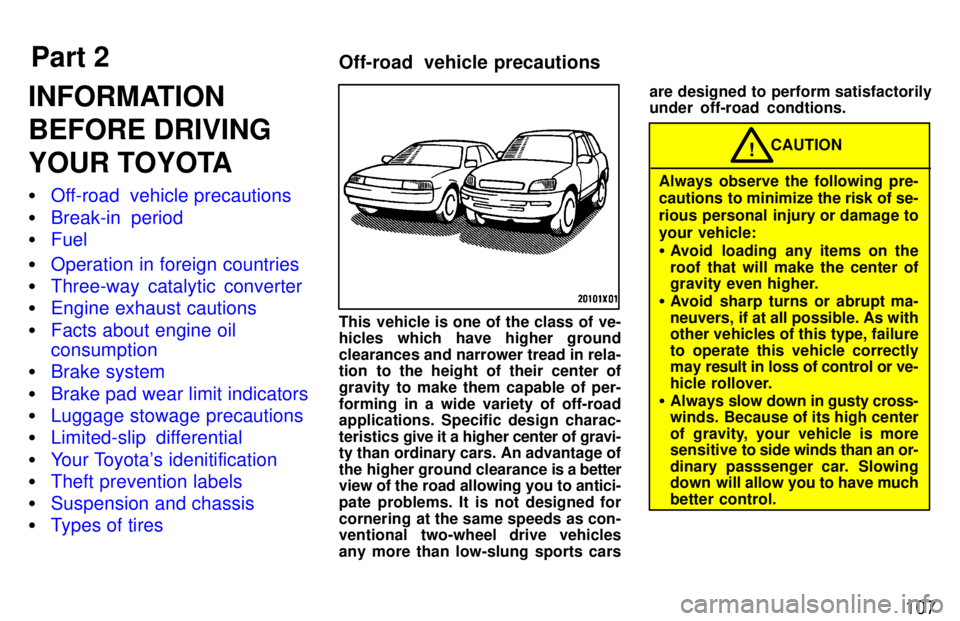
This vehicle is one of the class of ve-
hicles which have higher ground
clearances and narrower tread in rela-
tion to the height of their center of
gravity to make them capable of per-forming in a wide variety of off-road applications. Specific design charac-
teristics
give it a higher center of gravi-
ty than ordinary cars. An advantage of
the higher ground clearance is a better
view of the road allowing you to antici-
pate problems. It is not designed for
cornering at the same speeds as con-
ventional two-wheel drive vehicles
any more than low-slung sports cars are designed to perform satisfactorily under off-road condtions.
CAUTION!
Always observe the following pre-
cautions to minimize the risk of se-
rious personal injury or damage toyour vehicle: Avoid loading any items on the
roof that will make the center of
gravity even higher.
Avoid sharp turns or abrupt ma-
neuvers, if at all possible. As with
other vehicles of this type, failure
to operate this vehicle correctly
may result in loss of control or ve-
hicle rollover.
Always slow down in gusty cross-
winds. Because of its high center
of gravity, your vehicle is more
sensitive to side winds than an or-
dinary passsenger car. Slowing
down will allow you to have much
better control.