102
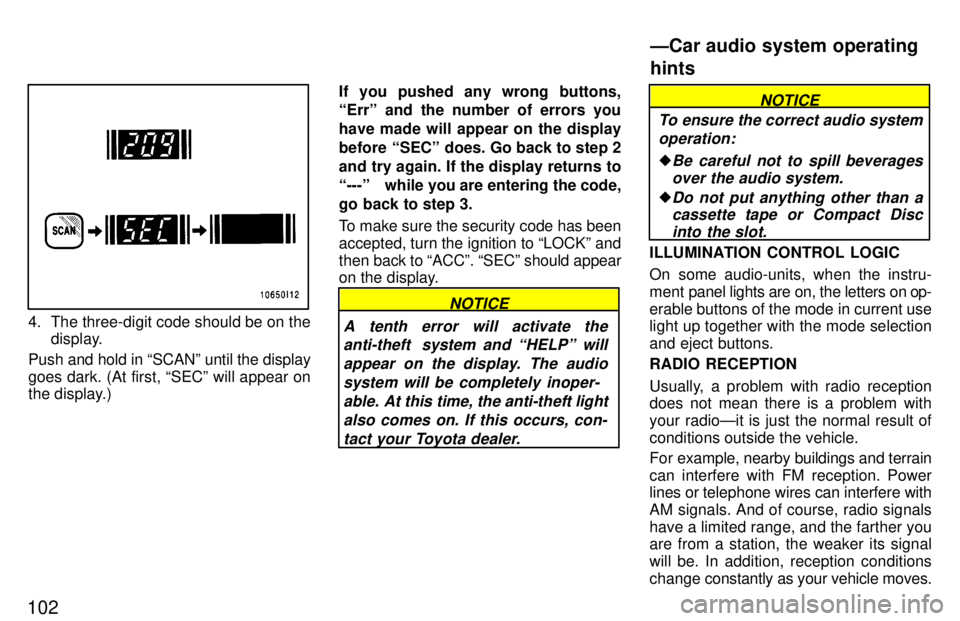
4. The three-digit code should be on thedisplay.
Push and hold in SCANº until the display
goes dark. (At first, SECº will appear on
the display.) If you pushed any wrong buttons, Errº and the number of errors you have made will appear on the display
before SECº does. Go back to step 2and try again. If the display returns to
---º while you are entering the code,
go back to step 3.
To make sure the security code has been accepted, turn the ignition to LOCKº andthen
back to ACCº. SECº should appear
on the display.
NOTICE
A tenth error will activate the anti-theft system and HELPº will
appear on the display. The audiosystem will be completely inoper- able. At this time, the anti-theft light
also comes on. If this occurs, con- tact your Toyota dealer.
NOTICE
To ensure the correct audio system operation:
Be careful not to spill beveragesover the audio system.
Do not put anything other than acassette tape or Compact Disc
into the slot.
ILLUMINATION CONTROL LOGIC
On some audio-units, when the instru-
ment panel lights are on, the letters on op-
erable buttons of the mode in current use
light up together with the mode selection and eject buttons. RADIO RECEPTION
Usually, a problem with radio reception
does not mean there is a problem with
your radioÐit is just the normal result of
conditions outside the vehicle.
For example, nearby buildings and terrain
can interfere with FM reception. Power
lines or telephone wires can interfere with
AM signals. And of course, radio signals
have a limited range, and the farther you are from a station, the weaker its signal
will be. In addition, reception conditions
change constantly as your vehicle moves.
ÐCar audio system operating hints