Page 140 of 371
Playing a Cassette Tape
Your tape player is built to work best with tapes that are
30 to 45 minutes long on each side. Tapes longer than
that are
so thin they may not work well in this player.
While the tape is playing, use the
VOL, FADE and BAL
controls just as you do for the radio. The display will
show an arrow to show which side of the tape is playing.
When the down indicator arrow is lit, selections listed
on the bottom side of the cassette are playing. When the
up arrow is lit, selections listed on the top side of the
cassette are playing. The tape player automatically
begins playing the other side when
it reaches the end of
the tape.
If E and a number appear on the radio display, the tape
won’t play because of an error.
0
e
ElO: The tape is tight and the player can’t turn the
tape hubs. Remove the tape. Hold the tape with the
open end down and try to turn the right hub
counterclockwise with a pencil. Turn the tape over
and repeat. If the hubs do not turn easily, your tape
may be damaged and should not be used in the
player. Try a new tape to make sure your player is
working properly.
Ell: The tape is broken. Try a new tape. If
any error occurs repeatedly or
if an error can’t be
corrected, please contact your dealer. If your radio
displays an error number, write it down and provide
it to your dealer when reporting the problem.
PREV (1): Press this button or the SEEK down arrow to
search for the previous selection on the tape. Your tape
must have at least three seconds of silence between each
selection for PREV or SEEK to work. The tape direction
arrow blinks during PREV or SEEK operation. Press
PREV or the SEEK down arrow to stop searching. The
sound will mute during PREV
or SEEK operation.
NEXT (2): Press this button or the SEEK up arrow to
search for the next selection on the tape. If you hold the
button, the player will continue moving forward through
the tape. Your tape must have at least three seconds
of
silence between each selection for NEXT or SEEK to
work. The tape direction arrow blinks during
NEXT or
SEEK operation. Press NEXT or the SEEK up arrow to
stop searching. The sound will mute during
NEXT or
SEEK operation.
PROG (3): Press this button to play the other side of
the tape.
3-15
Page 142 of 371
AM-FM Stereo with Compact Disc Player
and Equalizer
(If Equipped)
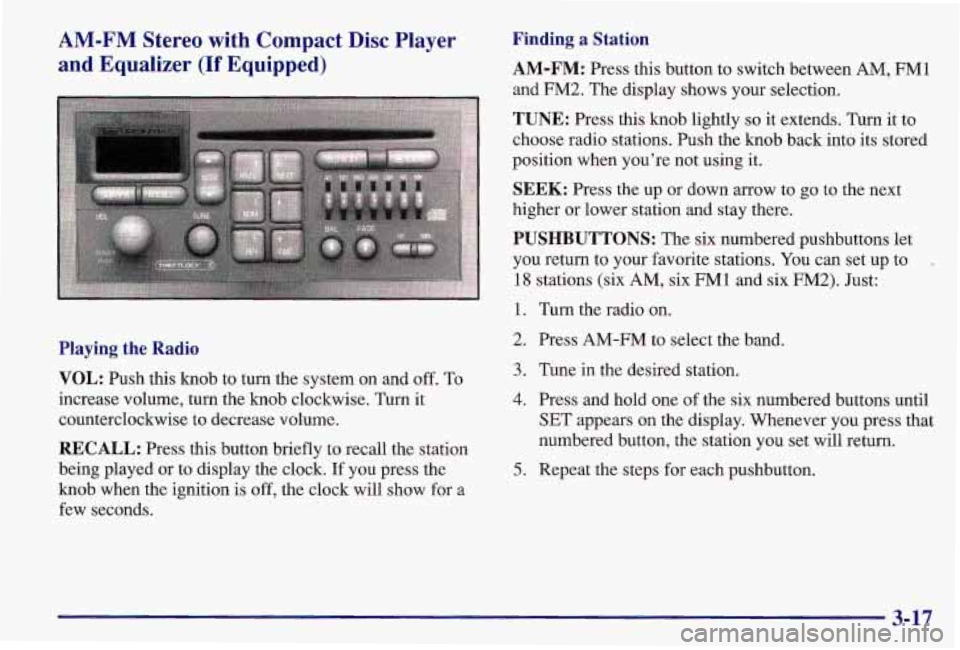
Playing the Radio
VOL:
Push this knob to turn the system on and off. To
increase volume, turn the knob clockwise. Turn it
counterclockwise to decrease volume.
RECALL: Press this button briefly to recall the station
being played or to display the clock.
If you press the
knob when the ignition is off, the clock will show for a
few seconds.
Finding a Station
AM-FM:
Press this button to switch between AM, FM1
and
FM2. The display shows your selection.
TUNE: Press this knob lightly so it extends. Turn it to
choose radio stations. Push the knob back into its stored
position when you’re not using it.
SEEK: Press the up or down arrow to go to the next
higher or lower station and stay there.
PUSHBUTTONS: The six numbered pushbuttons let
you return to your favorite stations. You can set up to
-
18 stations (six AM, six FM1 and six FM2). Just:
1. Turn the radio on.
2. Press AM-FM to select the band.
3. Tune in the desired station.
4. Press and hold one of the six numbered buttons until
SET appears on the display. Whenever you press that
numbered button, the station you set will return.
5. Repeat the steps for each pushbutton.
3-17
Page 163 of 371
Try to adjust your speed so you can “drive” through the
curve. Maintain a reasonable, steady speed. Wait to
accelerate until you are out of the curve, and then
accelerate gently into the straightaway.
Steering in Emergencies
There are times when steering can be more effective than
braking. For example, you come over
a hill and find a
truck stopped
in your lane, or a car suddenly pulls out
from nowhere, or a child darts out from between parked
cars and stops right
in front of you. You can avoid these
problems by braking
-- if you can stop in time. But
sometimes you can’t; there isn’t room. That’s the time \
for
evasive action
-- steering around the problem.
Your Pontiac can perform very well in emergencies like
these. First apply your brakes. (See “Braking in
Emergencies” earlier in this section.) It is better to
remove as much speed as you can from
a possible
collision. Then steer around the problem, to the left
or
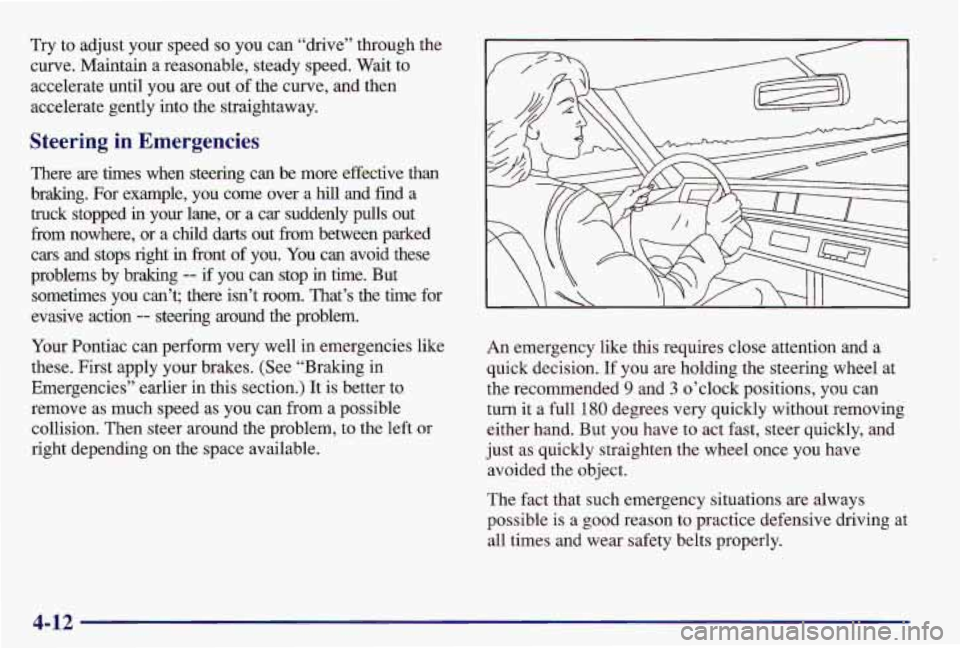
right depending on the space available. An
emergency like this requires close attention and a
quick decision.
If you are holding the steering wheel at
the recommended
9 and 3 o’clock positions, you can
turn
it a full 180 degrees very quickly without removing
either hand. But you have to act fast, steer quickly, and
just as quickly straighten the wheel once you have
avoided the object.
The fact that such emergency situations are always
possible is a good reason to practice defensive driving at
all times and wear safety belts properly.
4-12
Page 217 of 371
Removing the Spare Tire and Tools
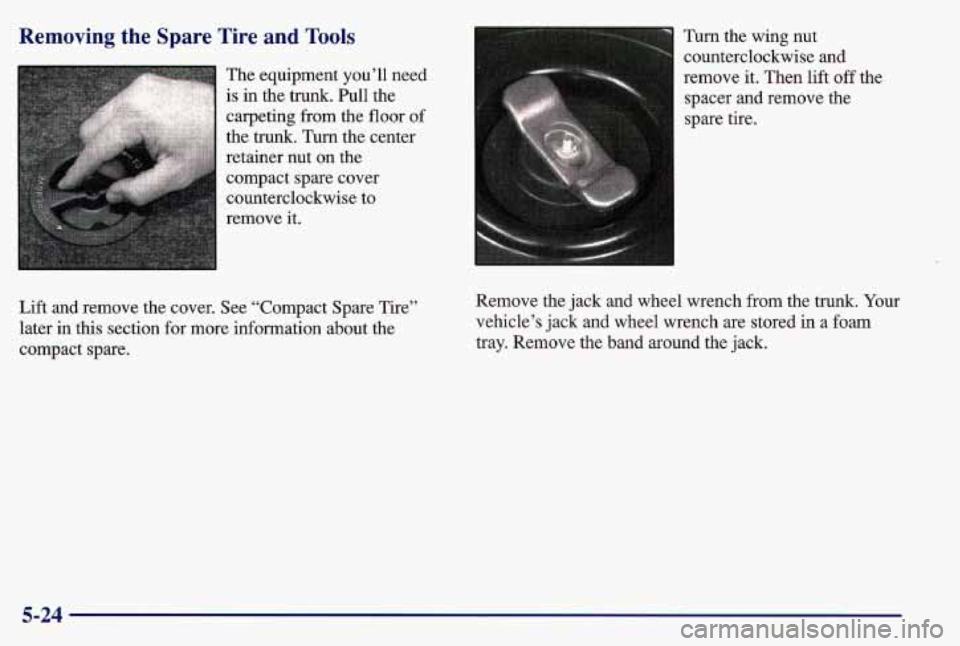
Lift and remove the cover. See “Compact Spare Tire”
later in this section for more information about the
compact spare. Turn
the wing nut
counterclockwise and
remove it. Then lift off the
spacer and remove the
spare tire.
Remove the jack and wheel wrench from the trunk. Your
vehicle’s jack and wheel wrench are stored in
a foam
tray. Remove the band around the jack.
5-24
Page 220 of 371
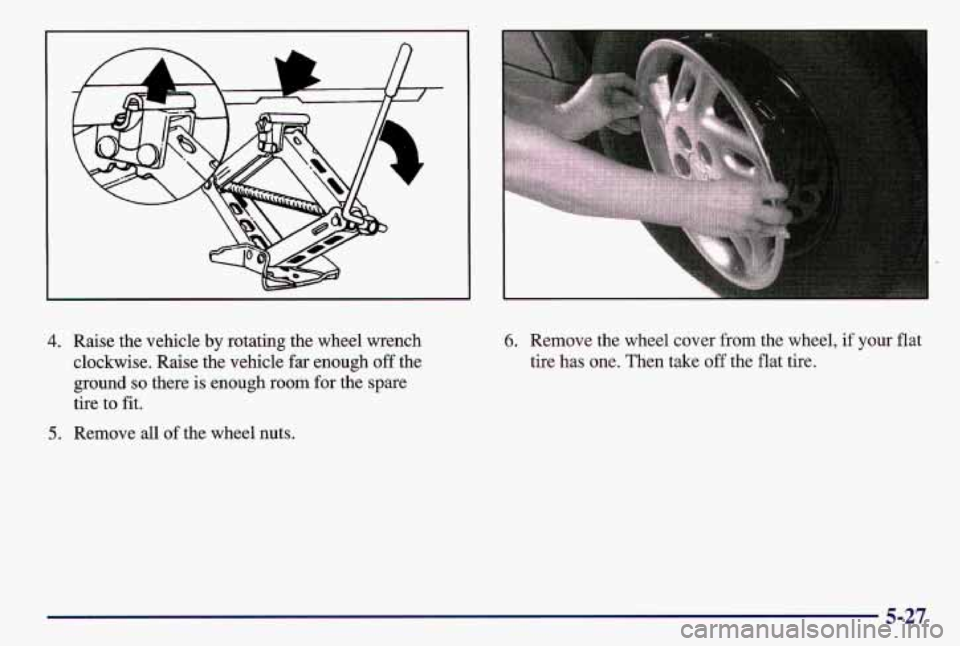
4. Raise the vehicle by rotating the wheel wrench
clockwise. Raise the vehicle far enough off the
ground
so there is enough room for the spare
tire to
fit.
5. Remove all of the wheel nuts.
6. Remove the wheel cover from the wheel, if your flat
tire has one. Then take
off the flat tire.
5-27
Page 222 of 371
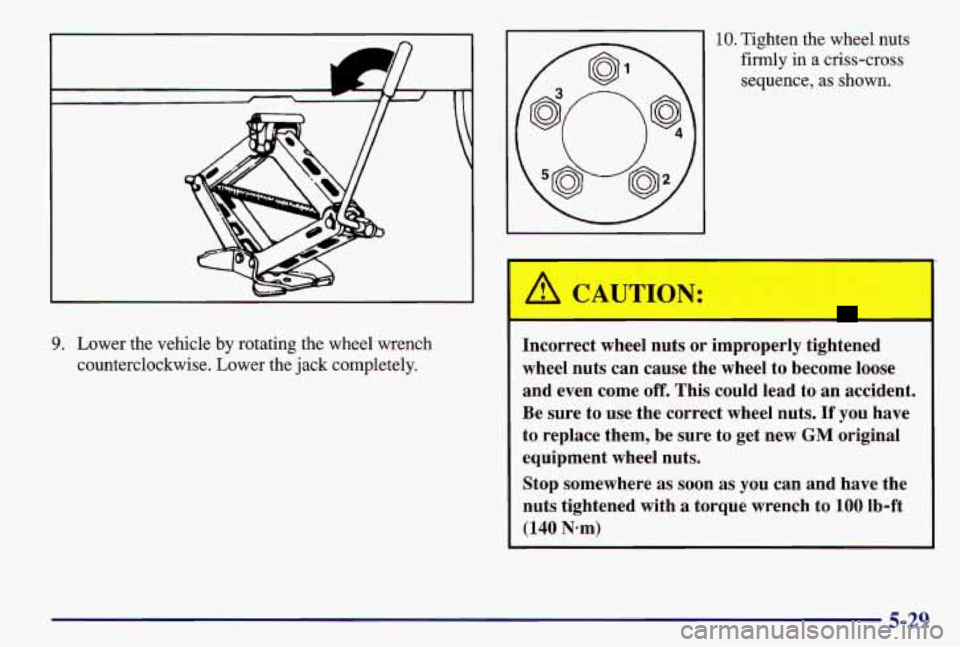
9. Lower the vehicle by rotating the wheel wrench
counterclockwise. Lower the jack completely.
10. Tighten the wheel nuts
firmly in a criss-cross
sequence,
as shown.
Incorrect wheel nuts or improperly tightened
wheel nuts can cause the wheel to become loose
and even come
off. This could lead to an accident.
Be sure to use the correct wheel nuts.
If you have
to replace them, be sure to get new
GM original
equipment wheel nuts.
Stop somewhere
as soon as you can and have the
nuts tightened with
a torque wrench to 100 lb-ft
(140 N-m)
5-29
Page 233 of 371
A
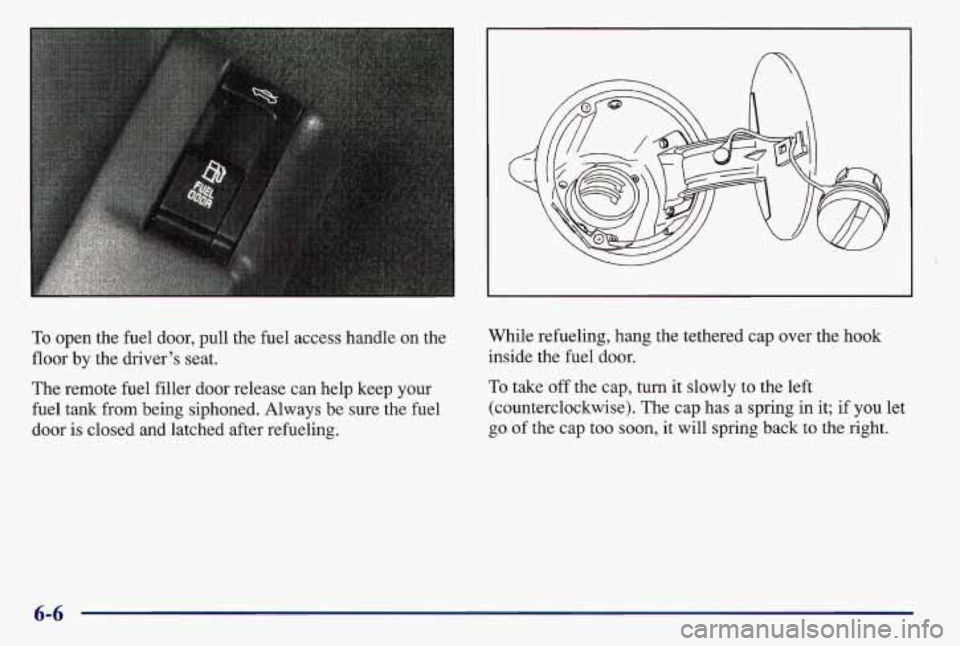
To open the fuel door, pull the fuel access handle on the
floor by the driver’s seat.
The remote fuel filler door release can help keep your
fuel
tank from being siphoned. Always be sure the fuel
door is closed and latched after refueling. While refueling, hang the tethered cap over
the hook
inside the fuel door.
To take off the cap, turn it slowly to the left
(counterclockwise). The cap has a spring in it; if you let
go of the cap too soon, it will spring back to the right.
Page 234 of 371
A CAUTION:
I=
If you get gasoline on yourself and then
something ignites it, you could be badly burned.
Gasoline can spray out on you
if you open the
fuel filler cap too quickly, This spray can happen
if your tank
is nearly full, and is more likely in
hot weather. Open the fuel filler cap slowly and
wait for any “hiss” noise to stop. Then unscrew
the cap all the way.
Be careful not to spill gasoline. Clean gasoline from
painted surfaces as
soon as possible. See “Cleaning the
Outside of Your Pontiac” in the Index. When you
put the cap back on, turn
it to the right
(clockwise) until you hear a clicking sound. Make sure
you fully install the cap. The diagnostic system can
determine
if the fuel cap has been left off or improperly
installed. This would allow fuel to evaporate into the
atmosphere. See “Malfunction Indicator Lamp” in
the Index.
NOTICE:
If you need a new cap, be sure to get the right
type. Your dealer can get one for you, If you get
the wrong type, it may not fit properly. This may cause your malfunction indicator lamp to light
and your fuel tank and emissions system may be
damaged. See “Malfunction Indicator Lamp” in
the Index,
6-7