1997 OLDSMOBILE BRAVADA ECU
[x] Cancel search: ECUPage 101 of 358
Erasing Channels
To erase all three programmed channels, hold down the
two outside buttons
until the red light begins to flash.
Individual channels cannot be erased, but can be
reprogrammed using the procedure for programming the
transmitter explained earlier.
Training a Garage Opener with a “Rolling
Code” Feature
If you programmed the universal transmitter, but the
garage door will not open, and
if your garage door opener
was manufactured after 1995,
YOLK garage door may have
a security feature that changes the “code” of your garage
door opener every time
it is opened or closed.
To determine if your garage door opener has this
“rolling code” feature, press the appropriate button on
the universal transmitter that was programmed.
If the
red light flashes rapidly for one
to two seconds, then
turns solid, your garage door opener has this feature.
To program a garage door opener- with the rolling code
feature, do the following:
1. Program your hand-held transmitter to the universal
transmitter by following the steps provided under
“Programming the Transmitter” earlier
in this section.
2.
3.
4.
5.
6.
Remove the cover panel from the garage door opener
receiver.
It is located near the garage door opener motor.
Locate the training button on the garage door opener
receiver. The exact location and color will vary
among brands.
Press the training button on the garage door opener
receiver for one to two seconds.
Return to your vehicle and press the programmed
button on the universal transmitter
until the red light
flashes rapidly (about two seconds).
Release the button, then repress
it to confirm it was
programmed to the garage door opener receiver.
You may now use either the universal transmitter or the
hand-held transmitter to open your garage door. If you
still have difficulty
in programming and require
assistance, please call 1-800-355-35 15.
Accessories
Accessories for the universal transmitter are available
from the manufacturer of the
unit. If you would like
additional information, please call 1-800-355-35
15.
2-47
ProCarManuals.com
Page 129 of 358

Theft-Deterrent Feature
THEFTLOCK” is designed to discourage theft of your
radio.
It works by using a secret code to disable all radio
functions whenever battery power is removed.
The THEFTLOCK feature for the radio may be used or
ignored.
If ignored, the system plays normally and the
radio
is not protected by the feature. If THEFTLOCK is
activated, your radio
will not operate if stolen.
When THEFTLOCK is activated, the radio will display
LOC to indicate a locked condition anytime battery
power is removed. If your battery loses power for any
reason, you must unlock the radio with the secret code
before
it will operate.
Activating the Theft-Deterrent Feature
The instructions which follow, explain how to enter your
secret code to activate the THEFTLOCK system.
It is
recommended that you read through all nine steps
before starting the procedure.
NOTE: If you allow more than
15 seconds to elapse
between any steps, the radio automatically reverts to
time and you must start the procedure over at Step 4.
1. Write down any three or four-digit number from
000 to 1999 and keep it in a safe place separate from
the vehicle.
2. Turn the ignition to ACCESSORY or RUN.
3. Turn the radio off.
4. Press the 1 and 4 buttons together. Hold them down
until --- shows on the display. Next you will use the
secret code number which you have written down.
5. Press MN and 000 will appear on the display.
6. Press MN again to make the last two digits agree
with your code.
7. Press HR to make the first one or two digits agree
with your code.
8. Press AM-FM after you have confirmed that the
code matches the secret code you have written down.
The display
will show REP to let you know that you
need to repeat Steps
5 through 7 to confirm your
secret code.
9. Press AM-FM and this time the display will show
SEC to let you know that your radio
is secure. The
indicator by the volunle control
will begin flashing
when the ignition is turned off.
~~ 3-13
ProCarManuals.com
Page 130 of 358

Unlocking the Theft-Deterrent Feature After a
Power
Loss
Enter your secret code as follows; pause no more than
15 seconds between steps:
1. LOC appears when the ignition is on.
2. Press MN and 000 will appear on the display.
3. Press MN again to make the last two digits agree
with your code.
4. Press HR to make the first one or two digits agree
with your code.
5. Press AM-FM after you have confirmed that the
code matches the secret code you have written down.
The display will
show SEC, indicating the radio is
now operable and secure.
If you enter the wrong code eight times, INOP will
appear
on the display. You will have to wait an hour
with the ignition on before you can try again. When you
try again, you will only have three chances
to enter the
correct code before INOP appears.
If you lose or forget your code, contact your retailer.
Disabling the Theft-Deterrent Feature
Enter your secret code as follows; pause no more than
15 seconds between steps:
1. Turn the ignition to ACCESSORY or RUN.
2. Turn the radio off.
3. Press the 1 and 4 buttons together. Hold them down
until SEC shows on the display.
4. Press MN and 000 will appear on the display.
5. Press MN again to make the last two digits agree
with your code.
6. Press HR to make the first one or two digits agree
7. Press AM-FM after you have confirmed that the
with your
code.
code matches the secret code you have written down.
The display will show
---, indicating that the radio is
no longer secured.
If the code entered is incorrect, SEC will appear
on the
display. The radio
will remain secured until the correct
code is entered.
When battery power
is removed and later applied to a
secured radio, the radio won’t turn on and LOC will
appear on the display.
3-14
ProCarManuals.com
Page 131 of 358

To unlock a secured radio, see “Unlocking the
Theft-Deterrent Feature After a Power
Loss” earlier in
this section.
Understanding Radio Reception
FM Stereo
FM stereo will give you the best sound. But FM signals
will reach only about 10 to 40 miles ( 16 to 65 km). Tall
buildings or hills can interfere
with FM signals, causing
the sound to come and
go.
AM
The range for most AM stations is greater than for FM,
especially at night. The longer range, however, can
cause stations to interfere with each other.
AM can pick
up noise from things like storms and power lines. Try
reducing the treble
to reduce this noise if you ever get it.
Tips About Your Audio System
Hearing damage from loud noise is almost undetectable
until it is too late. Your hearing can adapt to higher
volumes of sound. Sound that seems normal
can be loud
and harmf~ll to your hearing. Take precautions by
adjusting the volume control on your radio to
a safe
sound level before your hearing adapts to
it.
To help avoid hearing loss or damage:
Adjust the volume control to the lowest setting.
Increase volume slowly until you hear comfortably
and clearly.
NOTICE:
Before you add any sound equipment to your
vehicle
-- like a tape player, CB radio, mobile
telephone or two-way radio
-- be sure you can add
what you want. If you can, it’s very important to
do it properly. Added sound equipment may
interfere with the operation of your vehicle’s
engine, Delco radio or other systems, and even
damage them. Your vehicle’s systems may interf‘ere
with the operation
of sound equipment that has
been added improperly.
So, before adding sound equipment, check with
your retailer and be sure to check Federal rules
covering mobile radio and telephone units.
3-15
ProCarManuals.com
Page 148 of 358
Before You Go Off-Roading
There are some things to do before you go out. For
example, be sure to have all necessary maintenance and
service work done. Check to make sure all underbody
shields (if
so equipped) are properly attached. Be sure
you read all the information about your
four-wheel-drive vehicle in this manual.
Is there enough
fuel?
Is the spare tire fully inflated? Are the fluid levels
up where they should be? What are the local laws that
apply to off-roading where you’ll be driving? If you
don’t know, you should check with law enforcement
people in the area. Will you be on someone’s private
land? If
so, be sure to get the necessary permission.
Loading Your Vehicle for Off-Road Driving
There are some important things to remember about
how to load your vehicle.
0 The heaviest things should be on the load floor and
forward of your rear axle. Put heavier items as far
forward as you can.
0 Be sure the load is secured properly, so driving on
the off-road terrain doesn’t toss things around.
0 Cargo on the load floor piled higher than
the seatbacks can be thrown forward
during
a sudden stop. You or your
passengers could be injured. Keep cargo
below the top of the seatbacks.
0 Unsecured cargo on the load floor can be
tossed about when driving over rough
terrain. You or your passengers can be
struck by flying objects. Secure the
cargo properly.
0 Heavy loads on the roof raise the vehicle’s
center of gravity, making
it more likely to
roll over. You can be seriously or fatally
injured if the vehicle rolls over. Put heavy
loads inside the cargo area, not on the roof.
Keep cargo in the cargo area
as far forward
and low
as possible.
You’ll find other important information in this manual.
See “Vehicle Loading,” “Luggage Carrier” and “Tires’’
in the Index.
ProCarManuals.com
Page 170 of 358
Winter Driving
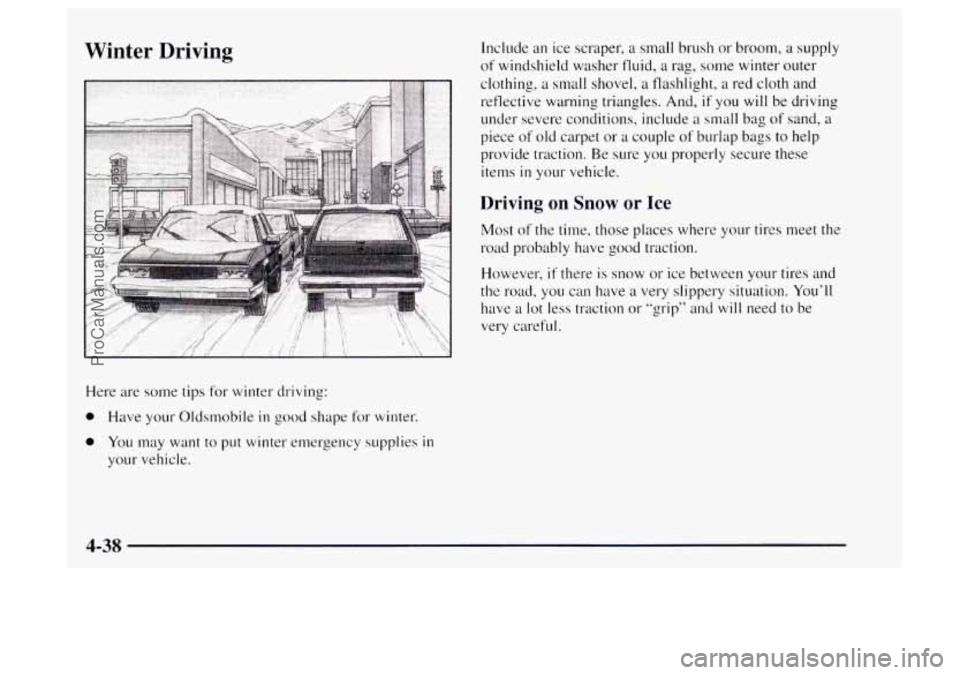
Here are some tips for winter driving:
0 Have your Oldsmobile in good shape for winter.
0 You may want to put winter emergency supplies in
your vehicle. Include
an ice scraper, a small brush or broom,
a supply
of windshield washer fluid, a rag,
some winter outer
clothing, a small shovel, a flashlight,
a red cloth and
reflective warning triangles. And,
if you will be driving
under severe conditions, include
a small bag of sand, a
piece of old carpet or a couple of burlap bags to help
provide traction. Be sure you properly secure these
items
in your vehicle.
Driving on Snow or Ice
Most of the time, those places where your tires meet the
road probably have good traction.
However,
if there is snow or ice between your tires and
the road, you can have
a very slippery situation. You’ll
have
a lot less traction or “grip” and will need to be
very careful.
4-38
ProCarManuals.com
Page 175 of 358
Using heavier suspension components to get added
durability might not change your weight ratings.
Ask
your retailer to help you load your vehicle the right way.
I NOTICE:
Your warranty does not cover parts or
components that fail because of overloading.
If you put things inside your vehicle -- like suitcases,
tools, packages or anything else
-- they will go as fast as
the vehicle goes.
If you have to stop or turn quickly, or
if there is a crash, they’ll keep going.
There’s
also important loading information for off-road
driving in this manual. See “Loading Your Vehicle’’ in
the Index.
Things you put inside your vehicle can strike
and injure people in a sudden stop or turn,
or in a crash.
0
0
0
0
0
Put things in the cargo area of your vehicle.
Try to spread the weight evenly.
Never stack heavier things, like suitcases,
inside the vehicle
so that some of them are
above the tops of the seats.
Don’t leave an unsecured child restraint in
your vehicle.
When you carry something inside the
vehicle, secure it whenever you can.
Don’t leave a seat folded down unless you
need to.
4-43
ProCarManuals.com
Page 181 of 358

Driving with a Trailer
mmm
If you have a rear-most window open and you
pull a trailer with your vehicle, carbon monoxide
(CO) could come into your vehicle. You can’t see
or smell
CO. It can cause unconsciousness or
death. (See “Engine Exhaust” in the Index.)
To
maximize your safety when towing a trailer:
Have your exhaust system inspected for
leaks, and make necessary repairs before
starting on your trip.
Keep the rear-most windows closed.
If exhaust does come into your vehicle
through a window in the rear or another
opening, drive with your front, main
heating or cooling system
on and with the
fan on any speed. This will bring fresh,
outside air into your vehicle.
Do not use
MAX A/C because it only recirculates the
air inside your vehicle. (See
“ Comfort
Controls”
in the Index.) Towing
a trailer requires a certain amount
of experience.
Before setting out for the open road, you’ll want to get
to know your rig. Acquaint yourself with the feel of
handling and braking with the added weight of the
trailer. And always keep
in mind that the vehicle you are
driving
is now a good deal longer and not nearly as
responsive as your vehicle is by itself.
Before you start, check the trailer hitch and platform
(and attachments), safety chains, electrical connector,
lamps, tires and mirror adjustment.
If the trailer has
electric brakes, start your vehicle and trailer moving and
then apply the trailer brake controller by hand to be sure
the brakes are working. This lets you check your
electrical connection at the same time.
During your trip, check occasionally to be sure that the
load is secure, and that the lamps and any trailer brakes
are still working.
Following Distance
Stay at least twice as far behind the vehicle ahead as you
would when driving your vehicle without a trailer. This
can help you avoid situations that require heavy braking
and sudden turns.
4-49
ProCarManuals.com