Page 127 of 305
123
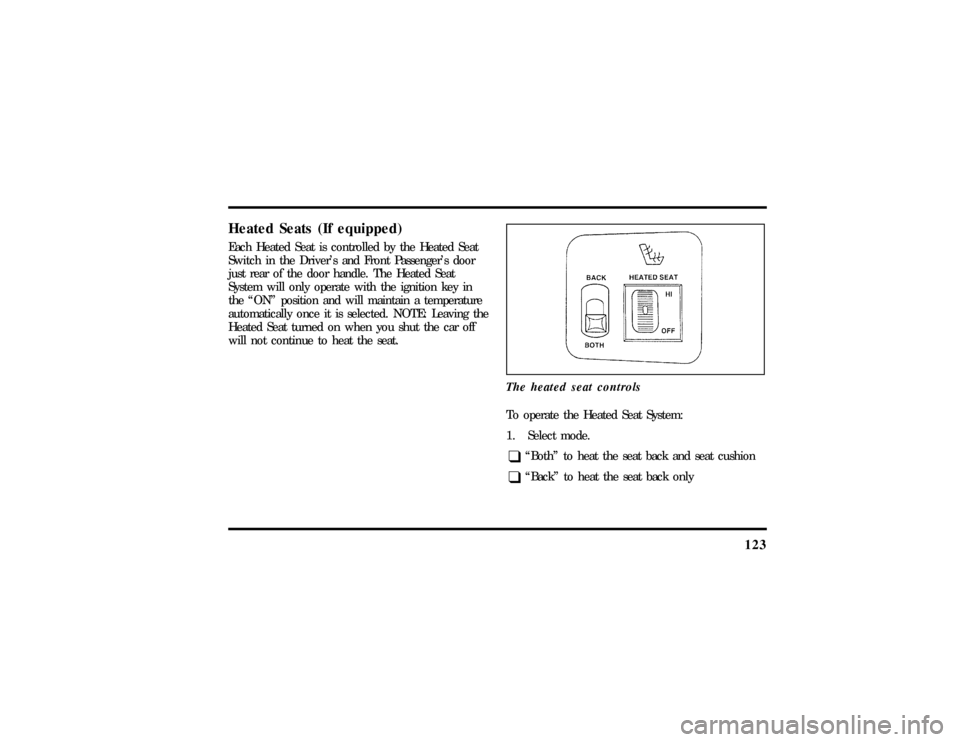
Heated Seats (If equipped)Each Heated Seat is controlled by the Heated Seat
Switch in the Driver's and Front Passenger's door
just rear of the door handle. The Heated Seat
System will only operate with the ignition key in
the ªONº position and will maintain a temperature
automatically once it is selected. NOTE: Leaving the
Heated Seat turned on when you shut the car off
will not continue to heat the seat.
The heated seat controls
To operate the Heated Seat System:
1. Select mode.q
ªBothº to heat the seat back and seat cushion
q
ªBackº to heat the seat back only
File:06fnsst.ex
Update:Fri Jun 21 08:57:53 1996
Page 143 of 305

139
The Air Bag Supplemental Restraint System consists
of:q
driver and passenger air bag modules (which
include the inflators and air bags),
q
one or more impact and safing sensors,
q
a system diagnostic module,
q
a readiness light and tone,
q
and the electrical wiring which connects the
components.
The diagnostic module monitors its own circuits,
the air bag electrical system, the air bag readiness
light, the air bag power, and the air bag inflators.
Determining if System Is OperationalThe Air Bag Supplemental Restraint System uses a
readiness light and a tone to indicate the condition
of the system. The readiness light is in the
instrument cluster. When you turn the ignition key
to ON, this light will illuminate for approximatelysix (6) seconds and then turn off. This indicates
that the system is operating normally. NOTE:
Routine maintenance of the air bag system is not
required.
A problem with the system is indicated by one or
more of the following:
q
the readiness light will either flash or stay lit,
q
the readiness light will not light immediately
after ignition is turned on,
q
a group of five beeps will be heard. The tone
pattern will repeat periodically until the problem
and light are repaired.
If any of these things happen, even intermittently,
have the Air Bag Supplemental Restraint System
serviced at your Ford or Lincoln-Mercury dealer
immediately. Unless serviced, the system may not
function properly in the event of a collision.
File:06fnsst.ex
Update:Fri Jun 21 08:57:53 1996
Page 165 of 305

1623. Make sure that the gearshift is in P (Park) and
the parking brake is set before you turn the
key.
Before you start your vehicle, you should test the
warning lights on the instrument panel to make
sure that they work. Refer to theInstrumentation
chapter.Starting Your EngineTo start your engine:
1. Follow the steps underPreparing to Start Your
Vehicleat the beginning of this section.
2. Turn the ignition key to the ON position.
3. DO NOT depress the accelerator pedal when
starting your engine. DO NOT use the
accelerator while the vehicle is parked.4. Turn the key to the START position (cranking)
until the engine starts. Allow the key to return
to the ON position after the engine has started.
If you have difficulty in turning the key, rotate
the steering wheel slightly because it may be
binding.
For a cold engine:
q
At temperatures10ÊF(-12ÊC) andbelow:If
the engine does not start infifteen (15)
secondson the first try, turn the key to OFF,
wait approximately ten (10) seconds so you do
not flood the engine, then try again.
q
At temperaturesabove10ÊF(-12ÊC):If the
engine does not start infive (5) secondson
the first try, turn the key to OFF, wait
approximately ten (10) seconds so you do not
flood the engine, then try again.
File:08fntot.ex
Update:Mon Jun 17 13:51:45 1996
Page 166 of 305

163
For a warm engine:
q
Do not hold the key in the START position for
more thanfive (5) secondsat a time. If the
engine does not start within five (5) seconds on
the first try, turn the key to the OFF position.
Wait a few seconds after the starter stops, then
try again.
Whenever you start your vehicle, release the
key as soon as the engine starts. Excessive
cranking could damage the starter.
After you start the engine, let it idle for a few
seconds. Keep your foot on the brake pedal and
put the gearshift lever in gear. Release the
parking brake. Slowly release the brake pedal
and drive away in the normal manner.
NOTE:Your vehicle has an interlock that
prevents you from shifting out of P (Park)
unless your foot is on the brake pedal.If the engine does not start after two
attempts:
1. Turn the ignition key to the OFF position.
2. Press the accelerator all the way to the floor
and hold it.
3. Turn the ignition key to the START position.
4. Release the ignition key when the engine starts.
5. Release the accelerator gradually as the engine
speeds up.
If the engine still does not start, the fuel pump
shut-off switch may have been activated. For
directions on how to reset the switch seeFuel
Pump Shut-Off Switchin the index.
File:08fntot.ex
Update:Mon Jun 17 13:51:45 1996
Page 204 of 305
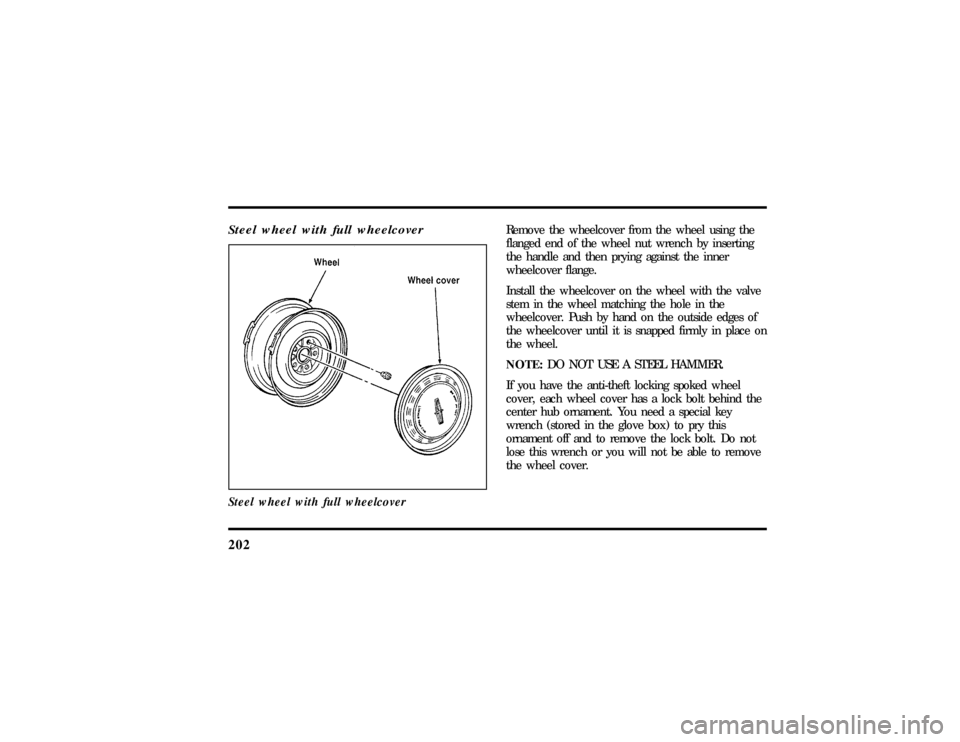
202Steel wheel with full wheelcoverSteel wheel with full wheelcover
Remove the wheelcover from the wheel using the
flanged end of the wheel nut wrench by inserting
the handle and then prying against the inner
wheelcover flange.
Install the wheelcover on the wheel with the valve
stem in the wheel matching the hole in the
wheelcover. Push by hand on the outside edges of
the wheelcover until it is snapped firmly in place on
the wheel.
NOTE:DO NOT USE A STEEL HAMMER.
If you have the anti-theft locking spoked wheel
cover, each wheel cover has a lock bolt behind the
center hub ornament. You need a special key
wrench (stored in the glove box) to pry this
ornament off and to remove the lock bolt. Do not
lose this wrench or you will not be able to remove
the wheel cover.
File:10fnert.ex
Update:Thu Jun 20 15:16:36 1996
Page 205 of 305
203
The key wrench has a registration number attached
to it. Keep the registration number in a safe place.
Complete the registration card and return it to the
manufacturer as soon as you buy the vehicle. To
replace the key wrench, send the I.D. card to the
manufacturer.Anti-Theft Wheel Lug Nuts
(If equipped)If your vehicle has this option, one of the lug nuts
on each wheel locks and must be unlocked with a
special key. The key and registration card are
attached to the lug wrench and stored with the
spare tire. If you lose the key, send the registration
card to the manufacturer (not the dealer) to get a
replacement key.
NOTE:If entire lug wrench/lug nut key assembly
is lost, see your nearest Ford or Lincoln-Mercury
dealer who has access to a master set of keys.
NOTE:DO NOT USE A POWER IMPACT
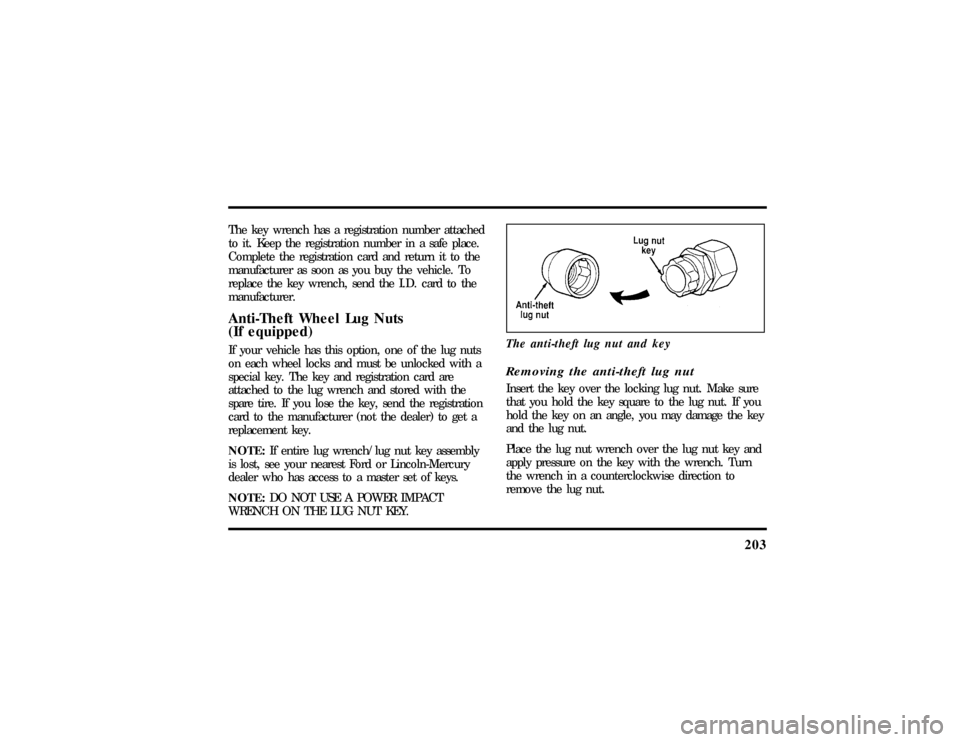
WRENCH ON THE LUG NUT KEY.The anti-theft lug nut and key
Removing the anti-theft lug nutInsert the key over the locking lug nut. Make sure
that you hold the key square to the lug nut. If you
hold the key on an angle, you may damage the key
and the lug nut.
Place the lug nut wrench over the lug nut key and
apply pressure on the key with the wrench. Turn
the wrench in a counterclockwise direction to
remove the lug nut.
File:10fnert.ex
Update:Thu Jun 20 15:16:36 1996
Page 215 of 305

213
Precautions When Servicing Your
VehicleBe especially careful when inspecting or servicing
your vehicle. Here are some general precautions for
your safety:q
Do not work on a hot engine. The engine
cooling fan may come on unexpectedly. Always
turn the engine off and let it cool.
q
If you must work with the engine running,
avoid wearing loose clothing or jewelry that
could get caught in moving parts. Take
appropriate precautions with long hair.
q
Do not work on a vehicle in an enclosed space
with the engine running, unless you are sure
you have enough ventilation.
q
Never get under a vehicle while it is supported
by a jack only. If you must work under a
vehicle, use safety stands.
q
Keep all lit cigarettes and other smoking
materials away from the battery and all
fuel-related parts.
If you disconnect the battery, the engine must
ªrelearnº its idle conditions before your vehicle will
drive properly. To find out how the engine does
this, seeBatteryin this chapter.
Working with the engine off:1. Set the parking brake fully and make sure that
the gearshift is securely latched in P (Park).
2. Remove the key from the ignition after you
turn the engine off.
3. Block the wheels. This will prevent your
vehicle from moving unexpectedly.
File:11fnmct.ex
Update:Mon Jun 17 13:54:56 1996
Page 286 of 305

295
Index
A
ABS warning light (see Anti-lock
brake system)............ 11
Accessory position on the ignition.... 73
Accessory power source, power
point outlet............. 73
Accident damage............ 212
Air bag supplemental
restraint system........... 135
and child safety seats......137, 141
description............. 135
driver air bag............ 135
indicator light............ 14
operation.............. 137
passenger air bag........... 135
service and information labels..... 139
tone generator............ 139Air cleaner filter
location............... 216
specifications............ 257
Air conditioning, electronic automatic
temperature control system....... 55
Air suspension, description........ 170
Alarm, activating remote personal..... 112
Aluminum wheels........... 200
Antenna, radio (see Electronic
sound system)............ 40
Antifreeze (see Engine coolant)...... 224
Anti-lock brake system (ABS)
description............. 167
see also Brake............ 167
warning light............ 11
Anti-theft lug nuts and key........ 203
File:fnixt.ex
Update:Mon Jun 17 13:58:01 1996