Page 43 of 315

38OIL CHANGE RESET PROCEDURE Ð This
procedure allows you to reset the oil monitoring
system to 100% (or your Personalized Oil Reset
Percentage) after each oil change.
1. Press the VEHICLE SETTINGS control until the
ªOIL CHANGE RESETº display appears.
2. Then press the RESET switch and hold it for 5
seconds while the display counts down to
trigger an oil change reset.
3. After a successful reset the Message Center will
display ªOIL LIFE RESET TO 100%º. If you
have established a Personalized Oil Reset
Percentage, the display will show that
percentage instead of 100%. To ensure accurate
oil life indicators, perform this reset procedure
only after an oil change. For more information
on Personalized Oil Reset Percentage see the
section onPersonalized Oil Reset Percentage.GEAR DISPLAY DATA ERRÐ This warning
message is displayed when the data used to provide
the redundant gear selection display on the
Instrument Cluster is missing or invalid. In this
case, the Instrument cluster redundant gear
selection display is turned off. The driver should use
the mechanical position indication on the center
console gear selector as temporary indication. If this
warning stays on, contact your dealer for service as
soon as safely possible.
File:03fnis8.ex
Update:Thu Jun 27 10:00:37 1996
Page 44 of 315

39
Function/Status Error MessagesFor some functions displayed by the Message
Center, there will be error messages displayed,
instead of the requested information, if that
information is not currently available because of
improper operation of sensor systems, or the vehicle
network communication between electronic
modules. In this case instead of displaying a
warning message which takes control of the display,
a function/status error message will be displayed
when the affected function is requested. These
messages will have 2 formats:
1. Data error messages in the form ªDATA
ERRORº or ªDATA ERRº. These messages
indicate improper operation of the vehicle
network communication between electronics
modules. If these messages occur on a regular
basis contact your dealer for service as soon as
safely possible.2. Invalid sensor operation messages with the form
ªSENSOR OPENº or ªSENSOR SHORTº. These
messages indicate improper operation of vehicle
sensor systems, or vehicle wiring/connectors
between the sensors and Message Center. If
these messages occur on a regular basis contact
your dealer for service as soon as safely
possible.
Electronic CompassThe electronic compass will be displayed when the
COMPASS switch is pressed. The display shows the
direction your car is traveling as one of the
following directions: North, Northeast, East,
Southeast, South, Southwest, West, or Northwest.
If a warning becomes active, the warning message
will override the compass display.
File:03fnis8.ex
Update:Thu Jun 27 10:00:37 1996
Page 49 of 315

44TroubleshootingIf the display shows the following message during
any of the compass adjustment procedures, contact
your dealer:If the compass always displays one direction while
turning a full 360-degree circle, perform the
Calibration Procedure.
A system of warning lights are located below the
Message Center. Warning lights are used to monitor
the operation of your vehicle.
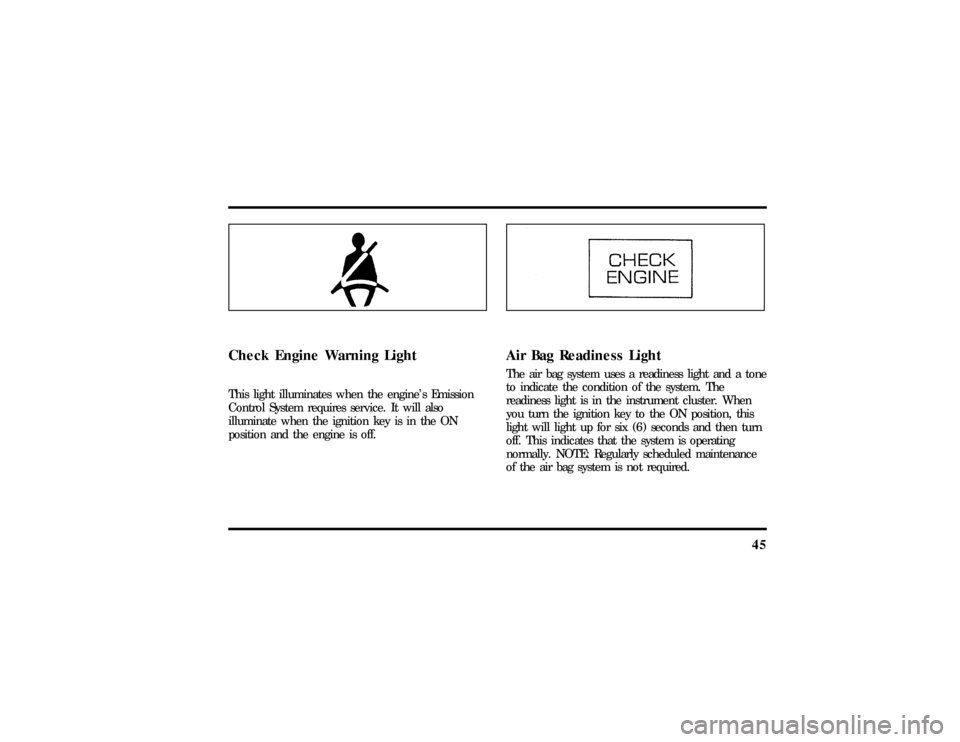
Safety Belt Warning Light and ChimeThis warning light and chime remind you to fasten
your safety belt. The following conditions will take
place:q
If the driver's safety belt is not buckled when
the ignition is turned to the ON position, the
light will turn on for 1 to 2 minutes and the
chime will sound for 4 to 8 seconds.
q
If the driver's safety belt is buckled while the
light is on and the chime is sounding, the light
and the chime will turn off.
q
If the driver's safety belt is buckled before the
ignition is turned to the ON position, neither
the light nor the chime will turn on.
File:03fnis8.ex
Update:Thu Jun 27 10:00:37 1996
Page 50 of 315
45
Check Engine Warning LightThis light illuminates when the engine's Emission
Control System requires service. It will also
illuminate when the ignition key is in the ON
position and the engine is off.
Air Bag Readiness LightThe air bag system uses a readiness light and a tone
to indicate the condition of the system. The
readiness light is in the instrument cluster. When
you turn the ignition key to the ON position, this
light will light up for six (6) seconds and then turn
off. This indicates that the system is operating
normally. NOTE: Regularly scheduled maintenance
of the air bag system is not required.
File:03fnis8.ex
Update:Thu Jun 27 10:00:37 1996
Page 63 of 315
58
Howto tak ecar eof an dclea ntheCD
WARNING
Th elase rbea muse din thecompact
Page 69 of 315
64
qWARNING
Thelase rbea muse din thecompact
Page 84 of 315
79
WARNING
TheDaytim eRunnin gLigh t(DRL)
To tur non the parkin glamps ,tai llamps ,side
Page 89 of 315
84
ON allow syo uto tes tyou rvehicle' swarnin glights
WARNING
Alway sse tth eparkin gbrak efull yand