Page 76 of 288
73
WARNING
To kee pyou rvehicl eunde rcontrol ,do
Page 81 of 288
78
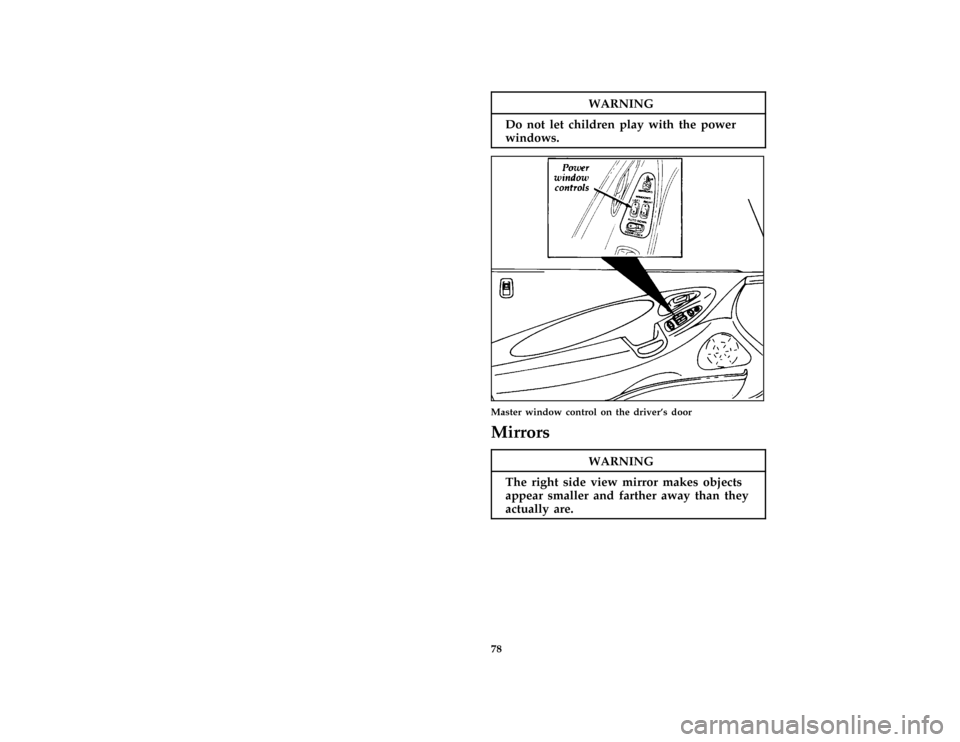
WARNING
Do no tle tchildre npla ywit hthepower
%
WARNING
Th erigh tsid evie wmirro rmake sobjects
Page 83 of 288
80
WARNING
Do no tpu tobject son theledg ebetween
Page 85 of 288
82
WARNING
If yo udriv ewit hthehatchbac klid open,
Page 86 of 288
83
[CF33300(ALL)01/96] Usingth eLuggag eCompartmen tCover
WARNING
D o no tpu tobject son theledg ebetween
Page 88 of 288
85
WARNING
Thecove rma ycaus einjur yin asudden
WARNING
Do no tpus hdow non theluggage
Page 89 of 288
![FORD PROBE 1997 2.G Owners Manual 86 [CF50300(ALL)01/96]By pressing the UNLOCK button on the
transmitter once, you can unlock the driver side
door. Pressing the UNLOCK button a second
time within five seconds of unlocking the
drivers](/manual-img/11/5321/w960_5321-88.png "FORD PROBE 1997 2.G Owners Manual 86 [CF50300(ALL)01/96]By pressing the UNLOCK button on the
transmitter once, you can unlock the driver side
door. Pressing the UNLOCK button a second
time within five seconds of unlocking the
drivers")
86 [CF50300(ALL)01/96]By pressing the UNLOCK button on the
transmitter once, you can unlock the driver side
door. Pressing the UNLOCK button a second
time within five seconds of unlocking the
driver's door will unlock the other doors.
[CF50400(ALL)01/96]
You can lock all your vehicle doors by pressing
the LOCK button. If you press the LOCK button
a second time within five (5) seconds, the horn
will sound briefly to verify that the doors have
been locked.
[CF50500(ALL)01/96]
When the PANIC button is pressed, the horn
will sound and the hazard warning lamps will
flash. This will continue for up to approximately
two minutes and 45 seconds unless it is turned
off by pressing the PANIC button a second time.
The panic mode can also be cancelled by turning
the ignition key to ON or ACC.
[CF50600(ALL)01/96]
Up to four transmitters can be programmed for
your vehicle. Your vehicle comes with two
transmitters. Additional transmitters can be
ordered from your dealer.
[CF50700(ALL)05/96]
one third page art:0090226-A
Remote keyless entry transmitter
File:05prcfp.ex
Update:Tue Jun 11 11:03:33 1996
Page 92 of 288
89
Seating and Safety
Restraints
%*
[SS00200(ALL)05/96]
Seats
*
[SS00300(ALL)05/96]
RWARNING
Never adjust the driver's seat or seatback
when the vehicle is moving.
*
[SS00400(ALL)02/96]
RWARNING
Always drive and ride with your seatback
upright and the lap belt snug and low
across the hips.
*
[SS00500(ALL)02/96]
RWARNING
Children should always ride with the
seatback in the fully upright position.
%*
[SS00600(ALL)05/96]
Head Restraints
[SS00700(ALL)02/96]
Head restraints help protect your head and neck
in a collision. The head restraints on your
vehicle are not adjustable.
[SS00800(ALL)02/96]
Manual Seat Adjustments
[SS00900(ALL)02/96]
You can move the front seats forward or
backward or tilt the back of the seat forward or
backward. The driver's seat also has controls for
lumbar support (if equipped) and side bolster
support (if equipped).
File:06prssp.ex
Update:Mon Jun 3 10:07:19 1996



![FORD PROBE 1997 2.G Owners Manual 83
[CF33300(ALL)01/96] Usingth eLuggag eCompartmen tCover
WARNING
D o no tpu tobject son theledg ebetween](/manual-img/11/5321/w960_5321-85.png "FORD PROBE 1997 2.G Owners Manual 83
[CF33300(ALL)01/96] Usingth eLuggag eCompartmen tCover
WARNING
D o no tpu tobject son theledg ebetween")

![FORD PROBE 1997 2.G Owners Manual 89
Seating and Safety
Restraints
%*
[SS00200(ALL)05/96]
Seats
*
[SS00300(ALL)05/96]
RWARNING
Never adjust the drivers seat or seatback
when the vehicle is moving.
*
[SS00400(ALL)02/96]
RWARNING
Alway](/manual-img/11/5321/w960_5321-91.png "FORD PROBE 1997 2.G Owners Manual 89
Seating and Safety
Restraints
%*
[SS00200(ALL)05/96]
Seats
*
[SS00300(ALL)05/96]
RWARNING
Never adjust the drivers seat or seatback
when the vehicle is moving.
*
[SS00400(ALL)02/96]
RWARNING
Alway")