Page 52 of 386
Downloaded from www.Manualslib.com manuals search engine ."
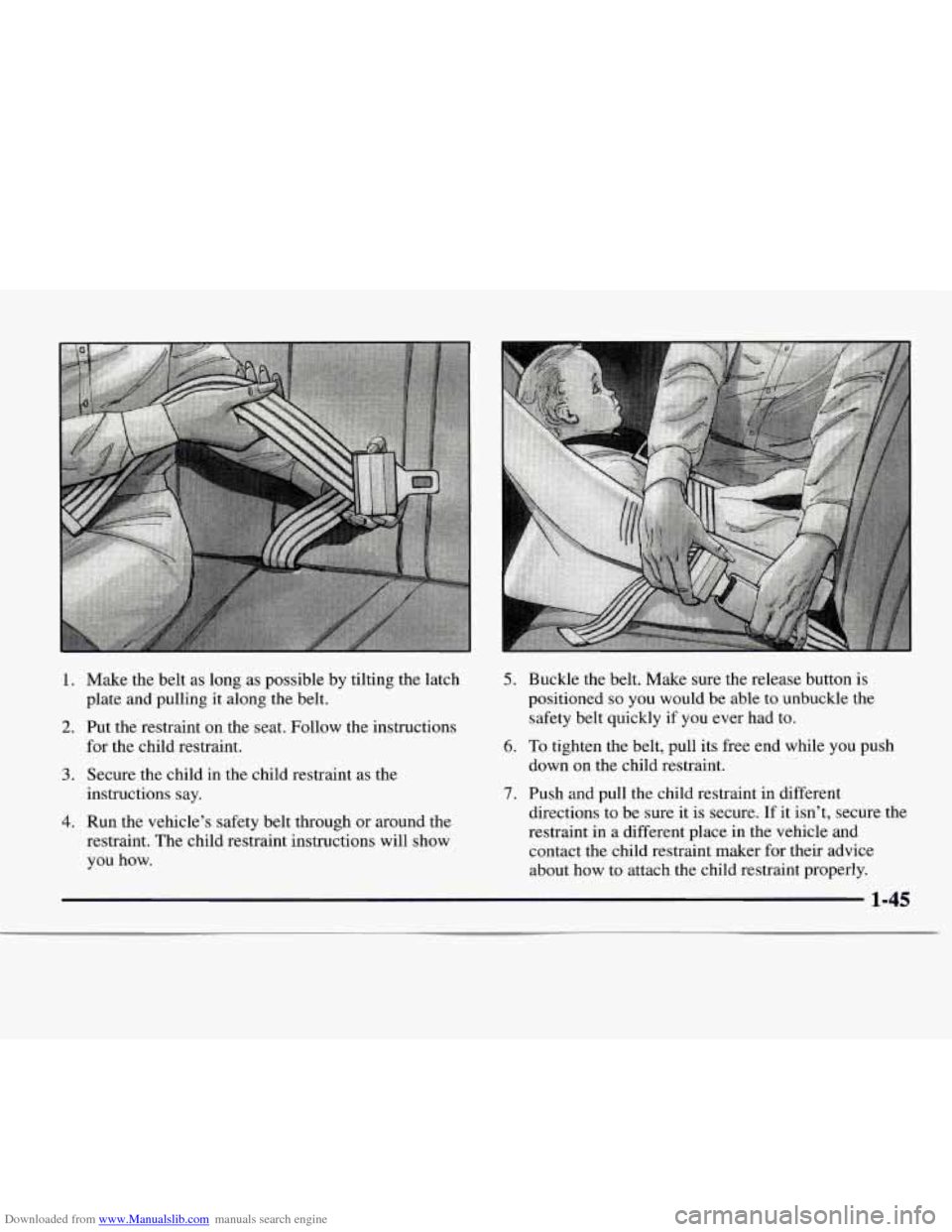
1.
2.
3.
4.
Make the belt as long as possible by tilting the latch
plate and pulling it along the belt.
Put the restraint on the seat. Follow the instructions
for the child restraint.
Secure the child in the child restraint as the
instructions say.
Run the vehicle's safety belt through
or around the
restraint. The child restraint instructions will show
you how.
5. Buckle the belt. Make sure the release button is
positioned
so you would be able to unbuckle the
safety belt quickly
if you ever had to.
6. To tighten the belt, pull its free end while you push
down on the child restraint.
7. Push and pull the child restraint in different
directions to be sure it is secure.
If it isn't, secure the
restraint in a different place in the vehicle and
contact the child restraint maker for their advice
about how to attach the child restraint properly.
1-45
Page 53 of 386
Downloaded from www.Manualslib.com manuals search engine To remove the child restraint, just unbuckle the vehicle’s
safety belt. It will be ready to work for an adult or larger
child passenger.
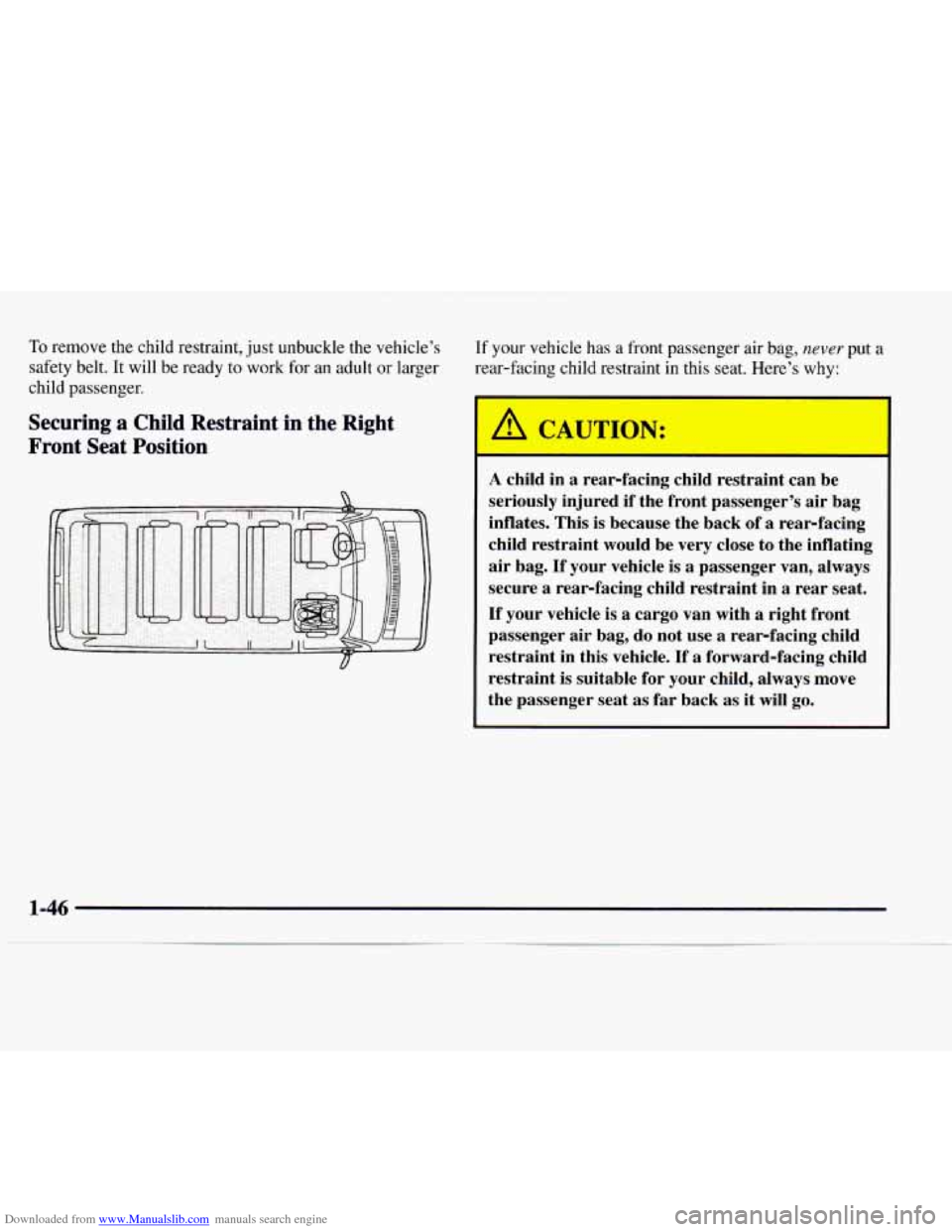
Securing a Child Restraint in the Right
Front Seat Position
If your vehicle has a front passenger air bag, never put a
rear-facing child restraint in this seat. Here’s why:
I A CAUTdN:
A child in a rear-facing child restraint can be
seriously injured if the front passenger’s air bag
inflates. This is because the back of
a rear-facing
child restraint would be very close to the inflating
air bag.
If your vehicle is a passenger van, always
secure
a rear-facing child restraint in a rear seat.
If your vehicle is
a cargo van with a right front
passenger air bag, do not use
a rear-facing child
restraint in this vehicle. If
a forward-facing child
restraint is suitable for your child, always move
the passenger seat as far back as it
will go.
Page 54 of 386
Downloaded from www.Manualslib.com manuals search engine You’ll be using the lap-shoulder belt. See the earlier part
about the top strap if the child restraint has one.
1.
2.
3.
4.
If your vehicle has a front passenger air bag, always
move the seat as far back as it will go before
securing a forward-facing child restraint. (See
“Seats” in the Index.)
Put the restraint on the seat. Follow the instructions
for the child restraint.
Secure the child in the child restraint as the
instructions say.
Pick up the latch plate, and run the lap and shoulder
portions of the vehicle’s safety belt through or
around the restraint. The child restraint instructions
will show you how.
If the shoulder belt goes in front of the child’s face or
neck, put it behind the child restraint.
.. 1
5. Buckle the belt. Make sure the release button is
positioned
so you would be able to unbuckle the
safety belt quickly if you ever had to.
1-47
Page 55 of 386
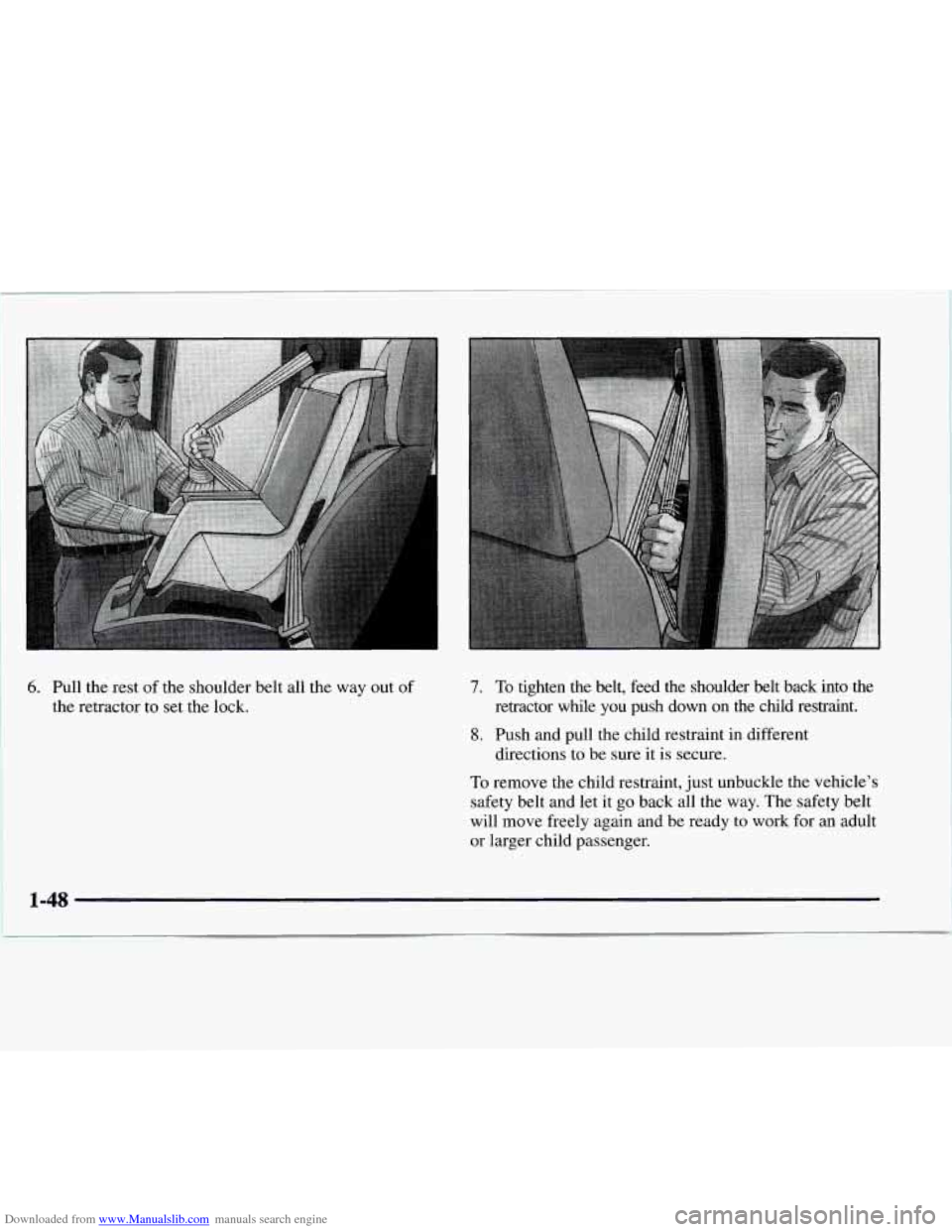
Downloaded from www.Manualslib.com manuals search engine 6. Pull the rest of the shoulder belt all the way out of
the retractor to set the lock.
7. To tighten the belt, feed the shoulder belt back into the
retractor while you push down
on the child restraint.
8. Push and pull the child restraint in different
directions to be sure
it is secure.
To remove the child restraint, just unbuckle the vehicle's
safety belt and let it
go back all the way. The safety belt
will move freely again and be ready to work for an adult
or larger child passenger.
1-48
I
Page 66 of 386
Downloaded from www.Manualslib.com manuals search engine Power Door Locks (Option)
Press the bottom side of the
power door lock switch
to
lock the doors at once.
When
a door is locked, the inside door handle will
not work.
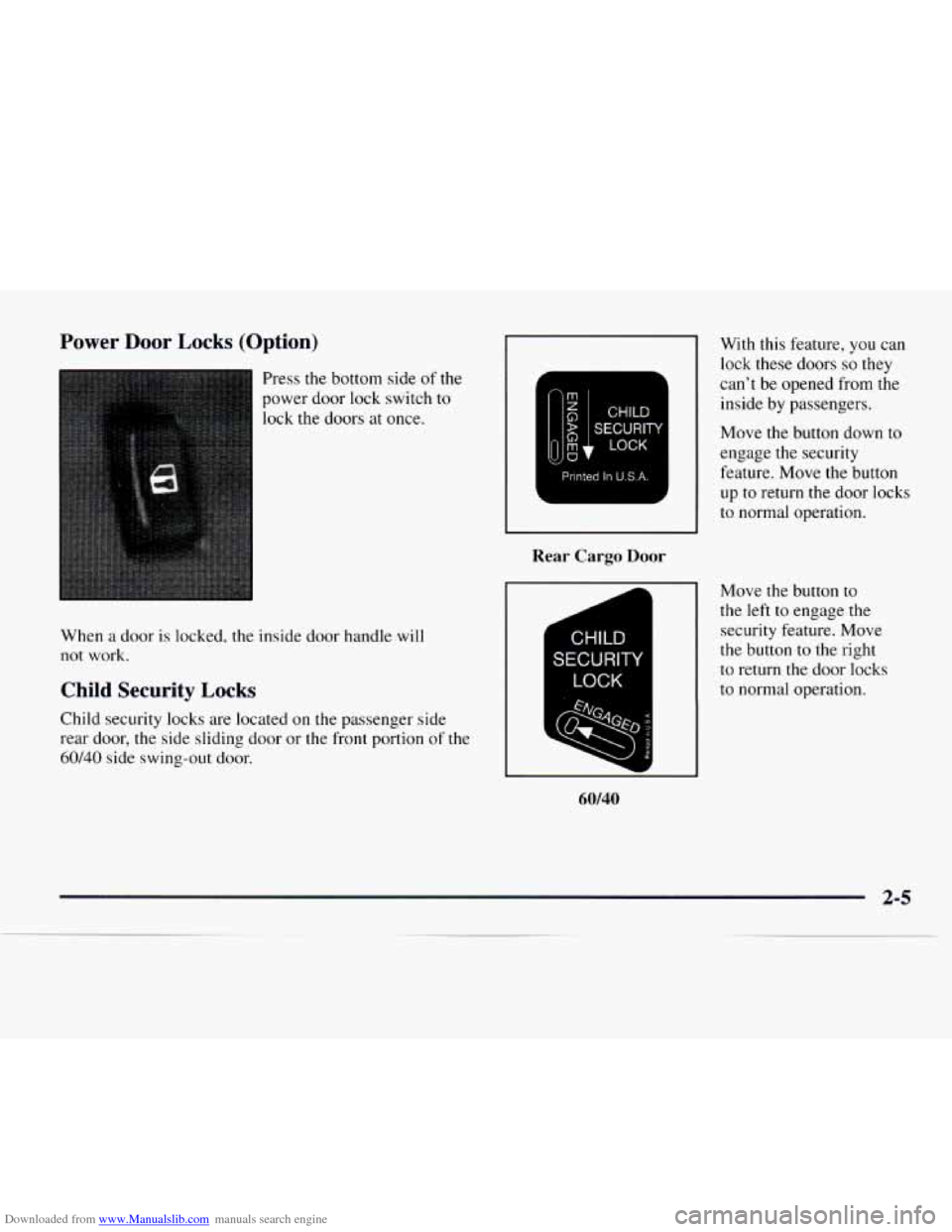
Child Security Locks
Child security locks are located on the passenger side
rear door, the side sliding door or the front portion
of the
60/40 side swing-out door.
p/S$J]
Printed In U.S.A.
Rear Cargo Door
CHILD
SECURITY
LOCK
60/40
With this feature, you can
lock these doors
so they
can’t be opened from the
inside by passengers.
Move the button down to
engage the security
feature. Move the button
up
to return the door locks
to normal operation.
Move the button
to
the left to engage the
security feature. Move
the button to the right
to return the door locks
to normal operation.
2-5
Page 67 of 386
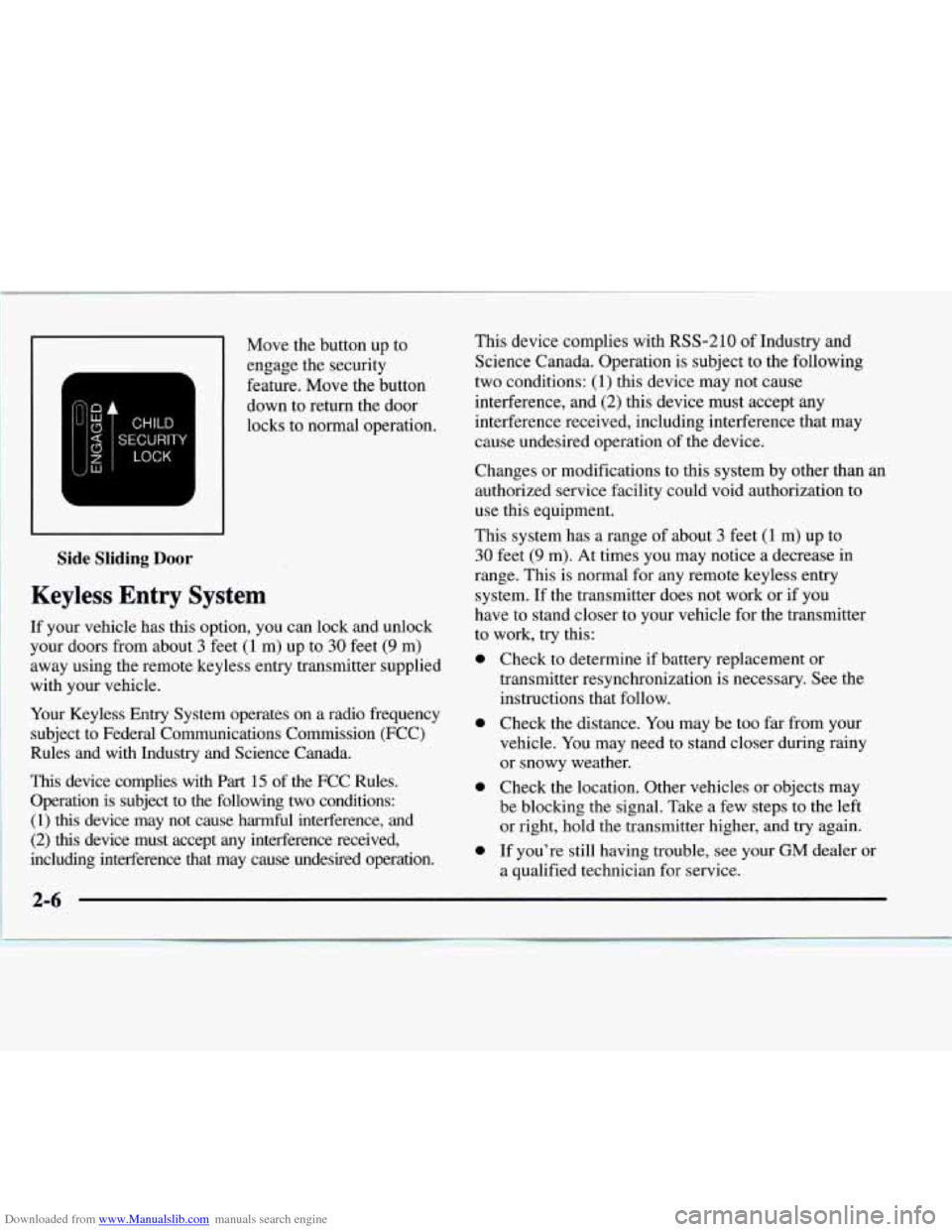
Downloaded from www.Manualslib.com manuals search engine Side Sliding Door
Keyless Entry System
Move the button up to
engage the security
feature. Move the button
down to return the door
locks
to normal operation.
If your vehicle has
this option, you can lock and unlock
your doors from about
3 feet (1 m) up to 30 feet (9 m)
away using the remote keyless entry transmitter supplied
with your vehicle. ~
Your Keyless Entry System operates on a radio frequency
subject to Federal Communications Commission (FCC)
Rules and with Industry and Science Canada.
This device complies with Part 15 of the FCC Rules.
Operation is subject to the following two conditions:
(1) this device may not cause harmful interference, and
(2) this device must accept any interference received,
including interference that may cause undesired operation. This device
complies with
RSS-210 of Industry and
Science Canada. Operation
is subject to the following
two conditions:
(1) this device may not cause
interference, and
(2) this device must accept any
interference received, including interference that may
cause undesired operation of the device.
Changes or modifications to this system by other than an
authorized service facility could void authorization
to
use this equipment.
This system has
a range of about 3 feet (1 m) up to
30 feet (9 m). At times you may notice a decrease in
range. This is normal for any remote keyless entry
system.
If the transmitter does not work or if you
have to stand closer to your vehicle for the transmitter
to work, try this:
0 Check to determine if battery replacement or
transmitter resynchronization is necessary. See the
instructions that follow.
0 Check the distance. You may be too far from your
vehicle. You may need to stand closer during rainy
or snowy weather.
0 Check the location. Other vehicles or objects may
be blocking the signal. Take a few steps
to the left
or right, hold the transmitter higher, and try again.
0 If you’re still having trouble, see your GM dealer or
a qualified technician for service.
Page 69 of 386
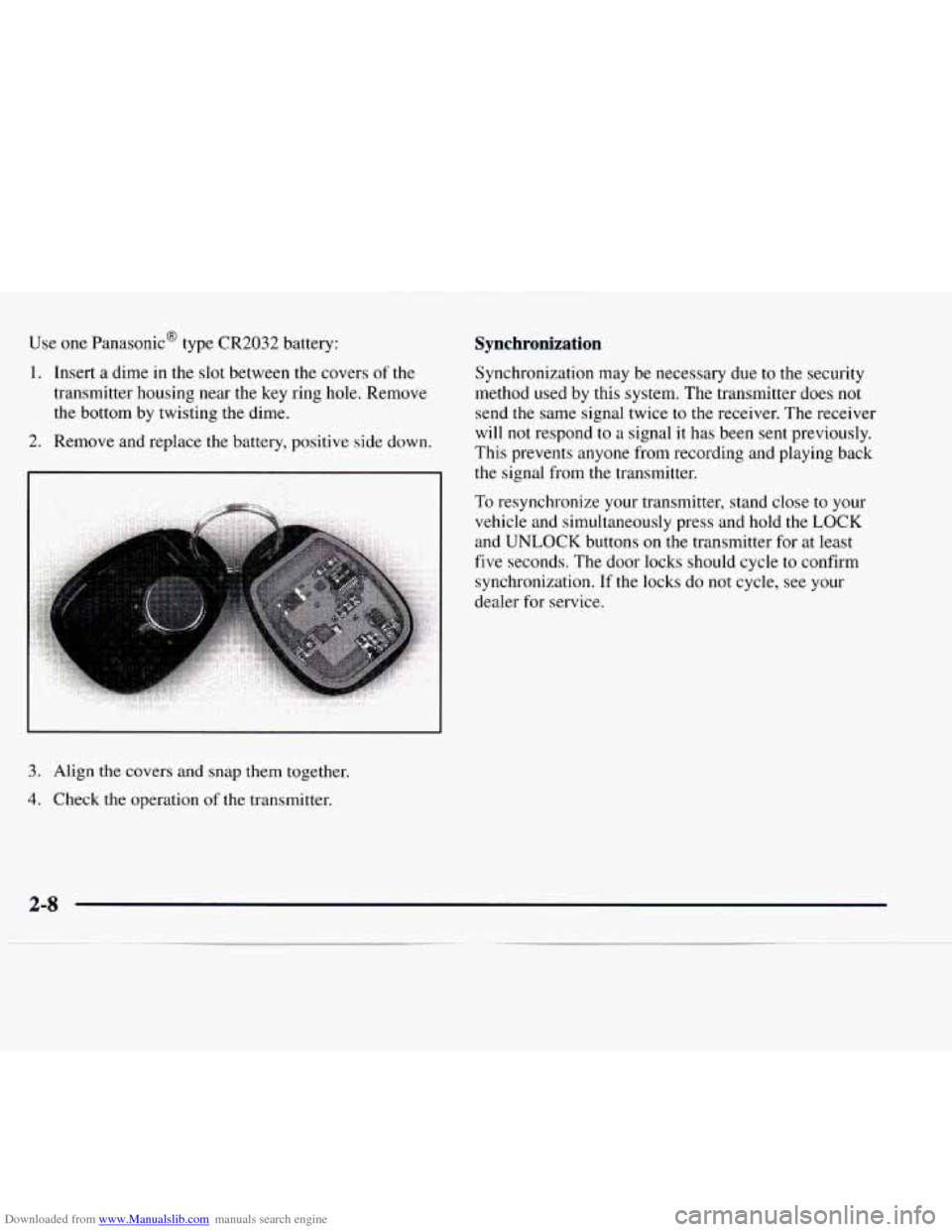
Downloaded from www.Manualslib.com manuals search engine Use one PanasonicB type CR2032 battery:
1. Insert a dime in the slot between the covers of the
transmitter housing near
the key ring hole. Remove
the bottom by twisting the dime.
2. Remove and replace the battery, positive side down.
3. Align the covers and snap them together.
4. Check the operation of the transmitter.
Synchronization
Synchronization may be necessary due to the security
method used by this system. The transmitter does not
send the same signal twice to the receiver. The receiver
will not respond to a signal it has been sent previously.
This prevents anyone from recording and playing back
the signal from the transmitter.
To resynchronize your transmitter, stand close to your
vehicle and simultaneously press and hold
the LOCK
and UNLOCK buttons on the transmitter for at least
five seconds. The door locks should cycle to confirm
synchronization. If the locks do not cycle, see your
dealer for service.
2-8
Page 147 of 386
Downloaded from www.Manualslib.com manuals search engine Playing a Compact Disc in the Single Remote Disc
Player
(If Equipped)
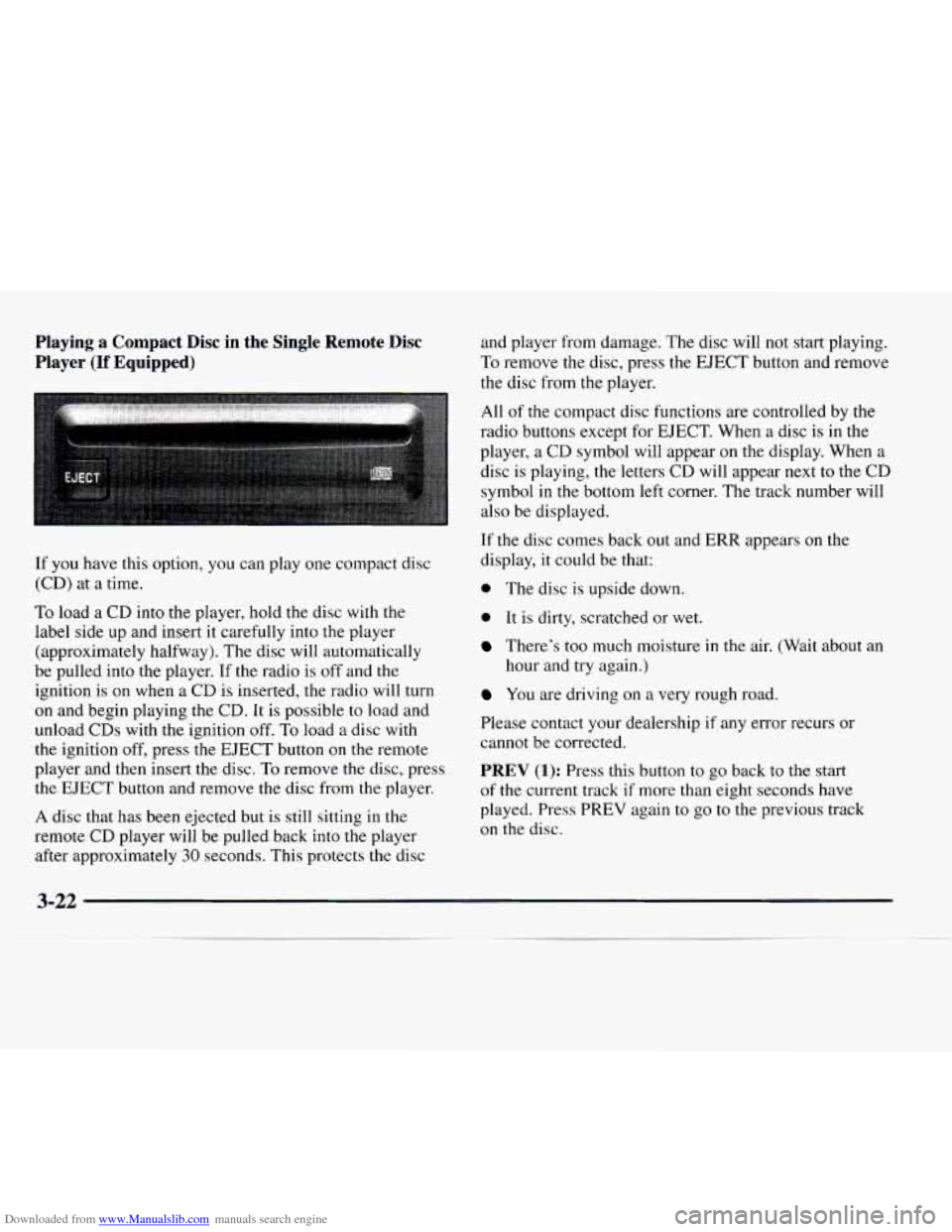
If you have this option, you can play one compact disc
(CD) at
a time.
To load a CD into the player, hold the disc with the
label side up and insert it carefully into the player
(approximately halfway). The disc will automatically
be pulled into the player.
If the radio is off and the
ignition is on when a CD is inserted, the radio will turn
on and begin playing the CD. It is possible to load and
unload
CDs with the ignition off. To load a disc with
the ignition off, press the EJECT button on the remote
player and then insert the disc.
To remove the disc, press
the EJECT button and remove the disc from the player.
A disc that has been ejected but is still sitting in the
remote CD player will be pulled back into the player
after approximately
30 seconds. This protects the disc and
player from damage. The disc will not start playing.
To remove the disc, press the EJECT button and remove
the disc from
the player.
All of the compact disc functions are controlled by the
radio buttons except for EJECT. When a disc is in the
player, a CD symbol will appear on the display. When a
disc is playing,
the letters CD will appear next to the CD
symbol
in the bottom left corner. The track number will
also be displayed.
If the disc comes back out and ERR appears on the
display, it could be that:
0 The disc is upside down.
0 It is dirty, scratched or wet.
There’s too much moisture in the air. (Wait about an
hour and try again.)
You are driving on a very rough road.
Please contact your dealership if any error recurs or
cannot be corrected.
PREV (1): Press this button to go back to the start
of the current track if more than eight seconds have
played. Press PREV again to
go to the previous track
on
the disc.