1997 CHEVROLET BLAZER reset
[x] Cancel search: resetPage 97 of 402
Downloaded from www.Manualslib.com manuals search engine Windshield Wipers
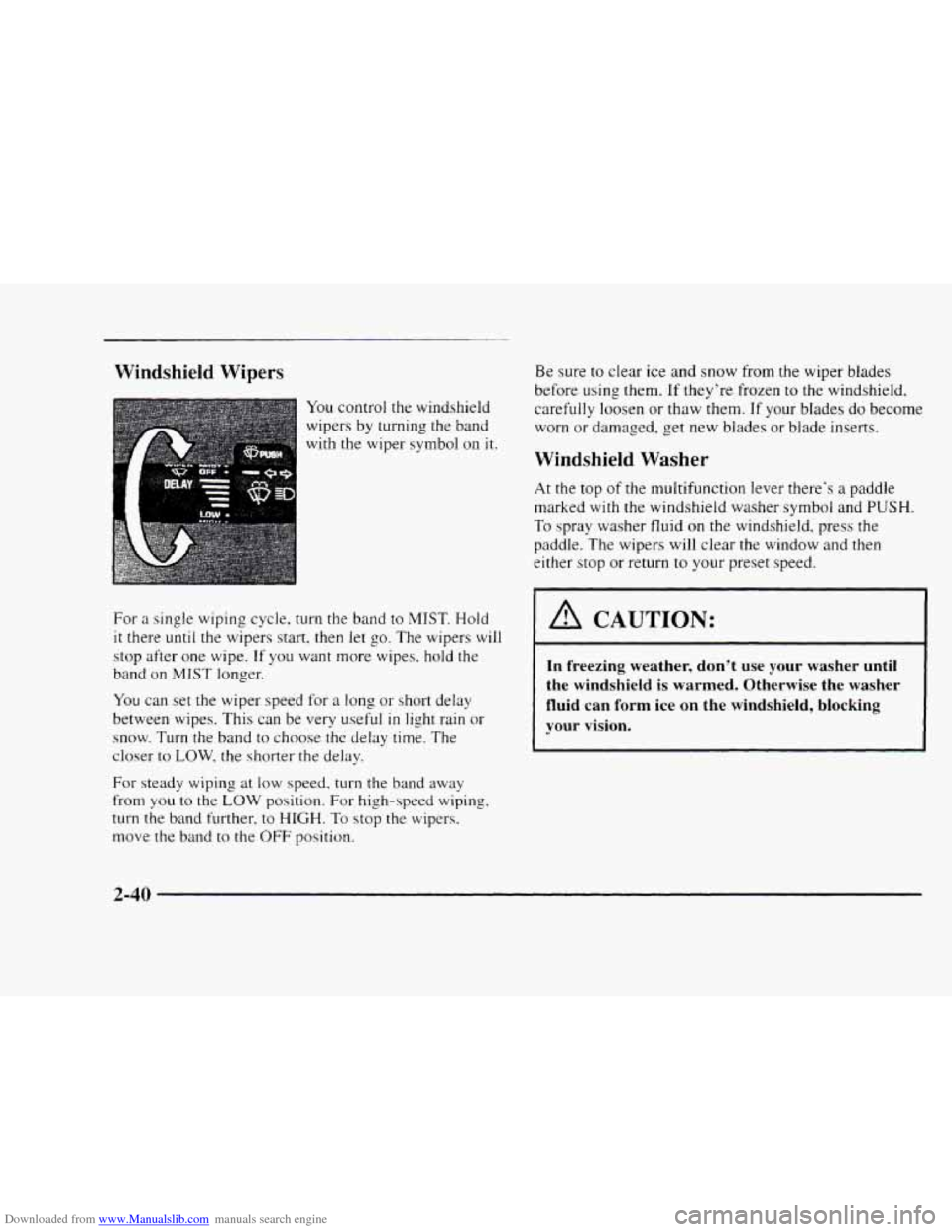
You control the windshield
wipers by turning the band
with the wiper symbol
on it.
For
a single wiping cycle, turn the band to MIST. Hold
it there until the wipers start, then let go. The wipers will
stop after one wipe. If you want more wipes. hold the
band on
MIST longer.
You can set the wiper speed for a long or short delay
between wipes. This
can be very useful in light rain or
snow. Turn the band
to choose the delay time. The
closer to
LOW. the shorter the delay.
For steady wiping at low speed, turn the band away
from
you to the LOW position. For high-speed wiping,
turn the band further, to HIGH. To stop the wipers.
move the band
to the OFF position.
Be sure to clear ice and snow from the wiper blades
before
using them. If they're frozen to the windshield,
carefully loosen
or thaw them. If your blades do become
worn or damaged, get new blades
or blade inserts.
Windshield Washer
At the top of the multifunction lever there's a paddle
marked
with the windshield washer symbol and PUSH.
To spray washer fluid on the windshield, press the
paddle. The wipers will clear the window and then
either stop
or return to your preset speed.
I A CAUTION:
In freezing weather, don't use your washer until
the windshield is warmed. Otherwise the washer
fluid can form
ice on the windshield, blocking
your vision.
2-40
Page 100 of 402
Downloaded from www.Manualslib.com manuals search engine Setting Cruise Control Resuming a Set Speed
Suppose you set your cruise control at a desired
speed
and
then you apply the brake. This, of course, shuts off
the cruise control. But you don't need to reset it. 1 A CAUTION:
If you leave your cruise control switch on when
you're not using cruise, you might hit a button
and go into cruise when
you don't want to. You
could be startled and even lose control. Keep
the cruise control switch
OFF until you want to
use it.
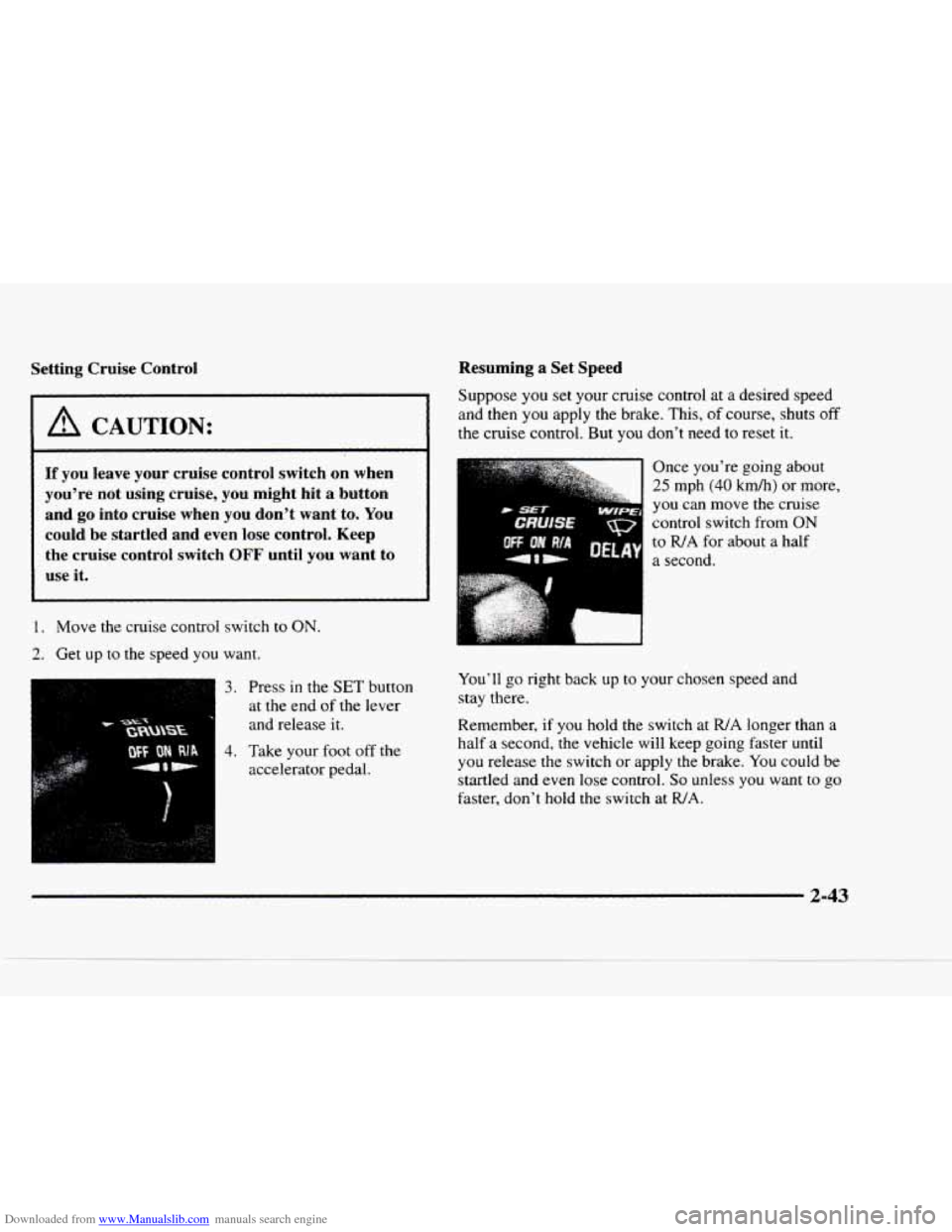
1. Move the cruise control switch to ON.
2. Get up to the speed you want.
3. Press in the SET button
at the end
of the lever
and release it. Once
you're going about
25 mph (40 kmh) or more,
you can
move the cruise
control switch from
ON
to WA for about a half
I a second.
You'll
go right back up to your chosen speed and
stay there.
Remember, if you hold the switch at
R/A longer than a
half a second, the vehicle will keep going faster until
you release the switch or apply the brake. You could be
startled and even lose control.
So unless you want to go
faster, don't hold the switch at WA.
2-43
Page 112 of 402
Downloaded from www.Manualslib.com manuals search engine The compass is self-calibrating, so it does not need
to be manually set. However, if C (Calibration) is
displayed, the compass will need to be calibrated.
You may also place the compass in a noncalibrated
mode by pressing and holding the MODE and USMET
buttons simultaneously while in the COMP/TEMP
mode. After about
10 seconds, the compass will display
C and you can release the buttons. Drive the vehicle
in
a complete 360" circle three times at a speed of less
than
5 mph (8 km/h), and the compass will function
normally. Once the calibration is complete, the display
will return to a compass reading.
Variance is the difference between magnetic north and
geographic north.
In some areas, the difference between
the two can be great enough to cause false compass
readings.
If this happens, follow these instructions to
set the variance for your particular location:
1.
2.
3.
4.
Find your location on the zone map earlier in this
section. Note your zone number.
Press and hold both the
MODE and the US/MET
buttons
in the COMPREMP mode.
After five seconds, the compass will acknowledge
the variation mode by displaying the current zone
number. When
it does, release both buttons.
Press USMET until your zone number appears
on the display.
5. Press MODE to enter your zone number. Your
variance is now set and the display
will return to
the COMP/TEMP mode.
TRIP: Once in the TRIP mode, pressing the
MODE button will step
you through the following
TRIP functions:
AVG ECON: The average fuel economy since the
INST ECON: Instantaneous fuel economy for the
last
reset is displayed.
last second of driving is displayed.
RANGE: The display indicates the estimated
distance that can be travelled
with the remaining
fuel in the tank, based on the fuel economy for the
last few hours
of driving.
FUEL USED: The fuel used since the last reset
is displayed.
AVG SPEED: The average speed since the last
To reset the trip computer, press the
MODE and
USMET buttons simultaneously for
at least two
seconds. All functions
will be displayed for half a
second once the system is reset. Reset can only be
performed
in the AVG ECON, FUEL USED and
AVG SPEED modes. All three modes are reset
simultaneously. reset
is displayed.
2-55
Page 146 of 402
Downloaded from www.Manualslib.com manuals search engine Finding a Station
AM-FM: Press the lower knob to switch between AM
and FM. The display shows your selection.
TUNE: Turn the lower knob to tune in radio stations.
SEEK: Press this button to go to the next higher station
and stop.
SCAN: Press this button to listen to each station for a
few seconds. The radio
will go to the next station, stop
for
a few seconds, then go to the next station. SCAN
will appear on the display. Press SCAN again to
stop scanning.
PUSHBUTTONS: The four numbered pushbuttons let
you t-cturn to your favorite stations. You can set LIP to
lit stations (seven AM and seven FM). Just:
4. Press SET. (SET \vi11 appear on the display. j
In addition to the four stations already set. up to three
more stations may be preset on each band by pressing
two adjoining buttons at
the same time. Just:
1. Tune in the desired station.
2. Press SET. (SET will appear on the display.)
3. Press two adjoining pushbuttons at the same time,
within five seconds. Whenever you press the same
two buttons, the station you set will return.
4. Repeat the steps for each pair of pushbuttons.
Setting the Tone
BASS: Slide this lever up or down to increase or
decrease
bass.
TREBLE: Slide this lever up or down to increase or
decrease treble.
If a station is weak or noisy. you may
want to decrease the treble.
Adjusting the Speakers
BAL: Turn the control behind the upper knob to move
the sound to the left or right speakers. The middle
position balances the sound between the speakers.
FADE: Turn the control behind the lower knob to move
the sound to the front
or rear speakers. The middle
position balances
the sound between the speakers.
3-7
Page 148 of 402
Downloaded from www.Manualslib.com manuals search engine In addition to the four stations already set, up to three
more stations
may be preset on each band by pressing
two adjoining buttons at the same time. Just:
1. Tune in the desired station.
2. Press SET. (SET will appear on the display.)
3. Press two adjoining pushbuttons at the same time.
within
five seconds. Whenever you press the same
two buttons, the station
you set will return.
4. Repeat the steps for each pair of pushbuttons.
Setting the Tone
BASS: Slide this lever up or down to increase or
decrease bass.
TREBLE: Slide this lever up or down to increase or
decrease treble.
If a station is weak or noisy, you may
want to decrease the treble.
Adjusting the Speakers
BAL:
Turn the control behind the upper knob to move
the sound
to the left or right speakers. The middle
position balances the sound between the speakers.
FADE: Turn the control behind the lower knob to move
the sound to the front or rear speakers. The middle
position balances the sound between the speakers.
Playing a Cassette Tape
Your tape player is built to work best with tapes that are
30 to 45 minutes long on each side. Tapes longer than
that are so thin they may not work well in this player.
Once the tape is playing, use the PWR-VOL, BAL and
FADE knobs just as you do for the radio. A lighted
arrow will be displayed to show tape play direction.
FORWARD: Press the arrow button in the direction that
the lighted arrow points to advance quickly to another
part
of the tape. Press STOP-EJECT lightly to stop
forwarding and play the tape.
REVERSE: Press the arrow button in the opposite
direction that the lighted arrow points to reverse quickly
to another part of the tape. Press STOP-EJECT lightly
to stop reversing and play the tape.
PROG: Press this knob to go from one side of the tape
to the other.
STOP-EJECT Press this button to remove the tape or
stop playing
the tape in order to play the radio. If you
leave a cassette tape in the player while listening to the
radio, it
may become warm.
Page 150 of 402
Downloaded from www.Manualslib.com manuals search engine PUSHBUTTONS: The four numbered pushbuttons let
you return to your favorite stations. You can set up to
14 stations (seven AM and seven FM). Just:
1. TLII-II the radio on. '
2. Press AM-FM to select the band.
3. Tune in the desired station.
4. Press SET. (SET will appear on the display.)
5. Press one of the four pushbuttons. within five
seconds. Whenever you press that numbered button,
the station
you set will return.
6. Repeat the steps for each pushbutton.
In addition to the four stations already set. up to three
more stations
may be preset on each band by pressing
two adjoining buttons at the same
time. Just:
I. Tune in the desired station.
2. Press SET. (SET will appear on the display.)
3. Press two adjoining pushbuttons at the same time.
within five seconds. Whenever you press the same
two buttons, the station
you set will return.
4. Repeat the steps for each pair of pushbuttons.
Setting the Tone
TONE ADJUSTMENT: Set the bass, midrange and
treble by using the levers
in the upper middle left corner
to get the sound
you want. The 60 and 250 levers adjust
the
bass, 1 K is midrange, and the levers 3.5K and 10K
control the treble.
We suggest
you start with 1 K in the midpoint position.
Then move the other levers up
until you get the amount
of bass and treble
you like.
Adjusting the Speakers
BAL: Turn the control behind the upper knob to move
the sound to the left
or right speakers. The middle
position balances the sound between the speakers.
FADE: Turn the control behind the lower knob to move
the sound to the front or rear speakers. The middle
position balances the sound between the speakers.
3-11
Page 153 of 402
Downloaded from www.Manualslib.com manuals search engine PUSHBUTTONS: The six numbered pushbuttons let
you return
to your favorite stations. You can set up to
18
1.
? -.
3.
4.
5.
6.
stations (six AM. six FM 1 and six FM2). Just:
Turn the radio on.
Press
AM-FM to select the band.
Tune
in the desired station.
Press
AUTO TONE to select the setting yo^^ prefer.
Press and
hold one of the four pushbuttons. The
sound
will mute. When it returns. release the button
Whenever you press that numbered button. the
station
you set will return and the tone you selected
will be automatically selected for that button.
Repeat
the steps for each pushbutton.
P.SCAN: The preset scan button lets you scan through
your favorite stations stored on your pushbuttons. Select
either the
AM. FM 1 or FM2 mode and then press
P.SCAN. It will scan through each station stored on your
pushbuttons and stop for
a few seconds before
continuing to scan through
all of the pushbuttons. Press
P.SCAN again or one of the pushbuttons to stop
scanning to listen
to ;1 specific stored station. P.SCAN
will light up on the display while in this mode. If one of
the stations stored on a pushbutton is too weak
for the
location you are in, the radio will skip the preset station
and the radio display
will show the channel number
(P1 through P6) for several seconds before advancing to
the next preset station.
3-14
Page 154 of 402
Downloaded from www.Manualslib.com manuals search engine Setting the Tone Adjusting the Speakers
BASS: Press lightly on this knob to release it froln its
stored position. Turn the
knob clockwise to increase
bass and counterclockwise
to decrease bass. When the
BASS control is rotated, the AUTO TONE setting will
change to MAN.
TREB: Press lightly on this knob to release it from its
stored position. Turn the knob clockwise
to increase
treble and counterclockwise
to decrease treble. When
the TREB control
is rotated, the AUTO TONE setting
will change to
MAN. If a station is weak or noisy. you
may want to decrease the treble.
Push these knobs back into their stored positions when
you’re
not using them.
AUTO TONE: Press this button to select among the
five preset equalization settings and tailor the sound
to
the music or voice being heard. Each time you press the
button, the selection will switch
to one of the preset
settings
of CLASSIC, NEWS. ROCK. POP or JAZZ.
The display will show which mode
the receiver is in. To
return to the manual mode, press and release this button
until MAN appears on the display. This will return the
tone adjustment
to the BASS and TREB controls. If a
BASS or TREB control
is rotated, the AUTO TONE
setting will change to MAN.
BAL: Press lightly on this knob to release it from its
stored position. Turn the control clockwise to adjust
sound
to the right speakers and counterclockwise to
adjust sound to the left speakers. The middle position
balances the sound between the speakers.
FADE: Press lightly on this knob to release it from its
stored position. Turn the control clockwise to adjust the
sound to the front and counterclockwise
for the rear
speakers. The middle position balances the sound
between the speakers.
Push these knobs back
into their stored positions when
you’re not using
them.
Playing a Compact Disc
PWR: Press this knob to turn the system on.
(Please note that you can also turn the system on when
you insert
a compact disc into the player with the
ignition
on.)
Insert a disc partway into the slot. label side LIP. The
player
will pull it in. Wait a few seconds and the disc
should play. CD and
a CD symbol will also appear on
the display. Anytime you are playing a CD. the letters
CD will be next
to the CD symbol.